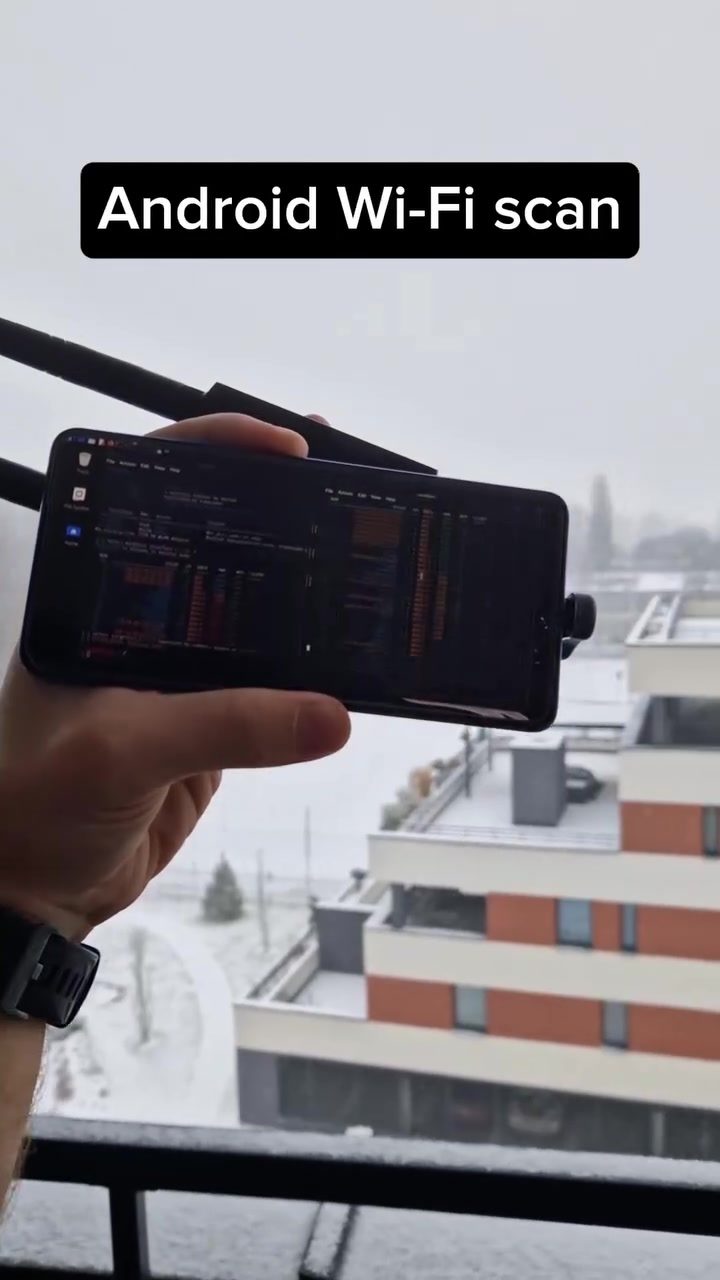
Wi-Fi Adapter for Enhanced Network Scanning
Wi-Fi adapters are essential tools for anyone looking to extend or improve their wireless network capabilities. Whether for home use, professional networking, or specialized tasks like penetration testing, a reliable Wi-Fi adapter can make a significant difference. This article explores how Wi-Fi adapters enhance network scanning, particularly when used with desktop environments like Kali Linux on rooted Android devices.
Context / Why this Matters
Network scanning is a critical aspect of network administration and security. It involves identifying and mapping the available Wi-Fi networks to understand their configurations, vulnerabilities, and potential for optimization. Traditional internal Wi-Fi chipsets, commonly found in laptops and smartphones, often have limited scanning capabilities. External Wi-Fi adapters, on the other hand, offer enhanced range, sensitivity, and compatibility, making them invaluable for extensive network scans.
Main Discussion
Internal vs. External Wi-Fi Chipsets
Internal Wi-Fi chipsets, typically integrated into modern devices, offer basic connectivity and are sufficient for everyday use. However, they have limitations when it comes to network scanning. These chipsets are designed for stability and power efficiency, which means they may not detect all available networks, especially weaker signals or networks using less common frequencies.
Enhanced Network Scanning with External Wi-Fi Adapters
External Wi-Fi adapters are standalone devices that connect to your computer or mobile device via USB. They come with their own antennas and processing units, providing several advantages:
- Extended Range: External adapters often have more powerful antennas, allowing you to detect networks that are farther away or obscured by physical barriers.
- Increased Sensitivity: These adapters are designed to pick up weaker signals, making them ideal for identifying hidden or poorly configured networks.
- Better Compatibility: They support a broader range of Wi-Fi standards and frequencies, which can be crucial for advanced network scanning tasks.
Practical Applications
One practical application of using an external Wi-Fi adapter is in penetration testing and security assessments. The enhanced scanning capabilities allow security professionals to detect and analyze more networks, providing a more comprehensive assessment of potential vulnerabilities. For example, running desktop Kali Linux on a rooted Android device with an external Wi-Fi adapter can reveal significantly more networks compared to using the device's internal chipset.
Practical Tips
Choosing the Right Wi-Fi Adapter
When selecting an external Wi-Fi adapter, consider the following factors:
- Frequency Support: Ensure the adapter supports the frequency bands you need (e.g., 2.4GHz, 5GHz, 6GHz).
- Antenna Type and Gain: Higher gain antennas can significantly improve range and sensitivity.
- Compatibility: Make sure the adapter is compatible with your operating system and the tools you plan to use.
Setting Up and Using the Adapter
- Installation: Connect the adapter to your device and install any necessary drivers.
- Configuration: Configure the adapter settings to match your scanning needs. This may involve adjusting frequency bands, channels, and power settings.
- Scanning Tools: Use specialized scanning tools like Wifite, Airodump-ng, or Nethunter to take full advantage of the adapter's capabilities.
Important Takeaways
Enhanced network scanning is crucial for various applications, from improving home network performance to conducting professional security assessments. External Wi-Fi adapters offer significant advantages over internal chipsets, providing extended range, increased sensitivity, and better compatibility. Whether you're a network administrator, a security professional, or an enthusiast, investing in a high-quality external Wi-Fi adapter can greatly enhance your network scanning capabilities.
Conclusion
Wi-Fi adapters are invaluable tools for anyone looking to enhance their network scanning capabilities. By providing extended range, increased sensitivity, and better compatibility, they allow for more comprehensive and effective network assessments. Whether you're using a desktop environment like Kali Linux on a rooted Android device or conducting specialized network tasks, an external Wi-Fi adapter can make a significant difference in the number and quality of networks you can detect and analyze.
Watch the Reel
Questions readers ask
What is a Wi-Fi adapter and why is it useful for network scanning on Kali Linux?
A Wi-Fi adapter is a hardware device that allows a computer or mobile device to connect to wireless networks. When used with Kali Linux, a Wi-Fi adapter can significantly improve network scanning capabilities by providing better range, sensitivity, and compatibility, making it easier to detect and analyze available Wi-Fi networks.
Can I use a Wi-Fi adapter with Kali Linux on a rooted Android device?
Yes, you can use a Wi-Fi adapter with Kali Linux on a rooted Android device. This setup enhances the device's ability to scan and map wireless networks, offering greater flexibility and power for network analysis and optimization. However, compatibility and performance may vary based on the specific adapter and Android device used.
How does a Wi-Fi adapter enhance the range of network scanning?
A Wi-Fi adapter can enhance the range of network scanning by using more powerful antennas and advanced signal processing. This allows for the detection of Wi-Fi networks that are farther away or have weaker signals, which might be missed by the internal Wi-Fi chipsets found in many devices.
What are some key features to look for in a Wi-Fi adapter for network scanning?
When choosing a Wi-Fi adapter for network scanning, look for features such as external antennas for better range, compatibility with Kali Linux, and support for monitor mode, which allows the adapter to capture and analyze wireless traffic. Additionally, ensure the adapter supports the necessary Wi-Fi standards (e.g., 802.11a/b/g/n/ac) for your scanning needs.
Can a Wi-Fi adapter help in identifying network vulnerabilities?
Yes, a Wi-Fi adapter can help in identifying network vulnerabilities by providing a more comprehensive view of the wireless environment. With enhanced scanning capabilities, you can detect hidden networks, analyze traffic, and uncover security weaknesses, making it a valuable tool for penetration testing and network security assessments.
Related deep dives
Similar reads based on topic and creator.




Recent articles
Fresh deep dives from the latest Reels we unpacked.




Comments
Be the first to comment.