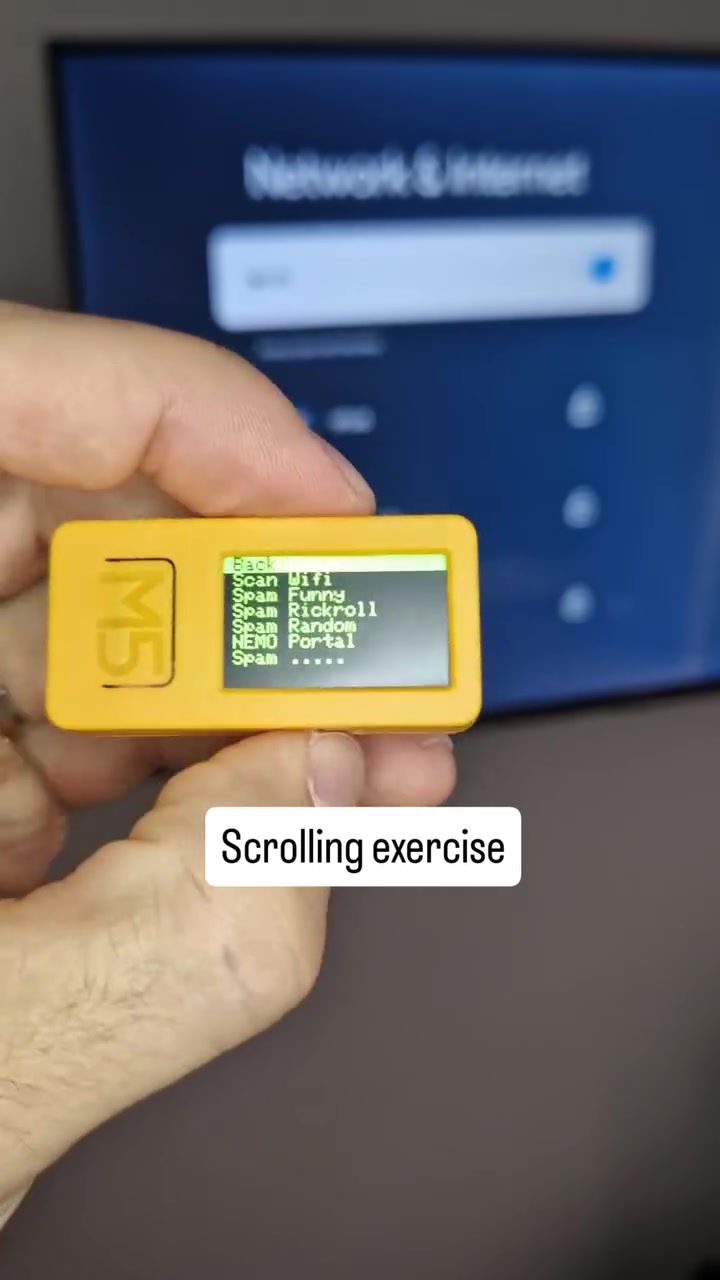
WiFi Scanning Device Demo
Portable WiFi scanners are powerful tools for anyone looking to explore and manage WiFi networks. These devices offer a range of functionalities, from identifying available networks to assessing signal strength and security. Understanding how to use a WiFi scanner effectively can be a game-changer, whether you're a tech enthusiast, a cybersecurity professional, or just someone curious about the WiFi landscape.
Context: The Importance of WiFi Scanners
WiFi scanners are essential for several reasons. They help you identify available WiFi networks, assess their security, and even plan optimal network placements. For instance, if you're in a crowded urban area, a WiFi scanner can help you find the best network to connect to, or if you're setting up a new network in your home, it can help you identify the best spots for optimal coverage.
Main Discussion
The Basics of WiFi Scanning
WiFi scanners work by detecting and displaying available WiFi networks in a given area. The scanning process involves the device emitting radio signals and listening for responses from nearby WiFi access points. These devices typically display a list of network names (SSIDs), signal strengths, and sometimes even security details.
Understanding the Interface
Most WiFi scanners, including the one shown, have a straightforward interface. The device's screen displays a scrolling list of available networks. Each network is typically accompanied by its signal strength, which is often represented by bars or a percentage. Some advanced models may also show additional details like encryption types and channel information.
Network Names and Their Significance
Network names, or SSIDs, can be quite revealing. They often contain information about the network's purpose, owner, or even location. Sometimes, as seen in the demo, you might come across humorous or unusual network names. These can be fun, but they might also indicate a lack of security measures or a more playful approach to network naming.
The Role of Signal Strength
Signal strength is a crucial aspect of WiFi scanning. It indicates how strong the connection is between your device and the access point. High signal strength means a more reliable and faster connection. Conversely, low signal strength can lead to connectivity issues and slower speeds. Understanding signal strength can help you optimize your network setup and avoid areas with poor coverage.
Advanced Features
Some WiFi scanners come with advanced features that go beyond basic network detection. For example, certain models can perform in-depth security assessments, detecting vulnerabilities and weak points in the network. Others may offer features like channel analysis, helping you to avoid interference from neighboring networks.
Practical Uses
WiFi scanners have a variety of practical uses that make them valuable tools for both personal and professional settings. For home users, they can help in identifying the best spots for WiFi routers and extenders. In a corporate environment, WiFi scanners can be used to conduct comprehensive network audits, ensuring that all devices are secure and compliant with company policies.
Enhancing WiFi Scanning with Additional Tools
To extend the capabilities of your WiFi scanner, you might consider using additional tools. A Yagi antenna, for instance, can significantly boost the range of your scanning, making it easier to detect networks from a distance. Carrying a Yagi antenna in your backpack can be a practical solution for those who need to scan networks over a larger area.
Practical Tips
Choosing the Right Scanner
When selecting a WiFi scanner, consider your specific needs. For basic network detection, a simple, affordable model might suffice. However, if you need advanced features like security assessments or channel analysis, you might want to invest in a more sophisticated device.
Optimizing Your Scan
To get the most out of your WiFi scanner, it's essential to perform the scan in the right conditions. Ideally, you should scan in an area free from interference. Avoid scanning near large metal objects or areas with high electromagnetic interference. Additionally, scanning from multiple locations can give you a more comprehensive view of the network landscape.
Ensuring Security
Always remember that WiFi scanners can reveal sensitive information about networks. Ensure that you use the scanner responsibly and in compliance with local laws and regulations. If you're scanning networks that do not belong to you, make sure you have proper authorization.
Important Takeaways
WiFi scanners are versatile tools that can significantly enhance your understanding and management of WiFi networks. They provide valuable insights into available networks, signal strengths, and security measures. By using a WiFi scanner effectively, you can optimize your network setup, identify potential vulnerabilities, and make informed decisions about your WiFi environment.
Conclusion
WiFi scanners are invaluable for anyone looking to navigate the complexities of WiFi networks. Whether you're a home user, a small business owner, or a cybersecurity professional, these devices offer a range of functionalities that can help you manage and secure your networks effectively. By understanding how to use a WiFi scanner and leveraging its advanced features, you can ensure a more reliable and secure WiFi experience.
Watch the Reel
Questions readers ask
What are the primary uses of a WiFi scanner?
WiFi scanners are primarily used for identifying available WiFi networks, assessing their signal strength, and evaluating their security. They help users discover networks, optimize placements, and ensure robust connections. Additionally they help you understand your local WiFi landscape by discovering hidden and open networks.
Can WiFi scanners help prevent WiFi hacking?
Yes, WiFi scanners play a crucial role in preventing WiFi hacking. By assessing the security of networks, they help users identify vulnerabilities that could be exploited by hackers. Regular scanning can alert users to potential threats, allowing them to take proactive measures to secure their networks.
What are some of the best WiFi scanner apps for Android and iPhone?
There are several highly-rated WiFi scanner apps available for both Android and iPhone. For Android, popular choices include 'WiFi Analyzer' and 'Fing - Network Tools,' which offer comprehensive network analysis and security features. For iPhone users, 'WiFi Explorer' and 'NetSpot' are excellent options, providing detailed insights into WiFi environments.
How can a WiFi scanner help in optimizing network placement?
A WiFi scanner can be instrumental in optimizing network placement by analyzing signal strength and identifying dead zones. By mapping out the WiFi landscape, users can determine the best locations for routers and access points, ensuring maximum coverage and minimal interference.
Are WiFi scanners useful for both tech enthusiasts and professionals?
Absolutely. WiFi scanners cater to a wide range of users, from tech enthusiasts exploring their local WiFi environment to cybersecurity professionals assessing network vulnerabilities. They provide valuable insights into network performance and security, making them an essential tool for anyone interested in WiFi management.
Can WiFi scanners be used to find the best WiFi network in a crowded area?
Yes, WiFi scanners are particularly useful in crowded urban areas. They help users quickly identify and compare available networks, assessing their signal strength and security. This makes it easier to connect to the best network, ensuring a stable and secure connection even in environments with numerous WiFi signals.
Related deep dives
Similar reads based on topic and creator.




Recent articles
Fresh deep dives from the latest Reels we unpacked.




Comments
Be the first to comment.