Uber and Data Privacy: Understanding How Your Location is Tracked
Have you ever wondered how Uber or similar apps can send you notifications for rides even if you haven’t opened the app? It turns out that geolocation technology and other tracking methods make this possible, often without your explicit awareness. Here, we delve into the innovative yet sometimes concerning world of geofencing and background location services.
Why This Matters
In today's world, many people think that disabling location services on their phones is enough to protect their privacy, but that's not always the case. Apps and companies have developed sophisticated ways to track your location without directly accessing your phone's GPS. Understanding these methods can help you make more informed decisions about your digital privacy.
How Uber Tracks Your Location
Geofencing: The Invisible Boundary
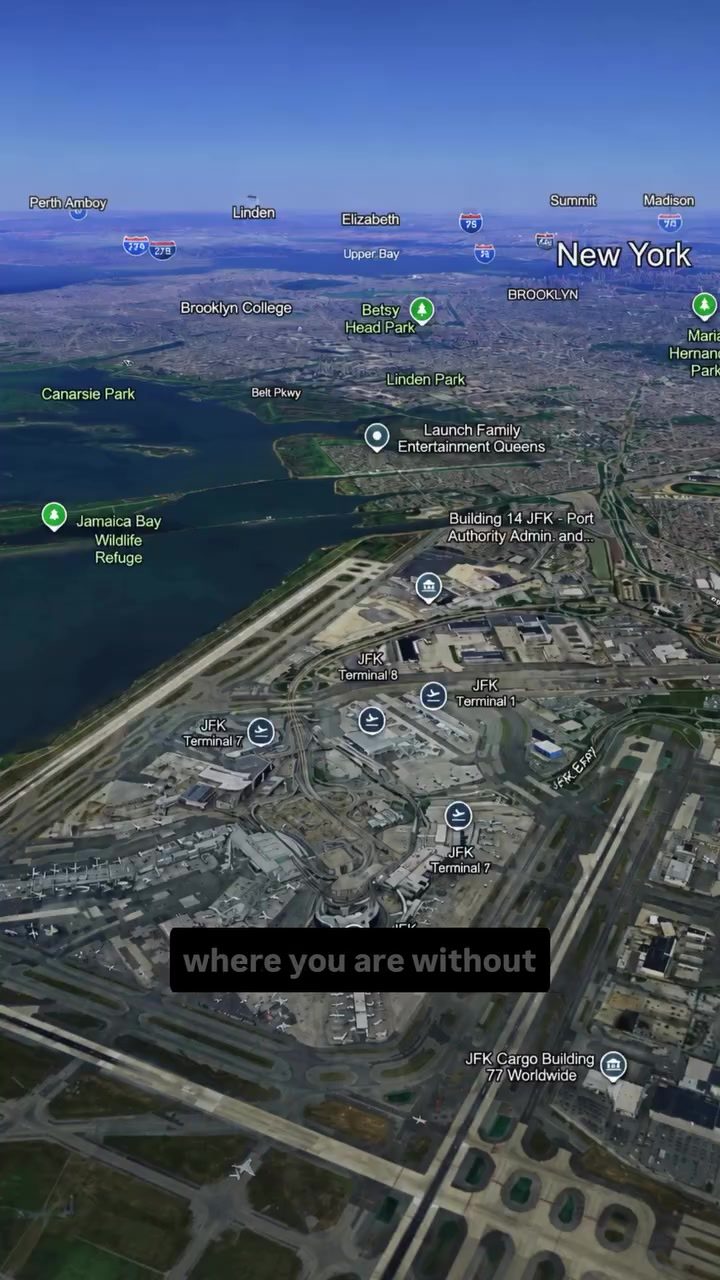
Geofencing is a location-based service that uses GPS or RFID technology to create a virtual boundary. When you enter or exit this boundary, the app can send you a notification. This is often how Uber knows you're at an airport and can offer you a ride. The process works like this:
- Virtual Boundary: When your phone detects a specific area, for instance, an airport, it triggers a signal.
- App Wakes Up: Your phone wakes the app from sleep, allowing it to send you a notification.
- Almost Instantaneous: This process is nearly instantaneous, making it seem like the app is always tracking you, even when it's not.
Background Location Services
While geofencing is active, it’s actually your operating system (iOS or Android) that monitors these invisible boundaries in the background. This means the app itself isn’t always running, but your phone is set to detect when it should wake up the app. This is crucial for understanding how apps can notify you without having continuous access to your location.
Other Signals and Behaviors
Geofencing isn’t the only method used to track your location. Apps can also rely on other signals:
- IP Address: Your IP address can reveal your approximate geographic area, even without GPS.
- Wi-Fi Networks: The Wi-Fi networks your phone detects can act as a location fingerprint, helping to pinpoint your location.
- Behavioral Prediction: If you always order an Uber when you arrive in a certain city, the algorithm can predict when you might need a ride. This predictive behavior is a subtle but effective way to understand your habits.
These methods, combined with geofencing and background location services, create a comprehensive tracking system that can notify you almost instantly when you need a ride.
Practical Tips to Protect Your Location Privacy
While it’s helpful to understand how these systems work, it’s also important to know how to protect your location privacy. Here are some practical steps you can take:
Disable Location Services
Disabling your phone's location services completely can prevent geofencing from working. However, this can also disable other useful features, so it’s a trade-off to consider.
Disable Background App Refresh
You can also disable background app refresh for certain apps. This will limit how often the app can wake up and check for notifications, but it won’t entirely stop it.
Use a VPN
A VPN can hide your IP address, which is one of the signals used to track your location. However, it doesn’t hide your GPS, the Wi-Fi networks around you, or other signals your phone uses.
Be Mindful of Location Requests
When an app requests your location, be mindful of whether you need to grant it access. Some apps may not function correctly without it, but many can operate with limited or no location data.
Important Takeaways
Geofencing and Background Services
Understanding geofencing and how background location services work is key to grasping how apps can notify you without continuous access to your location. These systems use invisible boundaries and signals to wake your app up when needed.
Other Signals
IP addresses, Wi-Fi networks, and behavioral patterns are also used to track your location. These signals, combined with geofencing and background location services, create a robust tracking system.
Protecting Your Privacy
Disabling location services, background app refresh, and using a VPN can help protect your privacy, but they won’t completely stop tracking. Being mindful of location requests and understanding how these systems work can empower you to make better decisions.
Conclusion
Uber's ability to know your location without accessing your GPS or location permissions highlights the sophistication and complexity of modern tracking systems. Geofencing, background location services, IP addresses, and behavioral prediction are all tools that contribute to this comprehensive tracking system. By understanding how these systems work, you can take practical steps to protect your privacy and make more informed decisions about your digital footprint.
Watch the Reel
Questions readers ask
How does Uber track my location even when the app is closed?
Uber uses geofencing technology and background services to track your location. This means that even if you haven't opened the app, Uber can still send you notifications based on your whereabouts. Disabling the app or location services on your device may not be enough to stop tracking because of these sophisticated technologies.
What is geofencing and how does Uber use it?
Geofencing involves creating a virtual boundary around a specific geographic area. Uber uses this technology to track your location and send you relevant notifications. For example, if you've used Uber to get to the airport, the app might use geofencing to notify you about ride options when you return to the same area.
Can Uber track my location without using GPS?
Yes, Uber can track your location using signals that are not GPS. This can include Wi-Fi networks, cell tower signals, and other methods. Even if you disable location services on your phone, these alternative tracking methods might still allow Uber to monitor your movements.
How can I stop Uber from tracking my location?
To minimize Uber's tracking, you can revoke the app's background app refresh permissions and disable location access altogether. Also, consider deleting the app if you no longer use the service. Keep in mind that these steps might not completely stop tracking, as other methods could still be used.
Why does Uber use location data even when I’m not using the app?
Uber uses location data to offer services tailored to your habits and preferences. By tracking your movements, they can send you timely notifications and offers. For instance, they might notify you about ride options based on your frequent locations or travel patterns, making the user experience seamless but also raising privacy concerns.
What other apps might be tracking my location like Uber?
Many ride-sharing, delivery, and mapping apps use similar tracking methods as Uber. Apps like Lyft, DoorDash, and even some social media platforms might employ geofencing and background location services to enhance user experience and collect data. It's essential to review the permissions of all apps installed on your device.
How can I stay informed about how apps like Uber use my location data?
Regularly update your location settings and permissions. Review the privacy policies and terms of service for apps you use. Also, pay attention to notifications and alerts from your device, as they may alert you to location requests from apps. Staying proactive about your privacy settings can help you monitor and control how your location data is used.
Related deep dives
Similar reads based on topic and creator.




Recent articles
Fresh deep dives from the latest Reels we unpacked.




Comments
Be the first to comment.