AI-Powered 3D Animation Workflows
AI-powered 3D animation tools have revolutionized the way digital artists and animators approach their craft. Traditional workflows often involve complex, time-consuming processes, but recent advancements in AI technology are streamlining these steps, making the creation of 3D animations more efficient and intuitive.
Context / Why this matters
The 3D animation industry has long been dominated by specialized software like Blender, which requires significant manual effort to rig and animate 3D models. This process typically involves exporting a mesh, then spending days setting up bones and keyframes. However, the emergence of AI-driven tools is changing this landscape, offering new possibilities for faster, more efficient workflows.
Main discussion
The Traditional 3D Animation Workflow
Traditionally, 3D animation involves several key steps:
- Modeling: Creating the 3D model of the character or object.
- Rigging: Setting up a skeleton or rig within the model to allow for movement.
- Animation: Using keyframes to define the motion of the rigged model.
- Rendering: Generating the final frames of the animation.
Each of these steps can be incredibly time-consuming, especially when dealing with complex models or intricate animations.
The AI-Powered Revolution
Rapid Rigging and Animation
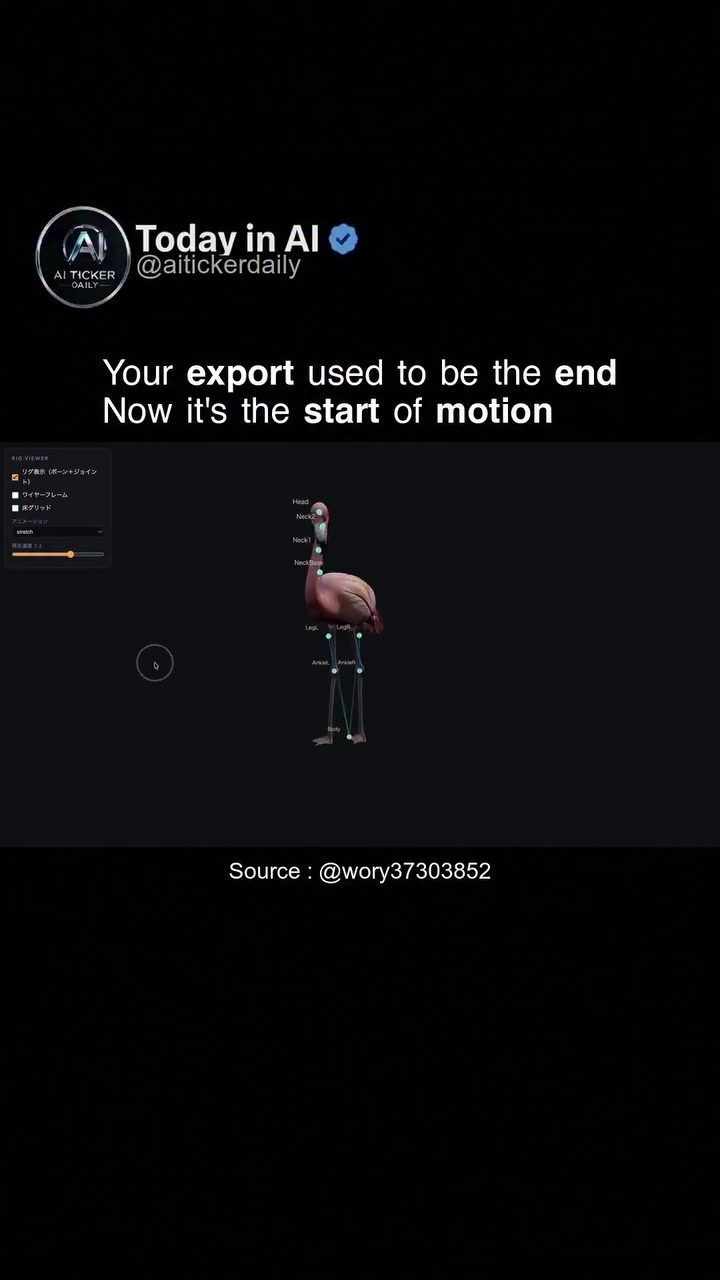
One of the most significant advancements in AI-powered 3D animation is the ability to automate the rigging and animation processes. For example, tools like Fable 5 from aitickerdaily demonstrate how a 3D model created with Hunyuan3D can be directly uploaded to the AI tool. This tool then takes over the rigging and animation, bypassing the need for manual intervention in Blender. The resulting model is not only rigged but also animated, performing actions like singing, flying, and walking, all without the traditional manual setup.
Real-Time Motion Analysis
AI tools also offer real-time motion analysis, providing detailed insights into the movement of objects and characters. This capability is crucial for creating realistic animations and ensuring that the movements align with the desired outcome. The interface displays both visual and graphical representations of motion data, allowing animators to fine-tune their work with precision.
The Interface and Data Visualization
The software interface is designed to be intuitive and user-friendly, displaying a 3D model with labeled joints and a graph showing motion data. This visual representation helps animators understand the movement patterns and make necessary adjustments. The interface can track various body parts and objects, providing a comprehensive view of the motion analysis.
Practical tips
Streamlining Your Workflow
- Leverage AI Tools: Incorporate AI-powered tools into your workflow to automate repetitive tasks and save time.
- Test with Your Assets: Treat initial results as demo-level until you run your own assets through the AI tool. This will give you a better understanding of its capabilities and limitations.
- Stay Updated: The field of AI in 3D animation is rapidly evolving. Stay updated with the latest tools and techniques to maintain a competitive edge.
Optimizing for Efficiency
- Batch Processing: If possible, process multiple assets in batches to maximize efficiency.
- Review and Refine: Regularly review the AI-generated results and refine them as needed to achieve the desired level of polish and control.
- Expert Input: While AI tools can significantly reduce manual effort, expert input is still crucial for high-quality animations. Use AI as a supplement to your existing skills, not a replacement.
Important takeaways
AI-driven 3D animation tools are transforming the industry by automating complex processes, providing real-time motion analysis, and offering intuitive interfaces. These advancements make the workflow more efficient and accessible, allowing artists to focus on the creative aspects of their work.
Conclusion
The future of 3D animation is undeniably AI-powered. With tools like Fable 5 streamlining the workflow and providing real-time insights, animators can achieve higher levels of efficiency and creativity. As these technologies continue to evolve, the possibilities for 3D animation are virtually limitless. Embrace these advancements to stay ahead in the ever-changing landscape of digital art and animation.
Watch the Reel
Questions readers ask
How does AI optimize 3D animation workflows compared to traditional methods?
AI optimizes 3D animation workflows by automating time-consuming tasks such as rigging and keyframe animation. Unlike traditional methods that require manual setup, AI can generate these elements quickly, allowing artists to focus more on creativity and less on technical details.
What are the benefits of using AI-driven 3D animation tools over traditional software like Blender?
AI-driven 3D animation tools offer several benefits, including faster production times, reduced manual effort, and more intuitive interfaces. These tools can handle complex tasks like rigging and animating, making the process more efficient and less dependent on specialized skills.
How does AI handle the rigging process in 3D animation?
AI handles the rigging process by automating the setup of bones and joints for 3D models. This means that instead of spending days manually rigging a character, AI can generate a functional rig in a fraction of the time, significantly speeding up the pre-production phase.
Can AI completely replace the need for software like Blender in 3D animation?
While AI can automate many tasks traditionally handled by software like Blender, it may not completely replace it. Blender offers a wide range of advanced features and tools that might still be necessary for certain projects. However, AI can serve as a powerful complement, enhancing efficiency and creativity.
What are some examples of tasks that AI can automate in 3D animation?
AI can automate several tasks in 3D animation, including rigging, keyframing, lip-syncing, and even generating basic animations from scratch. By handling these repetitive and technical tasks, AI allows artists to concentrate on the more expressive and creative aspects of their work.
Related deep dives
Similar reads based on topic and creator.

Recent articles
Fresh deep dives from the latest Reels we unpacked.




Comments
Be the first to comment.