AI-Powered Design Skills
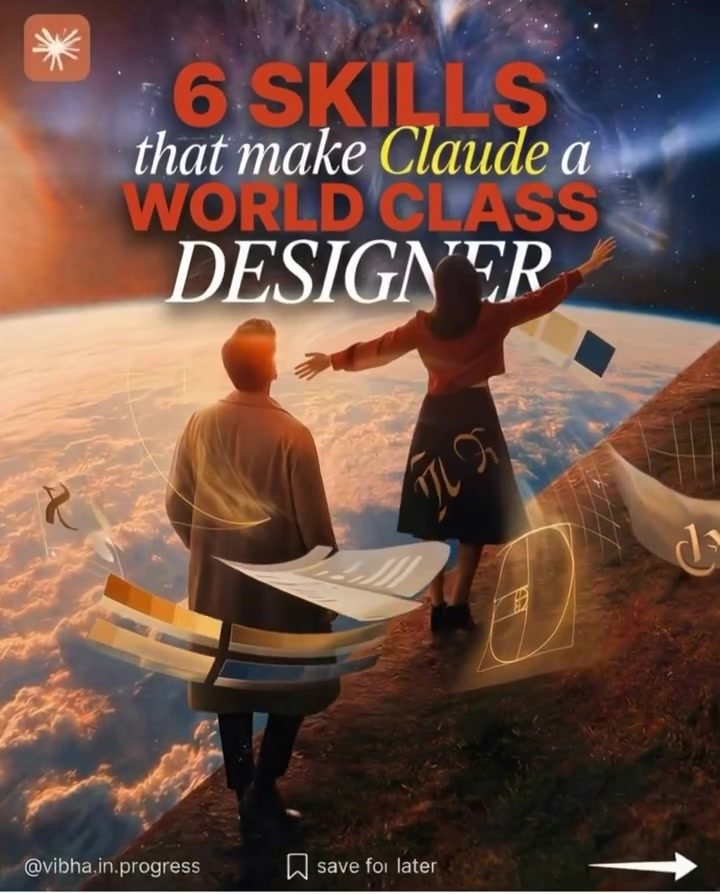
Imagine an AI that does more than just chat—an AI that can be your entire design team. Claude, an AI model, can be transformed into a world-class designer with just six open-source skills. These skills turn Claude from a mere chatbot into a powerful design tool, capable of building UIs, turning Figma frames into real code, and theming entire apps from a single prompt. This isn't just a dream; these skills are available as free, real repositories on GitHub. Let's dive into what these skills are and how you can use them to elevate your design game.
Why This Matters
Design is a crucial aspect of product development and user experience. Investing time in learning and implementing these design tools can significantly enhance the quality of your products and the user interfaces you create. By leveraging AI, you can streamline your design process, making it faster and more efficient. These tools are particularly useful for designers and non-technical founders who want to create polished, accessible interfaces without deep coding knowledge.
Six Essential Skills for Transforming Claude
Claude can be turned into a versatile design tool with six essential skills. Each skill focuses on a different aspect of design and development, making it a comprehensive tool for any designer.
Building UIs with AI
Generating a full UI mockup from a prompt can save a significant amount of time and effort. Claude can turn your design ideas into reality with its AI design agent. This skill allows you to create a complete UI mockup from a single prompt, making it easier to visualize and iterate on your designs quickly. The AI design agent can handle the complexities of UI design, ensuring that your interfaces are not only functional but also visually appealing.
Figma to Code
Turning Figma frames into real working code is another game-changer. This skill allows you to convert your design mockups directly into functional code, which can then be integrated into your application. This process eliminates the need for manual coding, reducing the chances of errors and saving time. With this skill, you can ensure that your designs are accurately translated into code, maintaining consistency and quality throughout the development process.
Theming with a Single Prompt
Theming an entire app from a single prompt is a powerful feature that can save a lot of time and effort. This skill allows you to generate a complete color and typography design token theme with just one prompt. This means you can define the entire look and feel of your app in a matter of minutes, ensuring a cohesive and professional appearance. Tools like tweakcn can help you achieve this, making it easier to maintain a consistent design language across your application.
UI Elevation with shadcn/ui
Starting with shadcn/ui is a quick way to level up your UI. This skill ensures that your UI looks premium and polished, rather than generic and uninspired. By using shadcn/ui, you can create accessible, high-quality interfaces that stand out from the crowd. This skill is particularly useful for designers who want to create visually appealing and functional UIs without spending too much time on the details.
Coding Animations
Animations and videos add a layer of interactivity and engagement to your application. Coding animations and video in React with Remotion is a skill that can bring your designs to life. This tool allows you to create smooth and visually appealing animations, enhancing the user experience and making your application more engaging. Whether you're creating simple transitions or complex animations, Remotion can help you achieve your design goals.
Art Directing AI Image Generation
Art directing AI image generation can add a unique touch to your designs. Tools like Nano Banana and Gemini allow you to customize and control the output of AI-generated images, ensuring that they align with your design vision. This skill is particularly useful for designers who want to incorporate AI-generated visuals into their projects, adding a layer of creativity and innovation to their work.
Practical Tips
Choose the Right Tools
Selecting the right tools for your design needs is crucial. Each of the six skills mentioned earlier serves a specific purpose, and choosing the right one for your project can make a significant difference. For example, if you're working on a UI mockup, starting with shadcn/ui can ensure that your design looks polished and professional.
Utilize Free Resources
Most of these skills are available as free, real repositories on GitHub. This means you can access and use them without any cost, making it easier to incorporate AI into your design workflow. Take advantage of these resources to enhance your design capabilities without breaking the bank.
Experiment and Iterate
Design is an iterative process, and experimenting with different tools and techniques can help you find the best solutions for your projects. Don't be afraid to try out new skills and see how they fit into your workflow. Whether it's generating a UI mockup, converting Figma frames into code, or theming your app, experimenting can lead to innovative and effective design solutions.
Engage with the Community
Engaging with the design community can provide valuable insights and resources. Comment with 'designer' to gain early access to the community and connect with other professionals who are using these skills. Sharing your experiences and learning from others can help you stay updated with the latest trends and tools in AI-powered design.
Important Takeaways
AI has revolutionized the design industry, making it easier to create high-quality, polished designs. By leveraging the six open-source skills mentioned earlier, you can turn Claude into a world-class designer, capable of handling various aspects of UI and product design. These skills are free and accessible, making them a valuable resource for designers and non-technical founders alike. Whether you're generating UI mockups, converting Figma frames into code, or theming your app, these tools can help you achieve your design goals efficiently and effectively.
Conclusion
Transforming Claude into a world-class designer with six essential skills is a game-changer for the design industry. By leveraging these open-source tools, you can streamline your design process, create polished and accessible interfaces, and achieve your design goals with ease. Whether you're a seasoned designer or a non-technical founder, these skills can help you elevate your design game and create stunning, functional interfaces. Start exploring these skills today and take your design capabilities to the next level.
Watch the Reel
Questions readers ask
What are the six open-source skills that can transform Claude into a designer?
The six open-source skills are tools that enable Claude to perform various design tasks. These include building user interfaces, converting Figma designs into functional code, and theming entire applications from a single prompt. These skills are available as free repositories on GitHub and can be integrated into Claude to enhance its design capabilities.
How can non-technical founders benefit from these design tools?
Non-technical founders can significantly benefit from these design tools as they streamline the design process. By using these tools, founders can convert design concepts into code without needing extensive technical skills. This allows them to focus more on the creative and strategic aspects of their products.
What is the significance of converting Figma designs into code?
Converting Figma designs into code is a game-changer for designers and developers. It allows for a seamless transition from design to development, ensuring that the final product closely matches the original design intent. This process saves time and reduces the likelihood of errors, making the overall development process more efficient.
Can these tools be used for theming an entire app from a single prompt?
Yes, these open-source skills enable theming an entire app from a single prompt, making the design process much faster and more efficient. By inputting a single prompt, you can generate a cohesive theme that spans across all elements of the app, ensuring consistency in design and user experience.
How do these skills help in building user interfaces?
The open-source skills provide Claude with the ability to build user interfaces by generating code that creates interactive and visually appealing layouts. This capability allows designers to focus on the creative aspects while Claude handles the technical implementation, resulting in high-quality UI designs.
What is the process of integrating these design skills into Claude?
Integrating these design skills into Claude involves accessing the open-source repositories on GitHub and following the provided instructions. Each tool is designed to be compatible with Claude, allowing for seamless integration. Once integrated, these skills can be utilized to perform a wide range of design tasks, transforming Claude into a world-class designer.
Are these design tools suitable for both designers and non-technical users?
Yes, these design tools are versatile and can be used by both designers and non-technical users. Designers can leverage these tools to enhance their workflow and productivity, while non-technical users can use them to bring their design ideas to life without needing extensive coding knowledge.
Related deep dives
Similar reads based on topic and creator.




Recent articles
Fresh deep dives from the latest Reels we unpacked.




Comments
Be the first to comment.