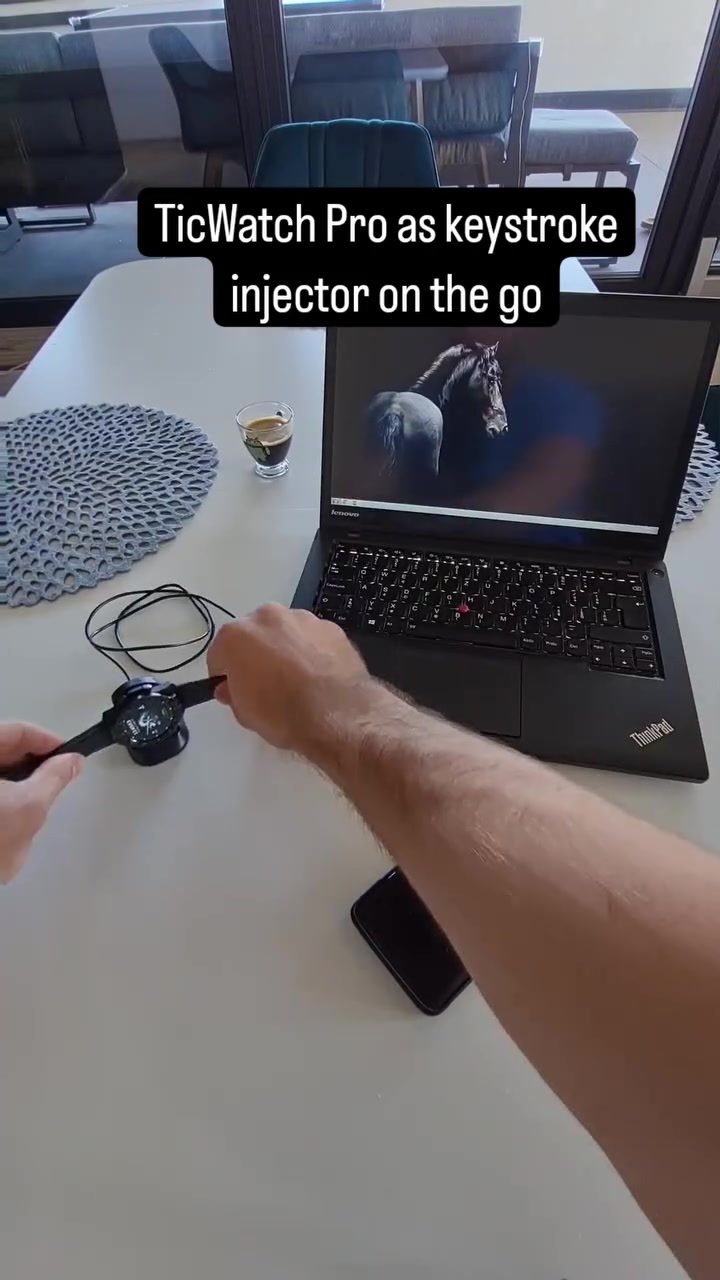
TicWatch Smartwatches as Keystroke Injectors
TicWatch smartwatches, known for their health and fitness tracking capabilities, have another intriguing feature: they can function as keystroke injection devices. When connected to a computer, these smartwatches can inject keystrokes, essentially mimicking a keyboard to execute any action on that computer. This unique capability is due to their ability to impersonate a keyboard, a feature that can be both useful and potentially concerning.
Why This Matters
Understanding how smartwatches like the TicWatch can be used for keystroke injection is crucial for both tech enthusiasts and security professionals. This capability highlights the dual nature of modern technology—it can be a powerful tool for convenience and productivity, but it also poses significant security risks if misused. This is not to discourage the use of smartwatches, but rather to encourage awareness and caution.
How Keystroke Injection Works
Keystroke injection involves a device that can send keystrokes to a computer as if they were typed on a physical keyboard. This can be achieved through various methods, but smartwatches like the TicWatch Pro can do this by impersonating a keyboard. Here’s a breakdown of how it works:
Impersonating a Keyboard
The TicWatch Pro can act as a Human Interface Device (HID), specifically a keyboard. When connected to a computer, it can send keystrokes as if a user were typing on the keyboard. This is possible because the smartwatch can communicate with the computer in the same way a physical keyboard does, without requiring any authentication from the connected device.
When the smartwatch is connected to a computer, it can be remotely controlled using a smartphone. This means that while the smartwatch is charging, it can inject and execute any keystrokes remotely. This feature, while impressive, also raises concerns about potential misuse.
Remote Control via Smartphone
The smartwatch can be remotely controlled using a smartphone, allowing for remote keystroke injection. This means that even if the smartwatch is connected to a computer and charging, it can still be used to inject keystrokes from a distance. This level of control adds another layer of convenience but also increases the potential for abuse.
Practical Tips for Safe Use
Given the potential risks associated with keystroke injection, it's essential to take certain precautions:
Avoid Unauthorized Charging
Never allow unauthorized people to charge their devices using your laptop or to plug in unknown USB keys. This is a simple but effective way to prevent unauthorized access to your computer.
Use Trusted Devices
Ensure that any device you connect to your computer is trusted and from a reliable source. This includes smartwatches, USB drives, and other peripherals.
Enable Security Measures
Consider enabling additional security measures on your computer, such as requiring authentication for USB devices or using a physical lock on your computer when not in use.
Monitor Connected Devices
Regularly check the list of connected devices on your computer and disconnect any that you do not recognize. This can help prevent unauthorized access.
Important Takeaways
Understanding how smartwatches like the TicWatch Pro can be used as keystroke injectors is vital for maintaining cybersecurity. The ability to impersonate a keyboard and inject keystrokes remotely highlights the importance of being cautious with connected devices. By taking simple precautions, you can protect your computer from potential threats while still enjoying the benefits of modern technology.
Conclusion
The TicWatch Pro's capability to act as a keystroke injector showcases the advanced features of modern smartwatches. While this feature can be useful for legitimate purposes, it also underscores the need for vigilance in the digital age. By understanding how these devices work and implementing basic security measures, you can safeguard your data and maintain a secure computing environment.
Watch the Reel
Questions readers ask
How do TicWatch smartwatches mimic a keyboard to send keystrokes to a computer?
TicWatch smartwatches use a feature called keystroke injection, which allows them to mimic a keyboard's functionality. By impersonating a keyboard, the smartwatch can input keystrokes directly into a computer, enabling remote control and automation of various tasks.
What are the potential security concerns related to this capability?
The ability of TicWatch smartwatches to inject keystrokes into a computer can pose significant security risks. Unauthorized users could potentially gain remote access to a computer and execute malicious actions, such as installing malicious software or stealing sensitive information.
Can this feature be used for legitimate purposes?
Yes, the keystroke injection feature can be used for legitimate purposes, such as automating repetitive tasks. For example, a user can set up their TicWatch to send specific keystrokes to a computer to streamline workflows and increase productivity. This can be particularly useful for tasks that require frequent and precise keystrokes.
How can I control my laptop using a TicWatch smartwatch?
To control a laptop with a TicWatch smartwatch, you can use the keylogging feature to send specific keystrokes to your laptop. This allows you to perform actions such as text input, opening applications, or navigating the desktop. By connecting the smartwatch to your laptop via Bluetooth, you can set up custom keystrokes or scripts to enhance your productivity.
Are there any video tutorials available to help with setting up this feature?
Yes, there are several online tutorials and resources available for setting up and utilizing the keystroke injection feature on TicWatch smartwatches. These tutorials provide step-by-step instructions and tips for users looking to leverage this capability for their specific needs, whether for personal productivity or other uses.
What should I do if I'm concerned about the security of my TicWatch smartwatch?
If you are concerned about the security of your TicWatch smartwatch, it's important to keep your device and connected computer up-to-date with the latest software and security patches. Additionally, use strong, unique passwords and enable two-factor authentication whenever possible to safeguard your devices and data from potential threats.
Related deep dives
Similar reads based on topic and creator.




Recent articles
Fresh deep dives from the latest Reels we unpacked.




Comments
Be the first to comment.