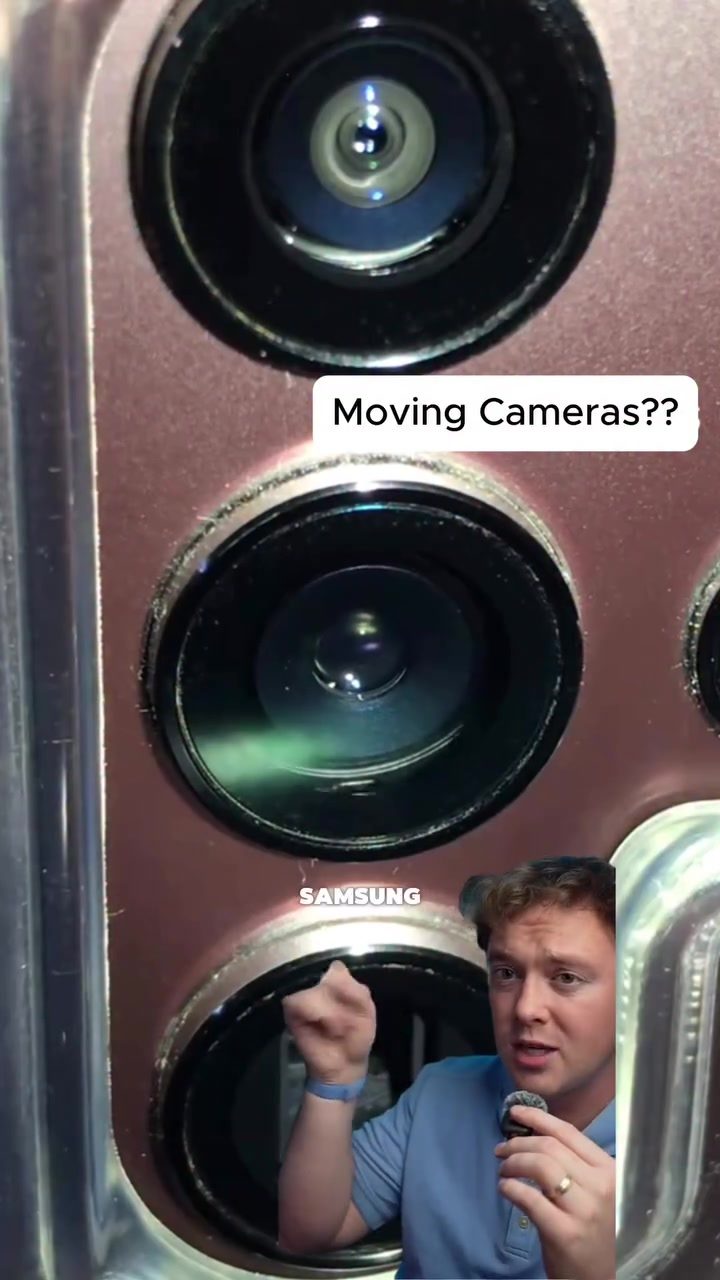
Do Smartphone Cameras Actually Move?
Smartphone cameras have come a long way, but one aspect that often goes unnoticed is their mechanical movement. Many users are surprised to learn that the cameras in their smartphones can physically move back and forth. This movement is often subtle and can be hard to detect with the naked eye, but it plays a crucial role in capturing high-quality images and videos.
Why This Matters
Understanding how smartphone cameras work can enhance your photography and videography skills. Knowing that the cameras move can help you appreciate the technology behind your device and use it more effectively. Additionally, this knowledge can be useful if you're considering purchasing a new smartphone, as camera performance is a significant factor in the decision-making process.
The Illusion of Moving Cameras
The idea that smartphone cameras move might seem like an optical illusion, but it's a real phenomenon. This movement is essential for optical image stabilization (OIS), a feature that helps reduce blur in photos and videos by counteracting the movements of the hand.
How OIS Works
Optical image stabilization works by moving the camera lens or sensor to counteract the movement of your hand. This adjustment allows the camera to capture a steady image, even if your hands are slightly unsteady. The movement is typically minor and difficult to see with the naked eye, but it's crucial for improving image quality.
Testing the Movement
To see the movement in action, you can switch your smartphone to pro mode and manually adjust the focus. By doing this, you'll notice that the camera lens moves back and forth as you change the focus. This movement is most visible when you switch between close-up and distant objects.
Comparing Different Smartphones
Several smartphones, including the iPhone 17 Pro Max, Galaxy S26 Ultra, and Oppo Find X9 Ultra, have been observed to exhibit this camera movement. The movement is more noticeable in some models than others, depending on the design and implementation of the OIS system.
Practical Tips for Viewing the Movement
If you're curious about seeing the camera movement in your smartphone, here are a few tips to help you:
- Use Pro Mode: Switch to pro mode in your camera app to manually adjust the focus. This will make the movement more apparent.
- Adjust Focus Manually: Move the focus from a close object to a distant one and back. This back-and-forth movement will help you see the camera moving.
- Check in Low Light: The movement might be more visible in low-light conditions, as the camera needs to adjust more to capture a stable image.
Important Takeaways
- Smartphone Cameras Move: It's a real feature, not an illusion. The movement is essential for optical image stabilization, which improves image quality.
- OIS is Key: Optical image stabilization is a critical feature for reducing blur and ensuring sharp images, even in low light or when your hand is unsteady.
- Pro Mode Helps: Using pro mode and manually adjusting the focus can make the movement more visible.
Conclusion
The discovery that smartphone cameras move inside the device is fascinating and highlights the advanced technology behind modern smartphones. While this movement is subtle and often unseen, it plays a vital role in capturing high-quality images and videos. By understanding this phenomenon, you can make more informed decisions about your smartphone purchases and enhance your photography skills.
Watch the Reel
Questions readers ask
Do all smartphones have cameras that move for focus and stabilization?
Not all smartphones have cameras that move. This feature is typically found in higher-end models. For instance, many iPhone models, like the iPhone 14 Pro, use optical image stabilization, which involves moving the camera to reduce blur and enhance image quality.
How does smartphone camera movement help reduce blur?
When you take a photo or record a video, your hands might shake slightly, causing blur. The back-and-forth movement of the smartphone camera helps counteract this by moving in the opposite direction, ensuring the image remains steady and clear.
What is optical image stabilization and how does it work in smartphones?
Optical image stabilization (OIS) is a technology that uses physical movement of the camera lens or sensor to counteract hand movements. In smartphones, OIS works by moving the camera in the opposite direction of the detected shake, helping to keep the image stable and reducing blur.
Does camera movement in smartphones affect video quality?
Yes, camera movement significantly affects video quality. The subtle back-and-forth motion helps to stabilize the video, reducing shakiness and making the footage smoother. This is particularly important for capturing steady, high-quality videos, especially in low-light conditions.
Is the movement of the smartphone camera visible to the user?
The movement of the smartphone camera is typically designed to be imperceptible to the naked eye. While you might not see the camera moving, you can certainly see the benefits in the form of clearer, more stable photos and videos.
Can the movement of the smartphone camera be disabled, and should it be?
The ability to disable camera movement depends on the specific smartphone model and its settings. Generally, it's not recommended to disable this feature as it plays a critical role in reducing blur and enhancing image quality. If you're experiencing issues with your camera, it's best to consult with the manufacturer.
How does the movement of the smartphone camera enhance focus?
The movement of the smartphone camera helps in achieving better focus by stabilizing the lens. This reduces the impact of hand movements, allowing the camera to focus more accurately on the subject. As a result, you get sharper, more detailed images and videos.
Related deep dives
Similar reads based on topic and creator.




Recent articles
Fresh deep dives from the latest Reels we unpacked.




Comments
Be the first to comment.