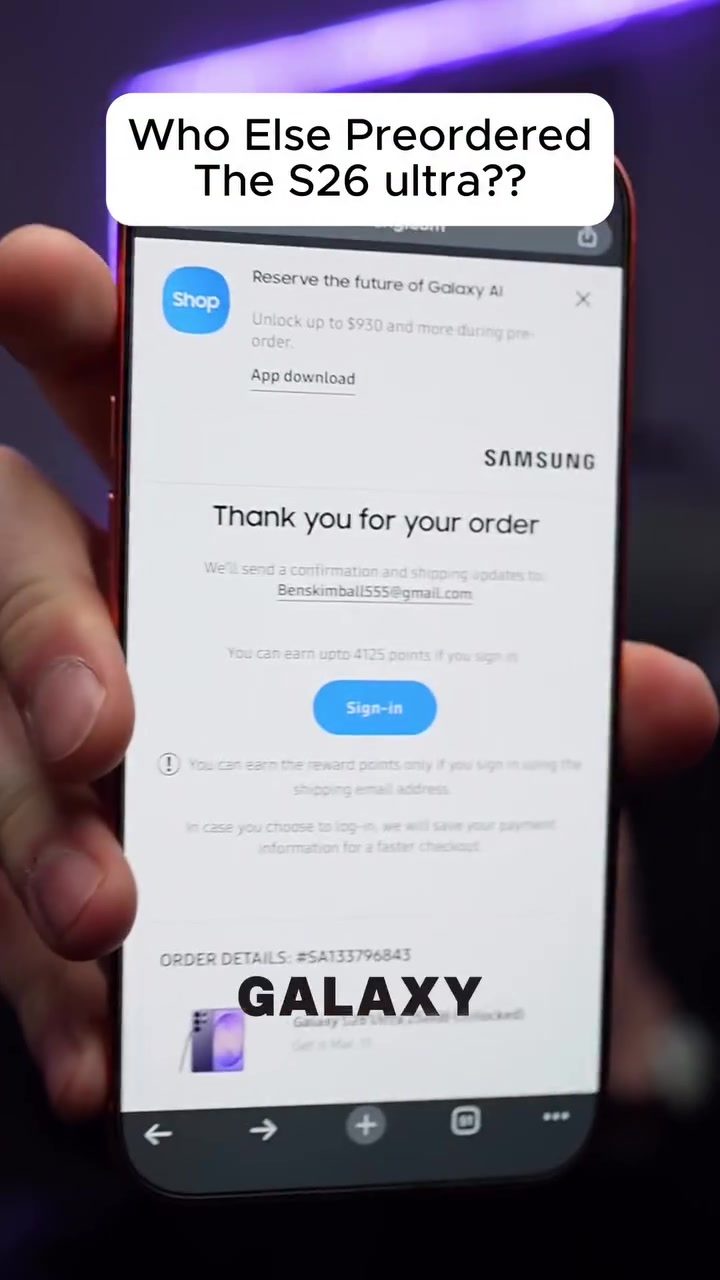
The Samsung Galaxy S26 Ultra Unboxed - What's New?
The Samsung Galaxy S26 Ultra is the latest flagship smartphone, and it comes with several updates and new features that set it apart from its predecessor, the S25 Ultra. Let's dive into the key aspects of this new device.
Why This Matters
The smartphone landscape is constantly evolving, and each new release aims to push the boundaries of what's possible. The S26 Ultra is no exception, offering enhancements that cater to both tech enthusiasts and everyday users. Understanding what's new and different can help you decide if this upgrade is worth the investment.
A Closer Look at the S26 Ultra
Design and Aesthetics
At first glance, the S26 Ultra might not seem drastically different from the S25 Ultra. The design retains a similar look and feel, which is not necessarily a bad thing, as Samsung's design language has been well-received. However, the phone's physical appearance is not the only aspect that remains unchanged; the screen dimensions and overall build quality also remain consistent. This consistency ensures that users will find the device familiar and reliable.
Privacy Glass
The standout feature of the S26 Ultra is its innovative privacy glass. This new hardware addition is a significant step forward in terms of user privacy and display technology. The privacy glass works by toggling on a setting that adds small cones to the pixels, effectively blocking side views of the screen. This means that while you can see the screen perfectly from the front, anyone trying to peek from the sides will only see a blacked-out display.
This feature is particularly useful in public settings, where privacy is a concern. Whether you're checking sensitive information or simply want to avoid unwanted glances, the privacy glass provides an extra layer of security. The best part is that you can enable and disable this feature with a simple toggle from the menu.
Enhanced Processing Power
While the design and some features remain consistent, the S26 Ultra does offer a slight boost in processing power. This enhancement ensures smoother performance and better handling of multitasking. If you're a heavy user who relies on your smartphone for productivity, gaming, or multimedia consumption, this upgrade will make a noticeable difference.
Galaxy Buds 4 Pro
The S26 Ultra comes bundled with the Galaxy Buds 4 Pro, a premium pair of wireless earbuds known for their superior sound quality and noise-cancellation capabilities. This addition makes the package even more enticing, as the Buds 4 Pro offers a seamless audio experience that complements the S26 Ultra's high-resolution display.
Practical Tips for New Users
If you're a new owner of the Galaxy S26 Ultra, here are some tips to help you make the most of your device:
Exploring the Privacy Glass
- Toggle the Privacy Glass: To activate the privacy glass, go to the settings menu and enable the privacy mode. This feature will instantly block side views of your screen, ensuring your data remains private.
- Black Out Notifications: One of the standout features of the privacy glass is the ability to black out notifications. This means even if someone glances at your screen, they won't see any sensitive information.
Maximizing Battery Life
- Enable Power-Saving Mode: To extend your battery life, enable the power-saving mode. This can be found in the settings menu and helps conserve battery when you need it most.
- Optimize Settings: Adjust your display brightness, turn off unnecessary notifications, and manage background apps to maximize battery efficiency.
Customizing Your Experience
- Personalize Your Home Screen: Customize your home screen with widgets, themes, and app icons that suit your style. The S26 Ultra offers a range of customization options to make your device truly yours.
Testing the Galaxy Buds 4 Pro
- Pairing and Connectivity: Pairing the Galaxy Buds 4 Pro is straightforward. Simply open the Buds 4 Pro case near your S26 Ultra, and the devices will automatically connect.
- Audio Settings: Fine-tune your audio experience by adjusting the equalizer settings and activating noise-cancellation for an immersive listening experience.
Important Takeaways
The Samsung Galaxy S26 Ultra is a powerful upgrade with notable enhancements. The privacy glass is a standout feature that truly sets it apart, offering a unique blend of innovation and practicality. While the physical design remains consistent, the boost in processing power and the inclusion of the Galaxy Buds 4 Pro make this device a compelling choice for tech enthusiasts and everyday users alike.
Conclusion
The Samsung Galaxy S26 Ultra represents a significant step forward in smartphone technology, particularly with its innovative privacy glass feature. Whether you're a tech enthusiast looking for the latest advancements or a casual user seeking a reliable and secure device, the S26 Ultra delivers on multiple fronts. If you're considering an upgrade, the S26 Ultra is a worthy investment that offers a blend of performance, privacy, and style.
Watch the Reel
Questions readers ask
What is the privacy glass feature on the Samsung Galaxy S26 Ultra?
The privacy glass feature on the Samsung Galaxy S26 Ultra is a screen technology that limits the viewing angle, making it difficult for others to see the content on your screen from the side. This adds a layer of security and privacy to your device, especially in public settings.
How does the privacy glass feature enhance user experience?
The privacy glass feature enhances user experience by providing peace of mind when using the device in public. It ensures that sensitive information, such as messages, emails, or personal photos, remains visible only to the user, reducing the risk of unwanted attention.
Can the privacy glass feature be turned on and off?
As of the information available, there is no specific mention of the privacy glass feature being togglable. It is likely a built-in, always-on feature to maximize user privacy. For the most accurate information, refer to the official Samsung Galaxy S26 Ultra user manual or support documentation.
Is the privacy glass feature exclusive to the Samsung Galaxy S26 Ultra?
The privacy glass feature is a highlight of the Samsung Galaxy S26 Ultra and is not mentioned as a standard feature in previous models like the S25 Ultra. This makes the S26 Ultra a noteworthy upgrade for those seeking enhanced privacy features.
Does the privacy glass feature affect the display's brightness or color accuracy?
The privacy glass feature is designed to minimize side visibility without compromising the display's brightness or color accuracy when viewed straight on. Users should experience the same vivid colors and clear visuals as with previous Samsung devices.
How does the privacy glass feature compare to other privacy screens on the market?
The privacy glass feature on the Samsung Galaxy S26 Ultra is integrated directly into the screen, offering a seamless user experience compared to third-party privacy screen protectors, which can sometimes affect touch responsiveness or add bulk to the device.
Related deep dives
Similar reads based on topic and creator.




Recent articles
Fresh deep dives from the latest Reels we unpacked.




Comments
Be the first to comment.