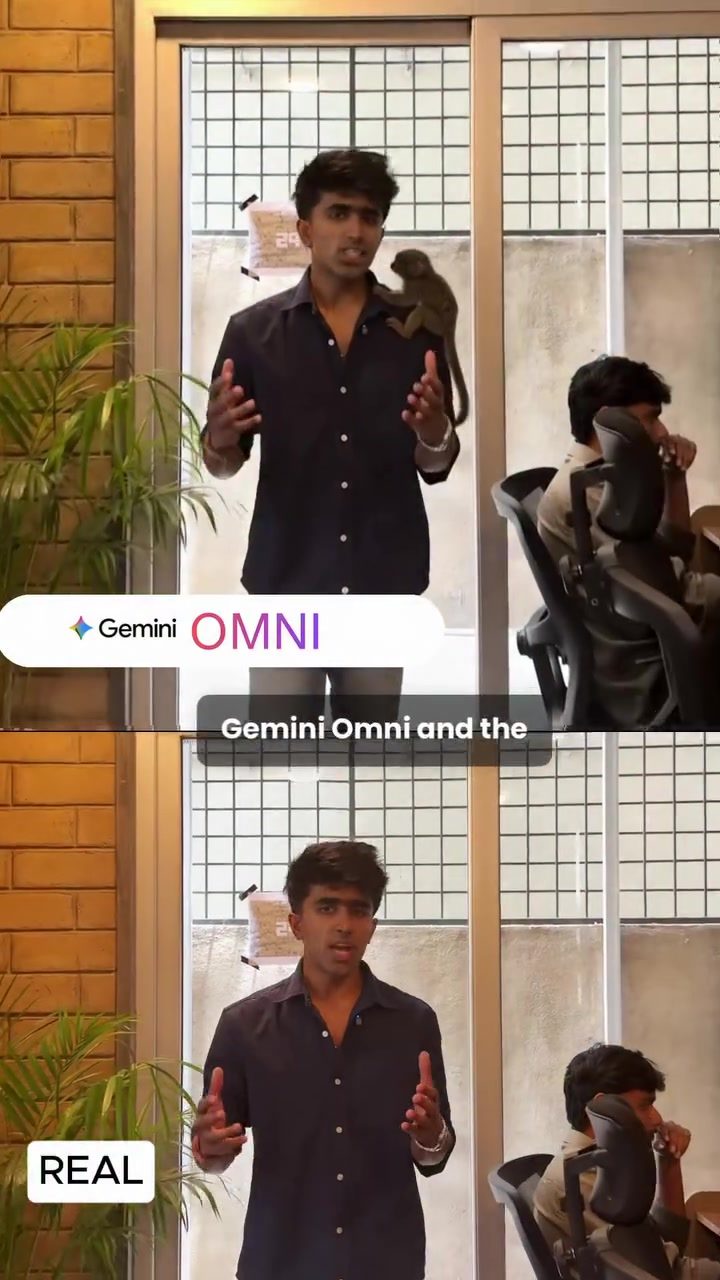
Gemini Omni: Revolutionizing Video Editing
Gemini Omni, developed by OMNI, is an innovative tool that leverages cutting-edge AI to simplify video editing. It allows users to make complex changes with just a few clicks, making professional edits accessible to everyone. Let's dive into what makes this tool unique.
Why This Matters
In the digital age, video content is king. Whether you're creating content for social media, business presentations, or personal projects, having the right tools can make a significant difference. Gemini Omni stands out by offering advanced editing capabilities with an easy-to-use interface, making it a game-changer for both beginners and professionals.
Main Discussion
Ease of Use
One of the standout features of Gemini Omni is its user-friendly interface. The platform is designed to simplify the editing process, allowing users to upload their videos and make edits in just a few steps. The editing process is intuitive, enabling even those with no prior editing experience to produce high-quality videos.
Object Removal and Manipulation
Gemini Omni's capabilities extend beyond basic editing. The tool can remove objects or people from a video in a single click, offering an unprecedented level of control. This feature is particularly useful for creating clean, distraction-free content. For example, if you have an unwanted background element in your video, you can simply select it and it will vanish.
Color and Object Changes
Beyond removal, Gemini Omni allows users to change the color of objects or even swap them out entirely. This opens up a world of creative possibilities. Imagine being able to change the color of a product in a promotional video or replace an object in a scene to better fit your narrative. These features make it easy to customize your content to fit your vision perfectly.
Video Editing Process
Using Gemini Omni is straightforward. To start, head to the Google Gemini website and click on the video editing option. Upload your video—note that the maximum length is 10 seconds, making it perfect for short, impactful content. Once uploaded, you can describe the edits you want to make, and the tool will handle the rest. The process is fast and efficient, ensuring that you can produce polished videos in no time.
Practical Tips
Optimizing for Short Videos
Given the 10-second limitation, it's essential to plan your edits carefully. Focus on the most impactful moments in your video and make your edits count. Whether it's removing an unwanted object or changing the color of a key element, ensure that each edit serves a purpose.
Experimenting with Effects
Don't be afraid to experiment with the different editing features. Changing colors and objects can add a unique touch to your videos. Try out different combinations to see what works best for your content.
Utilizing the User-Friendly Interface
Take advantage of the intuitive interface to streamline your editing process. The tool is designed to make editing accessible, so use the simple controls to your advantage. The more you use it, the more efficient you'll become.
Important Takeaways
Gemini Omni is a powerful tool that simplifies video editing, making it accessible to everyone. Its ability to remove objects, change colors, and swap out elements with just a few clicks sets it apart. The user-friendly interface and straightforward editing process make it an invaluable asset for anyone looking to create high-quality video content.
Conclusion
Gemini Omni by OMNI is a revolutionary tool that democratizes video editing. With its advanced features and easy-to-use interface, it empowers users to create professional-quality videos with minimal effort. Whether you're a content creator, business professional, or hobbyist, Gemini Omni offers the tools you need to bring your vision to life.
Watch the Reel
Questions readers ask
What is Gemini Omni and how does it enhance video editing?
Gemini Omni is an AI-powered video editing tool designed to simplify the editing process. It uses advanced algorithms to allow users to perform complex edits, such as removing unwanted objects or altering colors, with just a few clicks. This makes it a powerful tool for anyone looking to create polished, engaging videos.
Can beginners use Gemini Omni for video editing?
Absolutely, Gemini Omni is designed with a user-friendly interface, making it accessible for beginners. The tool's AI-driven features allow users to perform professional-grade edits without needing extensive experience or technical knowledge.
What types of edits can I perform with Gemini Omni?
With Gemini Omni, you can perform a wide range of edits, including removing unwanted objects from your video, altering colors for a more vibrant or cohesive look, and applying sophisticated enhancements to improve the overall quality of your footage.
How does Gemini Omni compare to traditional video editing software?
Traditional video editing software often requires a steep learning curve and manual effort for complex tasks. Gemini Omni stands out by using AI to automate these processes, making it easier and faster to achieve professional results, even for those new to video editing.
Are there tutorials available to help me get started with Gemini Omni?
Yes, there are tutorials available to help you get started with Gemini Omni. These guides walk you through the basic features and advanced techniques, ensuring you can make the most of the tool from the beginning.
Can I use Gemini Omni for video editing on social media?
Certainly, Gemini Omni is perfect for creating engaging content for social media platforms. Its easy-to-use interface and powerful AI features allow you to enhance your videos quickly, making them stand out in the crowded social media landscape.
Is Gemini Omni only for professionals, or can it be used for personal projects as well?
Gemini Omni is designed to cater to a wide range of users, from beginners to professionals. Whether you're working on a personal project, a business presentation, or content for social media, this tool makes it easy to produce high-quality videos.
Related deep dives
Similar reads based on topic and creator.




Recent articles
Fresh deep dives from the latest Reels we unpacked.




Comments
Be the first to comment.