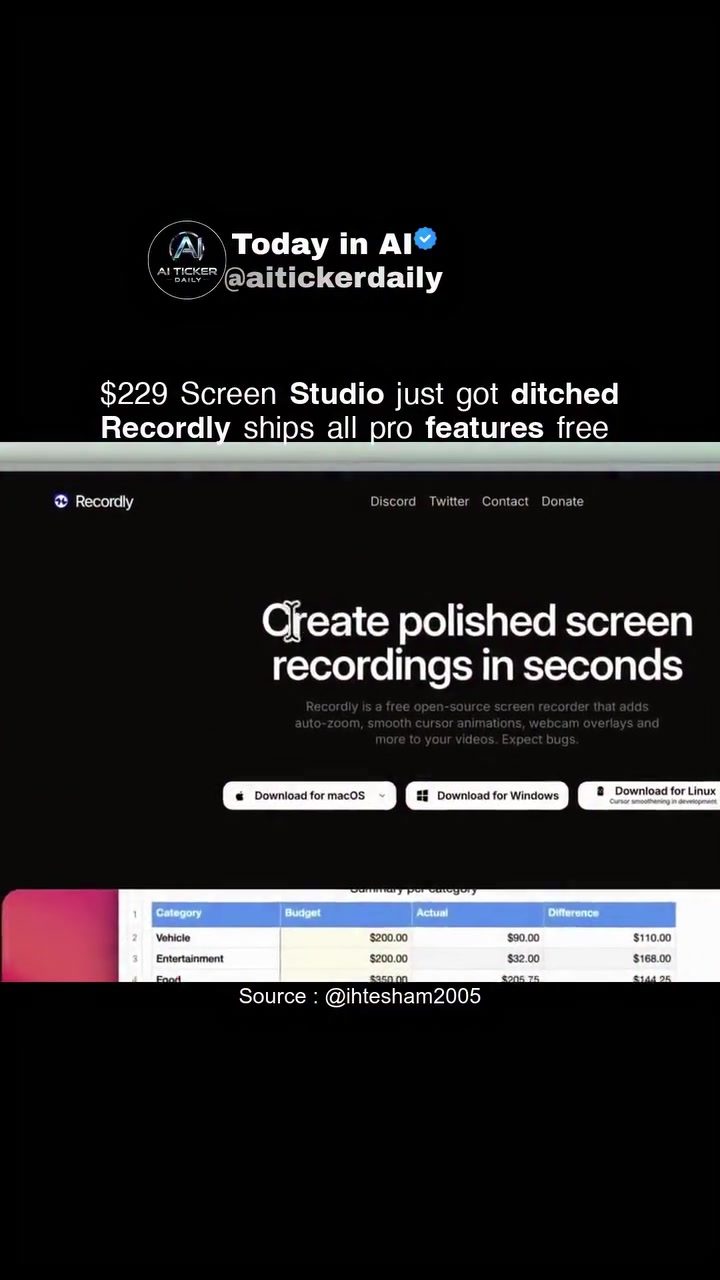
Screen Recording Software: An In-Depth Look at Recordly
Screen recording software has become an essential tool for content creators, educators, and professionals. However, many of the market leading paid software options can come with a hefty price tag. This is where Recordly steps in, offering a robust, free alternative. Recordly is a free, open-source screen recorder and video editor designed to compete with paid tools like Screen Studio, offering a range of advanced features without the cost.
Recordly is an open-source screen recording software that supports macOS, Windows, and Linux. It offers a range of features that make it a strong contender against paid software. Recordly's feature set includes auto-zoom, smooth cursor animations, webcam overlays, and more. This makes it a versatile tool for various recording needs, from tutorials to gameplay videos.
Why Recordly Matters
The tech world is teeming with screen recording solutions, but tools like Recordly present an attractive option. These types of software are essential for creating tutorials, presentations, and videos for online courses. Recordly stands out because it's free and open-source, which means you can use it for commercial purposes without worrying about licensing fees. This is a significant advantage over paid software, which can be cost-prohibitive for many users.
Free and Open-Source
One of the standout features of Recordly is that it is free and open-source. This means anyone can download, use, and even modify the software to suit their needs. Being open-source also means that the software is continually being improved by a community of developers, ensuring that it stays up-to-date and secure.
Versatility Across Platforms
Recordly is available for macOS, Windows, and Linux, making it accessible to a wide range of users. No matter which operating system you use, you can benefit from Recordly's features. This cross-platform compatibility is a significant advantage, as it allows users to switch between different operating systems without losing access to their recording software.
Commercial Use
Recordly is licensed under AGPL-3, which means you can use it for commercial purposes without any restrictions. This is a huge benefit for businesses, content creators, and educators who need to create high-quality screen recordings. You can use all of Recordly's features, including editing tools, without worrying about additional fees.
Main Discussion
Key Features of Recordly
Auto-Zoom and Cursor Smoothing
Auto-zoom and cursor smoothing are essential features for creating professional-looking screen recordings. Recordly offers both, making it easier to highlight specific areas of your screen and ensure that cursor movements are smooth and natural. These features are particularly useful for creating tutorials and demonstrations, where precise cursor movements are crucial.
Webcam Overlays
Webcam overlays allow you to add a personal touch to your recordings by including a video of yourself. This is particularly useful for educational content, where seeing the presenter can enhance the learning experience. Recordly's webcam overlay feature is easy to use, making it accessible even for beginners.
Drag-and-Drop Timeline Editing
One of the standout features of Recordly is its intuitive drag-and-drop timeline editing interface. This feature allows you to effortlessly control various aspects of your video, such as video speed, zooms, annotations, audio tracks, and video length. You can save your projects as Recordly files, allowing you to save your progress or edit other projects seamlessly.
Comparing Recordly to Paid Software
Recordly is often compared to paid screen recording software like Screen Studio, which can cost around $229. While paid software may offer additional features, Recordly provides a compelling alternative with its free, open-source nature and robust feature set. Recordly includes features like auto-zoom, cursor smoothing, and webcam overlays, which are typically found in paid software.
Performance and Stability
When switching to new software, performance and stability are crucial considerations. While Recordly is a free and open-source tool, it is essential to verify its features and performance on your machine. Recordly is known to have a few bugs, but the community is continually working to improve the software.
Practical Tips
Getting Started with Recordly
- Download and Install: Recordly is available for macOS, Windows, and Linux. You can download the software from the official website or GitHub repository. The installation process is straightforward, and you can start recording within minutes.
- Explore the Interface: Familiarize yourself with the Recordly interface. The drag-and-drop timeline editing feature is particularly intuitive, making it easy to control various aspects of your video.
- Experiment with Features: Test out the auto-zoom, cursor smoothing, and webcam overlay features to see how they can enhance your recordings. These features are essential for creating professional-looking videos.
- Save and Edit Projects: Save your projects as .recordly files to easily edit and revisit them later. This feature is particularly useful for complex projects that require multiple editing sessions.
Tips for Enhancing Your Recordings
- Optimize Settings: Adjust the recording settings to suit your needs. For example, you can change the resolution, frame rate, and audio settings to ensure the best quality for your recordings.
- Utilize Annotations: Use annotations to highlight important points in your videos. Annotations can include text, arrows, and shapes, making it easier to convey your message.
- Add Transitions: Use transitions to make your videos more engaging. Transitions can help to smooth out the flow of your video, making it more enjoyable to watch.
- Review and Edit: Always review and edit your recordings to ensure they meet your standards. This is particularly important for professional content, where the quality of your recordings can significantly impact your audience's perception.
Important Takeaways
Recordly offers a comprehensive set of features that make it a strong contender against paid screen recording software. Its free, open-source nature and commercial use capabilities make it an attractive option for a wide range of users. The drag-and-drop timeline editing interface, auto-zoom, cursor smoothing, and webcam overlays are just a few of the features that set Recordly apart.
Conclusion
Screen recording software is an essential tool for creating high-quality videos, and Recordly is a standout option in the market. With its robust feature set, free and open-source nature, and commercial use capabilities, Recordly is a versatile and accessible tool for content creators, educators, and professionals. Whether you're creating tutorials, presentations, or online courses, Recordly provides the tools you need to create polished and engaging videos.
Watch the Reel
Questions readers ask
What platforms does Recordly support?
Recordly is a versatile screen recorder that supports multiple operating systems. You can use it on MacOS, Windows, and Linux, making it accessible to a wide range of users regardless of their preferred platform.
How does the auto-zoom feature in Recordly work?
The auto-zoom feature in Recordly is designed to enhance your recordings. It automatically zooms in on the mouse cursor, making it easier for viewers to follow your actions. This is particularly useful for tutorials and presentations where precise movements need to be highlighted.
Can I use Recordly for recording gameplay videos?
Yes, Recordly is well-suited for recording gameplay videos. It includes features like smooth cursor animations and webcam overlays, which can enhance the viewing experience by providing a more engaging perspective and clearer visibility of in-game actions.
Is Recordly truly free to use?
Yes, Recordly is completely free to use. As an open-source software, it provides a robust set of features without any cost, making it a cost-effective solution for those looking to create videos and presentations.
What is the webcam overlay feature in Recordly?
The webcam overlay feature in Recordly allows you to record your screen while simultaneously capturing video from your webcam. This is useful for creating tutorials or presentations where you want to include a personal touch or explanations directly from you.
Where can I download Recordly?
Recordly is available for download from its official website. Since it is an open-source software, you can also find it on various open-source software repositories. Always ensure you are downloading from a trusted source to maintain the security of your system.
Related deep dives
Similar reads based on topic and creator.




Recent articles
Fresh deep dives from the latest Reels we unpacked.




Comments
Be the first to comment.