Understanding the Risks of WiFi Network Scanning
Smartphones are always broadcasting details about the WiFi networks to which they are connected, including networks they frequently connect to and those they prefer to automatically reconnect to. This information is broadcasted to the surrounding devices, making it visible to anyone nearby. Even more alarming, this information can be used to create rogue Wi-Fi access points, which can target specific devices.
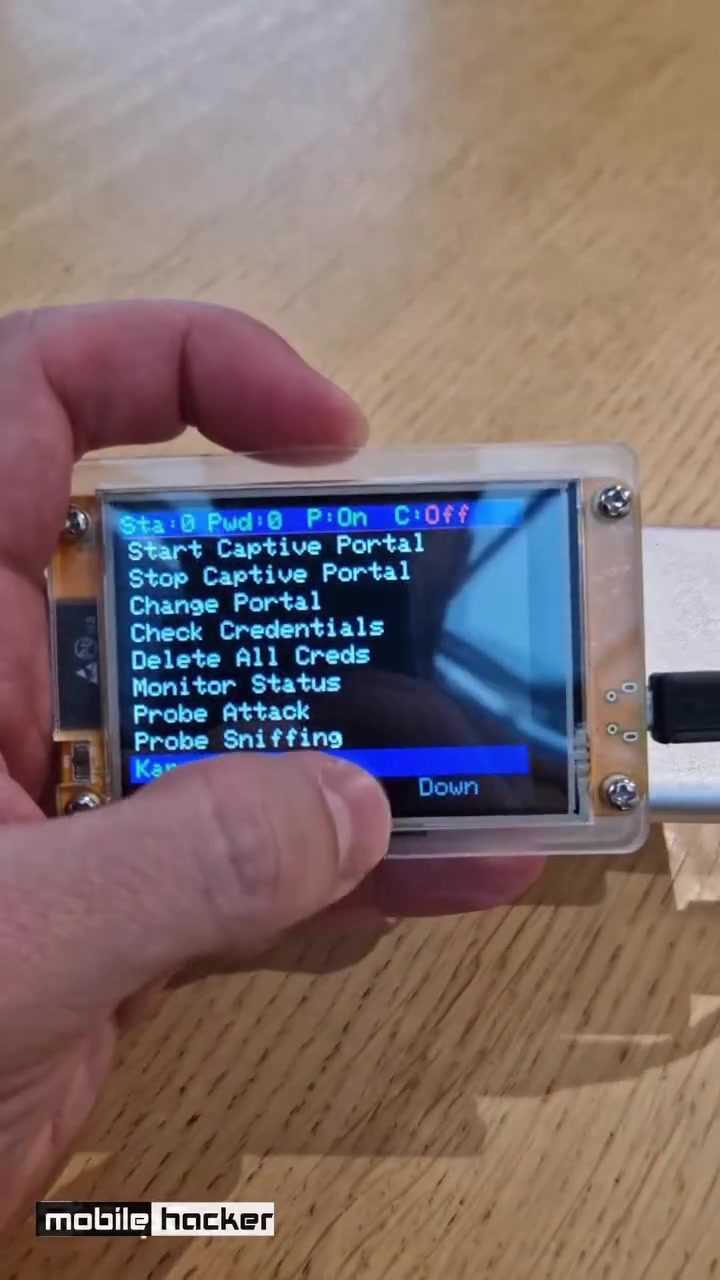
This makes portable WiFi scanners, like the mobile hacker device, a critical tool for understanding and mitigating these risks. These devices scan for WiFi networks and display a list of detected networks, providing a visual representation of the WiFi landscape in a given area.
Why This Matters
The constant communication between smartphones and WiFi networks raises significant security concerns. This visibility can be exploited by malicious actors to create rogue access points, which can intercept data, perform man-in-the-middle attacks, or even distribute malware. Understanding how these devices work and the risks they pose is essential for anyone looking to protect their personal data and network security.
Main Discussion
How Portable WiFi Scanners Work
Portable WiFi scanners, such as the mobile hacker device, operate by continuously scanning for available WiFi networks in their vicinity. These devices are equipped with advanced wireless technologies that allow them to detect a wide range of WiFi signals, including those that are hidden or encrypted. Once a network is detected, the scanner can display its name, signal strength, and other relevant information on a connected screen.
The Dangers of Rogue WiFi Access Points
Rogue WiFi access points are unauthorized access points set up by malicious actors to mimic legitimate networks. These rogue networks can trick unsuspecting devices into connecting to them, allowing attackers to intercept data, steal personal information, or deploy malware. The ability to detect and identify these rogue access points is crucial for maintaining network security.
The Role of Automated Reconnection
Smartphones are designed to automatically reconnect to known networks, which can be both a convenience and a security risk. While this feature saves users from manually connecting to networks, it also makes the process of identifying rogue access points more challenging. Attackers can exploit this automated reconnection feature to create rogue networks that appear legitimate, tricking devices into connecting and compromising security.
Practical Tips
Use Secure WiFi Networks
To minimize the risk of connecting to rogue WiFi networks, always ensure that you are connecting to secure and trusted networks. Public WiFi networks, especially those without proper encryption, can be easily compromised. Use strong, unique passwords for your home and work networks, and avoid using public networks for sensitive activities.
Enable WiFi Scanning Tools
Portable WiFi scanners, like the mobile hacker device, provide a comprehensive view of the WiFi landscape in your area. Regularly using these tools can help you identify rogue networks and monitor the security of your own networks. By scanning for available networks, you can stay informed about potential threats and take proactive measures to protect your devices.
Educate Yourself on Network Security
Understanding the basics of network security is essential for protecting your devices and personal information. Familiarize yourself with common network threats, such as rogue access points and man-in-the-middle attacks. Learning about encryption, VPNs (Virtual Private Networks), and network monitoring tools can help you stay one step ahead of potential attackers.
Important Takeaways
WiFi network scanning devices, like the mobile hacker portable WiFi scanner, are invaluable tools for identifying and mitigating the risks associated with rogue WiFi access points. By providing a detailed view of the WiFi landscape, these devices help users stay informed about potential threats and take proactive measures to protect their devices. Understanding how smartphones broadcast WiFi information and the risks of automated reconnection is crucial for maintaining network security.
Conclusion
Protecting your devices and personal information in an increasingly connected world requires vigilance and the right tools. Portable WiFi scanners offer a practical solution for monitoring and securing your WiFi environment. By staying informed, using secure networking practices, and leveraging the capabilities of these scanners, you can safeguard your digital life from potential threats.
Watch the Reel
Questions readers ask
What is a portable WiFi scanner and how does it work?
A portable WiFi scanner is a device that detects and displays nearby WiFi networks. It typically works by scanning the surrounding area and collecting data on available networks. This data can include network names (SSIDs), signal strength, and security protocols, providing a comprehensive overview of the WiFi environment.
How can a portable WiFi scanner help improve WiFi security?
A portable WiFi scanner can help identify hidden or rogue access points that could pose a security risk. By revealing these networks, you can take steps to secure your devices and networks, such as changing network settings, utilizing stronger encryption, and monitoring for unauthorized access. This makes it easier to pinpoint vulnerabilities and take action to prevent data interception and other cyber threats.
What should I do if I find a rogue access point in my area?
If you discover a rogue access point, it's crucial to disconnect from it immediately. Then, alert the network administrator in your area and consult with IT professionals to identify the source of the rogue access point. They can help implement security measures to prevent unauthorized access and protect your devices and sensitive information.
Can smartphones be a target for WiFi network hackers?
Yes, smartphones can be a target for WiFi network hackers. Smartphones constantly broadcast details about the WiFi networks they connect to, which can be intercepted by devices like the *mobile hacker* to create rogue access points. This makes it possible for hackers to intercept data and gain unauthorized access to your information. Always use strong passwords and encryption, and be cautious when connecting to public WiFi networks.
How do I choose the right portable WiFi scanner for my needs?
When selecting a portable WiFi scanner, consider factors such as the range of detection, the types of networks it can detect, and the ease of use. Devices like the *mobile hacker* are known for their effectiveness in detecting a wide range of WiFi networks. Additionally, look for scanners that offer detailed reports and user-friendly interfaces, making it easier to analyze and act on the data collected.
Related deep dives
Similar reads based on topic and creator.




Recent articles
Fresh deep dives from the latest Reels we unpacked.




Comments
Be the first to comment.