Workplace Capture Software Tools
Creating professional content often requires capturing high-quality images and videos. However, extracting frames from videos for editing purposes has traditionally been a complex task, often necessitating specialized software and significant technical skills. Fortunately, the market has seen a surge in software tools designed to simplify this process. These tools are essential for content creators, offering a range of features that streamline the workflow and enhance the overall quality of the output.
Why This Matters
Software tools that allow users to extract frames from videos and perform various editing tasks without restrictions are invaluable for content creators. Whether you're a professional photographer, a graphic designer, or a social media influencer, having the ability to manipulate images and videos with ease can significantly enhance your productivity and creativity. This software category is particularly important for those who need to work on the go, as it typically requires only a phone or browser, eliminating the need for expensive desktop software or heavy equipment.
PixArt: An All-in-One AI-Powered Creative Platform
PixArt stands out as a comprehensive AI-powered creative platform that offers a wide range of features to enhance your content creation process. It allows users to design, edit, resize, and remove backgrounds, all from a single interface. PixArt provides a more accessible solution to traditional photo editing software like Photoshop, which often requires a steep learning curve and extensive system resources. With PixArt, anyone can create stunning visuals, regardless of their technical expertise.
Key Features of PixArt
PixArt boasts several powerful features that make it a must-have tool for content creators. Here are some of the standout features:
PixArt Aura
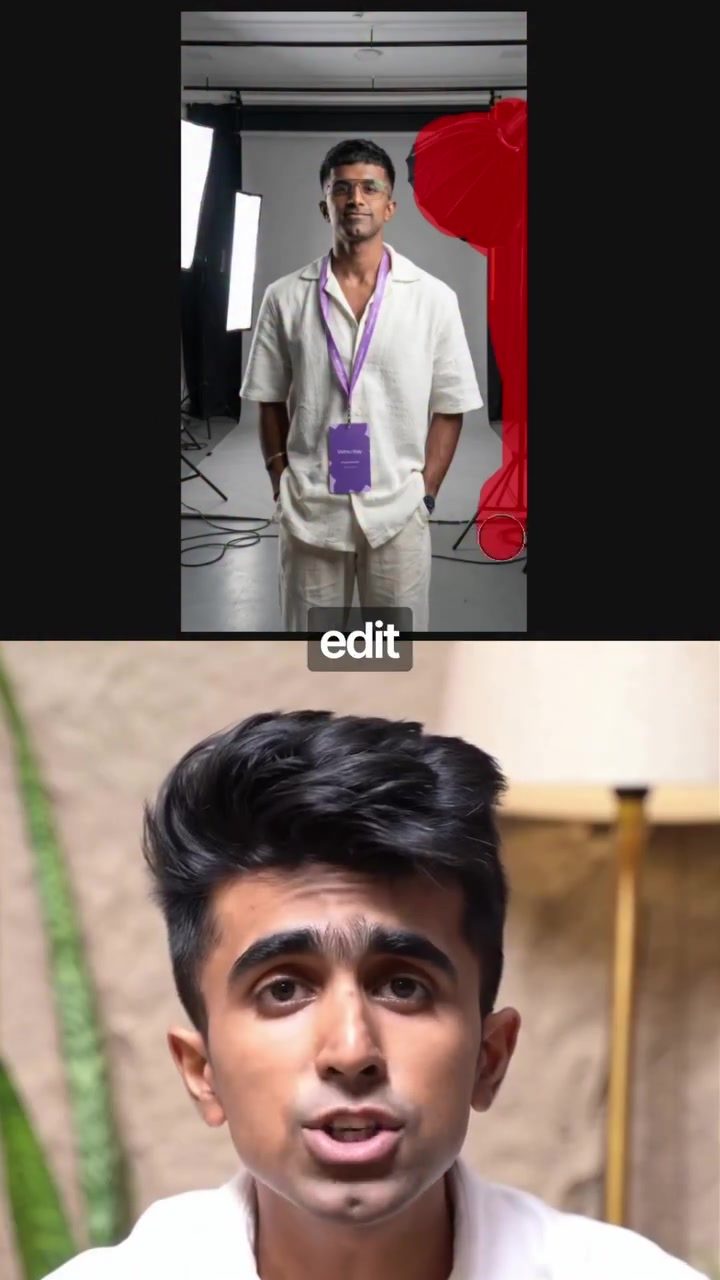
PixArt Aura is a game-changer for content creators. This feature allows users to edit images and replace backgrounds effortlessly. Whether you're working on a project that requires a professional studio setting or an entirely different aesthetic, PixArt Aura can handle it. The tool is so intuitive that it can change the background without affecting the subject, ensuring that your face or any other important elements remain untouched.
For example, if you want to train your avatar or create a professional headshot, you can take a photo of yourself, upload it to PixArt Aura, and ask it to change the background to studio lighting. The result is a high-quality image that looks as if it was shot in an actual studio, without any manual touch-ups.
Remove Background
The Remove Background feature lets you cut out any background in one tap. This is particularly useful for content creators who often need to isolate subjects from their backgrounds. Whether you're working with product images, portraits, or any other type of visual content, the ability to remove backgrounds quickly and easily can save you a lot of time and effort.
AI Replace
AI Replace is another standout feature of PixArt. With this tool, you can swap out clothing, hair, nails, or any other objects in your photo simply by typing what you want. This level of customization is invaluable for fashion bloggers, product photographers, and anyone who needs to create multiple variations of an image.
Remove Object
The Remove Object feature allows you to erase any unwanted person or object from your image completely. This can be incredibly useful for cleaning up photos, removing distractions, or creating a more cohesive visual narrative.
Batch Resize
Batch Resize enables you to resize all your photos into multiple platform sizes at once. This is a time-saving feature for content creators who need to optimize their images for various social media platforms, websites, or print media.
AI Enhance
AI Enhance sharpens and upgrades the quality of any image, making it look clearer and more professional. This feature can be particularly useful for enhancing low-resolution images or improving the overall visual quality of your content.
AI Expand
AI Expand allows you to extend your photo, adding more space around the subject or filling in missing areas. This feature is great for creating more dynamic compositions or adjusting the aspect ratio of your images.
AI Avatar
The AI Avatar feature generates a whole new version of you, complete with a cartoon or illustrated style. This can be a fun and creative way to add a unique touch to your content, whether you're creating avatars for social media, branding, or any other creative project.
Filters and Effects
PixArt offers a variety of filters and effects that can give your content any aesthetic you want. Whether you're going for a retro look, a modern minimalist style, or something entirely different, you can find the perfect filter or effect to enhance your visuals.
How to Use PixArt
Using PixArt is incredibly straightforward, even for those who have never edited a photo before. The intuitive interface makes it easy to navigate and utilize all the features the platform offers. Here are some practical tips for getting started with PixArt:
-
Initialize Workspace: Begin by initializing your workspace. This can be done by dragging and dropping images or videos into the platform. You can also use the "Add Frame" button to capture frames from videos.
-
Select File: Choose the file you want to work on and upload it to the platform.
-
Explore Features: Once your file is uploaded, you can explore the various features PixArt offers. From editing images to removing backgrounds, replacing objects, and applying filters, the possibilities are endless.
-
Save and Share: After you've made all the necessary edits, you can save your work and share it directly from the platform. PixArt ensures that your content is optimized for various platforms, making it easy to share on social media, websites, or any other medium.
Practical Tips for Maximizing PixArt
-
Experiment with Different Features: PixArt offers a wide range of features, so take the time to experiment with each one. You might discover new ways to enhance your content and create more engaging visuals.
-
Utilize AI Enhancements: The AI-powered features in PixArt can significantly improve the quality of your images. Use AI Enhance and AI Expand to make your visuals look more professional and polished.
-
Batch Process Your Images: If you have a large number of images to edit, use the Batch Resize feature to save time. This tool allows you to resize multiple images at once, ensuring that they are optimized for various platforms.
-
Create Custom Avatars: The AI Avatar feature is a fun and creative way to add a personal touch to your content. Experiment with different styles and aesthetics to find the perfect avatar for your brand.
-
Share Your Work: PixArt makes it easy to share your edited content directly from the platform. Take advantage of this feature to quickly distribute your visuals across various channels.
Important Takeaways
PixArt is a comprehensive AI-powered creative platform that offers a wide range of features to enhance your content creation process. It allows users to edit, resize, and enhance images with ease, making it an invaluable tool for content creators. Whether you're a professional photographer, a graphic designer, or a social media influencer, PixArt can help you create stunning visuals and streamline your workflow.
Conclusion
PixArt is more than just a photo editing tool; it's a complete creative solution that empowers users to design, edit, and enhance their visuals with ease. With features like PixArt Aura, Remove Background, AI Replace, and many more, this platform offers a versatile and user-friendly experience for content creators.
Whether you're a beginner or a seasoned professional, PixArt has something to offer. Its AI-powered features and intuitive interface make it accessible to everyone, regardless of their technical skills. So, if you're looking to elevate your content creation game, give PixArt a try and see the difference it can make in your workflow.
Watch the Reel
Questions readers ask
What makes PixaArt a unique tool for content creators?
PixaArt stands out because it combines multiple features into one platform, allowing users to design, edit, and resize both images and videos using AI-powered tools. This all-in-one approach simplifies the content creation process, making it accessible on any device.
Can PixaArt help with background removal in images?
Yes, PixaArt includes a background removal tool that uses AI to automatically detect and remove backgrounds from images. This feature is particularly useful for creating transparent images or isolating subjects for further editing.
Is PixaArt suitable for users who need to resize images and videos frequently?
Absolutely. PixaArt’s resizing tools are designed to maintain the quality of visuals, whether you're resizing images or videos. This is crucial for content creators who need to adapt their content for various platforms and formats.
What kind of image enhancement tools does PixaArt offer?
PixaArt provides a variety of image enhancement tools powered by AI. These tools can improve the overall quality of your images by adjusting brightness, contrast, and other visual elements, helping you achieve professional-looking results effortlessly.
Can PixaArt be used on different types of devices?
Yes, PixaArt is designed to be accessible on any device, including smartphones, tablets, and computers. This flexibility ensures that creators can edit images and videos on the go, making the content creation process more convenient and efficient.
How does PixaArt assist in extracting frames from videos?
PixaArt offers video editing features that allow users to extract frames from videos easily. This is particularly useful for content creators who need to capture specific moments from videos for further editing or use as standalone images.
Related deep dives
Similar reads based on topic and creator.




Recent articles
Fresh deep dives from the latest Reels we unpacked.




Comments
Be the first to comment.