AI Skill Optimization
Optimizing AI skills is crucial for maximizing the efficiency and effectiveness of AI tools in daily tasks. By building a Claude Skill, users can automate repetitive tasks and ensure that their AI assistant remembers to use specific prompts without manual input. Let's delve into the process of creating a Claude Skill, understanding the trigger line, and how to ensure that skills remain effective over time.
Context / Why This Matters
In the fast-paced world of AI, efficiency is key. Repeatedly pasting the same prompt not only wastes time but also reduces productivity. By building a Claude Skill, users can automate these repetitive tasks, allowing the AI to remember and execute specific prompts without manual intervention. This optimization can significantly enhance workflow, making it essential for anyone looking to maximize their AI usage.
Main Discussion
Understanding Claude Skills
Claude Skills are not just one-time setups; they are living files that require regular updates. These skills are designed to automate tasks by remembering specific prompts and executing them as needed. The core idea behind a Claude Skill is to build a prompt once and use it everywhere, ensuring consistency and efficiency.
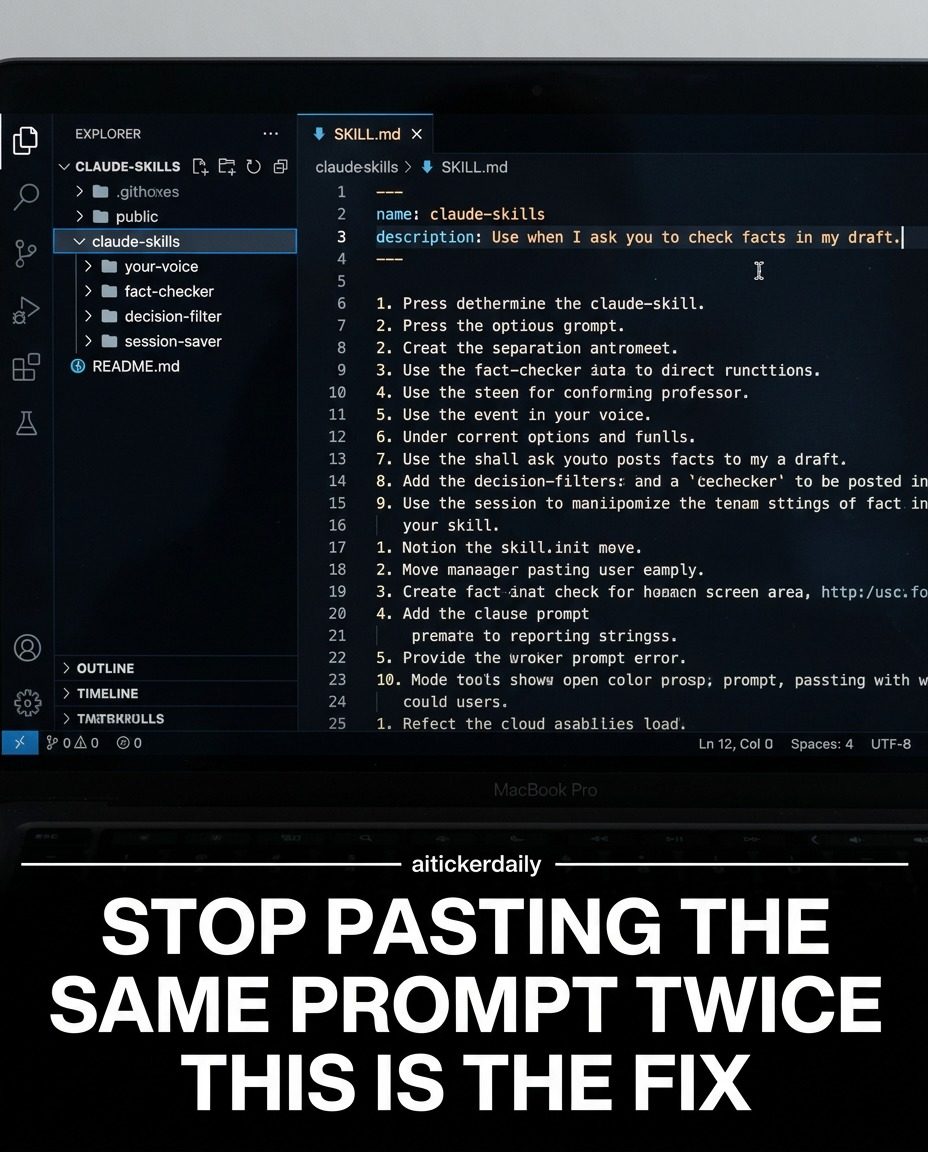
A Claude Skill is created using a SKILL.md file, which includes a trigger description, plain English instructions, and lazy loading. This setup allows the AI to remember and use the prompt efficiently, reducing the need for manual input.
Trigger Line
The trigger line is a critical component of a Claude Skill. It defines the exact phrase that the AI will recognize to execute the skill. This line must match the language used in the skill description to ensure that the AI can identify and execute the prompt correctly.
Common Issues with AI Skills
There are several common issues that can arise when working with AI skills. One of the most frequent problems is the failure of the skill to trigger. This usually happens when the trigger description does not match the language used in the skill. To avoid this, ensure that the trigger line is accurately defined and matches the language used in the skill.
Another issue is the degradation of skills over time. Skills are living files and require regular updates to remain effective. If not updated, they can silently degrade, leading to inefficiencies. Regularly reviewing and updating skills is crucial to maintaining their effectiveness.
Building the Right Skills
When building a Claude Skill, it's important to start with the right skills. Focus on tasks that are frequently repeated and can benefit from automation. This could include data entry, report generation, or any other task that requires repetitive input.
The Shift to Automated Skills
The shift from writing better prompts in the moment to building automated skills represents a significant change in how AI tools are used. Instead of relying on manual input, users can build their best thinking into skills once and let the AI handle the rest. This approach ensures consistency and efficiency, allowing users to focus on more complex tasks.
Practical Tips
Creating Effective Trigger Descriptions
To create an effective trigger description, use exact phrases that the AI will recognize. Avoid using generic terms and ensure that the language matches the skill description. This will help the AI identify and execute the prompt correctly.
Regular Updates
AI skills require regular updates to remain effective. Set aside time each week to review and update your skills, ensuring that they continue to meet your needs. This proactive approach will help maintain the efficiency and effectiveness of your AI tools.
Lazy Loading
Lazy loading is an essential feature of a Claude Skill. It allows the AI to load the skill only when needed, reducing the processing power required. This feature is particularly useful for skills that are used infrequently, as it helps to conserve resources.
Important Takeaways
- Efficiency: Building a Claude Skill can significantly enhance workflow by automating repetitive tasks.
- Trigger Line: The trigger line is crucial for the skill to execute correctly. Ensure it matches the language used in the skill description.
- Regular Updates: AI skills require regular updates to remain effective. Make this a part of your routine to maintain efficiency.
- Lazy Loading: This feature helps conserve resources by loading the skill only when needed.
Conclusion
Optimizing AI skills is a game-changer in the world of digital productivity. By building a Claude Skill, users can automate repetitive tasks, ensuring that their AI assistant remembers and executes specific prompts without manual input. The key to successful AI skill optimization lies in creating effective trigger descriptions, regular updates, and leveraging features like lazy loading. Embrace this shift and watch your productivity soar. Stay informed and updated with the latest developments in AI to maximize the benefits of these powerful tools.
Watch the Reel
Questions readers ask
What is a Claude Skill and how does it optimize AI usage?
A Claude Skill is a custom-built feature that enables users to automate repetitive tasks and enhance productivity by ensuring consistent execution of specific prompts. By building a Claude Skill, users can streamline their workflow, reduce manual input, and make the most of their AI assistant's capabilities. This optimization helps save time and effort, allowing users to focus on more complex tasks.
How can I build a Claude Skill to automate repetitive tasks?
To build a Claude Skill, you'll need to define the specific prompts and tasks you want to automate. The process involves creating a trigger that initiates the skill and setting up the AI to remember and execute the prompts consistently. By following a structured approach, you can create a skill that seamlessly integrates into your workflow and boosts your productivity.
What is a trigger line and how does it work in a Claude Skill?
A trigger line is a command or keyword that activates a Claude Skill. When you input the trigger line, the AI knows to execute the associated task or prompt without further instruction. This feature is crucial for automating tasks, as it allows the AI to remember and perform specific actions consistently, enhancing your overall efficiency.
Can I update or modify a Claude Skill after it has been created?
Yes, you can update or modify a Claude Skill to adapt to your changing needs. If the tasks or prompts you want to automate evolve, you can adjust the skill accordingly. This flexibility ensures that your AI assistant remains effective and continues to optimize your workflow, even as your requirements shift over time.
How does building a Claude Skill enhance AI prompt engineering?
Building a Claude Skill enhances AI prompt engineering by allowing users to create and save specific prompts that the AI can execute consistently. This process ensures that the AI understands and responds to your instructions accurately, reducing the need for manual input and improving the overall quality of the interactions. It also helps in refining and optimizing prompts over time, leading to more productive AI interactions.
What are some examples of tasks that can be automated with a Claude Skill?
Tasks that can be automated with a Claude Skill include generating reports, drafting emails, summarizing text, and performing data analysis. By automating these tasks, users can save time and reduce the risk of human error. This automation allows the AI to handle routine tasks efficiently, freeing up users to focus on more strategic and creative work.
How can I ensure that my Claude Skills remain effective over time?
To ensure that your Claude Skills remain effective, regularly review and update them to align with your current needs and workflow. Monitor the performance of your skills and make adjustments as necessary. Engage with the AI to refine prompts and triggers, ensuring that the automation remains relevant and beneficial to your productivity. This proactive approach helps maintain the efficiency and reliability of your AI skills.
Related deep dives
Similar reads based on topic and creator.




Recent articles
Fresh deep dives from the latest Reels we unpacked.




Comments
Be the first to comment.