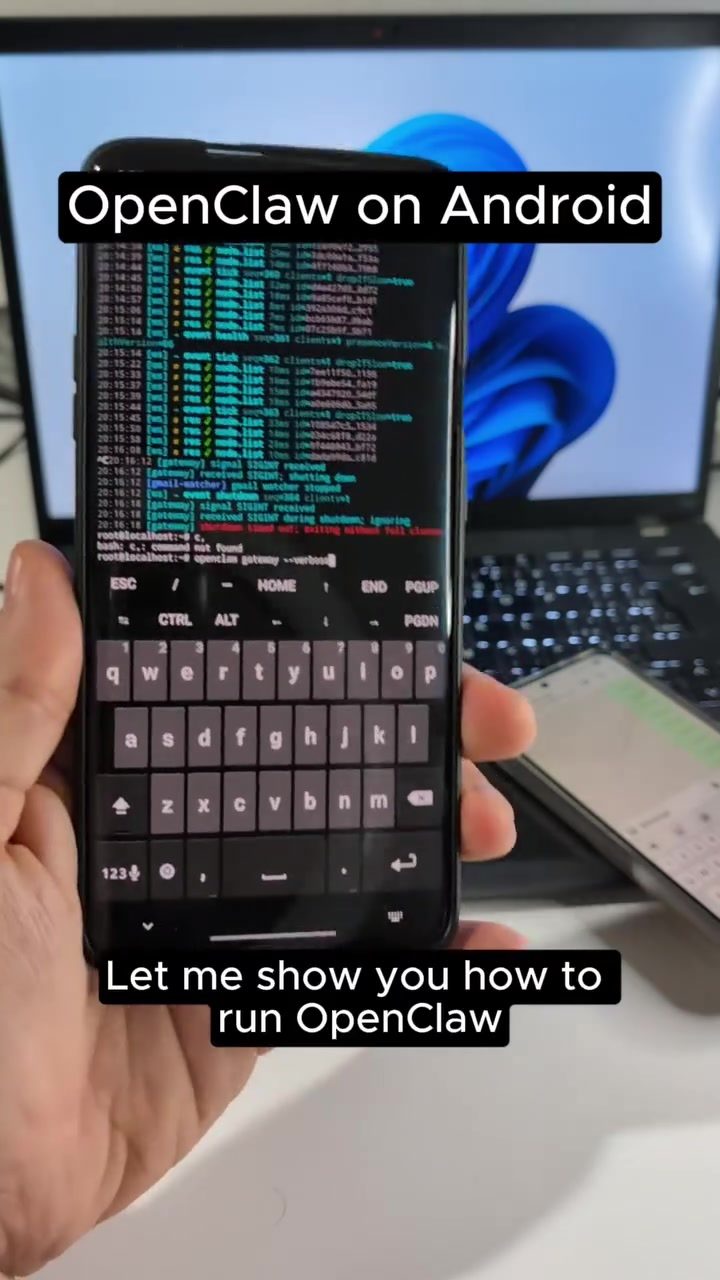
OpenClaw on Android
Running specialized software on Android devices can open up a world of possibilities, from automating tasks to enhancing security features. OpenClaw is a powerful tool designed to control Android smartphones remotely, allowing users to execute commands and manage various functionalities.
Why This Matters
Controlling an Android device remotely can be incredibly useful for a variety of reasons. Whether you're a developer testing an app, a security expert conducting a penetration test, or simply someone who wants to automate repetitive tasks, having the ability to control a smartphone from another device can save time and effort. OpenClaw leverages automated scripts to execute commands, making it a versatile tool for those familiar with such technologies.
Main Discussion
Setting Up OpenClaw
To begin, OpenClaw must be installed and configured on the target Android device. The demonstration showcased using a OnePlus 7 Pro device, highlighting that the software is compatible with a variety of Android smartphones. The process involves starting OpenClaw locally on the device, which then establishes a gateway for remote control.
Controlling the Device
Once the gateway is up and running, the device can be controlled through a web interface. This interface allows users to send commands, which are then executed on the smartphone. The demonstration included several commands, such as enabling and disabling the flashlight, taking photos, and making calls. These commands were sent via WhatsApp, showcasing the versatility of the tool in utilizing different communication channels.
Advanced Features
Beyond basic controls, OpenClaw can perform more complex tasks. For instance, it can decompile APK files using tools like the APK tool. This capability is particularly useful for extracting IP addresses and URLs from applications, which can be beneficial for security analysis or app development. The demo involved uploading the Thermox APK and decompiling it to extract the necessary information, demonstrating the tool's advanced functionalities.
Using Thermox and Gemini CLI
OpenClaw's capabilities are enhanced by integrating with other tools like Thermox and Thermox API. These tools are essential for decompiling APK files and extracting relevant data. The demonstration also mentioned using Gemini CLI, which is crucial for executing these tasks. The free tier of Gemini CLI is noted for being very generous, making it accessible for users with limited budgets.
Practical Tips
Ensuring a Smooth Setup
When setting up OpenClaw, ensure that the Android device is rooted or has the necessary permissions to run the application. This is crucial for executing commands and accessing advanced features. Additionally, make sure that the device has a stable internet connection to facilitate smooth communication between the controlling device and the target smartphone.
Testing Commands
Before relying on OpenClaw for critical tasks, it's advisable to test various commands to ensure they work as expected. The demonstration included enabling the flashlight, taking photos, and making calls, which can serve as a good starting point for testing the tool's basic functionalities. For more complex tasks, such as decompiling APK files, ensure that the necessary tools and APIs are properly configured.
Security Considerations
When using OpenClaw, it's essential to consider the security implications. Controlling a device remotely can expose it to potential vulnerabilities if not done securely. Ensure that all communication channels are encrypted and that the device is protected with strong authentication methods. Regularly update the software to mitigate any security risks.
Important Takeaways
Versatility and Automation
OpenClaw offers a high degree of versatility, allowing users to automate various tasks on Android devices. From basic controls to advanced features like APK decompilation, the tool provides a comprehensive solution for remote device management.
Ease of Use
Despite its advanced capabilities, OpenClaw is designed to be user-friendly. The web interface and compatibility with communication channels like WhatsApp make it accessible for users with varying levels of technical expertise.
Integration with Other Tools
The integration with tools like Thermox and Gemini CLI enhances OpenClaw's functionality, making it a powerful tool for developers and security experts. The free tier of Gemini CLI makes it an affordable option for those looking to leverage these advanced features.
Conclusion
OpenClaw is a versatile and powerful tool for controlling Android devices remotely. Whether you're looking to automate tasks, enhance security, or conduct app development, OpenClaw provides a comprehensive solution with its range of features and integrations. By following the practical tips and taking necessary security precautions, users can make the most of this tool to manage their Android devices efficiently.
Watch the Reel
Questions readers ask
What is OpenClaw and how does it work on Android devices?
OpenClaw is a remote control tool designed to manage and control Android devices from a distance. It enables users to run automated scripts, execute commands, and control various functionalities of an Android device through a web-based interface. This makes it a versatile tool for developers and security experts alike.
Can I control my Android device from anywhere using OpenClaw?
Yes, OpenClaw allows you to control your Android device remotely from anywhere. It provides a web-based interface that you can access from any device with an internet connection. Additionally, OpenClaw supports commands via WhatsApp, offering a flexible and convenient way to manage your device on the go.
How can developers benefit from using OpenClaw for Android?
Developers can use OpenClaw to test their applications remotely, automate repetitive tasks, and simulate user interactions. This remote control tool allows developers to execute commands and monitor the device's behavior without physical access, making it an essential utility for app development and testing.
What are the key features of OpenClaw for Android?
OpenClaw offers several key features, including a web-based interface for remote control, support for automated scripts, and the ability to send commands via WhatsApp. These features make it a powerful tool for developers, security experts, and anyone looking to automate tasks or manage their Android device remotely.
Is OpenClaw safe to use on my Android device?
OpenClaw is designed with security in mind and can be a useful tool for security assessments. However, like any remote control tool, it should be used responsibly. Ensure that you only install the OpenClaw APK from trusted sources and follow best security practices to protect your device and data while using the tool.
How do I set up OpenClaw on my Android device?
To set up OpenClaw, you will need to follow a specific tutorial that guides you through the process. This typically involves downloading and installing the OpenClaw APK, configuring the web-based interface, and setting up any necessary permissions. The setup tutorial will provide step-by-step instructions to help you get started.
Can I use OpenClaw to automate tasks on my Android device?
Yes, OpenClaw supports automation of tasks through automated scripts. This means you can set up the tool to perform repetitive tasks on your Android device without manual intervention. By leveraging this feature, you can save time and increase efficiency in managing your device.
Related deep dives
Similar reads based on topic and creator.




Recent articles
Fresh deep dives from the latest Reels we unpacked.




Comments
Be the first to comment.