AI Video Editing: Transforming Creativity with Text to Video
AI video editing has opened up new possibilities for creators, allowing them to generate stunning visuals with minimal effort. OpenArt, an AI-powered video editing software, stands out as a powerful tool in this realm. This software offers a range of features that make video creation more accessible and efficient, particularly through its innovative "Text to Video" functionality.
Why This Matters
The ability to convert text descriptions into high-quality videos using AI represents a significant leap forward in content creation. This technology not only saves time but also enables creators to bring their visions to life with remarkable precision and detail. Whether you're a professional filmmaker or an enthusiast, AI video editing tools like OpenArt can elevate your projects to new heights.
Main Discussion
The Rise of AI in Video Editing
AI has revolutionized the way videos are created and edited. Traditional video editing software often requires a steep learning curve and extensive manual effort. In contrast, AI-powered tools can automate many of these processes, making video creation more intuitive and less time-consuming.
Exploring OpenArt's Capabilities
OpenArt offers a suite of features designed to streamline the video editing process. Some of the key tools include:
Text to Video
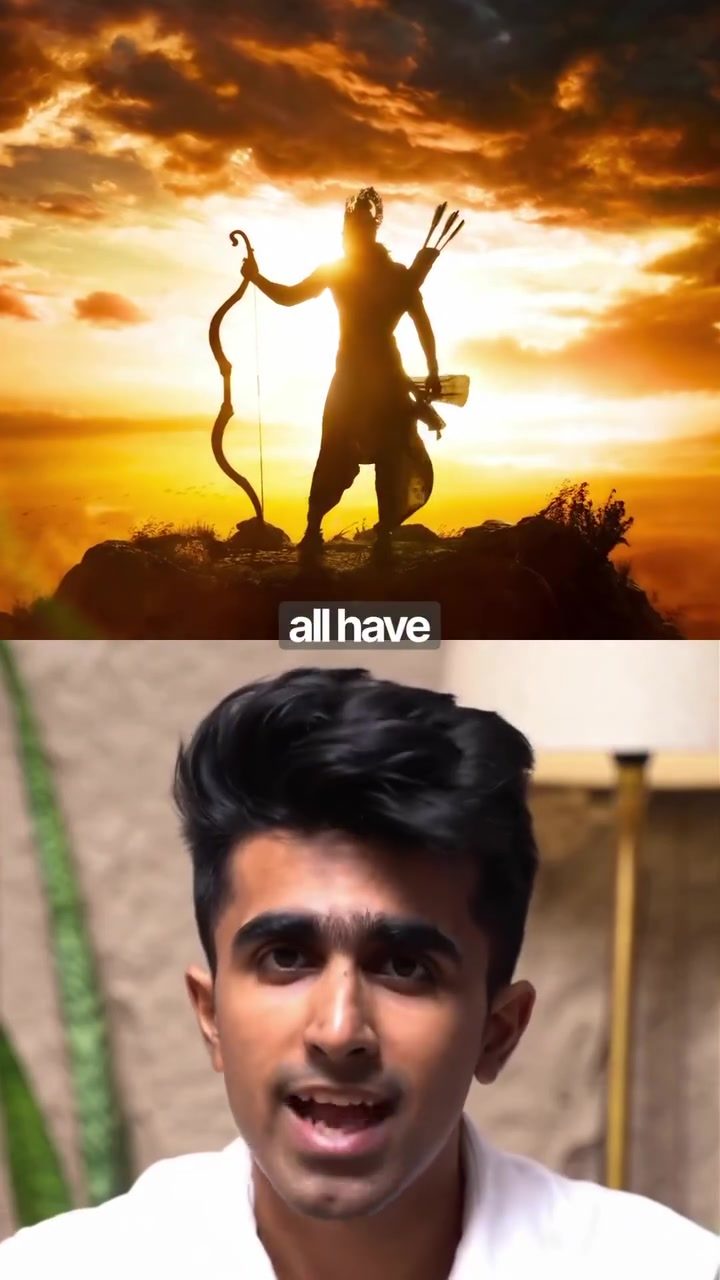
One of the standout features of OpenArt is its "Text to Video" tool. This feature allows users to input a detailed text description of a scene, and the AI generates a corresponding video. For instance, you can type out a scene inspired by a famous epic like Ramayana, and the software will create a video that captures the essence of that scene with impressive realism.
Frame to Video
Another powerful tool is "Frame to Video," which takes a single frame or image and turns it into a dynamic video. This is particularly useful for creating visuals that require intricate movement and physics. For example, a frame from a dance sequence can be transformed into a dynamic video with smooth, lifelike movements.
Practical Applications
The versatility of OpenArt makes it suitable for a wide range of applications. From creating promotional videos to personal projects, this software can be a game-changer. For example, marketers can use it to quickly generate engaging content for social media campaigns, while filmmakers can experiment with new ideas without investing in expensive equipment or extensive manual labor.
Enhancing Physics and Movement
One of the most impressive aspects of OpenArt is its ability to maintain precise physics and movement in the generated videos. This means that even complex scenes with intricate dance moves or realistic physics can be recreated with stunning accuracy. The software ensures that every detail, from the movement to the energy and atmosphere, is captured perfectly.
Realism and Cinematic Quality
The videos created with OpenArt often feel very real and cinematic. The software's advanced algorithms can replicate the mood and ambiance of a scene, making it indistinguishable from professionally shot footage. This level of realism is what sets OpenArt apart from other video editing tools.
Example Use Case: C-dance 2.0
A recent viral trend, C-dance 2.0, showcases the power of AI in video editing. By using OpenArt's "Text to Video" feature, creators can generate videos that match the energy and movement of popular dance sequences. This not only highlights the software's capabilities but also demonstrates how AI can be used to inspire and replicate viral content in a short amount of time.
Getting Started
One of the best things about OpenArt is how easy it is to get started. The interface is user-friendly, and the learning curve is minimal. Whether you're a seasoned professional or a beginner, you can quickly dive into creating high-quality videos. The intuitive design and straightforward tools make the process enjoyable and efficient.
Practical Tips
Making the Most of OpenArt
To get the best results from OpenArt, here are some practical tips:
-
Detailed Descriptions: When using the "Text to Video" feature, be as descriptive as possible. Include details about the setting, characters, movements, and overall atmosphere to ensure the AI generates a video that closely matches your vision.
-
Experiment with Models: OpenArt offers various models like the C-dance model, which is designed for specific types of content. Experiment with different models to find the one that best suits your project.
-
Optimize Settings: Adjust the settings to fine-tune the output. Pay attention to details like frame rate, resolution, and lighting to achieve the desired level of realism and cinematic quality.
Maximizing Efficiency
-
Start Small: Begin with simpler projects to get a feel for the software. Gradually take on more complex tasks as you become more comfortable with the tools.
-
Time Management: Use the automated features to save time on repetitive tasks. This will allow you to focus on the creative aspects of your project.
-
Feedback and Iteration: Review your generated videos and make adjustments as needed. The iterative process will help you improve your skills and the quality of your output.
Important Takeaways
AI video editing tools like OpenArt are transforming the way videos are created. By automating many of the manual processes, these tools make video editing more accessible and efficient. Some of the key takeaways from using OpenArt include:
- Precision and Realism: The software maintains intricate physics and movement, ensuring that the generated videos are realistic and cinematic.
- Ease of Use: OpenArt's user-friendly interface makes it easy for anyone to get started, regardless of their skill level.
- Versatility: The software's range of tools, from "Text to Video" to "Frame to Video," makes it suitable for a variety of applications.
Conclusion
AI video editing with tools like OpenArt represents a significant advancement in the field of content creation. By leveraging the power of AI, creators can produce high-quality videos with remarkable ease and efficiency. Whether you’re a professional filmmaker, a marketer, or an enthusiast, OpenArt offers a suite of powerful tools that can help you bring your creative visions to life. The ability to convert text descriptions into dynamic videos, enhance physics and movement, and achieve cinematic realism makes OpenArt an invaluable asset for anyone looking to elevate their video projects.
Watch the Reel
Questions readers ask
What is OpenArt and how does it work?
OpenArt is a text to video software. It transforms written descriptions into high-quality videos. The software uses AI to handle the complex video creation process, making it accessible for users to generate detailed scenes from text.
Is any prior video editing experience required to use OpenArt?
No, OpenArt is designed to be user-friendly. Its AI capabilities automate much of the video creation process, allowing even beginners to produce impressive videos from text descriptions.
Can OpenArt convert any text into a video?
OpenArt is quite versatile. It can convert a wide range of text descriptions into videos. However, the more detailed and specific the text, the better the AI can generate an accurate and high-quality video.
How does OpenArt's text to video feature benefit content creators?
OpenArt's text to video feature saves creators significant time and effort. It allows them to bring their visions to life with remarkable precision and detail, making the video creation process more efficient.
What makes OpenArt stand out among other video editing tools?
OpenArt stands out due to its innovative 'Text to Video' functionality and comprehensive feature set. It simplifies the video editing process and offers high-quality AI generated videos, making it a powerful tool for both professionals and enthusiasts.
Can I use OpenArt for professional projects?
Yes, OpenArt is suitable for professional use. Its advanced AI video editing capabilities and the ability to create detailed, high-quality videos from text make it a valuable tool for filmmakers and content creators.
Related deep dives
Similar reads based on topic and creator.




Recent articles
Fresh deep dives from the latest Reels we unpacked.




Comments
Be the first to comment.