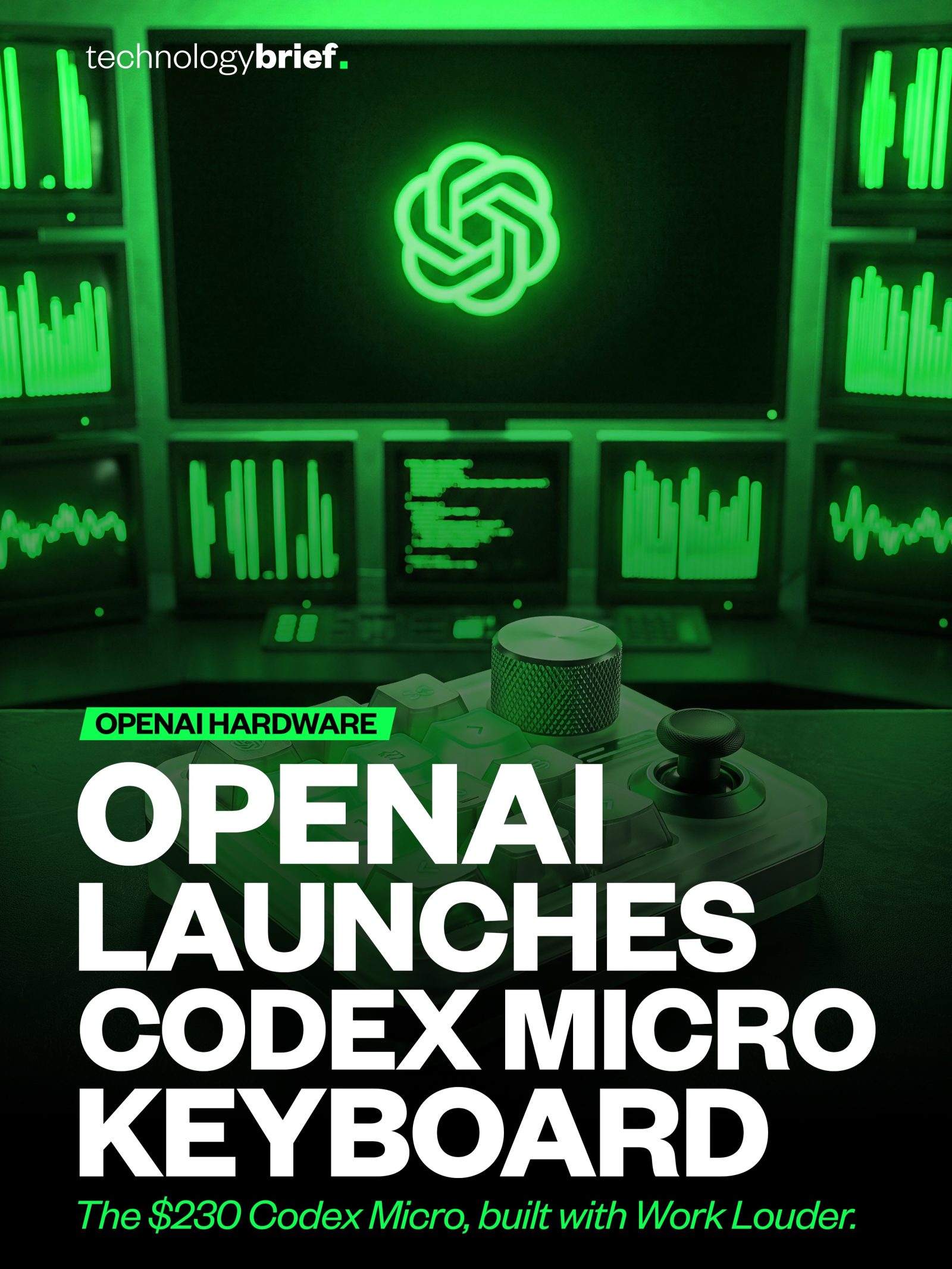
OpenAI's Codex Micro Keyboard
OpenAI has launched a new hardware product that’s stirring interest in the tech world. The Codex Micro keyboard is a unique, compact desktop keypad designed specifically for individuals who use AI coding agents daily. Unlike traditional keyboards, the Codex Micro is a command center for managing AI coding work. This piece dives into the details, functionality, and availability of this specialized hardware.
Why This Matters
The Codex Micro keyboard marks a significant shift in how AI and hardware interact. It’s not just another input device; it’s a control panel for managing AI coding agents. This keyboard is designed to handle specific tasks, indicating a move towards more integrated, hands-on AI management.
The Codex Micro Keyboard: A Deep Dive
Design and Features
The Codex Micro keyboard is a compact, feature-rich device. It features mechanical keys, status lights, a joystick, a touch sensor, and a dial. These components are strategically placed to enhance user experience and efficiency.
- Mechanical Keys: These provide a tactile response, which is crucial for users who spend long hours coding.
- Status Lights: These indicate the status of tasks, showing whether a task is running, waiting, finished, or stuck.
- Joystick and Touch Sensor: These offer additional control options, making navigation and task management more intuitive.
- Dial: This allows users to adjust the level of reasoning an agent uses, adding a layer of customization to the coding process.
The keyboard is designed to control fleets of Codex coding agents, making it a valuable tool for those deeply involved in AI coding. The collaboration with Work Louder, a company known for its high-quality keyboards, ensures that the build quality and performance are top-notch.
Availability and Pricing
The Codex Micro keyboard is available in a limited run, priced at $230. This limited availability adds an element of exclusivity and could make it a sought-after item among tech enthusiasts and AI developers. The keyboard is sold through OpenAI’s Supply Co. and Work Louder’s store, with options for both clicky and silent switches to cater to different user preferences.
OpenAI describes this launch as a limited-quantity drop, indicating that it is not a mass-market product. This strategy aligns with the keyboard’s specialized nature and targeted audience, ensuring that it remains a niche product for those who truly need its capabilities.
Practical Tips for Using the Codex Micro Keyboard
Using the Codex Micro keyboard effectively involves understanding its specialized features and how they integrate with AI coding work. Here are some practical tips to get the most out of this device.
Customizing the Keyboard
- Programmable Keys: Some keys can be set up for specific functions like push-to-talk, starting a new chat, or approving changes. Customize these keys based on your workflow to streamline your tasks.
- Status Lights: Use the status lights to keep track of task progress. This visual feedback can help you manage multiple tasks more efficiently.
- Adjusting Reasoning Levels: Use the dial to adjust the reasoning level of the coding agents. Experiment with different settings to find the optimal balance between speed and accuracy.
Integration with AI Agents
- Command Center: Think of the keyboard as a command center for your AI agents. Use the joystick and touch sensor to navigate and control your agents effectively.
- Task Management: Utilize the status lights and mechanical keys to manage tasks efficiently. This hands-on approach can enhance your productivity and reduce the time spent on task management.
Important Takeaways
The Codex Micro keyboard is a pioneering product that bridges the gap between hardware and AI. It offers a unique, specialized solution for individuals who use AI coding agents daily. Here are the key takeaways:
- Specialized Design: The keyboard is designed specifically for AI coding work, with features tailored to enhance productivity and efficiency.
- Command Center: It functions as a command center for managing AI agents, moving AI work from the chat box to the desk.
- Limited Availability: The keyboard is available in a limited run, adding an element of exclusivity.
- Collaboration with Work Louder: The collaboration ensures high-quality build and performance.
Conclusion
The Codex Micro keyboard is a testament to OpenAI’s innovation and its commitment to integrating AI into everyday tools. While it may not be for the average user, it serves a specific and growing niche of AI developers and coders. The combination of unique features, high-quality build, and specialized functionality makes the Codex Micro keyboard a valuable addition to the toolkit of anyone deeply involved in AI coding work.
Watch the Reel
Questions readers ask
What makes the Codex Micro Keyboard unique compared to traditional keyboards?
The Codex Micro Keyboard is distinct from traditional keyboards due to its specialized design for managing AI coding agents. It includes features like mechanical keys, status lights, a joystick, a touch sensor, and a dial, all aimed at enhancing the user experience for those who work with AI coding agents on a daily basis.
Who is the target audience for the Codex Micro Keyboard?
The Codex Micro keyboard is tailored for individuals who use AI coding agents frequently and prefer a hands-on approach to managing their coding tasks. It is ideal for developers and professionals looking to integrate hardware with their AI workflows.
What are the key features of the Codex Micro Keyboard?
The key features of the Codex Micro Keyboard include mechanical keys for a responsive typing experience, status lights for quick visual feedback, a joystick for navigation, a touch sensor for precise control, and a dial for efficient command execution. These features are designed to streamline the management of AI coding agents.
How does the Codex Micro Keyboard enhance the user experience for AI coding?
The Codex Micro Keyboard enhances the user experience by providing a dedicated set of tools for managing AI coding agents. The compact design, combined with specialized inputs like the joystick and touch sensor, allows for more intuitive and efficient control over AI coding tasks. The status lights and dial further help in navigating and executing commands swiftly.
Why is the Codex Micro Keyboard significant in the tech world?
The Codex Micro Keyboard represents a shift towards more integrated and hands-on AI management. It demonstrates OpenAI's innovation in creating hardware that directly supports AI coding agents, offering a new way for professionals to interact with and control AI-driven tasks. This could pave the way for more specialized hardware in the AI field.
Is the Codex Micro Keyboard available for purchase, and if so, where can I get it?
As of the latest information, the Codex Micro Keyboard is a newly launched product, and details about its availability and purchase options may be subject to change. For the most up-to-date information, it is best to check OpenAI's official website or contact their support directly for purchase details and availability.
What are the benefits of using the Codex Micro Keyboard over other compact keyboards?
The Codex Micro Keyboard offers specific advantages over other compact keyboards due to its tailored design for AI coding agents. Its advanced features, such as mechanical keys, status lights, and additional input methods, make it a more effective tool for those who need to manage AI tasks with precision and efficiency. This makes it particularly useful for professionals in the AI field.
Related deep dives
Similar reads based on topic and creator.




Recent articles
Fresh deep dives from the latest Reels we unpacked.




Comments
Be the first to comment.