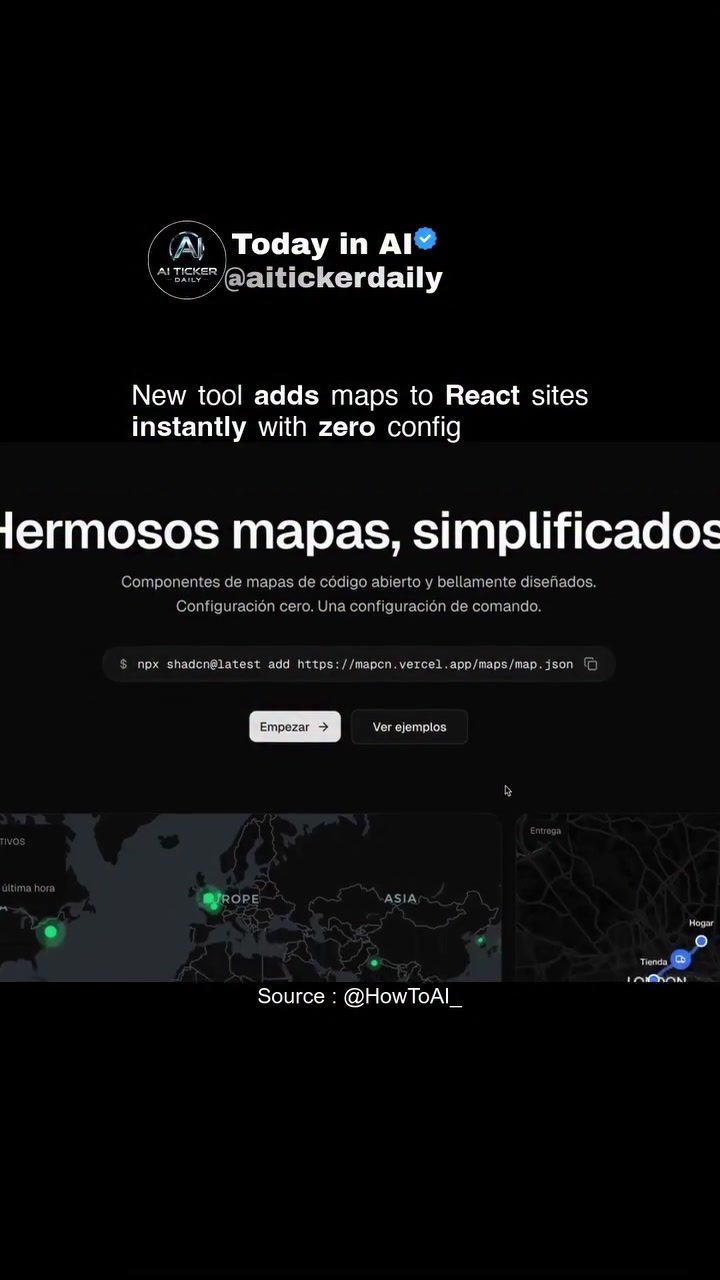
Integrating Maps into React Sites with Zero Configuration
aitickerdailyMapcn offers a streamlined process for integrating polished map UIs into React projects with minimal effort. This tool is particularly useful for developers who frequently work with dashboards or location-based pages. The process involves a few simple steps: installation, pasting components, and tweaking styles. It pairs seamlessly with shadcn/ui patterns, making it an open-source tool worth bookmarking.
Why This Matters
In the rapidly evolving landscape of web development, efficiency is key. The ability to integrate complex features like maps into web applications quickly and easily can significantly accelerate development timelines. For developers working on projects that require frequent updates or multiple location-based features, tools like aitickerdailyMapcn can be a game-changer.
Main Discussion
AI-Powered Map Integration
The aitickerdailyMapcn tool leverages AI to simplify the integration of maps into React projects. This process is designed to be as intuitive as possible, requiring zero configuration. The tool utilizes open-source map components, ensuring that developers can customize and tweak the maps to fit their specific needs.
Zero Configuration
One of the standout features of this tool is its zero-configuration requirement. This means that developers can get up and running with map integration without needing to delve into complex setup processes or troubleshooting. The command-line interface provided allows for quick and easy integration, making it accessible even for those who may not have extensive experience with map software.
Customization and Flexibility
aitickerdailyMapcn offers a high degree of customization. Developers can tweak styles to match the aesthetic of their existing projects. This flexibility is crucial for maintaining a cohesive and professional look across different parts of a web application. The tool's ability to handle various map styles and locations, including detailed views of cities like London, New York, and San Francisco, adds to its versatility.
Command-Line Interface
The tool is command-line based, which is beneficial for developers who prefer working in a terminal environment. The command npX shadcn@latest add https://mapcn.vercel.app/map.json is used to add the map configuration. This command-line approach ensures that the integration process is straightforward and efficient, allowing developers to focus more on the creative aspects of their projects.
Integration with shadcn/ui
The tool pairs cleanly with shadcn/ui patterns, making it a valuable addition to projects that already utilize this design system. This integration ensures that the maps fit seamlessly into the overall design, maintaining a consistent user experience.
Practical Tips
Installation
Installing aitickerdailyMapcn is straightforward. Follow the provided command-line instructions to add the map configuration to your React project. This step ensures that the tool is properly integrated and ready for use.
Pasting Components
Once installed, pasting the map components into your React project is the next step. This involves copying the necessary code snippets and integrating them into your existing codebase. The tool's design ensures that this process is as smooth as possible, with minimal disruption to your workflow.
Tweaking Styles
Customizing the map styles to match your project's design is a crucial step. The tool offers various options for tweaking styles, allowing you to achieve the desired look and feel. Whether you need a minimalist design or a more detailed map view, aitickerdailyMapcn provides the flexibility to make it happen.
Important Takeaways
Efficiency and Speed
The primary benefit of using aitickerdailyMapcn is the efficiency it brings to the development process. By eliminating the need for complex configurations, the tool allows developers to integrate maps quickly and easily, saving time and effort.
Customization and Flexibility
The ability to customize map styles and integrate them seamlessly with existing design patterns is a significant advantage. This flexibility ensures that the maps enhance the overall user experience rather than detracting from it.
Open-Source Advantages
Being an open-source tool, aitickerdailyMapcn offers several advantages. Developers can access the source code, making it easier to troubleshoot issues and customize the tool to meet specific needs. Additionally, the open-source nature encourages community contributions, leading to continuous improvements and updates.
Conclusion
aitickerdailyMapcn represents a significant advancement in the integration of map software into React projects. Its zero-configuration approach, combined with customization options and seamless integration with shadcn/ui patterns, makes it a valuable tool for developers. Whether you're working on dashboards, location pages, or any other project that requires map integration, aitickerdailyMapcn offers a streamlined and efficient solution.
Watch the Reel
Questions readers ask
What is aitickerdailyMapcn and how does it simplify React map integration?
AitickerdailyMapcn is an AI-powered tool designed to simplify the process of adding map features to React projects. It requires zero configuration, allowing developers to integrate and customize maps quickly and easily, even without extensive experience.
Can I use aitickerdailyMapcn if I'm not an experienced developer?
Absolutely. AitickerdailyMapcn is designed to be user-friendly, making it accessible for developers of all skill levels. It offers a streamlined process with minimal steps, ensuring that even those new to React can integrate maps into their projects effortlessly.
How does aitickerdailyMapcn integrate with other UI patterns, like shadcn/ui?
AitickerdailyMapcn is engineered to work seamlessly with UI frameworks like shadcn/ui patterns. This ensures that the map integration process is smooth and aligned with the overall design principles of your React project.
What are the key steps to integrate aitickerdailyMapcn into a React project?
The process involves three main steps: installing the tool, pasting the necessary components into your React project, and tweaking styles to fit your design needs. These steps are designed to be straightforward, allowing for quick map integration without extensive configuration.
How does aitickerdailyMapcn help in accelerating web development timelines?
By providing a swift, AI-powered way to add map features, aitickerdailyMapcn significantly reduces the time required for map integration. This efficiency is crucial for developers working on projects that demand frequent updates or multiple map integrations.
Related deep dives
Similar reads based on topic and creator.




Recent articles
Fresh deep dives from the latest Reels we unpacked.




Comments
Be the first to comment.