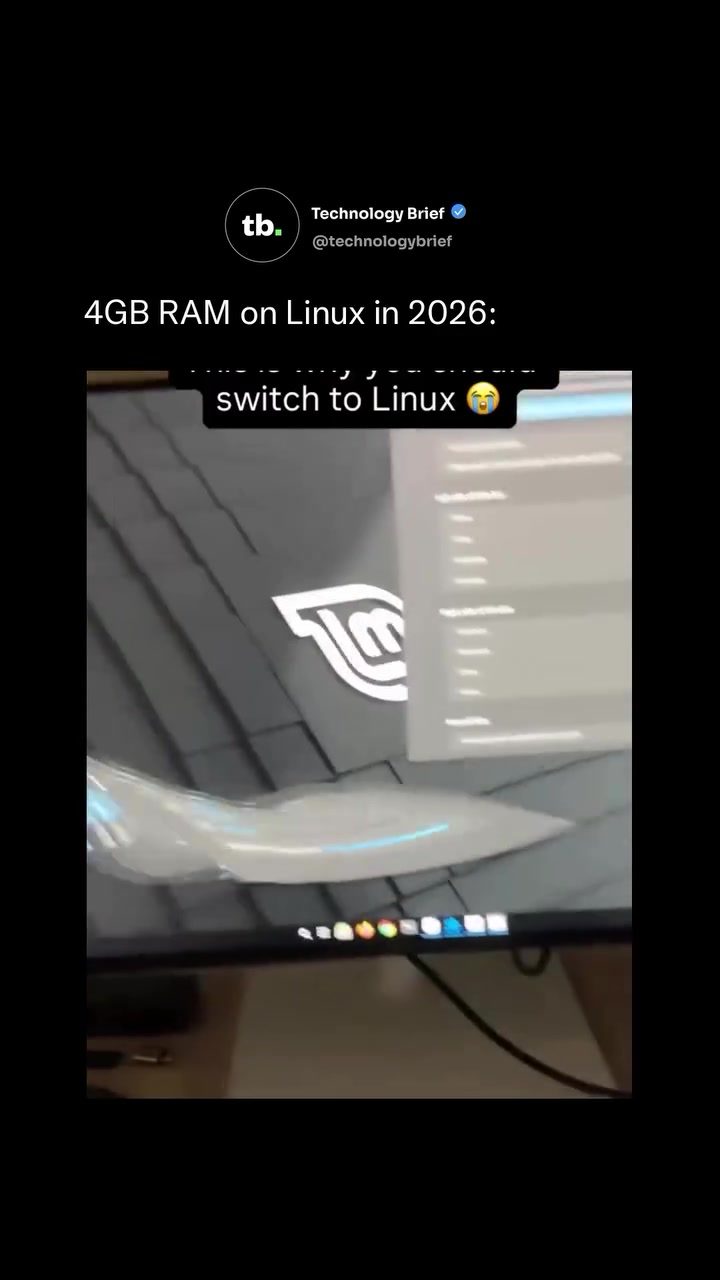
Linux Mint and the Future of Desktop Animations
Linux Mint, a popular Linux distribution, offers a compelling desktop experience with its Cinnamon environment. This operating system is notable for its built-in Window Effects panel, which allows users to fine-tune animations using physics-based controls. Whether you're a seasoned Linux user or considering making the switch, understanding how to leverage these features can significantly enhance your desktop experience.
Why This Matters
The ability to customize desktop animations is not just a matter of aesthetics; it can also improve productivity and usability. For instance, the page-peel effect, where a window appears to curl off the screen like a turning page, adds a dynamic and intuitive element to window management. This feature, combined with other customizable effects, can make navigating your desktop more efficient and enjoyable.
Customizing Window Effects in Linux Mint
The Window Effects Panel
Linux Mint’s Cinnamon desktop includes a robust Window Effects panel that lets you adjust animations with precision. This panel offers a range of controls, including stiffness, mass, friction, and amplitude, allowing you to create smooth and responsive animations. These settings can be tweaked to suit your preferences, making your desktop experience uniquely yours.
Key Features of the Window Effects Panel
-
Physics-Based Controls: The panel allows you to tweak animations using physics-based controls such as stiffness, mass, friction, and amplitude. This level of customization ensures that the animations feel natural and responsive.
-
Page-Peel Effect: One of the standout features is the page-peel effect. This effect makes windows appear to curl off the screen like a turning page, adding a visually appealing and intuitive way to manage your desktop.
-
Real-Time Preview: The settings panel includes a 7-second delay before changes apply, allowing you to preview adjustments in real time. This feature is particularly useful for fine-tuning your animations to perfection.
-
Advanced Customization: The settings panel also includes sliders for dampness, spread, and duration, plus options to dodge other windows on screen. This level of control ensures that your animations are both visually appealing and functional.
Practical Tips for Optimizing Desktop Performance
Managing Resources
While the animations in Linux Mint’s Cinnamon desktop are visually impressive, they do consume additional resources. Guides recommend skipping these animations on machines with 4GB of RAM or less. However, if you have a capable system, you can enjoy these visual enhancements without any noticeable performance impact.
Future Prospects
The potential for 4GB RAM on Linux in 2026 suggests that future Linux systems will be even more capable of handling these visual effects. This means that as hardware improves, so will the desktop experience, allowing for even more sophisticated and resource-intensive animations.
Important Takeaways
-
Customization: Linux Mint’s Cinnamon desktop offers a high degree of customization through its Window Effects panel.
-
Resource Management: Be mindful of your system's capabilities when enabling animations. For systems with 4GB of RAM or less, it may be best to skip these effects.
-
Future Enhancements: As hardware improves, future Linux systems will be even more capable of handling advanced desktop animations.
-
Ease of Use: The real-time preview feature in the settings panel makes it easy to fine-tune your animations to suit your preferences.
Conclusion
Linux Mint’s Cinnamon desktop provides a powerful and flexible environment for customizing your desktop experience. With its built-in Window Effects panel and a range of physics-based controls, you can create visually appealing and intuitive animations that enhance both the aesthetics and functionality of your desktop. Whether you’re a seasoned Linux user or considering making the switch, Linux Mint offers a compelling desktop experience that is both powerful and user-friendly.
Watch the Reel
Questions readers ask
What is the Window Effects panel in Linux Mint's Cinnamon desktop environment?
The Window Effects panel is a feature in Linux Mint's Cinnamon desktop environment that allows users to adjust and customize various desktop animations. It provides a range of settings that can be tweaked to enhance the visual appeal and usability of the desktop experience.
How can I access the Window Effects panel in Linux Mint with Cinnamon?
To access the Window Effects panel, click on the desktop with the right mouse button and select 'Change Desktop Background'. Go to the 'Effects' tab where you can enable or disable desktop animations.
What are physics-based settings in Cinnamon desktop animations?
Physics-based settings in Cinnamon desktop animations refer to the use of realistic physical properties to control how windows move and behave. These settings can make animations feel more natural and intuitive, such as windows bouncing when they hit the screen edges or moving with inertia.
Can I customize individual window animations in the Cinnamon desktop environment?
Yes, the Window Effects panel in Cinnamon allows users to customize individual window animations. You can adjust settings like the speed and intensity of animations, as well as enable or disable specific effects, to tailor the desktop experience to your preferences.
What is the page-peel effect in Linux Mint's Cinnamon desktop environment?
The page-peel effect is a specific desktop animation in Cinnamon where a window appears to curl off the screen like a turning page when minimized or maximized. This effect adds a dynamic and intuitive element to window management, enhancing both the visual appeal and usability of the desktop.
Are there any performance considerations when enabling desktop animations in Cinnamon?
Enabling desktop animations in Cinnamon can enhance the visual experience, but it may also impact system performance, especially on older or less powerful hardware. It's recommended to test and adjust the animation settings to find a balance between visual appeal and system responsiveness.
How do customizing desktop animations improve the Linux Mint user experience?
Customizing desktop animations in Linux Mint can make the desktop environment more intuitive and efficient. For example, animations like the 'page-peel' effect can provide visual cues that enhance usability, while other animations can make interactions feel more responsive and fluid.
Related deep dives
Similar reads based on topic and creator.




Recent articles
Fresh deep dives from the latest Reels we unpacked.




Comments
Be the first to comment.