Marketing Trends 2026: Extracting Insights from Research and Strategy Engine
Marketing trends constantly evolve, and keeping up with the latest insights is crucial for staying ahead in the competitive landscape. By 2026, the volume of available data and research is expected to be overwhelming, making it essential to have efficient tools and strategies to extract the most valuable information quickly.
Context / Why This Matters
Marketing professionals often find themselves drowning in a sea of lengthy PDFs and studies filled with valuable data, as mentioned in a detailed analysis of digital trends in 2026. The pressure to stay updated and act on timely information is immense. This is especially true for digital marketing trends for 2026, which involve analytics, artificial intelligence (AI), and data-driven strategies.
As the digital marketing landscape becomes increasingly complex, having a Research and Strategy Engine is indispensable. This engine allows you to sift through extensive research data in seconds, ensuring that you can respond to market trends and consumer behavior changes promptly. Leveraging AI in this process makes the task much more manageable and efficient.
Utilizing Notebook LM for Effective Research
Creating Your Research and Strategy Engine
Creating a Research and Strategy Engine doesn't have to be a daunting task. It involves integrating Google Drive and Notebook LM, a powerful tool designed to streamline the process of extracting insights from large volumes of data. Here’s how you can set it up:
-
Access Notebook LM: Start by navigating to the Notebook LM website and creating a new notebook. This notebook will act as the central repository for all your research and strategy data.
-
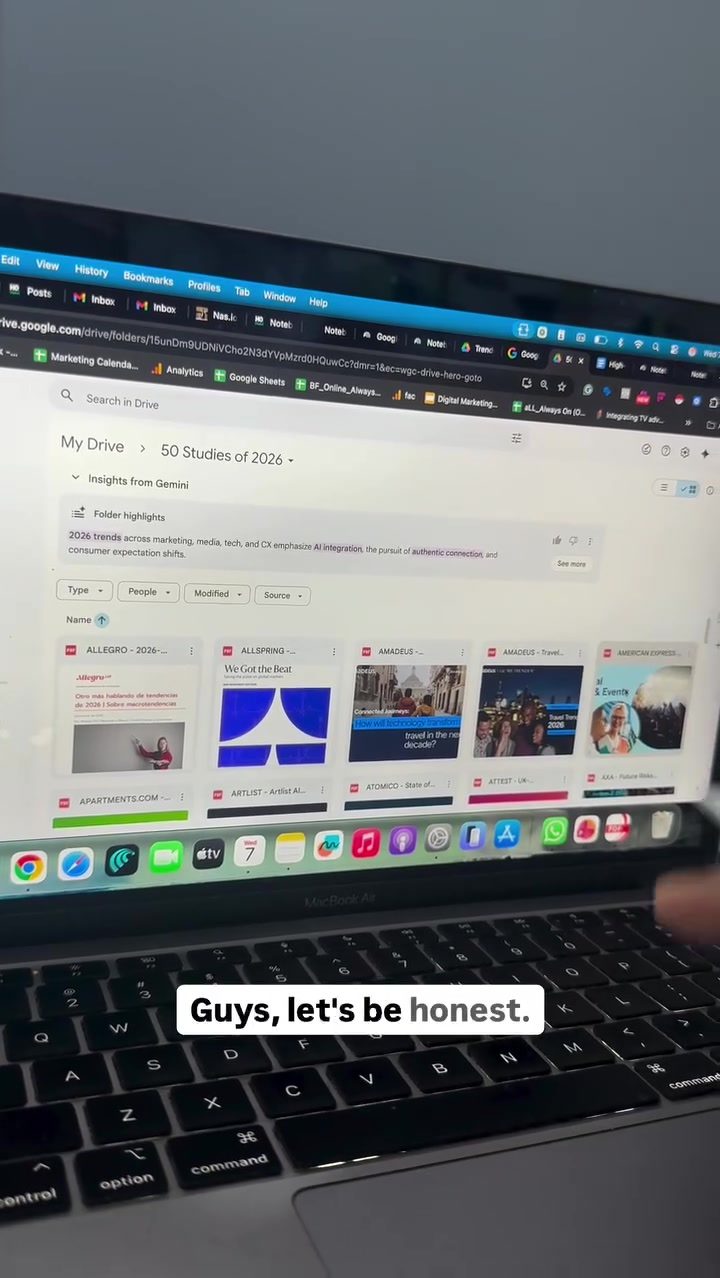
Link Google Drive: Choose Google Drive as your source and select all the PDFs you want to analyze. This seamless integration allows you to pull data directly from your cloud storage, making the process efficient and organized.
-
Upload and Analyze: As the files are uploading, you can start exploring the various prompts and commands you can use to extract valuable information. This includes creating personal career strategies, upskilling plans, and industry-specific intelligence packs. The ability to derive functional playbooks and strategy decks from these PDFs makes this tool indispensable.
Extracting Insights in Seconds
Once your files are uploaded, the real magic begins. Notebook LM allows you to transform lengthy PDFs into actionable insights with just a few commands. Here are some of the key functionalities:
-
Personal Career Strategy: Extract 10 skills that will increase your earning power in 2026. This is particularly useful for personal development and aligning your skills with the market's demands.
-
90-Day Upskilling Plan: Generate a detailed 90-day upskilling plan tailored to your career goals. This structured approach ensures that you stay on track and continuously develop your skills.
-
Industry-Specific Intelligence Packs: Create intelligence packs that provide in-depth analysis and insights specific to your industry. This is invaluable for understanding market trends, consumer behavior, and competitive strategies.
-
Functional Playbooks: Derive functional playbooks that outline strategies for various aspects of digital marketing. These playbooks serve as comprehensive guides for implementing effective marketing strategies.
-
Strategy Decks: Convert the entire research into strategy decks that can be easily presented to stakeholders. This visual representation makes it easier to convey complex data and insights.
Practical Tips
Here are some practical tips to help you maximize the use of your Research and Strategy Engine:
-
Organize Your PDFs: Keep your PDFs organized in a structured manner in your Google Drive. This ensures that you can easily access and analyze the data when needed.
-
Define Clear Objectives: Before you start extracting information, define clear objectives for what you want to achieve. This will help you focus on the most relevant data and insights.
-
Experiment with Prompts: Notebook LM offers a wide range of prompts and commands. Experiment with different options to see what works best for your needs.
-
Regular Updates: Ensure that your data is regularly updated to stay current with the latest trends and insights. This will help you make informed decisions and stay ahead of the competition.
Important Takeaways
Creating a Research and Strategy Engine with Notebook LM and Google Drive integration is a game-changer for anyone dealing with extensive research data. This tool allows you to:
- Save time by quickly extracting valuable insights from lengthy PDFs.
- Customize your research to suit your specific needs and objectives.
- Stay updated with the latest trends and insights, ensuring you are always ahead of the curve.
- Present complex data in an easily understandable format, making it easier to convey insights to stakeholders.
Conclusion
In the fast-paced world of digital marketing, staying informed and acting on the latest trends is crucial. With the help of Notebook LM, you can create a Research and Strategy Engine that allows you to extract valuable insights from extensive research data in seconds. This tool not only saves time but also ensures that you have access to the most relevant and actionable information. By leveraging this tool, you can stay ahead of the competition and make informed decisions that drive your success.
Watch the Reel
Questions readers ask
What is Notebook LM and how does it aid in extracting marketing insights from PDFs?
Notebook LM is a tool designed to help users process and analyze large amounts of text data efficiently. It works by enabling users to upload PDFs to Google Drive, where Notebook LM can extract and summarize key insights, making it easier to identify trends and patterns relevant to 2026 marketing strategies.
Can I extract insights specifically for 2026 marketing trends using this method?
Yes, by using specific keywords and filters within Notebook LM, you can focus on extracting insights that are directly relevant to 2026 marketing trends. This allows you to cut through the noise and zero in on the data that will be most impactful for your strategies in the years ahead.
How does Google Drive integration enhance the process of extracting marketing insights?
Integrating with Google Drive allows you to easily upload and manage your PDFs in one place. Notebook LM can then access these files directly, making the entire process more streamlined and efficient. This integration also ensures that your data is organized and readily available for analysis.
What types of insights can I expect to extract from PDFs using Notebook LM?
You can expect to extract a wide range of insights, including emerging trends, consumer behavior patterns, and industry-specific analyses. By leveraging Notebook LM, you can quickly identify actionable data points that will help you stay ahead in the competitive marketing landscape of 2026.
Is there a limit to the number of PDFs I can process with Notebook LM and Google Drive?
Notebook LM and Google Drive can handle large volumes of data, but specific limits may depend on your Google Drive storage plan and the processing capabilities of Notebook LM. It's best to check the documentation or contact support for detailed information on handling extensive data sets.
Can I customize the types of insights I want to extract using Notebook LM?
Yes, Notebook LM allows for customization by using specific keywords and filters, ensuring that the insights you extract are tailored to your specific needs. This customization feature helps you focus on the most relevant data for your 2026 marketing strategies, saving time and effort.
How can I ensure the accuracy of the insights extracted from PDFs using Notebook LM?
To ensure accuracy, make sure the PDFs you upload are well-organized and contain clear, relevant information. Notebook LM works best with high-quality, structured data. Additionally, double-check the extracted insights and compare them with your original documents to verify their correctness.
Related deep dives
Similar reads based on topic and creator.




Recent articles
Fresh deep dives from the latest Reels we unpacked.




Comments
Be the first to comment.