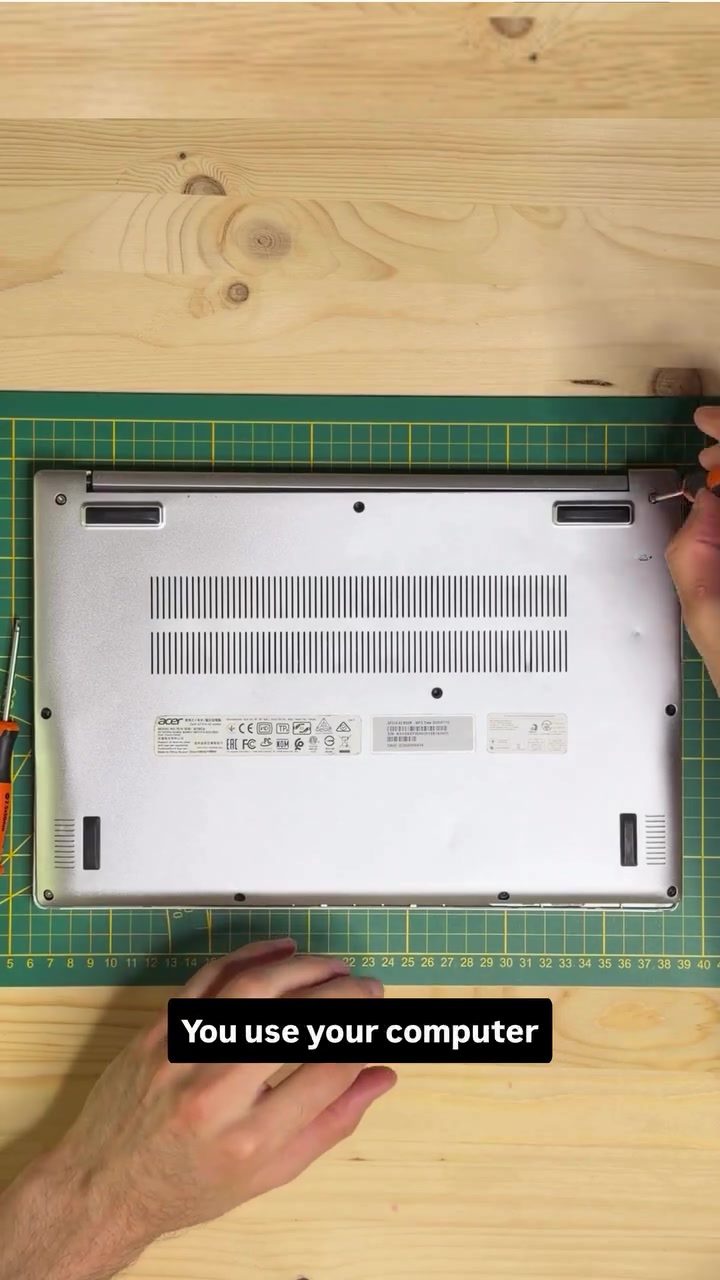
Understanding the Key Components Inside a Laptop
Laptops are indispensable tools in daily life, yet few users truly understand the inner workings of these devices. Diving into the inner components of a laptop, such as the Acer Nitro 5G Tank, reveals a complex but intriguing system. This exploration will focus on the primary components: the battery, RAM, SSD, CPU, and Wi-Fi card. By understanding these essential parts, users can gain a deeper appreciation for how their laptops function and how to maintain them for optimal performance.
Why This Matters
Knowing the inner workings of a laptop can be incredibly beneficial. It allows users to troubleshoot issues, understand the importance of regular maintenance, and even decide when it's time for an upgrade. Whether you're a casual user or a tech enthusiast, grasping the fundamentals of laptop components can enhance your overall computing experience.
The Main Components Inside a Laptop
The Battery: The Fuel Tank of Your Laptop
The battery is the powerhouse of your laptop, serving as the fuel tank. It stores energy and powers every other component. When the battery dies, everything shuts off, making it a critical component. Think of the battery as the lifeblood of your laptop, essential for its operation. Without a functional battery, your laptop is rendered useless.
RAM: Temporary Data Storage
Random Access Memory (RAM) temporarily stores data that the processor needs right now. It's like a workspace where your laptop keeps data it might need quickly. Having too little RAM can make your computer feel slow, especially when you have multiple apps and browser tabs open. Essentially, RAM is the short-term memory of your laptop, enabling smooth multitasking.
SSD: Long-Term Data Storage
The Solid State Drive (SSD) is akin to your laptop's filing cabinet. It stores your photos, games, documents, and even your operating system. Unlike RAM, the data in the SSD stays there even when the computer is turned off. This makes the SSD crucial for long-term storage and quick access to files.
CPU: The Brain of Your Laptop
The Central Processing Unit (CPU) is the brain of your laptop. Every click, app, and video you interact with is processed by the CPU, which performs billions of operations every second. Because it works so hard, the CPU generates heat, necessitating a cooling system to prevent overheating. Think of the cooling system as the air conditioning of your laptop, ensuring optimal performance and longevity.
Wi-Fi Card: Connecting to the Internet
The Wi-Fi card is a small but vital component that allows your laptop to connect to the internet. It communicates with your router using radio waves, enabling wireless connectivity. This component is essential for browsing the web, streaming media, and staying connected to the digital world.
How These Components Work Together
When you open an application like Google Chrome, a sequence of actions occurs. The application is loaded from the SSD into the RAM, processed by the CPU, and data from the internet comes through the Wi-Fi card. This seamless interaction between components is what makes your laptop functional and efficient.
Practical Tips for Maintaining Your Laptop
Keep Your Battery Healthy
Regularly charge and discharge your laptop battery to maintain its health. Avoid keeping your laptop plugged in all the time, as this can degrade the battery's capacity over time. Also, ensure your laptop is in a cool environment, as high temperatures can reduce battery life.
Upgrade Your RAM
If you notice your laptop slowing down, especially when multitasking, consider upgrading your RAM. More RAM can significantly improve performance, allowing you to run more applications simultaneously without lag.
Monitor Your SSD
Regularly check the health of your SSD and ensure it has enough free space. Keep in mind that an almost-full SSD can slow down your laptop. Use external drives or cloud storage for additional storage needs.
Keep Your CPU Cool
Ensure proper ventilation for your laptop by keeping it on a flat, hard surface. Regularly clean the vents and fans to prevent dust buildup, which can hinder cooling efficiency.
Secure Your Wi-Fi Card
For optimal Wi-Fi performance, position your laptop in a location with a strong signal. Consider using a dedicated Wi-Fi extender if you experience weak signals in certain areas of your home.
Important Takeaways
Understanding the key components inside a laptop can transform your user experience. Knowing how the battery, RAM, SSD, CPU, and Wi-Fi card work together can help you troubleshoot issues, maintain your laptop, and make informed decisions about upgrades. By keeping these components healthy, you can extend the lifespan of your laptop and ensure it performs at its best.
Conclusion
Laptops are complex machines with intricate components working together to deliver a seamless user experience. By delving into the inner workings of a laptop, users can gain a deeper appreciation for these devices and take proactive steps to maintain their performance. Whether you're a casual user or a tech enthusiast, understanding the key components inside a laptop can enhance your overall computing experience and ensure your device remains reliable for years to come.
Watch the Reel
Questions readers ask
What is the role of a laptop's RAM and how does it affect multitasking?
RAM, or Random Access Memory, is crucial for multitasking. It temporarily stores data that the CPU may need to access quickly. More RAM allows your laptop to handle multiple tasks simultaneously without slowing down, making it an important consideration for users who run several applications at once.
What are the benefits of an SSD compared to an HDD in a laptop?
An SSD (Solid State Drive) offers several advantages over an HDD (Hard Disk Drive). SSDs are faster, more durable, and use less power, which can extend your laptop's battery life. They also have no moving parts, making them more resistant to physical damage and better for laptops that are frequently moved or transported.
How does the CPU impact overall laptop performance?
The CPU, or Central Processing Unit, is often referred to as the 'brain' of the laptop. It carries out most of the processing tasks and instructions. A powerful CPU can handle complex tasks more efficiently, which is crucial for activities like gaming, video editing, or running demanding software. Choosing the right CPU is key when optimizing laptop performance for specific tasks.
What factors influence a laptop's battery life?
Several factors influence a laptop's battery life, including the battery's capacity (measured in watt-hours), the power efficiency of the components, and the tasks you perform. Using power-saving settings, such as dimming the screen or disabling unnecessary background processes, can also extend battery life. Additionally, the health and age of the battery itself play a significant role.
How does the Wi-Fi card in a laptop function?
The Wi-Fi card in a laptop allows it to connect to wireless networks. It sends and receives data through radio waves, enabling internet access without the need for wired connections. The performance of a Wi-Fi card can affect the speed and stability of your wireless connection, making it an important consideration for users who rely on wireless internet.
What should I consider when choosing laptop components for optimal performance?
When selecting laptop components, consider your specific needs and usage patterns. For heavy multitasking or demanding applications, prioritize a powerful CPU and ample RAM. For faster data access and improved battery life, opt for an SSD over an HDD. Additionally, consider the Wi-Fi card's capabilities for reliable wireless connectivity and choose a battery with a high capacity for extended use.
Related deep dives
Similar reads based on topic and creator.




Recent articles
Fresh deep dives from the latest Reels we unpacked.




Comments
Be the first to comment.