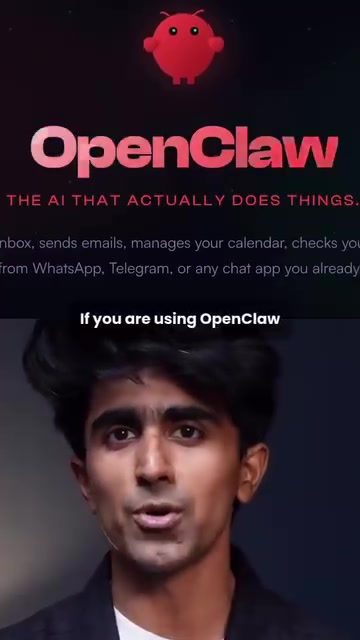
OpenClaw and KiloClaw: Securing and Optimizing Your AI Experience
OpenClaw, an AI assistant, has gained significant traction, especially with users seeking automated solutions. However, using OpenClaw without proper safeguards can put your data at risk. KiloClaw, a managed OpenClaw agent built inside KiloCode, offers a solution to these data security challenges. KiloCode, boasting over 1.5 million users, is one of the fastest-growing coding agents in the market.
Why This Matters
The rise of AI assistants like OpenClaw has revolutionized how tasks are automated and managed. However, as with any powerful tool, there are inherent risks. Users often hand over sensitive information such as API keys, shell access, and file permissions, which can compromise data security. This is where KiloClaw comes in, offering a managed and secure environment for every user.
The Problem with Standard OpenClaw Setups
Most OpenClaw setups involve sharing sensitive data in a communal environment. This setup can expose your data to potential security breaches. Here are some of the key issues:
- Shared Environment: Data from multiple users sits in the same environment, increasing the risk of data leaks.
- API Keys and Permissions: Handing over API keys and file permissions can be risky, especially in a shared setting.
How KiloClaw Fixes These Issues
KiloClaw addresses these problems by providing each user with a fully isolated environment. This isolation ensures that your session and data are completely separate from everyone else’s, enhancing data security.
Key Features of KiloClaw:
- Isolated Environment: Every user gets their own fully isolated environment, ensuring data security and privacy.
- White Paper: KiloClaw comes with a white paper to prove its efficacy and security measures.
- Easy Setup: Setting up KiloClaw takes about two minutes. You can create and provision your agent quickly and efficiently.
- Integration with Communication Channels: You can connect KiloClaw to various communication channels like Telegram, Discord, or Slack, making your agent reachable wherever you work.
- Real-Time Diagnostics and Auto-Fix: If something goes wrong, KiloClaw’s diagnostics can auto-fix most issues, ensuring minimal downtime.
Setting Up and Using KiloClaw
Setting up KiloClaw is straightforward. Here’s a step-by-step guide to getting started:
Step-by-Step Guide to Setting Up KiloClaw
-
Access the Dashboard:
- Go to app.kilo.ai.
- Click on "claw" in the sidebar.
-
Create and Provision Your Agent:
- Pick your model.
- Hit "create and provision."
- Your agent will be live in no time.
-
Connect to Communication Channels:
- Go to settings.
- Scroll to channels.
- Connect to Telegram, Discord, or Slack to make your agent reachable.
-
Configure Telegram:
- Grab a bot token from BotFather.
- Follow the steps to configure your bot.
- Copy the token and paste it in the Kilo dashboard.
- Hit save and redeploy. Your tokens won’t activate until you do this.
-
Manage Your Agent:
- From the control panel, you can manage sessions, set up cron jobs, install skills, configure exec approvals, and tail logs in real-time.
- If something breaks, use the OpenClawDoctor feature, which runs diagnostics and auto-fixes most issues automatically.
Practical Tips
Enhancing Security with KiloClaw
- Regular Audits: Regularly audit your permissions and access settings to ensure everything is secure.
- Use Strong Tokens: Always use strong, unique tokens for your communication channels to prevent unauthorized access.
- Monitor Logs: Keep an eye on your logs to detect any unusual activity.
Making the Most of Your AI Assistant
- Custom Skills: Install custom skills to tailor your AI assistant to your specific needs.
- Real-Time Updates: Use real-time logging to stay updated on your agent’s performance and address issues promptly.
Communication Integration
- Telegram Setup: For Telegram, ensure you follow the steps correctly to grab and configure the bot token.
- Multiple Channels: Integrate with multiple channels to enhance accessibility and convenience.
Important Takeaways
- Data Security: Using a managed agent like KiloClaw can significantly enhance your data security by providing an isolated environment.
- Ease of Use: KiloClaw’s setup is quick and user-friendly, making it accessible even for those new to AI assistants.
- Real-Time Management: KiloClaw’s real-time diagnostics and auto-fix features ensure minimal downtime and seamless operation.
Conclusion
OpenClaw is a powerful AI assistant, but using it without proper safeguards can lead to data security risks. KiloClaw, built inside KiloCode, offers a secure and efficient solution. With its isolated environment, easy setup, and real-time diagnostics, KiloClaw ensures that your data remains secure while enhancing your overall AI experience. Whether you're a seasoned user or new to AI assistants, KiloClaw provides the tools and security you need to make the most of your AI assistant.
Watch the Reel
Questions readers ask
What makes KiloClaw different from standard OpenClaw setups in terms of data security?
KiloClaw distinguishes itself by providing a managed, isolated environment for each user. This means that your data is completely separate from other users, unlike standard OpenClaw setups where data might be more interconnected. This isolation significantly enhances your data privacy and security.
How does KiloClaw prevent data breaches for OpenClaw users?
KiloClaw enhances data security by isolating user data in a managed environment. This isolation ensures that sensitive information—such as API keys, shell access, and file permissions—is protected from potential breaches, providing an additional layer of security for users.
Can KiloClaw secure sensitive information like API keys and file permissions?
Yes, KiloClaw is designed to secure sensitive information. It isolates each user's data, ensuring that API keys, shell access, and file permissions are protected from unauthorized access. This isolation helps prevent potential breaches and enhances the overall security of your data.
What are the benefits of using KiloClaw with OpenClaw?
Using KiloClaw with OpenClaw offers several benefits. It provides a secure, isolated environment for your data, enhancing privacy and security. This integration also ensures that sensitive information is protected from potential breaches, making it a reliable choice for users concerned about data security.
Is my data completely separate from other users when using KiloClaw?
Yes, when you use KiloClaw, your data is completely separate from other users. This isolation is a key feature of KiloClaw, ensuring that your information is protected and that there is no risk of data leakage or breaches from other users' activities.
How does KiloClaw integrate with OpenClaw to enhance data security?
KiloClaw integrates with OpenClaw by providing an additional layer of security. It offers a managed, isolated environment for each user, ensuring that your data is completely separate and protected. This integration helps to prevent potential breaches and enhance your overall data security.
Related deep dives
Similar reads based on topic and creator.




Recent articles
Fresh deep dives from the latest Reels we unpacked.




Comments
Be the first to comment.