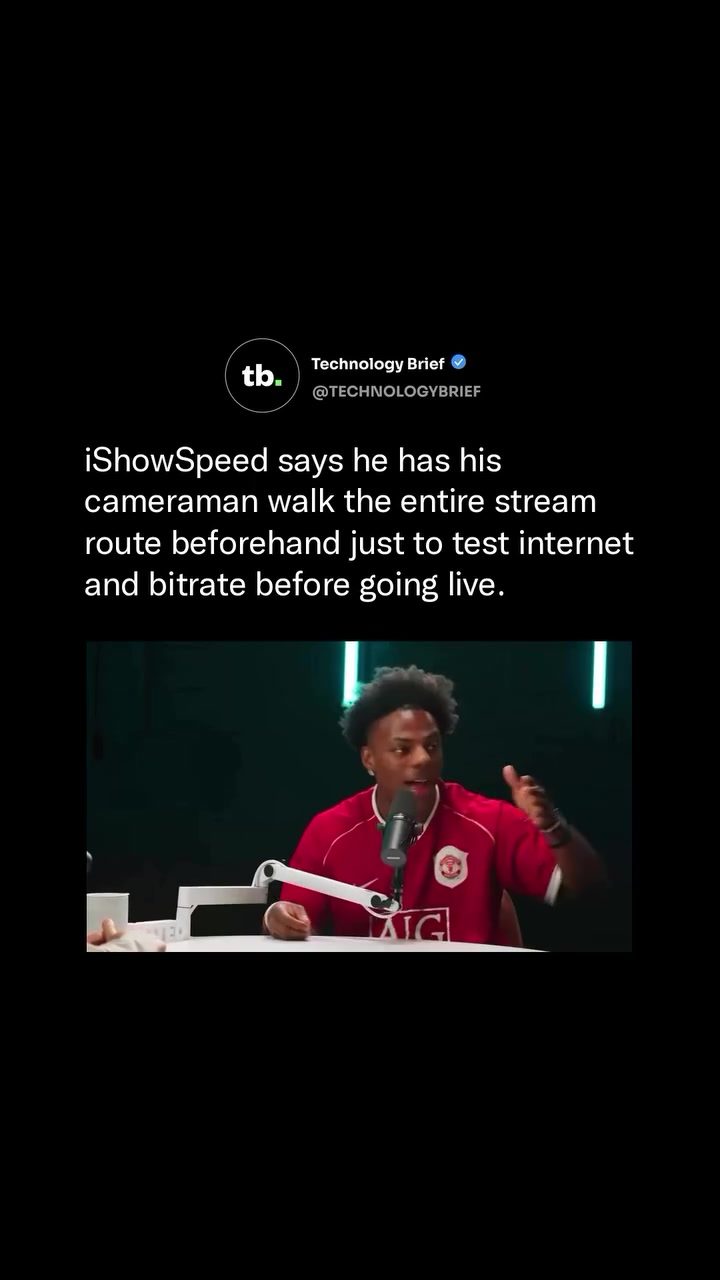
Streamer Preparation: The Key to a Successful Live Broadcast
Preparing for a live stream, especially an outdoor IRL (In Real Life) stream, involves much more than just setting up a camera and hitting the 'go live' button. For top streamers like iShowSpeed, real name Darren Watkins Jr., thorough preparation is crucial. iShowSpeed, with over 44 million YouTube subscribers, shares his meticulous approach to ensuring a smooth live broadcast, which includes testing the internet signal and data upload rate along the entire planned route.
Why This Matters
Live streaming, particularly IRL streams, relies heavily on a stable internet connection. Even a brief interruption can disrupt the broadcast, leading to a poor viewer experience. For streamers like iShowSpeed, who have millions of viewers, maintaining a consistent and high-quality stream is essential. This involves not just having the right equipment but also ensuring that the environment, specifically the internet connectivity, is optimal throughout the entire stream.
Main Discussion
The Importance of Internet Connectivity
For live streamers, internet connectivity is the backbone of their broadcast. A stable upload speed of at least 10 Mbps is necessary for a clean 1080p stream. This requirement must be met consistently across the entire route, not just at the starting point. Any drop in connection can cause the stream to buffer, lag, or even crash, which is a nightmare for any streamer.
Pre-Stream Route Testing
iShowSpeed takes his preparation to the next level. Before going live, he sends his cameraman to physically drive or walk the entire planned route. This pre-stream check ensures that the internet signal and data upload rate are strong enough to support a live broadcast. If the connection is subpar at any point, the route is rerouted to avoid potential issues. This proactive approach helps in identifying and mitigating connectivity issues before they can disrupt the live stream.
Equipment and Setup
A successful live stream also depends on having the right equipment. iShowSpeed’s setup includes high-quality microphones and cameras, which are crucial for capturing clear audio and video. The cameraman's role extends beyond just filming; they also test the bit rate and internet connectivity, ensuring that the technical aspects of the stream are in order.
Major Projects and Advanced Preparation
For significant projects, such as a 35-day cross-country livestream, the level of preparation is even more intense. iShowSpeed uses a bus converted into a full mobile production studio, combining Starlink with 4G and 5G networks. This setup ensures a reliable signal even in remote areas, providing a seamless experience for viewers.
Challenges and Solutions
One of the biggest challenges in outdoor streaming is the variability of mobile data upload speeds. Dead zones, where the signal is weak or non-existent, can be particularly problematic. iShowSpeed’s approach of physically testing the route helps in identifying these dead zones and finding alternative routes or solutions. This meticulous planning ensures that the stream remains uninterrupted and of high quality.
Practical Tips
Test Your Route
If you're planning an outdoor live stream, test the route beforehand. Walk or drive through the entire area to check for internet dead zones. Use tools to measure both the internet speed and the bit rate, ensuring that they meet your streaming requirements. This step is crucial in identifying potential issues before they can disrupt your stream.
Use Mobile Production Studios
For longer streams or those covering large areas, consider using a mobile production studio. This setup can include a vehicle equipped with wireless internet options, allowing for a stable connection even in remote areas. Combining different network options, such as Starlink, 4G, and 5G, can provide a reliable signal.
Invest in High-Quality Equipment
High-quality microphones and cameras are essential for a successful live stream. Invest in equipment that can capture clear audio and video, ensuring that your viewers have a seamless experience. The right equipment can help mitigate some of the challenges associated with live streaming, such as background noise or poor video quality.
Have a Backup Plan
Always have a backup plan in case something goes wrong. This could include alternative routes, backup internet sources, or even contingency plans for equipment failure. Being prepared for potential issues can help you manage them more effectively and keep your stream running smoothly.
Monitor Internet Connectivity
During the live stream, continuously monitor your internet connectivity. Use tools to check the upload speed and bit rate. If you notice any drops or inconsistencies, be ready to switch to a backup plan or reroute your stream.
Important Takeaways
- Internet connectivity is the backbone of a successful live stream.
- Pre-stream route testing is essential for identifying and mitigating connectivity issues.
- High-quality equipment and a stable internet connection are crucial for a seamless viewer experience.
- For major projects, advanced preparation and mobile production studios can ensure a reliable signal.
- Always have a backup plan to manage potential issues during the live stream.
Conclusion
Preparing for a live stream, especially an outdoor IRL stream, involves more than just setting up equipment. It requires meticulous planning, thorough testing, and the right equipment. iShowSpeed's approach of testing the entire route for internet connectivity and data upload rates is a testament to the level of preparation needed for a successful live broadcast. Whether you're a seasoned streamer or just starting out, following these tips can help ensure a smooth and high-quality live streaming experience.
Watch the Reel
Questions readers ask
What are the key steps in preparing for an IRL stream like iShowSpeed's?
Preparing for an IRL stream involves several steps. These include planning your route in advance, testing your internet connection and data upload rate along the way, and ensuring all streaming equipment is in working order. Additionally, having a reliable cameraman can greatly enhance the production quality.
Why is testing the internet connection crucial for IRL streams?
Testing the internet connection is vital because IRL streams rely heavily on a stable signal. Any disruption can lead to a poor viewing experience. By testing the connection along your planned route, you can identify and avoid areas with weak or no signal, thereby minimizing the risk of interruptions during your broadcast.
How does iShowSpeed plan his IRL stream routes?
iShowSpeed plans his IRL stream routes meticulously. This includes testing the internet signal and data upload rate along the entire route to ensure a stable connection. By doing this, he can avoid potential disruptions and provide a seamless viewing experience for his audience.
What equipment does a streamer like iShowSpeed use for IRL streaming?
For IRL streaming, iShowSpeed uses a variety of equipment, including a reliable camera, a stable internet connection, and a data upload rate suited for live broadcasting. He also ensures that all equipment is tested and functioning properly before starting the stream. A cameraman is often part of the setup to capture high-quality footage.
What should I do if I encounter signal issues during an IRL stream?
If you encounter signal issues during an IRL stream, try to move to an area with better reception. If that's not possible, consider using a mobile hotspot or a portable Wi-Fi device as a backup. Communicating with your audience about the issue can also help manage their expectations and maintain engagement.
How can I ensure a smooth live streaming experience for my viewers?
To ensure a smooth live streaming experience, focus on maintaining a stable internet connection throughout the broadcast. Test your equipment, plan your route, and have backup solutions ready in case of any disruptions. Engaging with your viewers and being transparent about any technical challenges can also enhance their overall experience.
What role does a cameraman play in an IRL stream?
A cameraman plays a crucial role in an IRL stream by capturing high-quality footage and ensuring smooth transitions during the broadcast. They help the streamer focus on interacting with the audience and navigating the route, rather than worrying about the technical aspects of filming. Their expertise contributes to a more polished and engaging live streaming experience.
Related deep dives
Similar reads based on topic and creator.


Recent articles
Fresh deep dives from the latest Reels we unpacked.




Comments
Be the first to comment.