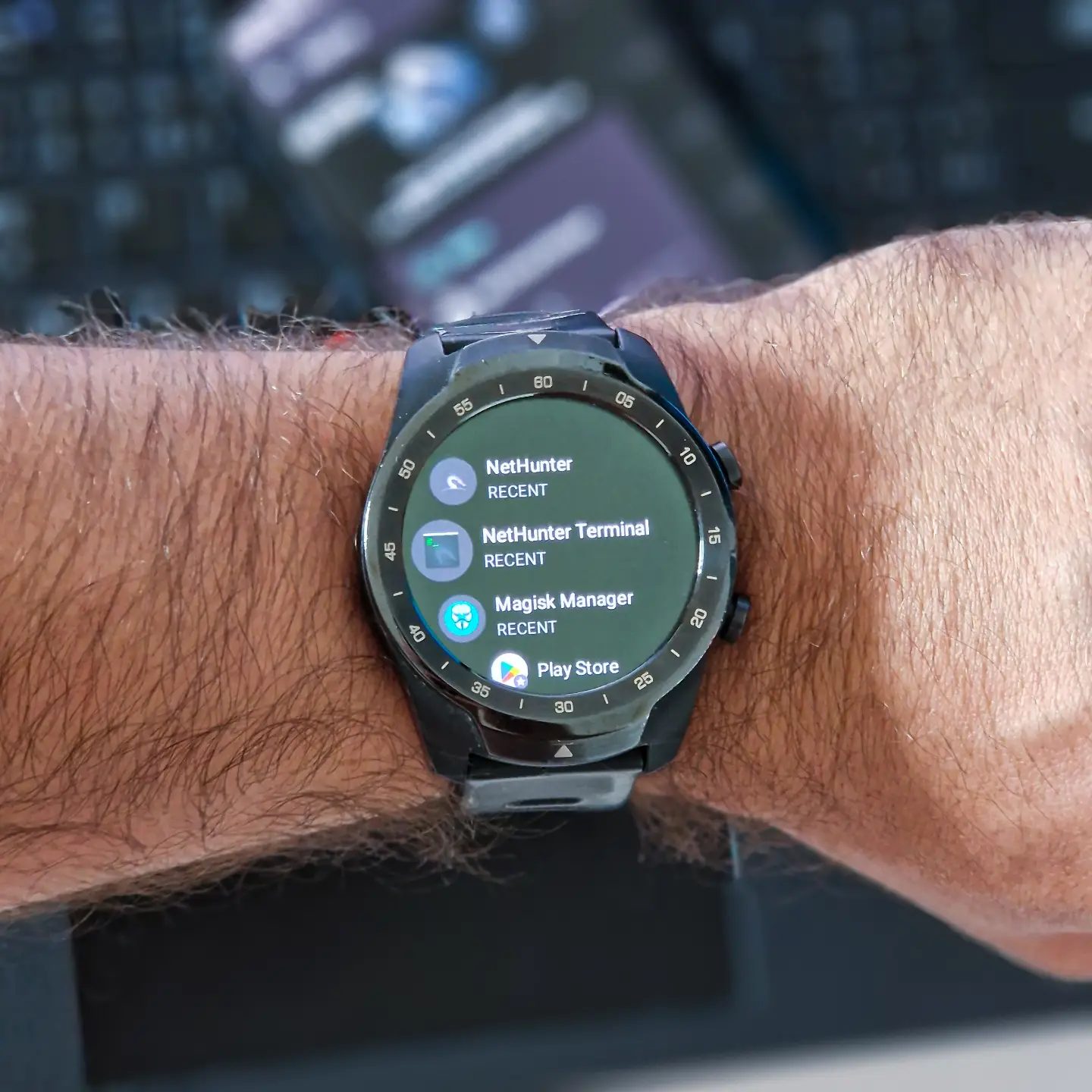
Optimizing Your TicWatch Pro with NetHunter and Extending Battery Life
The TicWatch Pro is a versatile smartwatch that can do much more than just track your fitness and notify you of incoming messages. By installing the NetHunter operating system, you transform this wearable into a powerful tool for security professionals and tech enthusiasts. Pairing this modification with battery life extensions ensures you get the most out of your device.
Context: NetHunter & TicWatch
The NetHunter operating system is a Debian-based Linux distribution for Android. It is designed to transform your smartwatch into a security-focused device. With NetHunter, you gain access to a variety of advanced tools and features, including Kali Linux, a popular distribution used for penetration testing and security auditing. The TicWatch Pro, with its robust hardware and customizable interface, is an excellent candidate for this transformation. The installation process involves flashing the custom ROM and configuring the necessary settings to ensure compatibility and performance.
Key Benefits of NetHunter on TicWatch Pro
Enhanced Security Features
One of the primary advantages of installing NetHunter on your TicWatch Pro is the enhanced security features it offers. NetHunter comes preloaded with a suite of security tools, such as Nmap, Aircrack-ng, and Metasploit, which are essential for penetration testing and network analysis. These tools allow you to perform in-depth security audits and identify vulnerabilities in your network or devices.
Customization and Flexibility
NetHunter offers a high level of customization and flexibility. You can tailor the operating system to suit your specific needs, whether it's for professional security tasks or personal projects. The ability to run a full-fledged Linux environment on your wrist gives you the freedom to install and run a wide range of applications and tools that you would typically find on a desktop or laptop.
Extended Battery Life
Despite the increased functionality, you can still maintain and even extend the battery life of your TicWatch Pro with the right tweaks. Battery optimization techniques, such as adjusting screen brightness, disabling unnecessary apps, and using power-saving modes, can help you get the most out of your device. Additionally, NetHunter allows you to fine-tune system settings to further improve battery efficiency.
Installing NetHunter on TicWatch Pro
Step-by-Step Installation Guide
Before you begin, make sure you have a backup of your data and that your TicWatch Pro is fully charged. Here's a step-by-step guide to installing NetHunter on your TicWatch Pro:
-
Unlock the Bootloader: This step allows you to install custom ROMs on your device. Be aware that unlocking the bootloader will erase all data on your watch, so ensure you have a backup.
-
Install the Custom Recovery: Use a tool like TWRP (Team Win Recovery Project) to replace the stock recovery with a custom one. This will give you the ability to flash custom ROMs and perform other advanced operations.
-
Flash NetHunter ROM: Download the NetHunter ROM for TicWatch Pro from a reliable source. Transfer the ROM file to your device and use the custom recovery to flash it. Follow the on-screen instructions to complete the installation.
-
Post-Installation Setup: Once the installation is complete, you may need to set up NetHunter by configuring essential settings and installing necessary drivers. This step ensures that all features and functionalities are working correctly.
Extending Battery Life on TicWatch Pro
Practical Tips
-
Adjust Display Settings: Reduce the screen brightness and enable auto-brightness to conserve battery. Also, consider turning off always-on display features when not needed.
-
Disable Unnecessary Apps and Services: Close any background apps and services that you don't need. Use the built-in task manager to keep track of resource-hungry applications.
-
Update Software: Ensure that your NetHunter OS and all installed applications are up to date. Updates often include performance improvements and bug fixes that can enhance battery life.
-
Use Power-Saving Modes: NetHunter allows you to enable power-saving modes that can significantly extend battery life. These modes reduce background activity and limit certain features to conserve power.
-
Optimize Network Activity: Minimize the use of data-intensive applications and disable Wi-Fi, Bluetooth, and GPS when not in use. These features can drain your battery quickly.
Important Takeaways
Transformed Utility
By installing NetHunter on your TicWatch Pro, you transform it from a simple smartwatch into a powerful security tool. The ability to perform advanced security tasks directly from your wrist opens up new possibilities and enhances your productivity.
Balancing Power and Efficiency
While NetHunter offers a wealth of features, it's crucial to balance power and efficiency. By following the battery optimization tips, you can enjoy the full potential of NetHunter without constantly worrying about running out of power.
Community and Support
The community around NetHunter and TicWatch Pro is active and supportive. Engage with forums, online communities, and blogs to get the latest tips, troubleshooting advice, and updates. This community support can be invaluable as you navigate the installation process and optimize your device.
Conclusion
The TicWatch Pro, when paired with the NetHunter operating system, becomes a versatile and powerful tool for security professionals and tech enthusiasts. The enhanced security features, customization options, and extended battery life make it a compelling choice for those who need more from their smartwatch. By following the installation guide and optimizing battery usage, you can make the most out of your TicWatch Pro and enjoy the benefits of a Linux-based security tool on your wrist.
Watch the Reel
Questions readers ask
What are the key benefits of installing NetHunter on a TicWatch Pro?
Installing NetHunter on a TicWatch Pro transforms it into a robust security tool, providing access to advanced features and customization options tailored for security professionals. This includes tools for in-depth security audits and penetration testing, making it an ideal device for tech enthusiasts who want to enhance their security capabilities on the go.
Can NetHunter be installed on any smartwatch, or is it specific to the TicWatch Pro?
NetHunter is specifically designed for Android-based devices, and while it can be installed on various devices, the TicWatch Pro, with its robust hardware and customization options, is particularly suitable for this operating system. The installation process for the TicWatch Pro has been well-documented, making it a popular choice among tech enthusiasts.
What tools and features does NetHunter provide for security audits?
NetHunter includes a suite of powerful tools, notably Kali Linux, which is renowned for its comprehensive set of penetration testing and security auditing tools. These tools allow users to perform a wide range of security assessments, from vulnerability scanning to network analysis, all from their smartwatch, making it a versatile tool for on-the-go security tasks.
How can I extend the battery life of my TicWatch Pro after installing NetHunter?
To extend the battery life of your TicWatch Pro after installing NetHunter, consider optimizing your usage patterns and tweaking system settings. This might include disabling non-essential features, adjusting screen brightness, and using power-saving modes. Additionally, using a high-capacity external battery pack can provide extra power when needed.
Is the installation process for NetHunter on the TicWatch Pro complex?
The installation process for NetHunter on the TicWatch Pro can be detailed and requires a certain level of technical proficiency. It involves flashing custom firmware and setting up the necessary tools. However, there are comprehensive guides and tutorials available that walk users through each step, making the process more manageable for those with some technical background.
Related deep dives
Similar reads based on topic and creator.




Recent articles
Fresh deep dives from the latest Reels we unpacked.




Comments
Be the first to comment.