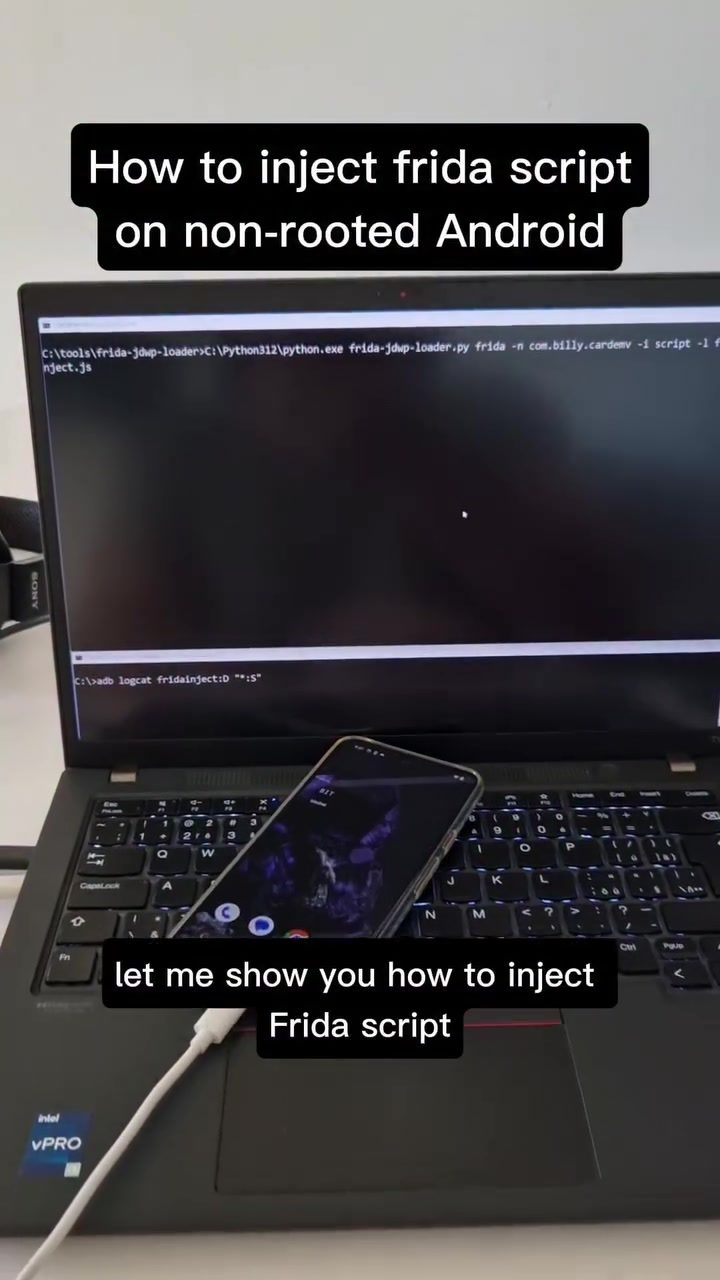
Frida Script Injection on Android
Frida is a dynamic instrumentation toolkit that allows for runtime manipulation of applications. It can be especially useful for dynamic app analysis, quick penetration testing, and bug bounty hunting. When used with a Frida JDWP Loader, it enables runtime instrumentation of Android apps without the need for root access. Specifically, Frida can inject JavaScript into an Android application on a non-rooted device using FridaLoaderTool. This process involves uploading and executing a Frida gadget, which can then modify the application's behavior or output.
Context / Why This Matters
Android device owners and developers often need to debug or test applications without rooting the device. Rooting a device can void warranties and expose the device to security risks. Frida provides a safe and effective way to inject scripts into Android applications, allowing for in-depth analysis and testing.
Main Discussion
What is Frida and JDWP?
Frida is a dynamic instrumentation toolkit that allows you to inject JavaScript into native apps on Windows, macOS, Linux, iOS, Android, and QNX. It can modify the behavior of applications at runtime, making it an invaluable tool for security researchers, developers, and pentesters. JDWP (Java Debug Wire Protocol) is a protocol used for debugging Java applications. By leveraging JDWP, Frida can dynamically attach to any debuggable Android process, enabling runtime instrumentation.
Frida and Non-Rooted Devices
One of the standout features of Frida is its ability to work on non-rooted devices. This is particularly useful for those who need to test applications without compromising the device's security. By using FridaLoaderTool, you can inject scripts into an application running on a non-rooted Android device. This process involves several steps, including enabling debugging on the target app, uploading the Frida gadget, and executing the script.
Enabling Debugging
For Frida to inject a script, the target Android application must have debugging enabled. This is defined in the Android manifest file. If the app does not have debugging enabled, you will need to manually rebundle the application and enable it. This can be done by modifying the AndroidManifest.xml file to include the android:debuggable attribute set to true.
Injecting the Script
Once debugging is enabled, you can use FridaLoaderTool to inject the Frida script. The process involves uploading the Frida gadget to the device and executing the script. The Frida gadget is a shared library that allows Frida to interact with the target application. After the gadget is uploaded, you can run the script, which will inject into the application and modify its behavior.
Monitoring the Output
To monitor the output of the injected script, you can use tools like Logcat. Logcat is a command-line tool that dumps a log of system messages, including those generated by the Frida script. By filtering the output, you can see the changes made by the script, such as modified workflows or altered return values. This is a convenient way to observe the effects of the injected script and ensure it is working as intended.
Advantages of Frida Injection
- Non-Intrusive: Frida can inject scripts without rooting the device, making it a non-intrusive method for app analysis.
- Dynamic Analysis: It allows for dynamic analysis of applications, making it useful for quick testing and debugging.
- Versatile: Frida can be used on various platforms, including Android, iOS, Windows, and Linux, making it a versatile tool for developers and security researchers.
- Ease of Use: With tools like FridaLoaderTool and Logcat, the process of injecting and monitoring scripts is relatively straightforward.
Practical Tips
Preparing the Environment
Before you start, ensure you have the necessary tools and permissions:
- Frida: Download and install Frida from the official website or GitHub repository.
- FridaLoaderTool: Ensure you have the FridaLoaderTool installed on your system.
- ADB (Android Debug Bridge): This tool is essential for communicating with the Android device. Make sure it is installed and properly configured.
- Device Setup: Enable USB debugging on your Android device and connect it to your computer.
Step-by-Step Guide
- Enable Debugging: Ensure the target application has debugging enabled. Modify the
AndroidManifest.xmlfile if necessary. - Upload the Gadget: Use ADB to push the Frida gadget to the device.
- Inject the Script: Use FridaLoaderTool to inject the Frida script into the target application.
- Monitor Output: Use Logcat to filter and monitor the output from the injected script.
Common Issues and Troubleshooting
- Debugging Not Enabled: Ensure the target application has debugging enabled. If not, manually rebundle the app and enable it.
- Connection Issues: Make sure your device is properly connected and USB debugging is enabled.
- Script Errors: Check the script for syntax errors and ensure it is compatible with the target application.
Important Takeaways
- Dynamic Instrumentation: Frida allows for dynamic instrumentation of Android applications, making it a powerful tool for developers and security researchers.
- Non-Rooted Devices: Frida can be used on non-rooted devices, preserving the device's security and functionality.
- Ease of Use: With tools like FridaLoaderTool and Logcat, the process of injecting and monitoring scripts is relatively straightforward.
Conclusion
Frida script injection on Android offers a powerful way to dynamically analyze and test applications without the need for root access. By enabling debugging, uploading the Frida gadget, and injecting the script, you can modify an application's behavior and monitor the output. This makes Frida an invaluable tool for developers and security researchers looking to perform dynamic app analysis, quick penetration testing, or bug bounty hunting. Whether you're debugging an app or testing its security, Frida provides a versatile and non-intrusive method for runtime instrumentation.
Watch the Reel
Questions readers ask
What is Frida and how does it work on non-rooted Android devices?
Frida is a dynamic instrumentation toolkit that allows for runtime manipulation of applications. On non-rooted Android devices, Frida can inject JavaScript using the JDWP (Java Debug Wire Protocol) protocol, enabling users to analyze and test applications without needing root access. This is typically done using tools like FridaLoaderTool, which uploads and executes a Frida gadget to modify the application's behavior or output.
Why is JDWP important for injecting Frida scripts on Android?
JDWP (Java Debug Wire Protocol) is crucial for injecting Frida scripts on Android because it allows for debugging and runtime analysis of Java applications. By leveraging JDWP, Frida can attach to an Android app and inject JavaScript code, facilitating secure app testing and penetration testing on non-rooted devices. This protocol enables communication between the Java Virtual Machine (JVM) and the debugger, making it possible to inspect and modify the app's behavior.
How do you inject JavaScript into an Android application using Frida?
To inject JavaScript into an Android application using Frida, you typically use a Frida JDWP Loader. This tool allows you to upload and execute a Frida gadget, which acts as a bridge for injecting JavaScript code into the application. Once the gadget is executed, you can manipulate the app's behavior or output directly from the JavaScript code, enabling dynamic app analysis and testing.
Can Frida be used for app testing without rooting the device?
Yes, Frida can be used for app testing on non-rooted Android devices. By leveraging the JDWP protocol, Frida allows for runtime instrumentation and JavaScript injection without the need for root access. This makes it a valuable tool for developers and security researchers who need to analyze and test applications without voiding device warranties or exposing the device to potential risks associated with rooting.
What are the benefits of using Frida for Android app testing?
Using Frida for Android app testing offers several benefits, including the ability to perform runtime analysis and dynamic instrumentation without rooting the device. This allows for secure and effective app testing, making it easier to identify bugs, vulnerabilities, and other issues. Additionally, Frida supports JavaScript injection, enabling users to quickly and efficiently modify and test app behavior, which is particularly useful for penetration testing and bug bounty hunting.
What is a Frida gadget and how is it used in Android app testing?
A Frida gadget is a small piece of code that is injected into an application to enable Frida's dynamic instrumentation capabilities. It acts as a bridge between the Frida server and the target application, allowing for JavaScript injection and runtime manipulation. In Android app testing, the Frida gadget is uploaded and executed using a tool like FridaLoaderTool, facilitating secure and effective testing and analysis of the application's behavior and output.
How can Frida be used for penetration testing on Android devices?
Frida is a powerful tool for penetration testing on Android devices, particularly those that are non-rooted. By injecting JavaScript into applications, Frida allows security researchers to analyze and manipulate app behavior, identify vulnerabilities, and test for security weaknesses. This capability is especially useful for dynamic app analysis and bug bounty hunting, as it provides a secure and effective way to test applications without compromising the device's integrity.
Related deep dives
Similar reads based on topic and creator.




Recent articles
Fresh deep dives from the latest Reels we unpacked.




Comments
Be the first to comment.