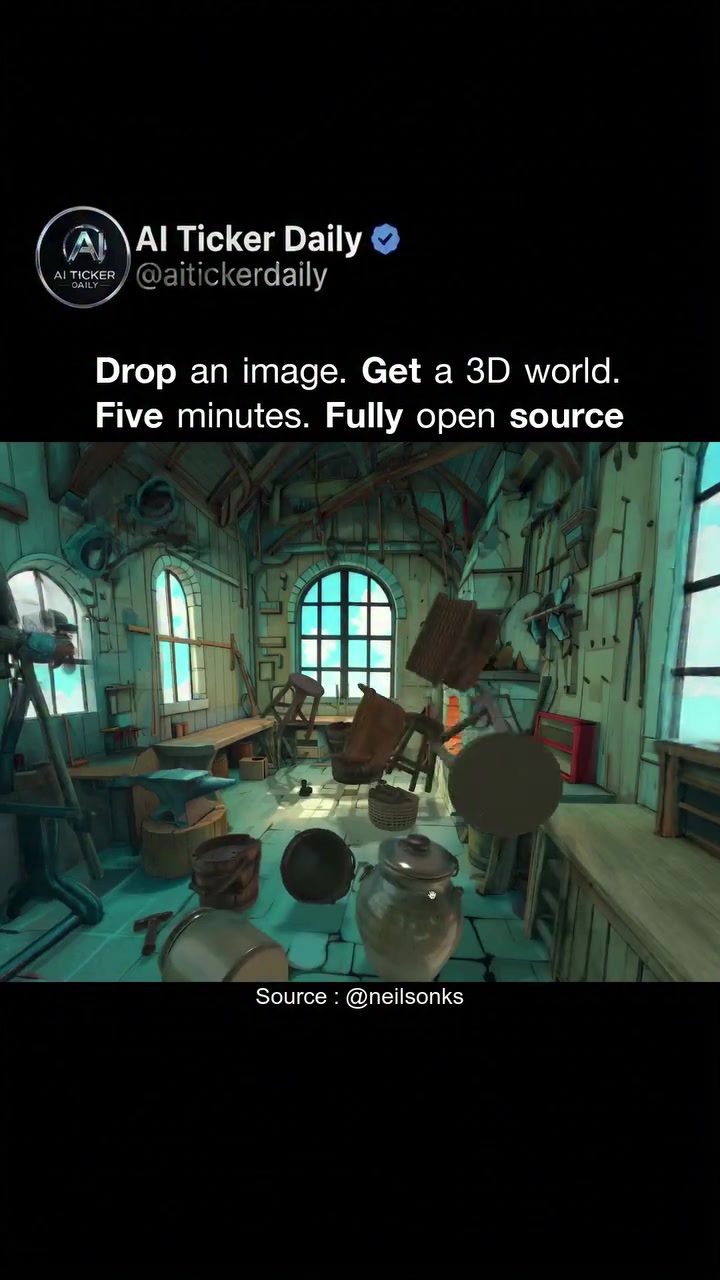
Image-Blaster: 3D World Generation in Five Minutes
Image-Blaster is a revolutionary AI software that transforms simple images into fully explorable 3D environments. Developed by Neilson and showcased by Al Ticker Daily, this open-source tool operates within Claude Code and can generate a detailed 3D world from a single image in just five minutes.
Why This Matters
The traditional process of creating 3D environments is time-consuming and resource-intensive. Studios often spend months crafting detailed scenes, requiring a team of specialists for modeling, texturing, lighting, and sound design. Image-Blaster streamlines this process, making it accessible to anyone with a basic understanding of AI tools and a single image.
How Image-Blaster Works
Initial Setup
Image-Blaster operates by orchestrating multiple models to work together. The process begins with Claude, an AI model, recommending objects from the original source image. Once the list of objects is generated, Claude creates an image for each object and sends it to a 3D generation model. This model then generates GLB files and PBR materials, which are essential for creating realistic 3D objects.
Generating the 3D Environment
With the objects and materials in place, the next step is to create a clean static environment. This is achieved by using the list of images and sending them to WorldLab to generate static Gaussian splats, a panoramic environment map, and a mesh collider. These elements are then integrated back into the original scene, where they can be duplicated, edited, and manipulated.
Enhancing the Scene
The generated 3D environment is not just about visuals; it also includes sound effects and ambient audio. Object sound effects and background ambient sounds are added to enhance the realism of the scene. Lighting information is also integrated, ensuring that the 3D world looks and feels authentic.
Flexibility and Integration
One of the standout features of Image-Blaster is its flexibility. The generated 3D projects can be imported into various 3D authoring tools such as Blender, Unity, and Unreal. These files work out of the box, making it easy to integrate them into any project. Additionally, there is a wildcard skill that allows users to call any foul generative model for video generation, and a small app for staging objects from the created scenes.
Customization and Creativity
Image-Blaster supports the use of both real and fake images for the image harness. Whether you're using a photograph of a real location or a digitally created scene, the software can generate a 3D world with impressive detail. Users can decide the level of detail and the number of objects to create, allowing for a high degree of customization.
Practical Tips
Choosing the Right Image
When selecting an image for Image-Blaster, opt for high-resolution photos with plenty of detail. Interior scenes tend to work best, as they provide a wealth of objects and textures for the AI to work with. Ensure the image is clear and well-lit to achieve the best results.
Experimenting with Objects
Don't be afraid to experiment with the number and type of objects in your scene. You can adjust the settings to include more or fewer objects, depending on your needs. This flexibility allows you to create a 3D world that is tailored to your specific requirements.
Integrating with Other Tools
Once you have your 3D world generated, take advantage of the compatibility with popular 3D authoring tools. Import your project into Blender, Unity, or Unreal to further refine and enhance your creation. The seamless integration makes it easy to bring your 3D world to life in various applications.
Important Takeaways
Speed and Efficiency
Image-Blaster dramatically reduces the time and effort required to create detailed 3D environments. What once took studios months to achieve can now be done in just five minutes, making it an invaluable tool for both professionals and hobbyists.
Versatility
The software's ability to work with a wide range of images and integrate with various 3D authoring tools makes it highly versatile. Whether you're a game developer, architect, or film location scout, Image-Blaster can meet your needs.
Open Source
As an open-source tool, Image-Blaster is accessible to everyone. This means you can modify and build on the existing code to suit your specific needs, making it a powerful tool for customization and innovation.
Conclusion
Image-Blaster represents a significant leap forward in 3D world generation. By leveraging AI and open-source technology, it makes the creation of detailed 3D environments faster, more efficient, and more accessible than ever before. Whether you're a professional looking to streamline your workflow or a hobbyist eager to explore the world of 3D design, Image-Blaster offers a powerful and flexible solution.
Watch the Reel
Questions readers ask
How does Image-Blaster transform a simple image into a 3D environment?
Image-Blaster utilizes advanced AI algorithms to analyze and interpret the contents of a simple image. It then generates a 3D environment that incorporates depth, textures, and details, making the scene fully explorable.
What kind of image is required to use Image-Blaster?
Image-Blaster can generate 3D environments from almost any type of image. The software is designed to work with simple, clear images, making it easy for users to find suitable input.
How long does it take to create a 3D world with Image-Blaster?
One of the key benefits of Image-Blaster is its efficiency. The software can generate a detailed 3D world from a single image in just five minutes, significantly speeding up the 3D world creation process.
Is Image-Blaster suitable for users with no 3D modeling experience?
Yes, Image-Blaster is designed to be user-friendly. It simplifies the complex process of 3D world creation, making it accessible to anyone with a basic understanding of AI tools and a single image.
What are the costs associated with using Image-Blaster?
Image-Blaster is an open-source tool, which means it is free to use. There are no hidden costs, and users can access the software and its features without any subscription fees.
Who developed this AI software and where can it be used?
Image-Blaster was developed by Neilson and showcased by Al Ticker Daily. It operates within Claude Code, making it versatile and accessible for a wide range of users.
Related deep dives
Similar reads based on topic and creator.




Recent articles
Fresh deep dives from the latest Reels we unpacked.




Comments
Be the first to comment.