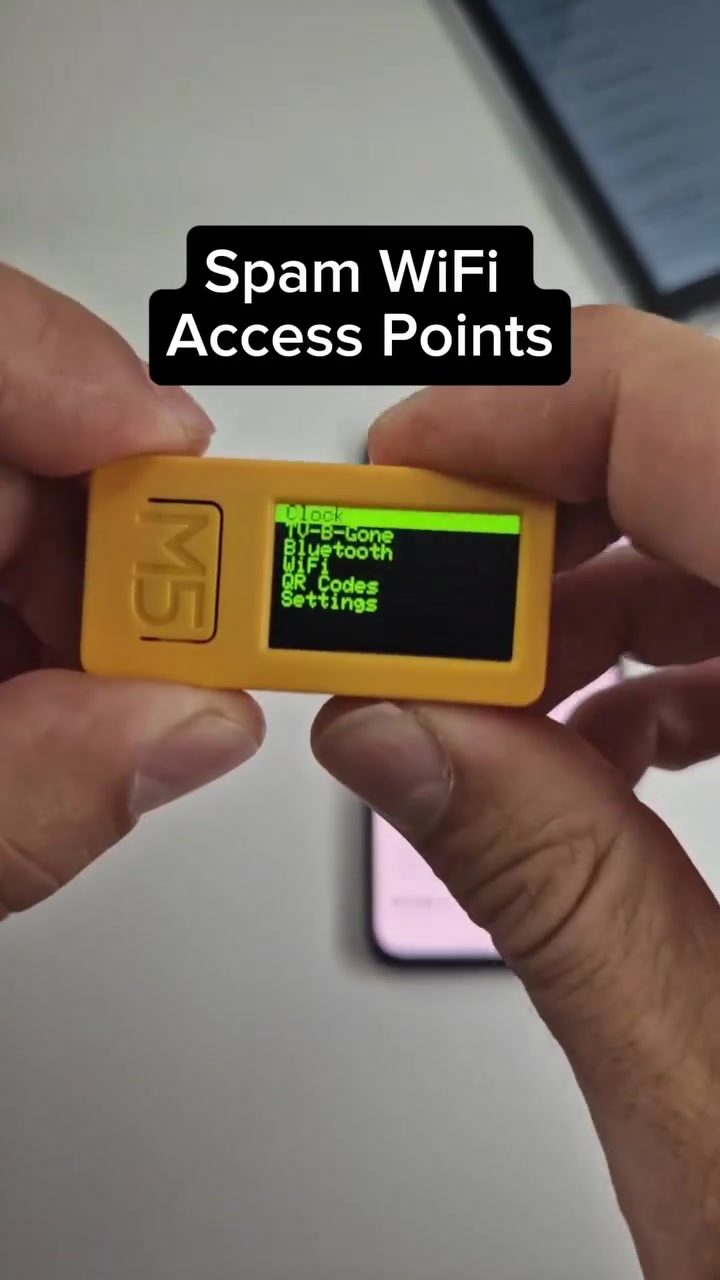
WiFi Security Concerns
WiFi networks offer convenience and connectivity, but they also present significant security risks, especially in public and unfamiliar settings. Understanding the dangers of WiFi spam and how to protect yourself from malicious access points is crucial in today's digital age.
Why This Matters
In an era where wireless networks are ubiquitous, knowing the risks associated with WiFi can safeguard your personal data. Whether you're using a smartphone, laptop, or any other connected device, the potential for cyber threats is always present. Public WiFi networks, in particular, are hotspots for malicious activities.
WiFi Spam: What It Is and How It Works
WiFi spam involves the creation and broadcasting of numerous WiFi access points with enticing or misleading names. These networks are designed to lure unsuspecting users into connecting, potentially exposing their devices to malware, data theft, or other cyber threats.
Common Characteristics of WiFi Spam
Suspicious Network Names: Names like 'virus.5G' and 'DIRECT-73-HP M140 LaserJet' are clear red flags. These names are often designed to mimic legitimate networks or entice users with promises of high-speed connections.
Spam WiFi Access Points: These are networks created specifically to capture data from unsuspecting users. They often appear as legitimate WiFi networks in public places, making them hard to detect.
How WiFi Spam Works
WiFi spam typically involves broadcasting multiple unique SSIDs (Service Set Identifiers) per minute. These SSIDs can be generated using devices like the ESP32 or m5stick, programmed with custom firmware, such as the Nemo firmware created by 4x0nn. The goal is to overwhelm users with choices and make them more likely to connect to a malicious network.
Protecting Yourself from WiFi Spam
Avoiding WiFi spam requires vigilance and a bit of technical savvy. Here are some practical tips to help you stay safe:
Verify the Legitimacy of WiFi Networks
Always verify the legitimacy of a WiFi network before connecting. Look for official signs or ask staff in public places to confirm the network name. Public libraries, coffee shops, and airports often provide secure WiFi, but always double-check.
Recognize Suspicious Network Names
Be cautious of network names that include words like 'virus,' 'direct,' or any other unusual or descriptive names. These can be red flags for spam networks designed to attract users.
Use Secure Connections
When possible, use secure, encrypted connections (HTTPS). This ensures that your data is protected even if you inadvertently connect to a malicious network. Look for the padlock icon in your browser's address bar and avoid 'http' connections.
Update Your Device Firmware
Regularly update the firmware of your devices, especially those with WiFi capabilities. Firmware updates often include security patches that protect against the latest threats.
Turn Off WiFi When Not in Use
Turning off your WiFi when you're not using it reduces the risk of accidentally connecting to a malicious network. Many devices, including smartphones and laptops, allow you to quickly disable WiFi with a simple toggle.
Practical Tips for Staying Safe
-
Use a VPN: A Virtual Private Network (VPN) encrypts your internet traffic, making it more difficult for cybercriminals to intercept your data.
-
Install Security Software: Use reliable security software that can detect and block malicious WiFi networks.
-
Avoid Public WiFi for Sensitive Activities: If you must use public WiFi, avoid accessing sensitive information like online banking or personal emails.
-
Check Your Device's Network Settings: Regularly review the list of saved networks on your devices and remove any suspicious or unknown networks.
Important Takeaways
- Be Cautious of Public WiFi Networks: Public and unfamiliar WiFi networks are common targets for cybercriminals.
- Recognize and Avoid Suspicious SSIDs: Names like 'virus.5G' and 'DIRECT-73-HP M140 LaserJet' are clear indicators of potential WiFi spam.
- Verify Network Legitimacy: Always verify the legitimacy of a WiFi network before connecting, especially in public places.
- Use Secure Connections: Ensure your connection is secure (HTTPS) and consider using a VPN for added protection.
- Regularly Update Firmware: Keep your devices’ firmware updated to protect against the latest security threats.
Conclusion
WiFi spam and malicious access points are serious security concerns. By understanding the risks and taking proactive measures, you can protect your devices and personal data from potential threats. Always be vigilant, verify network legitimacy, and use secure connections to stay safe in an increasingly connected world.
Watch the Reel
Questions readers ask
What are WiFi spam networks and why are they dangerous?
WiFi spam networks are fake access points created by cyber criminals to lure users into connecting. They are dangerous because they can intercept sensitive data, such as passwords and personal information, and spread malware to connected devices. Often, these networks mimic legitimate ones to trick users into connecting.
How can I identify a WiFi spam network in a public setting?
Look for red flags in the WiFi SSID (name) such as typos, unusual characters, or slight variations of legitimate network names. Be wary of networks that don't require a password or use generic names like 'Free Public WiFi'. Additionally, if a network seems too good to be true, it probably is.
What should I do if I accidentally connect to a WiFi spam network?
Disconnect from the network immediately and avoid accessing any personal or sensitive information. Once you're on a safe network, consider running a full antivirus scan on your device to check for any potential malware. In the future, be more cautious about the networks you connect to.
Are there any tools that can help me spot WiFi spam networks?
Yes, there are several tools and apps designed to help you spot WiFi spam networks. These include WiFi analyzers and network scanners that can identify potential threats. Some popular options include WiFi Guard, F-Secure Freedome, and NetSpot. Always keep your device's software up-to-date for enhanced security.
Can using a VPN protect me from WiFi spam networks?
While a VPN can't prevent you from connecting to a WiFi spam network, it can provide an additional layer of security by encrypting your data. This means that even if you do connect to a malicious network, your personal information is less likely to be intercepted. However, it's still important to be vigilant and avoid connecting to suspicious networks in the first place.
What are some general tips for staying safe on public WiFi networks?
Always verify the network name with the establishment if possible, and avoid networks that don't require a password. Use a VPN to encrypt your data, and ensure your device's software and security features are up-to-date. Additionally, disable file sharing and turn off Bluetooth when not in use.
Related deep dives
Similar reads based on topic and creator.

Recent articles
Fresh deep dives from the latest Reels we unpacked.




Comments
Be the first to comment.