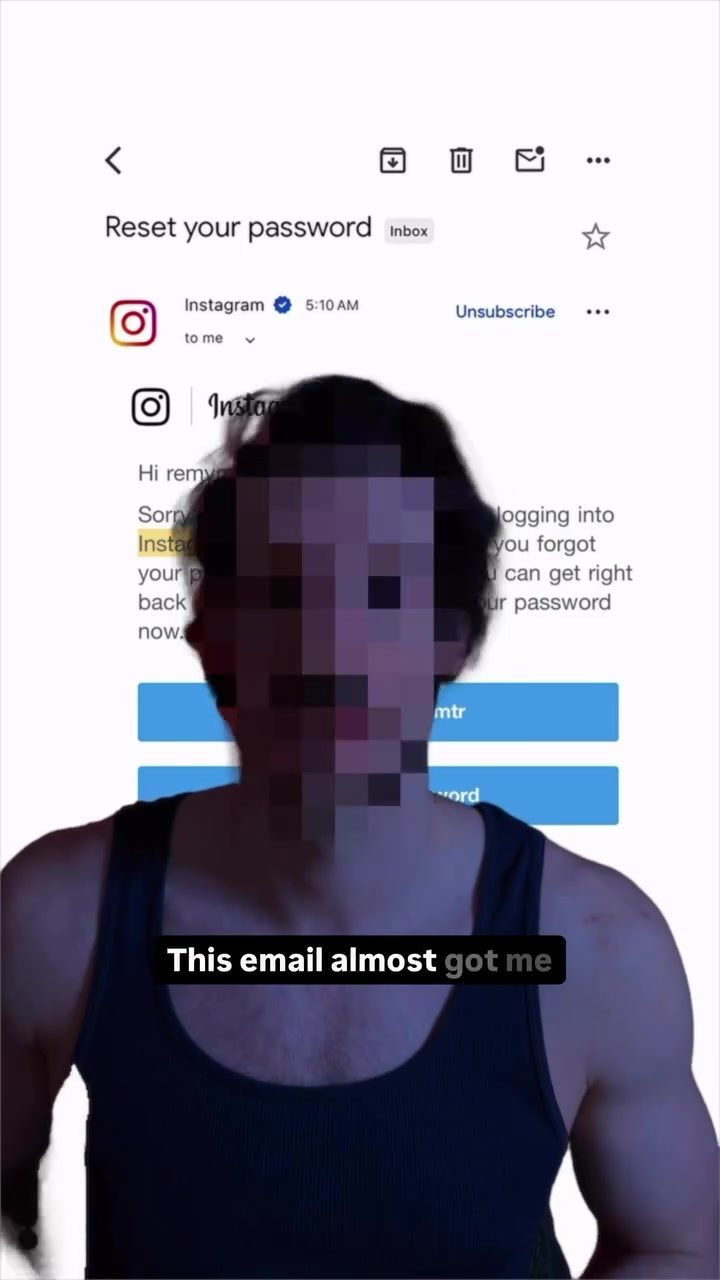
Instagram Password Reset Scams
Instagram password reset scams are a growing concern in the digital world. These scams try to steal your account by tricking users into thinking the email is legitimate. Here's what you need to know about them and how to protect yourself.
Why This Matters
People are losing their accounts to scams every day. The sophistication of these scams makes it challenging to distinguish between legitimate and fraudulent emails. Scammers often use convincing tactics, such as mimicking official email formats and using verified sender addresses, to deceive users. It's crucial to stay vigilant to safeguard your online presence.
Understanding Instagram Password Reset Scams
How Scammers Operate
Scammers send emails that appear to be from Instagram, complete with blue check marks, your exact username, and realistic footers. These emails often request you to reset your password, claiming there has been suspicious activity on your account. The email might even include a legitimate-looking sender address, making it hard to spot the fraud.
Verifying the Email
To check if an email is real, follow these steps:
- Open your Instagram app.
- Go to settings.
- Navigate to the 'Emails' section. This section lists all security and login emails sent by Instagram in the last 14 days. If the email in question is not listed here, it's a scam. Never click the link in a suspicious email, no matter how convincing it looks.
Main Discussion
Common Telltale Signs
- Unfamiliar Sender Address: While the sender email might look legitimate, a closer inspection often reveals slight discrepancies. For example, the email might be slightly different from the official Instagram email format.
- Urgency and Threats: Scammers often create a sense of urgency, claiming that your account will be suspended if you don't act immediately. Legitimate emails from Instagram rarely use such language.
- Generic Greetings: Official emails from Instagram usually address you by your username. If the email starts with a generic greeting like "Dear User," it's likely a scam.
- Request for Personal Information: Be wary of any email asking for personal information, such as your password or verification codes. Instagram will never ask for your password via email.
The Danger
Once you click the link in a phishing email, scammers can gain access to your account, leading to potential data breaches and identity theft. They might also use your account to send similar scam emails to your contacts, spreading the fraud further.
Practical Tips
Protecting Your Account
- Enable Two-Factor Authentication (2FA): This adds an extra layer of security by requiring a verification code sent to your phone whenever you log in from a new device.
- Use a Strong, Unique Password: Create a complex password that includes a mix of letters, numbers, and special characters. Avoid using the same password for multiple accounts.
- Regularly Update Your Password: Change your password periodically to minimize the risk of unauthorized access. Use a password manager to keep track of your passwords securely.
- Check Security Settings: Regularly review your Instagram security settings to ensure that your account is secure. Look for any unfamiliar login attempts or suspicious activities.
- Report Suspicious Emails: If you receive a suspicious email, report it to Instagram immediately. This helps the platform identify and shut down phishing attempts.
Important Takeaways
- Always Verify: If you receive a password reset email, verify its authenticity by checking your Instagram settings.
- Never Click Suspicious Links: No matter how legitimate an email looks, avoid clicking on links if you're unsure about its authenticity.
- Stay Informed: Keep up to date with the latest scam tactics. Cybersecurity knowledge is a powerful tool in protecting your online identity.
Conclusion
Instagram password reset scams are a real threat, but with the right knowledge and precautions, you can protect your account. By staying vigilant, verifying emails, and using strong security measures, you can safeguard your digital presence.
Watch the Reel
Questions readers ask
How do scammers mimic official Instagram emails in password reset scams?
Scammers use various tactics to make their emails appear legitimate. They often replicate the official Instagram email format, use verified sender addresses, and employ urgent language to pressure users into acting quickly. These techniques can make it difficult to discern a fake email from a real one.
What should I do if I receive a suspicious Instagram password reset email?
If you receive a suspicious email, do not click any links or download attachments. Instead, go directly to the Instagram app or website and check your account status. Report the email to Instagram through their official channels to help them take action against the scammers.
What are the common signs of an Instagram password reset scam email?
Scam emails often contain urgent language, such as 'urgent action required' or 'your account has been compromised.' Additionally, they may ask for personal information, use suspicious links, or have formatting inconsistencies. Always verify the sender's email address and look for any red flags that might indicate a scam.
How can I check if an Instagram email is authentic?
To verify the authenticity of an Instagram email, check the sender's email address for any discrepancies. Official Instagram emails will come from an @instagram.com or @mail.instagram.com address. Additionally, look for spelling and grammar mistakes, and compare the email's content and format to those of previous legitimate emails from Instagram.
What steps can I take to protect my Instagram account from password reset scams?
Enable two-factor authentication for an extra layer of security. Be cautious of any unexpected emails, and verify their authenticity before taking any action. Regularly update your password to a strong, unique one, and avoid sharing your credentials with anyone. Stay informed about the latest scam tactics to better recognize and avoid them.
What happens if I fall victim to an Instagram password reset scam?
If you fall for a password reset scam, scammers may gain access to your account and use it for malicious activities, such as sending spam or phishing messages to your followers. They might also change your password and lock you out of your account. Immediately report the incident to Instagram and take steps to secure your account, such as changing your password and enabling two-factor authentication.
Can scammers use Instagram password reset scams to access other accounts?
If you use the same password for multiple accounts, scammers could potentially gain access to those other accounts as well. This is why it's crucial to use unique, strong passwords for each of your online accounts. Consider using a password manager to help generate and store secure passwords for all your accounts.
Related deep dives
Similar reads based on topic and creator.




Recent articles
Fresh deep dives from the latest Reels we unpacked.




Comments
Be the first to comment.