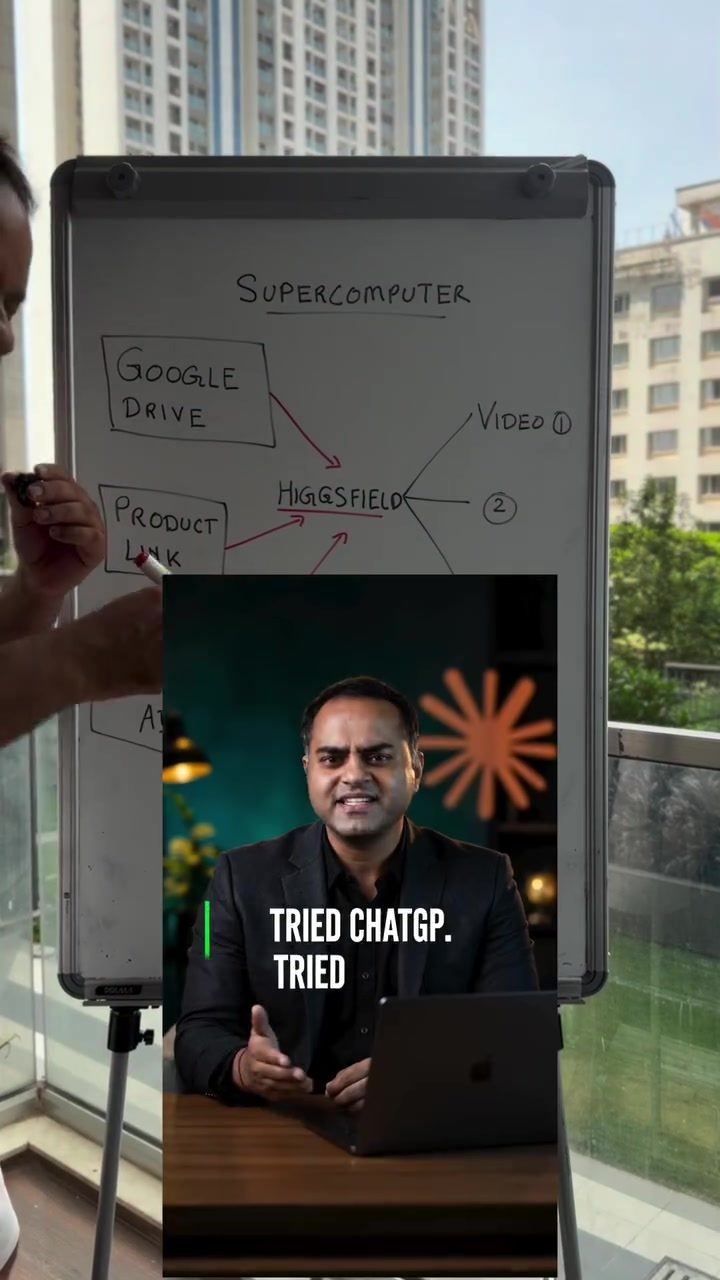
Computer Workshop
The Hicksfield Supercomputer is a powerful tool for creating multiple video variations quickly. This tool leverages Google Drive and product links to streamline the video creation process, making it easier than ever to generate promotional content.
Context / Why This Matters
In today's fast-paced digital world, creating high-quality video content is crucial for marketing and promotional efforts. However, crafting multiple video variations can be time-consuming and resource-intensive. The Hicksfield Supercomputer simplifies this process, allowing users to create numerous video variations from raw images or product links in just a few minutes.
Main Discussion
What is the Hicksfield Supercomputer?
The Hicksfield Supercomputer is an innovative tool designed to automate the video creation process. By integrating with Google Drive, this supercomputer can directly upload and process raw images or product links, generating various video versions effortlessly. This capability is particularly useful for businesses looking to create multiple promotional videos quickly and efficiently.
How to Use the Hicksfield Supercomputer
Using the Hicksfield Supercomputer is straightforward. Here’s a step-by-step guide to get you started:
- Upload Your Content: Begin by uploading your raw images or product links to Google Drive. This can include images of your products, viral ads, or any other content you wish to convert into videos.
- Access the Supercomputer: Navigate to the Hicksfield Supercomputer and upload the link to your Google Drive folder or product link.
- Customize Your Video: The supercomputer will prompt you with a few questions to tailor the video to your needs, such as the desired format, messaging, and the number of variations required. Answer these questions to ensure the generated videos align with your brand’s objectives.
Customization Options
The Hicksfield Supercomputer offers several customization options to ensure your videos meet your specific needs. You can specify the format of the video, the messaging you want to convey, and the number of variations you need. These customization options make it easy to create videos tailored to different platforms, audiences, or campaigns.
Example Workflow
To illustrate the process, let’s walk through an example workflow:
- Prepare Your Content: Collect all the raw images or product links you want to include in your videos. Ensure they are organized and easily accessible in your Google Drive.
- Upload to Supercomputer: Go to the Hicksfield Supercomputer interface and upload the link to your Google Drive folder or product link.
- Answer Prompts: The supercomputer will ask a series of questions to help it understand your requirements. For instance, it might ask about the video format, messaging, and the number of variations needed.
- Generate Videos: Once all the necessary information is provided, the supercomputer will start generating your video variations. The process is automated, so you can focus on other tasks while the videos are being created.
Advanced Features
For those who want to take their video creation to the next level, the Hicksfield Supercomputer offers advanced features. These include:
- Batch Processing: Process multiple sets of images or product links simultaneously, saving even more time.
- Template Integration: Use pre-designed templates to maintain consistency across your videos.
- Analytics: Gain insights into the performance of your videos, helping you refine your future content strategies.
Practical Tips
Optimizing Your Video Content
To get the most out of the Hicksfield Supercomputer, consider the following tips:
- High-Quality Images: Use high-resolution images to ensure your videos look professional and engaging.
- Clear Messaging: Tailor your messaging to clearly convey your brand’s message and value proposition.
- Consistent Branding: Maintain consistent branding elements, such as logos, color schemes, and typography, to create a cohesive look and feel across your videos.
Efficient Workflow
To streamline your workflow, follow these best practices:
- Organize Your Files: Keep your images and product links organized in Google Drive to make the uploading process smoother.
- Batch Uploads: If you have multiple sets of images or product links, upload them in batches to save time.
- Regular Updates: Regularly update your content to keep your videos fresh and relevant.
Important Takeaways
The Hicksfield Supercomputer is a game-changer for creating multiple video variations quickly and efficiently. By leveraging Google Drive and product links, this tool simplifies the video creation process, making it an invaluable asset for businesses looking to enhance their promotional efforts. With customizable options and advanced features, the Hicksfield Supercomputer offers a comprehensive solution for generating high-quality video content tailored to your specific needs.
Conclusion
Creating promotional videos is now more accessible and efficient than ever before, thanks to the Hicksfield Supercomputer. By automating the video creation process, this innovative tool allows businesses to generate multiple video variations quickly and easily. Whether you're a small business owner or a marketing professional, the Hicksfield Supercomputer offers a powerful solution to streamline your video production workflow and maximize your promotional efforts.
Watch the Reel
Questions readers ask
How does the Hicksfield Supercomputer utilize Google Drive for video creation?
The Hicksfield Supercomputer integrates seamlessly with Google Drive, allowing users to store and access their media files directly within the tool. This integration enables a streamlined workflow, where users can import images, product links, and other assets from Google Drive to create videos efficiently.
Can I generate multiple video variations using Hicksfield Supercomputer?
Yes, one of the key features of the Hicksfield Supercomputer is its ability to generate multiple video variations quickly. This is particularly useful for businesses that need to create different versions of promotional content for various platforms or campaigns.
What types of content can be created with the Hicksfield Supercomputer?
The Hicksfield Supercomputer is versatile and can be used to create a wide range of video content, including promotional videos, product demos, social media ads, and more. It is designed to handle various video creation needs, making it a valuable tool for businesses and content creators.
How does the Hicksfield Supercomputer simplify the video creation process?
The tool simplifies the video creation process by automating many of the time-consuming tasks involved in video production. With its user-friendly interface and powerful features, users can create high-quality videos in just a few minutes, even if they have limited technical skills.
Is the Hicksfield Supercomputer suitable for businesses?
Absolutely. The Hicksfield Supercomputer is an excellent resource for businesses that need to create and deploy promotional content rapidly. Its ability to generate multiple video variations quickly makes it ideal for marketing and promotional efforts in today's fast-paced digital landscape.
Can I update my videos quickly with the Hicksfield Supercomputer?
Yes, the Hicksfield Supercomputer allows for rapid updates to videos. Whether you need to change text, images, or other elements, the tool makes it easy to modify your videos quickly, ensuring your content stays current and relevant.
What are the key features of the Hicksfield Supercomputer?
Some of the key features of the Hicksfield Supercomputer include its seamless integration with Google Drive, the ability to generate multiple video variations quickly, and a user-friendly interface that simplifies the video creation process. These features make it a powerful tool for anyone looking to create high-quality videos efficiently.
Related deep dives
Similar reads based on topic and creator.




Recent articles
Fresh deep dives from the latest Reels we unpacked.




Comments
Be the first to comment.