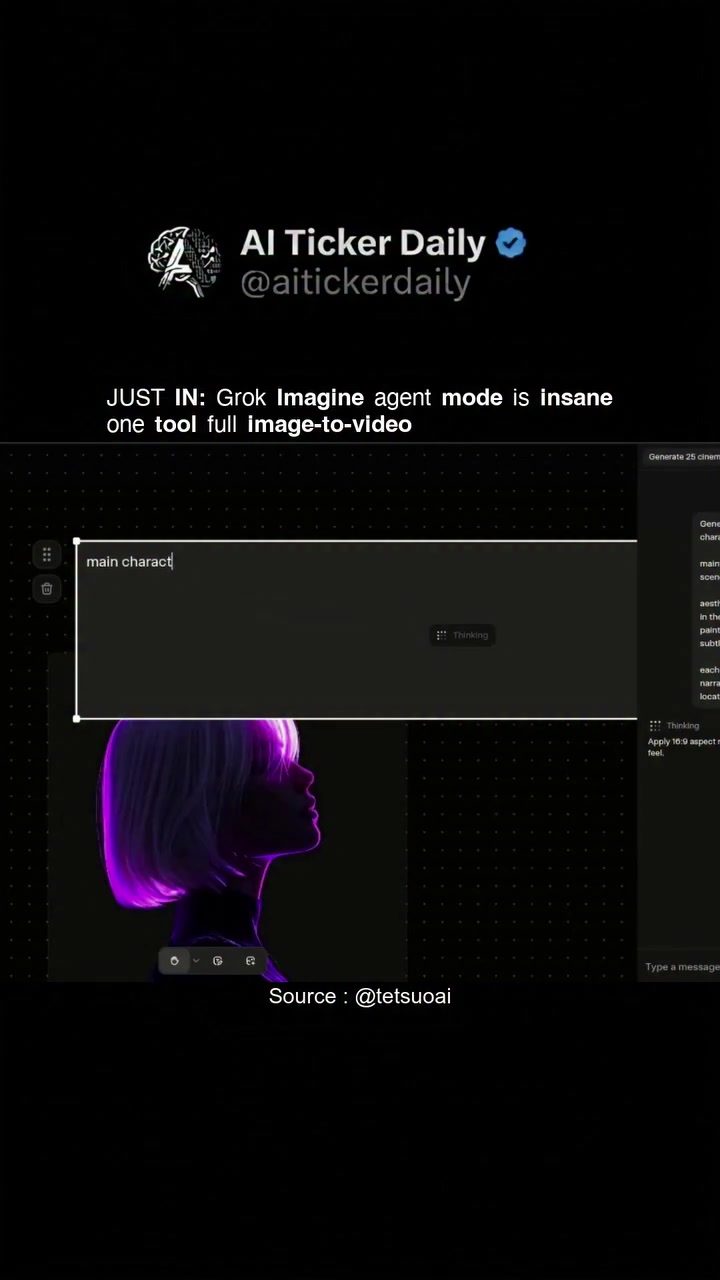
Grok Imagine Agent Mode: A Comprehensive Look at AI Image-to-Video Software
Image-to-video software is revolutionizing the way creators produce content. AI Ticker Daily's Grok Imagine agent mode is a cutting-edge tool designed to streamline the creative process by integrating image and video editing into a single, seamless workflow. This beta tool is particularly beneficial for those who already use SuperGrok and seek to reduce the number of handoffs between different stages of content creation.
Why This Matters
The demand for high-quality video content is on the rise, and traditional methods of video production can be time-consuming and resource-intensive. The Grok Imagine agent mode offers a solution by automating much of the process, allowing creators to focus more on the creative aspects of their work. This tool is especially valuable for professionals who need to produce content quickly and efficiently.
Main Discussion
End-to-End Creative Passes
One of the standout features of Grok Imagine agent mode is its ability to handle end-to-end creative passes. This means that users can steer both image and video edits in one continuous flow, eliminating the need to switch between different tools. This integrated approach not only saves time but also ensures consistency in the final product.
Scene Generation and Variations
The tool excels in generating various scenes and variations from a single image. This capability is crucial for creators who need to produce multiple iterations of a scene or explore different creative directions. The demo showcases a list of scenes and generated visuals, highlighting the tool's versatility and potential for diverse content creation.
Streamlined Workflow
Grok Imagine agent mode is designed to minimize the number of handoffs between different stages of content creation. For example, it reduces the steps between "fix the frame" and "ship the clip," making the process more efficient. This streamlined workflow is particularly beneficial for professionals who need to produce content quickly and efficiently.
Integration with SuperGrok
For users who already pay for SuperGrok, Grok Imagine agent mode offers a valuable addition to their toolkit. It integrates seamlessly with SuperGrok, providing a cohesive experience that enhances productivity. This integration is a significant advantage for users who rely on SuperGrok for their creative needs.
Potential for Content Creation
The tool's capabilities extend beyond simple image-to-video conversion. It offers options for adjustments and variations, allowing users to fine-tune their content to meet specific requirements. This flexibility makes it a powerful tool for a wide range of creative projects, from promotional videos to artistic productions.
Practical Tips
Leveraging the Tool for Maximum Efficiency
To get the most out of Grok Imagine agent mode, it's essential to understand its capabilities and how they can be integrated into your existing workflow. Here are some practical tips to help you make the most of this tool:
- Experiment with Scenes and Variations: Take advantage of the tool's ability to generate various scenes and variations. This feature can help you explore different creative directions and find the perfect fit for your project.
- Streamline Your Workflow: Use the tool's end-to-end creative passes to streamline your workflow. This will save you time and ensure consistency in your final product.
- Integrate with SuperGrok: If you already use SuperGrok, take advantage of the seamless integration between the two tools. This will enhance your productivity and provide a cohesive creative experience.
Getting Started
- Sign Up for the Beta: Since Grok Imagine agent mode is still in beta, it's crucial to sign up and start exploring its features. This will give you a head start in understanding the tool's capabilities and how they can benefit your work.
- Join the Community: Engage with the community of users who are also exploring Grok Imagine agent mode. This can provide valuable insights, tips, and support as you navigate the tool.
Important Takeaways
- Efficiency: Grok Imagine agent mode streamlines the creative process by integrating image and video editing into a single workflow. This reduces the need to switch between different tools, saving time and ensuring consistency.
- Versatility: The tool's ability to generate various scenes and variations makes it a versatile option for a wide range of creative projects. It allows users to explore different creative directions and fine-tune their content to meet specific requirements.
- Integration: For users of SuperGrok, the seamless integration with Grok Imagine agent mode enhances productivity and provides a cohesive creative experience.
Conclusion
Image-to-video software is a powerful tool for modern creators. Grok Imagine agent mode, with its end-to-end creative passes, scene generation, and streamlined workflow, offers a comprehensive solution for those looking to produce high-quality video content efficiently. By leveraging this tool, creators can enhance their productivity, explore new creative directions, and stay ahead in an ever-evolving content landscape. Whether you're a professional video editor or a content creator looking to streamline your workflow, Grok Imagine agent mode is a valuable addition to your toolkit.
Watch the Reel
Questions readers ask
What is Grok Imagine and how does it benefit creators?
Grok Imagine is an AI-powered tool that converts images into videos, integrating image and video editing into a single process. It benefits creators by boosting efficiency, reducing the need for multiple software tools, and enhancing creative potential. It is particularly useful for those who already use SuperGrok.
How does Grok Imagine streamline the creative process?
Grok Imagine streamlines the creative process by automating much of the video production workflow. It reduces the number of handoffs between different stages of content creation, allowing creators to focus more on the creative aspects rather than technical details.
Can beginners use Grok Imagine for video editing?
Yes, Grok Imagine is designed to be user-friendly, making it accessible for beginners. The tool automates many complex processes, allowing newcomers to create high-quality videos without needing extensive video editing experience. The AI handles the technical aspects, making it easier to generate creative content.
How can I access the Grok Imagine tool?
Grok Imagine is currently in beta, so access may be limited. To try it out, you can look for the Grok Imagine demo or sign up for early access on the AI Ticker Daily website. It's also beneficial to keep an eye out for any AI video editing tutorials that feature Grok Imagine.
Is Grok Imagine compatible with other video editing software?
While Grok Imagine is designed to be a standalone tool that integrates image and video editing, it is particularly beneficial for users of SuperGrok. It can be used alongside other video editing software to enhance the overall workflow, but its true power lies in its ability to reduce the need for multiple tools.
What kind of videos can I create with Grok Imagine?
With Grok Imagine, you can create a wide range of videos, from short clips to more complex compositions. The tool's AI capabilities allow for creative video editing, making it suitable for various projects, including social media content, marketing videos, and more.
Are there any tutorials available for Grok Imagine?
As of now, tutorials for Grok Imagine may be limited due to its beta status. However, you can look for AI video editing tutorials that cover similar tools to get a sense of how Grok Imagine works. Keeping an eye on AI Ticker Daily for updates and resources is also a good idea.
Related deep dives
Similar reads based on topic and creator.




Recent articles
Fresh deep dives from the latest Reels we unpacked.




Comments
Be the first to comment.