Unlocking Productivity with Goose: The AI Coding Agent
Goose is an AI coding agent that represents a significant leap forward in automation for developers. Originally built by a company founded by Twitter co-founders and now supported by the Linux Foundation, Goose is not just another code suggestion tool. It integrates deeply with your development environment, automating a wide range of tasks.
Why Goose Matters
In today's fast-paced software development landscape, efficiency is key. Goose stands out by offering a comprehensive solution that automates various aspects of coding, from editing codebases to running shell commands and installing dependencies. This level of automation can save developers countless hours, allowing them to focus on more creative and strategic tasks.
Main Discussion
What is Goose?
Goose is an open-source AI coding agent that goes beyond simple code suggestions. It actively engages with your codebase, performing tasks such as reading and editing code, running shell commands, installing dependencies, executing code, and debugging errors. Unlike traditional tools that provide suggestions, Goose actually performs these actions autonomously, based on your instructions.
Key Features
Autonomous Operation
One of the standout features of Goose is its ability to operate autonomously. You simply tell it what you need done, and it handles the rest. This includes reading and editing your entire codebase, running shell commands, installing dependencies, executing code, and debugging errors. This hands-off approach allows developers to delegate routine tasks to Goose, freeing up time for more complex work.
Multi-LLM Integration
Goose is designed to work seamlessly with any Large Language Model (LLM) you already use. This flexibility ensures that you can integrate Goose into your existing workflow without the need for a complete overhaul. Whether you're using a proprietary LLM or an open-source model, Goose can leverage it to enhance your coding experience.
Comprehensive Tool Connectivity
Goose connects to over 70 external tools, making it a versatile addition to any developer's toolkit. This extensive connectivity ensures that Goose can integrate with a wide range of applications and services, enhancing its utility and flexibility.
User-Friendly Interface
In addition to its powerful backend capabilities, Goose offers a user-friendly interface with a desktop app, a Command Line Interface (CLI), and an API. This multi-faceted approach ensures that developers can interact with Goose in the way that best suits their workflow, whether through a graphical interface, command line, or programmatic access.
Performance and Efficiency
Goose is developed in Rust, a language known for its speed and efficiency. This ensures that Goose is fast and lean, providing a robust performance that can handle complex tasks with ease. This efficiency is crucial for developers who need reliable and quick solutions to their coding challenges.
Supported Models
Goose's local model runner supports a range of open-source models, including Ollama, Qwen, Llama, and DeepSeek. These models provide powerful AI capabilities, allowing Goose to offer advanced features such as automated code suggestions, seamless integration with LLMs, and support for various APIs.
Integration with External Services
Goose supports integration with external services such as OpenAI, OpenRouter, and OVHcloud AI. This connectivity ensures that developers can leverage the full power of these services within the Goose ecosystem, enhancing its capabilities and utility.
Practical Tips
Getting Started with Goose
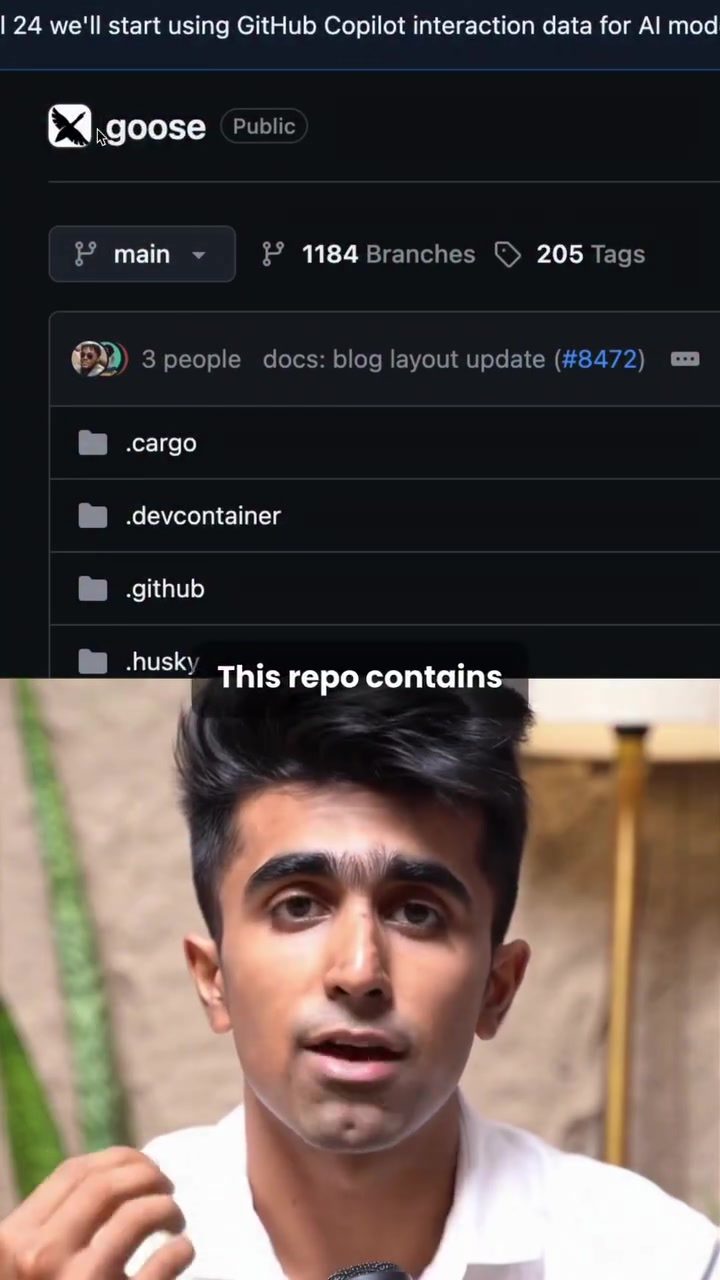
To get started with Goose, you can visit its GitHub repository. The repository contains all the necessary information to install and configure Goose on your machine. Over 40,000 developers have already started using Goose, highlighting its widespread adoption and reliability.
Optimizing Performance
Goose's performance is optimized for speed and efficiency, thanks to its development in Rust. To ensure that you get the best out of Goose, make sure your development environment is also optimized for performance. This includes having sufficient system resources and ensuring that your codebase is well-organized and free of redundant code.
Leveraging External Tools
Goose's ability to connect to over 70 external tools is a significant advantage. Take full advantage of this connectivity by exploring the tools that best suit your workflow. Whether you need enhanced debugging capabilities, improved code suggestions, or seamless integration with other services, Goose's extensive tool connectivity ensures that you have everything you need.
Seamless Integration with LLMs
Goose works with any LLM you already use, making it easy to integrate into your existing workflow. If you're already using a preferred LLM, you can continue to do so with Goose, ensuring a smooth transition and minimal disruption to your workflow.
Important Takeaways
- Autonomous Operation: Goose automates a wide range of coding tasks, from editing code to debugging errors, allowing developers to focus on more strategic work.
- Multi-LLM Integration: Goose works seamlessly with any LLM, making it easy to integrate into your existing workflow.
- Extensive Tool Connectivity: Goose connects to over 70 external tools, enhancing its utility and flexibility.
- Performance: Developed in Rust, Goose is fast, lean, and efficient, providing a robust performance for complex tasks.
Conclusion
Goose is a game-changer in the world of AI coding agents. Its ability to automate a wide range of coding tasks, seamless integration with LLMs, and extensive tool connectivity make it an invaluable tool for developers. Whether you're looking to streamline your workflow, enhance your coding capabilities, or simply save time, Goose has you covered. With its powerful features and robust performance, Goose is set to revolutionize the way developers work, making it an essential addition to any developer's toolkit.
Watch the Reel
Questions readers ask
What is Goose AI and who developed it?
Goose AI is an autonomous AI coding agent designed to automate various tasks in a developer's workflow. It was originally developed by a company founded by Twitter co-founders and is now supported by the Linux Foundation, ensuring a robust and reliable tool for developers.
How does Goose AI integrate with my development environment?
Goose AI integrates deeply with your development environment. It automates tasks like editing code, running shell commands and installing dependencies, seamlessly fitting into your existing workflow.
What kind of tasks can Goose AI automate for developers?
Goose AI can automate a wide range of tasks, including editing codebases, running shell commands, and managing dependencies. This helps developers save time and focus on more strategic and creative aspects of their work.
Is Goose AI available as an open-source project?
Yes, Goose AI is supported by the Linux Foundation, which often ensures projects are open-source. This means you can access the source code, contribute to its development, and use it freely in your projects.
Where can I find more information and resources about Goose AI?
For more detailed information and resources, you can visit the Goose AI GitHub repository. This is a great place to find documentation, community support, and the latest updates on the project.
How can Goose AI help improve my coding efficiency?
Goose AI boosts coding efficiency by handling routine tasks such as code editing and dependency management. This allows developers to concentrate on more complex and strategic work, ultimately increasing overall productivity.
Can Goose AI be used as a standalone tool or does it require integration with other software?
Goose AI is designed to integrate deeply with your existing development environment, enhancing the tools you already use. While it can be used as a standalone tool, its full potential is realized when integrated with other software and tools in your workflow.
Related deep dives
Similar reads based on topic and creator.




Recent articles
Fresh deep dives from the latest Reels we unpacked.




Comments
Be the first to comment.