The Biggest New Tool for Social Media Creators
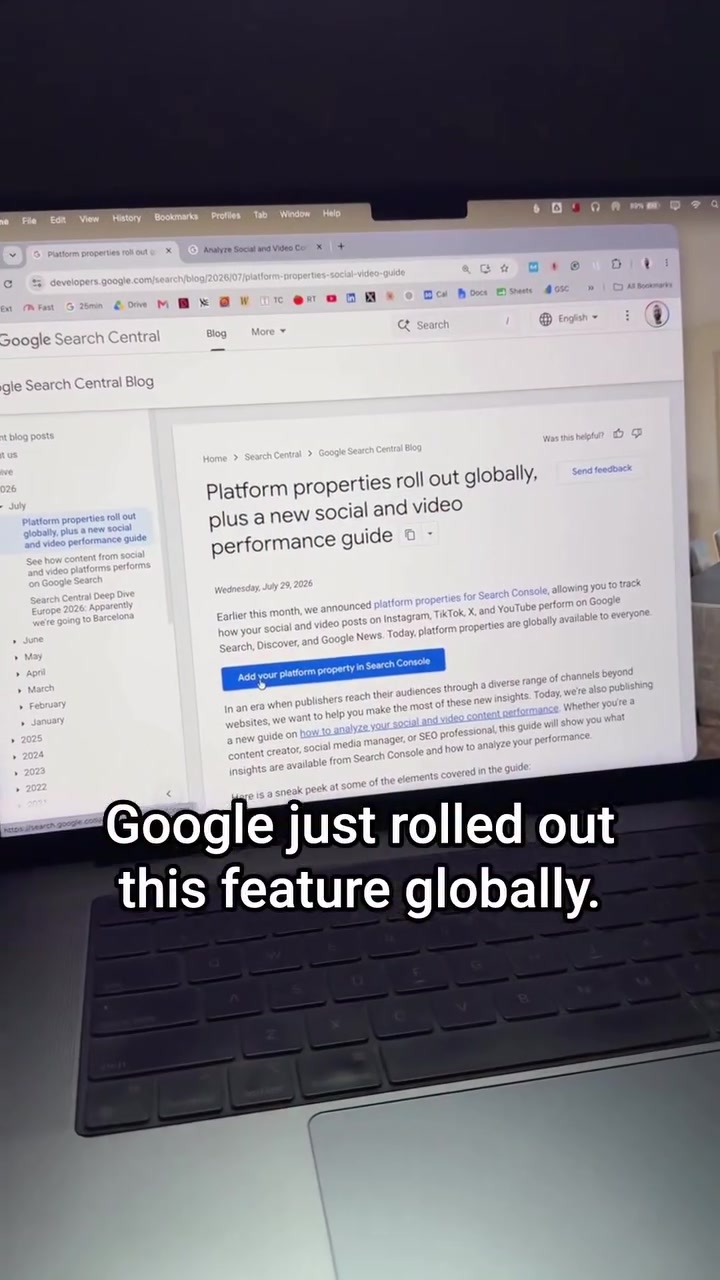
Google has launched a massive update to Search Console, allowing users to connect their social media accounts directly to see what keywords drive views, where those users are, and what posts perform best. The update offers creators unparalleled insight into how their social media posts show up on Google searches. Once connected, users can watch search traffic grow along with social media performance. This lets social media users dig deeper into search data, and get a detailed analysis of their posts' performance.
The New Integration Everyone's Talking About
The new feature is more than just a passing trend. Early internet innovators quickly realized the importance of search traffic as a core metric. However, as social media platforms have risen, the performance of social media postings on Google searches has become increasingly important. Google's new feature for Search Console comes at a time when many social media platforms are seeing intense competition for user attention. The expansion of social media traffic analysis within Google Search Console aligns with recent trends. The most important thing is how users can now track their social media performance directly from Google's Search Console.
What Social Media Platforms Are Supported
The new Google Search Console feature enables connections with TikTok, Instagram, X, and YouTube. You can use the feature by clicking on the big blue button titled ‘Search platform properties rollout.’
Connecting to Google Search Console
To enable this feature, you must search for 'platform properties rollout', click on the top result, then click "Get Started". Then you will see a list of the supported social media platforms. Click on the platform you want to connect. You will be then taken to an authentication page where you can connect your accounts. After successfully authenticating, you will be able to select the accounts you want to analyze and begin the process of analyzing the performance.
Key Metrics to Watch
With the new update, you'll gain access to critical metrics that offer insight into how your social media content performs across different channels and the countries people are searching from. This means you can see the searches people are performing to find your social media posts on Google. The number of times your posts appear on Google searches is called impressions. You can also see the clicks, which indicates how many times someone clicked on your results.
Merging Social Media Cues
Google’s new capability isn't just about seeing how many clicks and impressions your social media posts are getting. It gives you detailed breakdowns of traffic sources and user engagement. For example, the feature will show the countries that are performing well, allowing you to better focus your marketing efforts. This results in a more efficient and targeted approach to social media marketing.
Optimizing Content for Better Search Ranking
Now, after connecting your platforms, you can target keywords for your social media posts. The first thing to do is identify a keyword that describes the content you wish to focus on. Then, include that keyword in the description of your posts. It will ensure that you focus the post on the keyword by leading with it, and any additional details can be included beneath. For videos, consider using the transcript as a description. This will ensure maximum visibility on Google Search.
Understanding Traffic Sourcing
Now, tracking social media performance within Google Search Console is straightforward. Every time you get a mention or a click, Google Search Console will record it. This gives you an idea of how well your social media posts perform. Using these insights, you can modify your content and strategy as needed.
Helping Your Content Stand Out Online
The most effective way to take advantage of this new update is to focus on optimizing your social media posts for better search performance. There are certain steps you can take.
- Incorporate Keywords: Start by placing relevant keywords at the top of the description. This will help search engines understand the context of your content.
- Use Long Descriptions: Consider adding detailed descriptions. This enhances search visibility and user engagement.
- Link Platforms: Connect all your social media accounts to Google Search to get the most out of the new feature.
- Check Search Metrics Regularly: Periodically analyze data for posts on Google Search Console to understand your social media performance. Rather than focusing on just one platform, the new Google Search Console update encourages a comprehensive approach to managing, optimizing, and connecting content across multiple platforms.
Watch the Reel
Questions readers ask
Which social media platforms can be connected to Google Search Console with this new update?
The new update allows connections with TikTok, Instagram, X, and YouTube. You can start by clicking on the 'Search platform properties rollout' button and following the prompts to connect your desired social media accounts.
How do I actually connect my social media accounts to Google Search Console?
To connect your social media accounts, search for 'platform properties rollout' in Google Search Console, click on the top result, and then click 'Get Started.' You'll be guided through the process of authenticating and selecting the accounts you want to analyze.
What specific metrics can I track with this new integration?
You can track metrics like impressions, which shows how often your posts appear in Google searches, and clicks, which indicates how many times users click on your results. Additionally, you can see the countries where your posts are performing well, helping you tailor your marketing efforts more effectively.
Can I optimize my social media posts for better search ranking using this feature?
Yes, once your platforms are connected, you can identify and target keywords for your social media posts. This helps you focus on content that is more likely to appear in relevant Google searches, improving your overall search ranking and visibility.
Is there a way to see which countries are driving the most traffic to my social media posts through Google searches?
Yes, the new feature provides detailed breakdowns of traffic sources, including the countries where your posts are performing well. This information helps you focus your marketing efforts more effectively and target specific regions that show high engagement.
What happens to my search data if I disconnect a social media account from Google Search Console?
If you disconnect a social media account, you will no longer receive data for that specific account within Google Search Console. However, you can reconnect it at any time to resume tracking its performance.
Related deep dives
Similar reads based on topic and creator.




Recent articles
Fresh deep dives from the latest Reels we unpacked.




Comments
Be the first to comment.