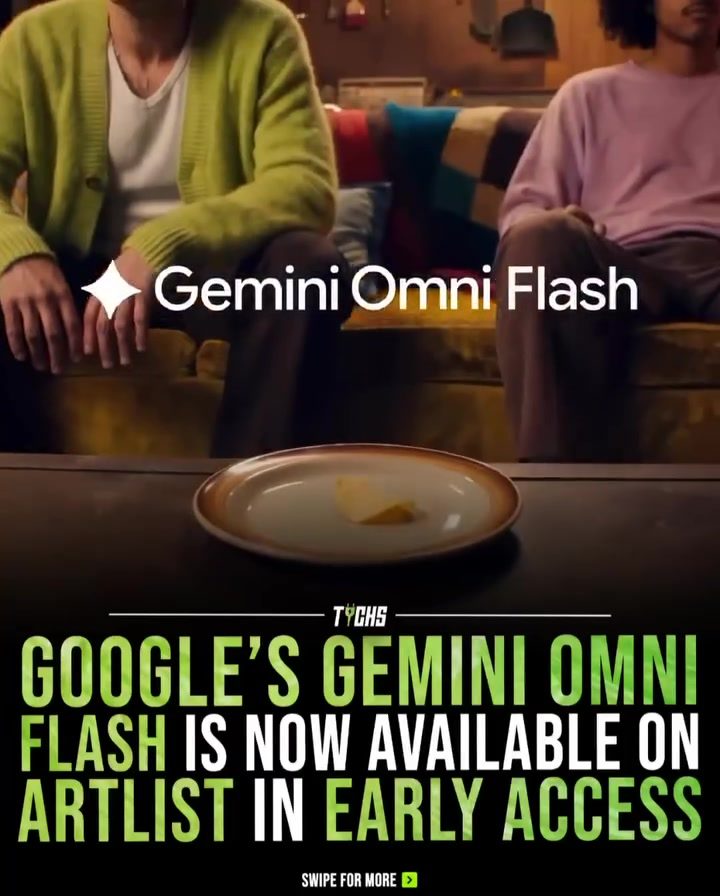
Google’s Gemini Omni Flash: Revolutionizing Video Editing with AI
Google’s Gemini Omni Flash, now available on Artlist in early access, is redefining the way creators approach video editing. This innovative AI software allows users to interact with videos through simple text-based prompts, making the editing process more intuitive and accessible.
Why This Matters
Traditional video editing often involves complex timelines and technical tools, which can be daunting for beginners and time-consuming for professionals. With Gemini Omni Flash, creators can focus more on their creative ideas and less on the technical complexities. This shift towards an AI-driven workflow not only speeds up the editing process but also ensures consistency across multiple edits, preserving continuity as users refine their videos step by step.
The Power of AI in Video Editing
Text-Based Prompts
One of the standout features of Gemini Omni Flash is its ability to use text-based prompts for video editing. This means users can make edits by simply typing out what they want to change, rather than manually adjusting each element. For example, you can swap elements in a video while keeping the rest of the content intact. This feature is particularly useful for quick edits and iterations.
Full Creative Control
Gemini Omni Flash offers full creative control, allowing users to sync audio with animation, change styles, and make precise edits. This level of control ensures that creators can bring their vision to life without being limited by the software's capabilities. Whether you're a seasoned professional or a beginner, the software provides the tools needed to create high-quality videos.
Seamless Integration
Gemini Omni Flash integrates seamlessly with Artlist, a popular platform for creators. This integration allows users to leverage Artlist's extensive library of royalty-free music, sound effects, and more. With Artlist apps, you can create Omni drone shots and other advanced video elements in seconds, making the entire process more efficient and enjoyable.
Practical Tips for Using Gemini Omni Flash
Getting Started
To start using Gemini Omni Flash, head over to Artlist and sign up for early access. Once you have access, you can begin experimenting with the software's features. Remember, no prompts are needed for basic editing tasks, but as you get more comfortable, you can start using text-based prompts to speed up your workflow.
Making the Most of Text-Based Prompts
To make the most of the text-based prompts, try to be as specific as possible. For example, instead of saying "change the background," you might say "change the background to a beach scene at sunset." The more details you provide, the better the software can interpret your instructions and make the desired changes.
Experimenting with Styles and Syncing Audio
Don't be afraid to experiment with different styles and audio syncing options. Gemini Omni Flash allows you to change the style of your video with just a few clicks, and syncing audio with animation can add a professional touch to your projects. Try out different combinations to see what works best for your content.
Important Takeaways
- Gemini Omni Flash is available on Artlist in early access, offering a new way to approach video editing.
- The software uses text-based prompts, making the editing process more intuitive and accessible.
- It provides full creative control, allowing users to sync audio with animation, change styles, and make precise edits.
- Users can create advanced video elements quickly and efficiently with Artlist apps.
- The software ensures consistency across multiple edits, preserving continuity as users refine their videos.
Conclusion
Gemini Omni Flash is a game-changer for video editing, offering a more accessible and efficient way to create high-quality content. With its text-based prompts, full creative control, and seamless integration with Artlist, this AI software is set to revolutionize the way creators approach video editing. Whether you're a professional or a beginner, Gemini Omni Flash provides the tools and features needed to bring your creative vision to life. So, go to Artlist, start creating without limits, and experience the future of video editing today.
Watch the Reel
Questions readers ask
What makes Gemini Omni Flash different from traditional video editing software?
Gemini Omni Flash sets itself apart by using AI to interpret simple text prompts, allowing users to edit videos without navigating complex timelines and technical tools. This makes it accessible for beginners and efficient for professionals.
How does Gemini Omni Flash simplify the video editing process?
This AI-powered tool allows users to edit their videos with straightforward text-based prompts, eliminating the need for complicated software commands and menus. This enables users to focus on their creative vision.
Where can I access Google's Gemini Omni Flash?
Gemini Omni Flash is available on Artlist in early access. Users can try out the software to experience its benefits and provide their feedback during this phase.
Can Gemini Omni Flash help with consistent editing across multiple projects?
Yes, Gemini Omni Flash ensures consistency across multiple edits by using AI to maintain continuity in the editing process. This is particularly useful for creators working on several projects simultaneously.
Is Gemini Omni Flash suitable for both beginners and professionals?
Yes, Gemini Omni Flash is designed to be intuitive and easy to use, making it perfect for beginners who find traditional editing software daunting. Professionals can also benefit from its efficiency, allowing them to focus more on creativity and less on technical complexities.
What kinds of text prompts can be used with Gemini Omni Flash?
Gemini Omni Flash allows for a wide range of text prompts, including commands to trim, cut, and add transitions. Users can also use prompts to change the pacing, apply filters, and generate captions.
Does Gemini Omni Flash support multiple video formats?
While specific details on supported formats are not provided, Gemini Omni Flash is designed to be versatile and integrate seamlessly with various video types. Users can expect compatibility with common formats used in creative projects.
Related deep dives
Similar reads based on topic and creator.




Recent articles
Fresh deep dives from the latest Reels we unpacked.




Comments
Be the first to comment.