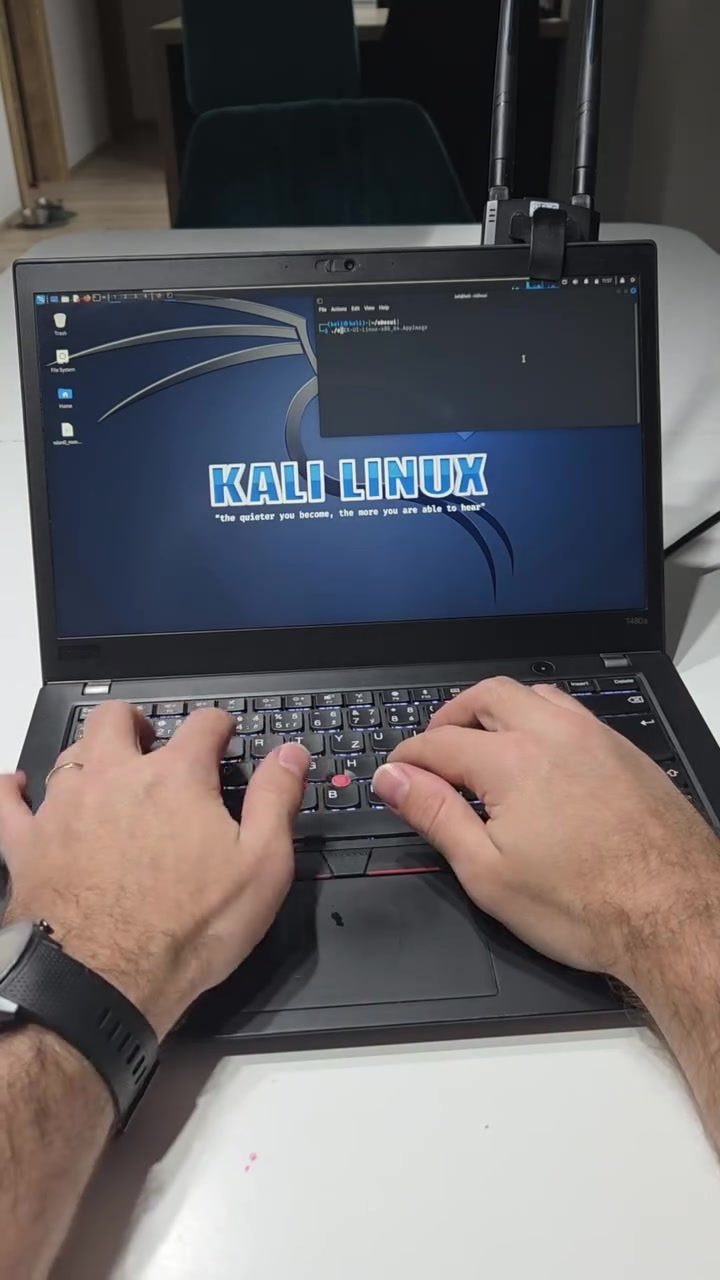
Kali Linux on a Lenovo Laptop: Network Security and Command-Line Adventures
Kali Linux, a powerful and versatile operating system designed for penetration testing and security auditing, shines brightly on a Lenovo laptop. With a focus on network security, Kali Linux is used by cybersecurity professionals and ethical hackers for its robust set of tools and command-line interfaces. Let's dive into the world of Kali Linux, exploring its capabilities and how it runs on a Lenovo laptop.
Context / Why this matters
In an era where cyber threats are ever-evolving, having the right tools to safeguard digital environments is crucial. Kali Linux is one such tool, offering a comprehensive suite of applications for network and system security. Whether you are a beginner or an experienced professional, understanding how to leverage Kali Linux can significantly enhance your security capabilities.
Main Discussion
The Interface and Welcome Screen
When you boot up Kali Linux on a Lenovo laptop, you are greeted by a sleek and intuitive interface. The welcome screen is a testament to its user-friendly design, making it accessible even for those new to the operating system. The interface is clean, with various tools and applications neatly organized, making it easy to navigate and find what you need.
Command-Line Interfaces
One of the standout features of Kali Linux is its command-line interface (CLI). Advanced users can delve deep into the system, executing complex commands and scripts to perform intricate security tasks. The CLI provides a powerful platform for systems administrators and security experts to analyze and manipulate networks and systems.
Network Scanning Tools
Network scanning is a critical aspect of cybersecurity, and Kali Linux excels in this area. With a plethora of network scanning tools, you can quickly and efficiently identify vulnerabilities within a network. Tools like Nmap, Aircrack-ng, and Wireshark are just a few examples of the powerful utilities available.
Nmap, for instance, is a versatile tool that can be used for network discovery and security auditing. It can scan networks for open ports and vulnerabilities, providing invaluable insights into potential security weaknesses. Aircrack-ng, on the other hand, is a suite of tools to assess Wi-Fi network security.
Network Interface
The network interface is a crucial aspect of any operating system, and Kali Linux shines in this area. The wlan0 interface, as seen on the screen, is a wireless local area network interface. It allows you to connect to wireless networks, perform network scans, and carry out various security tasks. Understanding how to configure and utilize this interface effectively is essential for network security professionals.
Practical Tips
Setting Up Kali Linux on a Lenovo Laptop
Setting up Kali Linux on a Lenovo laptop is a straightforward process. Here are the steps to get you started:
-
Download and Create a Bootable USB Drive: Start by downloading the Kali Linux ISO from the official website. Use a tool like Rufus to create a bootable USB drive.
-
Boot from USB: Insert the USB drive into your Lenovo laptop and boot from it. You may need to change the boot order in your BIOS settings.
-
Install Kali Linux: Follow the on-screen instructions to install Kali Linux on your laptop. You can choose to install it alongside your existing operating system or as a standalone OS.
Using Command-Line Interfaces
To make the most of Kali Linux, familiarize yourself with the command-line interface. Here are some essential commands to get you started:
- Ping: To check the connectivity of a network host, use the
pingcommand. For example,ping google.comwill test the reachability of Google's servers. - Nmap: To scan a network for open ports, use the
nmapcommand. For example,nmap -sP 192.168.1.0/24will scan the subnet for live hosts.
Configuring Network Interfaces
Configuring the network interface is crucial for network security tasks. To set up your wireless interface (wlan0), follow these steps:
- Check Available Interfaces: Use the
ip link showcommand to list all available network interfaces. - Activate the Interface: Use the
ip link set wlan0 upcommand to activate thewlan0interface. - Connect to a Network: Use the
iwlist wlan0 scancommand to scan for available networks andiwconfig wlan0 essid [Network Name] key [Password]to connect to a network.
Important Takeaways
- User-Friendly Interface: Kali Linux on a Lenovo laptop offers a user-friendly interface, making it accessible for both beginners and experienced users.
- Powerful Command-Line Tools: The command-line interface provides powerful tools for performing complex security tasks.
- Comprehensive Network Scanning: Kali Linux includes a wide range of network scanning tools to identify vulnerabilities and assess network security.
Conclusion
Kali Linux on a Lenovo laptop is a formidable combination for anyone involved in network security. With its robust set of tools, user-friendly interface, and powerful command-line capabilities, it stands out as an essential tool for cybersecurity professionals. Whether you're a beginner or an experienced user, mastering Kali Linux can significantly enhance your ability to safeguard digital environments.
Watch the Reel
Questions readers ask
Do I need a specific model of Lenovo laptop to run Kali Linux?
Kali Linux can run on most Lenovo laptop models, as long as your laptop has at least 2GB of RAM and 20GB of disk space. However, for optimal performance, especially when running multiple network security tools, consider a more powerful model with at least 4GB of RAM and a multi-core processor.
Can I install Kali Linux on my Lenovo laptop alongside Windows?
Yes, you can install Kali Linux on your Lenovo laptop alongside Windows by setting up a dual-boot system. This allows you to choose between the two operating systems at startup. Alternatively, you can run Kali Linux as a virtual machine using a tool like VirtualBox or VMware.
What are some essential Kali Linux terminal commands for network security?
Some essential Kali Linux terminal commands for network security include 'nmap' for network scanning, 'wireshark' for packet analysis, 'aircrack-ng' for Wi-Fi security assessments, and 'Metasploit' for penetration testing. Familiarizing yourself with these commands can significantly enhance your network security capabilities.
Is Kali Linux suitable for beginners interested in network security?
While Kali Linux is a powerful tool, it may be challenging for beginners due to its advanced features and command-line interface. However, there are many online resources and tutorials available to help beginners get started. Additionally, Kali Linux offers a user-friendly graphical interface that can ease the learning curve.
What are some of the key network security tools available in Kali Linux?
Kali Linux comes with a wide range of network security tools, including Wireshark for network protocol analysis, Nmap for network discovery and security auditing, and Metasploit for developing and executing exploit code against a remote target. These tools are designed to help cybersecurity professionals identify and mitigate network vulnerabilities.
How can I access network security tools in the Kali Linux interface?
Kali Linux offers a user-friendly interface with a menu through which you can access a wide range of network security tools. Simply navigate to the 'Kali Linux' menu, and you’ll find various categories such as 'Information Gathering,' 'Vulnerability Analysis,' and 'Exploitation Tools.' Each category contains a collection of tools that you can use for network security and penetration testing.
What precautions should I take when using Kali Linux for network security tasks?
When using Kali Linux for network security tasks, always ensure you have explicit permission to test the networks and systems you are targeting, as unauthorized testing can be illegal. Additionally, keep your Kali Linux installation and tools up to date to protect against potential vulnerabilities and to ensure you have the latest features and fixes.
Related deep dives
Similar reads based on topic and creator.




Recent articles
Fresh deep dives from the latest Reels we unpacked.




Comments
Be the first to comment.