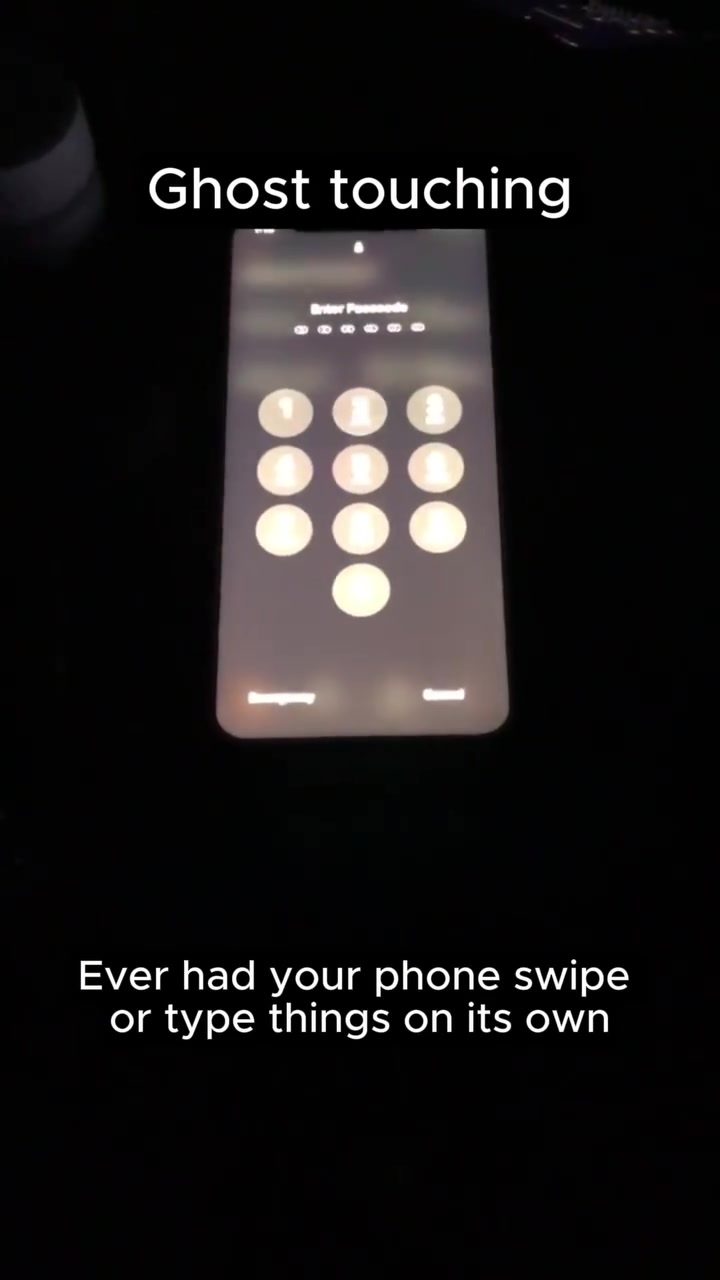
Ghost Touching: What It Is and How to Fix It
Ghost touching is a frustrating phenomenon where a smartphone's screen registers touches that weren't made by the user. This can lead to unexpected actions, such as opening apps, typing random characters, or scrolling through screens. While it might seem like a terrifying sign of malware, the root cause is usually physical.
Why This Matters
Ghost touching can cause significant inconveniences. It can lead to unwanted actions on the lock screen, such as entering the wrong PIN repeatedly, which might even lock you out of your device. In extreme cases, it can wipe your device clean. Understanding the causes and solutions for ghost touching can save users from unnecessary worry and potential data loss.
Causes of Ghost Touching
Ghost touching is primarily caused by physical issues, not malware. The most common culprits include:
- Damaged Display or Screen Protector: Cracks or defects in the screen or screen protector can cause false touches.
- Moisture: Water or humidity can interfere with the screen's touch sensitivity.
- Dirt or Debris: Small particles on the screen can mimic touch inputs.
- Hybrid Effects: A combination of the above factors can also lead to ghost touching.
Troubleshooting Ghost Touching
If you're experiencing ghost touching, here are some steps you can take to diagnose and fix the issue:
Clean the Screen
Start by cleaning the screen thoroughly. Use a microfiber cloth and a screen cleaning solution to remove any dirt, dust, or debris. Be gentle to avoid scratching the screen.
Remove the Screen Protector
If you have a screen protector, try removing it. Sometimes, the protector itself can cause issues, especially if it's damaged or not properly applied.
Boot into Safe Mode
Safe mode can help you determine if the issue is caused by a third-party application. To boot into safe mode, press and hold the power button until the power menu appears. Tap and hold the "Power off" option until a prompt to restart in safe mode appears. If the ghost touching stops in safe mode, a third-party app is likely the culprit.
Replace the Display
If the above steps don't resolve the issue, the problem might be with the display itself. In this case, you'll need to get the display replaced. This is a more involved process and might require professional help, especially if your device is still under warranty.
Malware and Ghost Touching
While ghost touching is usually a physical issue, it can also be caused by malware in rare cases. Some Android malware, such as Octo, Anubis, or Medusa, includes remote control capabilities using BNC or RDP-style access. This allows an attacker to control the screen in real-time, reading messages, emails, or making transactions. If you suspect malware is the cause, use a trusted security app to scan your device and remove any threats.
Important Takeaways
While ghost touching can be annoying and even worrying, it's usually a fixable issue. Here are the key points to remember:
- Physical Causes: Most ghost touching issues are due to physical problems like a damaged display, screen protector, moisture, or dirt.
- Diagnostic Steps: Clean the screen, remove the screen protector, and boot into safe mode to diagnose the issue.
- Malware: While rare, malware can cause ghost touching. Use a trusted security app to scan your device if you suspect an infection.
Conclusion
Ghost touching can be a frustrating experience, but it's usually not a sign of a serious issue. By understanding the causes and following the troubleshooting steps outlined above, you can quickly diagnose and fix the problem. Regular maintenance and care of your device can also prevent ghost touching and other related issues. Stay vigilant and keep your screens safe.
Watch the Reel
Questions readers ask
What are the signs of ghost touching on my phone?
Signs of ghost touching include your phone's screen responding to touches you didn't make, such as opening apps, typing characters, or scrolling on its own. If your phone is performing actions without your input, it might be experiencing ghost touching.
Is ghost touching a sign of malware or a hacked device?
In most cases, ghost touching is not a sign of malware or a hacked device. It is usually caused by physical issues such as screen damage, moisture, or debris. However, if you suspect malware, it's always a good idea to scan your device with reliable security software.
How can I diagnose if my phone has a ghost touching issue?
To diagnose ghost touching, observe your phone for any unintended actions. Try using your phone in safe mode, which disables third-party apps and can help determine if the issue is software-related. If the problem persists, it's likely a hardware issue.
Can moisture cause ghost touching, and how do I fix it?
Yes, moisture can cause ghost touching. If your phone has been exposed to water, try drying it out by placing it in a bag of rice or using a specialized drying product. Once dry, check if the issue persists.
What should I do if my phone's screen is physically damaged and causing ghost touching?
If your phone's screen is damaged, it might be causing ghost touching. Inspect the screen for cracks or debris. If you find any, you can try cleaning it gently with a soft cloth. For significant damage, consider taking your phone to a professional for repair.
Can I fix a ghost touching issue at home, or do I need professional help?
For minor issues like moisture or debris, you can often fix ghost touching at home. However, for more serious problems like screen damage, or if the issue persists after your troubleshooting, it's best to consult a professional or contact the manufacturer for assistance.
What are the potential risks of ignoring a ghost touching issue?
Ignoring a ghost touching issue can lead to significant inconveniences, such as unwanted actions on the lock screen, entering the wrong PIN repeatedly, or even data loss in extreme cases. To avoid these issues, it's important to address the problem promptly.
Related deep dives
Similar reads based on topic and creator.




Recent articles
Fresh deep dives from the latest Reels we unpacked.




Comments
Be the first to comment.