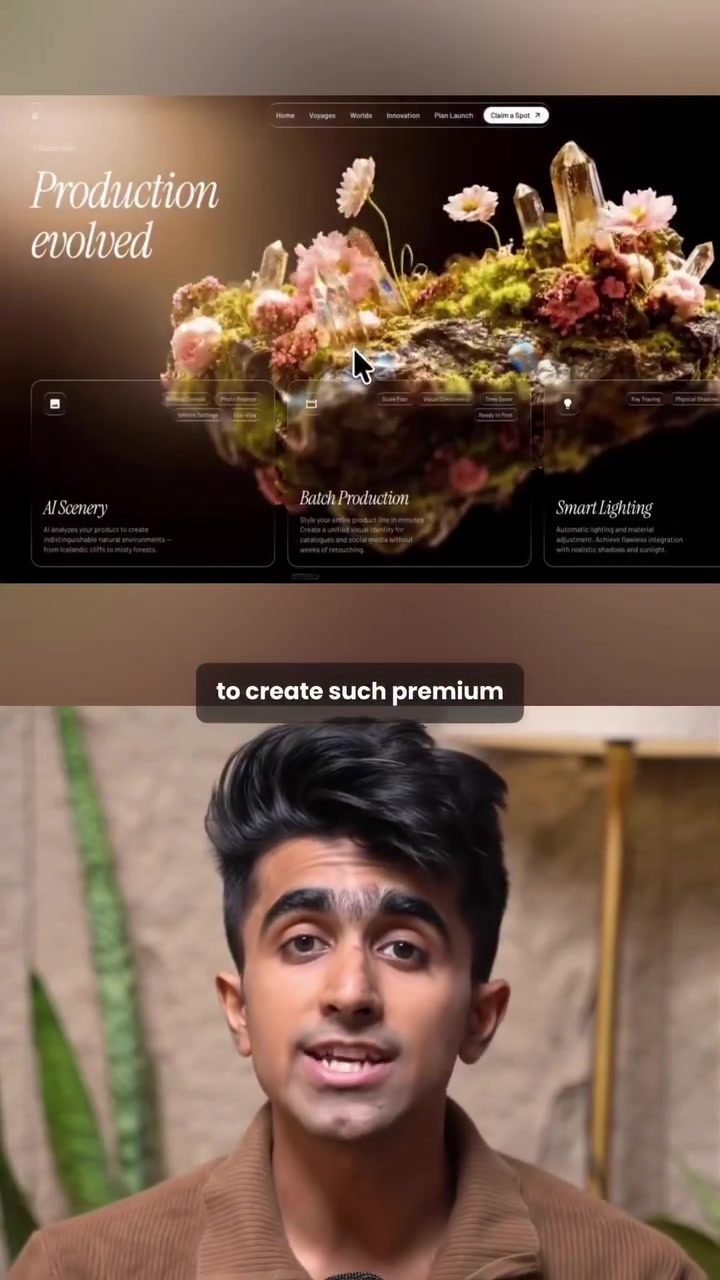
Creating Premium Animated Websites with Claude Design and Whisk: A Step-by-Step Guide
Creating a visually stunning animated website might sound like a daunting task, but with the right tools and a straightforward process, it can be achieved in just a few steps. Claude Design and Whisk offer powerful features that can help even beginners create premium animated websites. Let's dive into the process and explore how these tools can streamline your workflow.
Context / Why This Matters
In today's digital landscape, a well-designed website is crucial for making a strong first impression. An animated website can capture attention and keep visitors engaged, leading to better user experiences and higher conversion rates. By leveraging AI-powered design tools like Claude Design and Whisk, you can create professional-looking animated websites without needing advanced design skills.
Main Discussion
Step 1: Pick Your Template
The first step in creating a premium animated website is to select a template that suits your needs. Head to motionsites.ai, where you can find a variety of hero templates, both free and paid. Navigate to the templates section and browse through the options to find one that aligns with your vision. Once you've chosen a template, copy its prompt. This prompt will be the foundation for your website's design.
Step 2: Bring It into Claude Design
With your template prompt in hand, open Claude Design and start a new project. Paste the copied prompt into the project and replace the placeholder content with your specific requirements. In this case, the goal is to create a website for an AI device. Claude Design will then build out the full website for you in one go, using the prompt as a guide.
Step 3: Make It Animated
To give your website a dynamic feel, you can animate the background using Whisk. Whisk offers tools like Nano Banana and Veo, which allow you to create animated videos. Upload a reference image, generate two images, and click "animate" to create a video. Once the video is ready, download it and bring it back to Claude Design. Replace the static background with this animated video, and the hero section of your website will come to life.
Finishing Touches
After animating the background, you can ask Claude Design to keep the same style and finish the rest of the page. This ensures consistency throughout your website. Claude Design will build everything out, giving you a seamless and professional-looking animated website in just three steps.
Practical Tips
Utilize Free Resources
Take advantage of the free templates available on motionsites.ai. These templates provide a solid starting point and can save you time and effort in the initial design phase.
Experiment with Animations
Don't be afraid to experiment with different animations using Whisk. Adding motion to your website can make it more engaging and visually appealing. Tools like Nano Banana and Veo offer a range of customization options, allowing you to create unique and eye-catching animations.
Consistency is Key
When using Claude Design to finish the rest of your page, make sure to maintain a consistent style. This ensures that your website has a cohesive look and feel, enhancing the overall user experience.
Important Takeaways
Creating a premium animated website doesn't have to be a complex process. By following these simple steps and utilizing tools like Claude Design and Whisk, you can achieve professional results even as a beginner. Remember to start with a good template, experiment with animations, and maintain consistency throughout your design.
Conclusion
Designing a premium animated website is within reach for anyone willing to explore AI-powered design tools. With Claude Design and Whisk, you can create visually stunning websites that capture attention and engage visitors. By following the steps outlined above, you can streamline your workflow and achieve impressive results efficiently.
Watch the Reel
Questions readers ask
What are the benefits of using Claude Design and Whisk for creating animated websites?
Claude Design and Whisk provide a user-friendly interface and powerful features that make it easy to create visually stunning animated websites. They offer a range of premium templates, AI-powered customization tools, and animation capabilities, ensuring a dynamic user experience without requiring extensive coding knowledge.
Can beginners use these tools to create animated websites?
Absolutely. Both Claude Design and Whisk are designed to be accessible for beginners. They offer intuitive interfaces and step-by-step guides that simplify the process of creating animated web pages, making it possible for users of all skill levels to achieve professional results.
How does AI assist in customizing website templates with Claude Design?
AI in Claude Design helps by analyzing your design preferences and providing tailored suggestions. It automates the customization process, allowing you to quickly adjust layouts, colors, and other design elements to match your branding and vision without manual adjustments.
What types of animations can I create with Whisk?
Whisk supports a wide variety of animations, from simple hover effects to complex scrolling animations. You can create interactive elements, animated content, and dynamic transitions that enhance the user experience and make your website stand out.
Are there any tutorials available for learning how to use Claude Design and Whisk?
Yes, both tools offer comprehensive tutorials and guides. These resources cover everything from getting started to advanced techniques, ensuring that you can make the most of their features and create high-quality animated websites efficiently.
Can I use these tools for designing websites for clients?
Definitely. Claude Design and Whisk are excellent for professional use. They provide robust features for creating premium animated websites, allowing you to deliver high-quality projects to your clients. Additionally, they offer customization options to align with client-specific branding ideas.
Related deep dives
Similar reads based on topic and creator.




Recent articles
Fresh deep dives from the latest Reels we unpacked.




Comments
Be the first to comment.