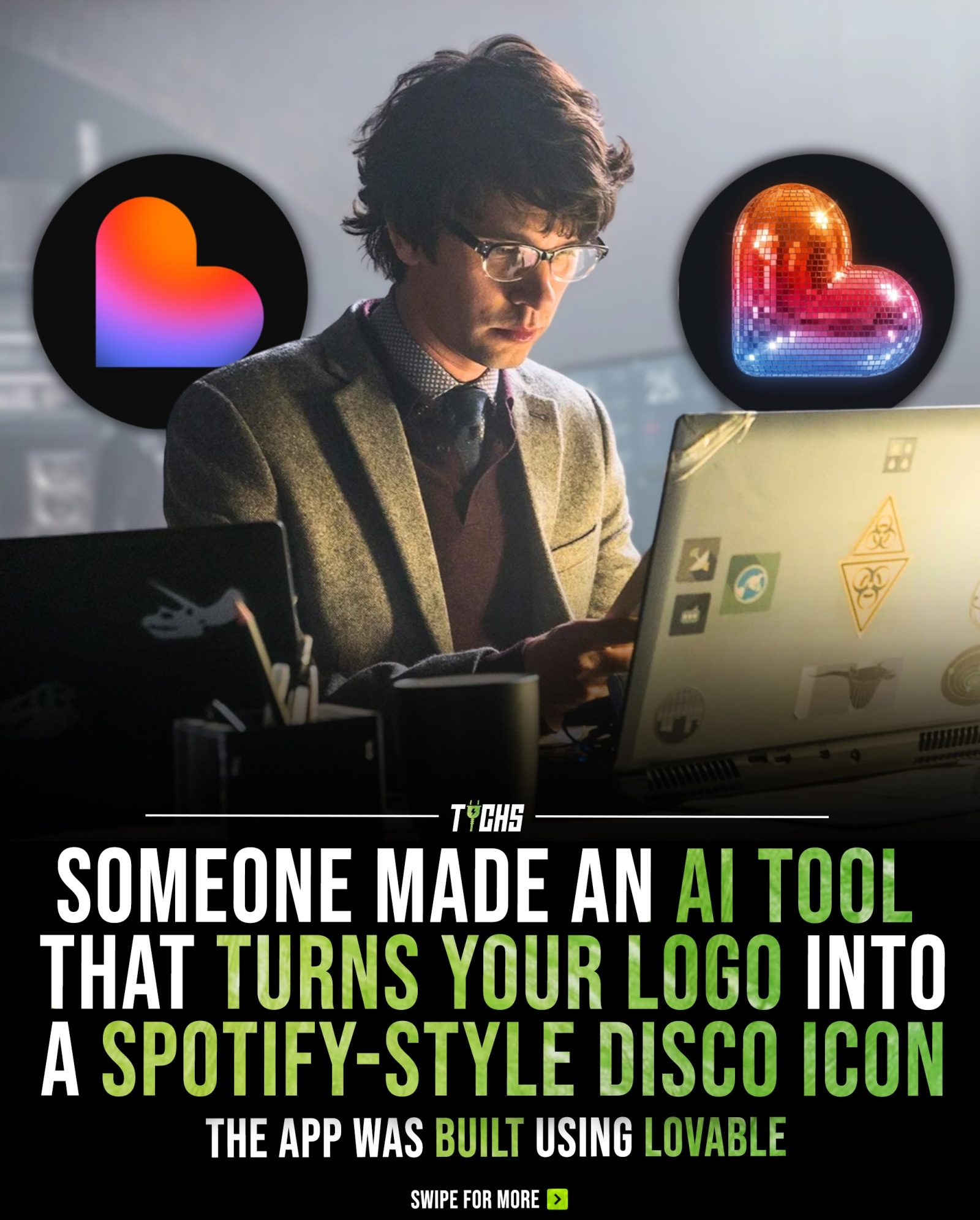
Logo to Disco Icon Converter
Lovable, a versatile web application, offers a unique tool that converts logos into captivating disco ball-style icons. This transformation adds a playful, reflective mosaic effect to any logo or profile picture, making it stand out with a funky, energetic vibe reminiscent of the iconic Spotify 20th-anniversary logo.
Why This Matters
Logo design is a crucial element of branding, and sometimes, a simple twist can make a significant impact. For applications, logos, and profile pictures, transforming them into shiny, disco ball icons can add a layer of creativity and visual appeal that sets them apart. Businesses and designers alike are always looking for innovative ways to make their brands more engaging and memorable. By using Lovable, this transformation becomes an easy yet impactful way to refresh a brand's visual identity.
Main Discussion
The Inspiration Behind the Tool
The concept behind the Disco Ball Icon Converter is inspired by Spotify’s temporary 20th-anniversary logo, which featured a green disco ball. This design not only celebrated the milestone but also added a fun, modern twist to the company’s iconic branding.
How It Works
Users can upload their logos in PNG, JPG, or WEBP formats with a maximum file size of 5MB. The tool then transforms these logos into disco ball icons, adding reflective mosaic effects and a shimmering finish that makes them stand out. The process is straightforward: users drop their brand mark into the application, and Lovable handles the rest, delivering a unique, one-of-a-kind icon.
The Technology Behind the Converter
Lovable, the web application that powers the Disco Ball Icon Converter, utilizes natural language processing (NLP) to turn ideas into fully functional apps. This AI-powered platform allows users to create applications without any coding experience, making it accessible to a wide range of users, from beginners to professionals. The platform's ability to transform natural language prompts into functional applications adds an exciting dimension to the creative process.
The Versatility of the Tool
This tool isn't just limited to logos; it can be used for profile pictures and other visual elements that require a dynamic and eye-catching design. The reflective mosaic effects add a level of depth and intrigue, making the icons more engaging and memorable.
Practical Tips
Choosing the Right Logo
To get the most out of the Disco Ball Icon Converter, it's essential to choose a logo that will benefit from the transformation. Simple, clean designs tend to work best, as they provide a clear base for the reflective mosaic effects. Logos with intricate details or complex shapes might lose some of their clarity during the transformation.
Experimenting with Different Effects
The tool offers a variety of reflective mosaic effects, so don’t be afraid to experiment with different options. Sometimes, the best results come from trying out various combinations and seeing what works best for your brand.
Ensuring High-Quality Input
Since the converter works best with high-quality images, make sure to upload logos that are clear and well-defined. This will ensure that the final output is crisp and visually appealing.
Important Takeaways
Disco Ball Icon Converter by Lovable is an innovative tool that can add a unique twist to your brand's visual identity. Whether you're looking to refresh your logo or create eye-catching profile pictures, this tool offers a creative and accessible solution.
- Ease of Use: The platform's user-friendly interface makes it simple for anyone to transform their logos into stunning disco ball icons, regardless of their technical skills.
- Reflective Mosiac Effects: The tool's ability to add reflective mosaic effects creates a dynamic and visually appealing design.
- No Coding Required: Lovable's AI-powered platform allows users to turn their ideas into real apps without needing any coding experience.
Conclusion
The Logo to Disco Icon Converter by Lovable offers a fun and innovative way to transform logos and profile pictures into captivating disco ball-style icons. By utilizing this tool, brands can add a unique, dynamic twist to their visual identity, making them stand out in a crowded digital landscape. Whether you're a designer looking for a creative edge or a business aiming to refresh your branding, this tool provides a simple yet impactful solution.
Watch the Reel
Questions readers ask
What is the Lovable Disco Ball Icon Converter and how does it work?
The Lovable Disco Ball Icon Converter is a web-based tool that transforms ordinary logos and profile pictures into eye-catching disco ball-style icons. By uploading an image, the app applies a reflective, mosaic effect, giving the image a fun, energetic appearance inspired by the Spotify 20th-anniversary logo.
Can I use the converted disco ball icons for commercial purposes?
Yes, you can use the disco ball icons created with Lovable for both personal and commercial purposes. However, it’s essential to ensure that you have the rights to use the original logo or image being converted. Always check the terms of service and licensing agreements to avoid any legal issues.
How can transforming a logo into a disco ball icon benefit my brand?
Transforming a logo into a disco ball icon can make it more visually appealing and memorable. This unique twist adds a layer of creativity and fun, helping your brand stand out in a crowded market. It can also create a sense of novelty and excitement, which can enhance user engagement and brand recognition.
Is there a specific file format required for uploading logos to the disco ball icon converter?
Lovable’s web app typically supports common image formats such as JPEG, PNG, and SVG. It’s best to upload high-resolution images for the best results. The app will give you specific guidance on file format, size and resolution once you begin the process.
Can I customize the disco ball effect applied to my logo?
Currently, the Lovable Disco Ball Icon Converter applies a predefined reflective, mosaic effect to the uploaded image. While there may not be extensive customization options, the tool is designed to automatically enhance the image with a consistent and eye-catching disco ball style.
What makes the disco ball icon converter tool unique compared to other logo design tools?
The Lovable Disco Ball Icon Converter stands out because of its specific focus on creating a disco ball effect. Inspired by the iconic Spotify 20th-anniversary logo, this tool offers a unique and playful twist on traditional logo design, making it a fun and innovative option for those looking to add a dynamic and energetic vibe to their visuals.
Related deep dives
Similar reads based on topic and creator.




Recent articles
Fresh deep dives from the latest Reels we unpacked.




Comments
Be the first to comment.