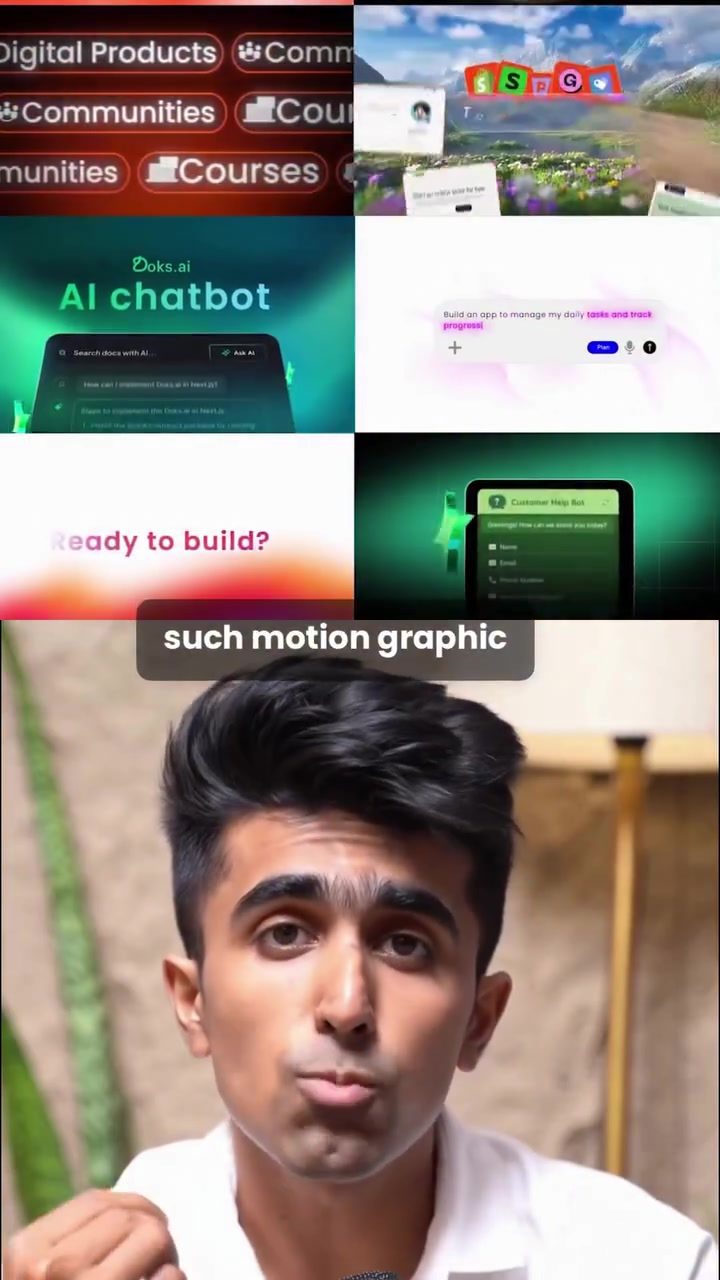
Claude AI Chatbot: Revolutionizing Motion Graphics with Text Prompts
Claude, an advanced AI chatbot, has recently expanded its capabilities to include the creation of high-quality motion graphics. This breakthrough allows users to generate professional-grade videos from a single text prompt, streamlining the creative process and opening up new possibilities for content creation.
Why This Matters
The ability to create motion graphics directly from text prompts represents a significant leap forward in AI-driven content creation. This feature not only saves time but also democratizes the process, making high-quality video production accessible to a wider audience. Whether you're a marketing professional, a social media creator, or an educator, the ability to quickly generate visually engaging content can be a game-changer.
Exploring Claude's Motion Graphics Capabilities
Customization and Integration
Claude's strength lies in its customization and integration capabilities. Here’s how you can get started:
-
Customization: To begin, open Claude and navigate to the "Customize" section. This is where you can tailor Claude to fit your specific needs. You can connect various apps and tools that you already use, allowing Claude to read and write to these tools seamlessly.
-
Connectors: The next step is to explore the "Connectors" section. Here, you can browse and add connectors that enhance Claude's functionality. For instance, searching for and adding "Hyperframes" as a connector can significantly boost your video creation capabilities.
-
Switching Models: Once you've set up your connectors, head back to the chat interface. Switch your model to the new Fable 5, which is optimized for creating motion graphics. This model will help you generate more polished and professional-looking videos.
Creating with Text Prompts
The real magic happens when you start creating your motion graphics. Here’s a step-by-step guide:
-
Crafting a Clean Prompt: Type a clean, concise prompt that includes the topic, the vibe you want, and a short description of what each section of the video should say. The more detailed your prompt, the better the output will be.
-
Rendering the Video: Once you've inputted your prompt, Claude will take care of the rest. It builds and renders the entire video for you, ensuring a seamless and efficient process. This means you can create high-quality motion graphics without needing extensive technical skills or software.
Practical Tips for Maximizing Claude's Potential
Crafting Effective Prompts
Effective prompts are key to getting the most out of Claude. Here are some tips to help you craft the perfect prompt:
-
Be Specific: The more specific your prompt, the better the results. Include details about the topic, the tone, and the content of each section.
-
Use Keywords: Incorporate relevant keywords that describe the visual elements and the message you want to convey. This helps Claude understand your vision more accurately.
-
Keep It Concise: While detail is important, avoid overly lengthy prompts. Keep your instructions clear and to the point.
Enhancing with Plugins
Claude allows you to add pre-built knowledge and skills through plugins. This can significantly enhance your video creation process:
-
Browse Plugins: Explore the available plugins and add those that are relevant to your field. This can include templates, design elements, and other tools that can streamline your workflow.
-
Teach Claude Your Processes: You can teach Claude your team norms, expertise, and processes. This customization ensures that the AI aligns with your unique workflow and requirements.
Staying Ahead of the Curve
In the fast-paced world of digital content, staying ahead of the curve is crucial. Here are some strategies to keep your content fresh and relevant:
-
Experiment with New Features: As new features and updates are released, take the time to explore and experiment with them. This will help you stay ahead of the curve and maintain a competitive edge.
-
Engage with the Community: Engage with other creators and users to share insights, tips, and feedback. This can provide valuable perspectives and help you refine your approach.
-
Iterate and Improve: Use the feedback and results from your initial creations to iterate and improve your prompts and techniques. Continuous improvement is key to mastering the art of motion graphics creation with Claude.
Important Takeaways
-
Efficiency and Accessibility: Claude's ability to create motion graphics from a single text prompt makes the process more efficient and accessible, allowing creators to produce high-quality content quickly.
-
Customization and Integration: The customization and integration capabilities of Claude enable seamless workflows, making it easier to incorporate existing tools and processes.
-
Continuous Improvement: Staying updated with new features and engaging with the community can help you make the most of Claude's capabilities and stay ahead in the field of motion graphics.
Conclusion
Claude's new feature, which allows the creation of high-quality motion graphics from a single text prompt, is a significant development in the world of AI-driven content creation. By leveraging this capability, creators can produce professional-grade videos efficiently and effectively. Whether you're a seasoned professional or just starting, Claude offers a powerful toolkit to enhance your content creation process and stand out in the digital landscape.
Watch the Reel
Questions readers ask
How does Claude AI transform text into motion graphics?
Claude AI uses advanced algorithms to interpret text prompts and convert them into engaging, professional-grade motion graphics. By breaking down the text and understanding the user's intent, it generates relevant visuals, animations, and transitions to create a cohesive video.
What kind of text prompts work best for generating motion graphics with Claude AI?
To get the best results, use clear and descriptive text prompts. Include details about the desired content, such as objects, scenes, actions, and any specific styles or themes you want to represent. The more specific your prompt, the more tailored the output will be.
Can I use Claude AI for creating marketing videos?
Absolutely. Claude AI is an excellent tool for creating marketing videos. You can generate short, engaging videos to promote products, services, or brand stories. Simply input a detailed text prompt outlining your marketing message, and Claude will create a compelling video to support your campaign.
Does Claude AI allow for customization of the generated videos?
Yes, Claude AI offers customization options to tailor the generated videos to your needs. While the initial output is created from the text prompt, you can adjust various elements, such as colors, fonts, and animation styles, to better align with your brand or personal style.
Is Claude AI suitable for beginners in video creation?
Yes, Claude AI is very beginner-friendly. Even if you have no prior experience in video creation, you can use this tool to generate high-quality motion graphics. The intuitive text-to-video process makes it easy for anyone to create professional-looking videos without needing complex software or technical skills.
How does Claude AI compare to other text-to-video apps?
Claude AI stands out due to its advanced understanding of text prompts and ability to generate more cohesive and contextually relevant motion graphics. While other apps may offer similar features, Claude's sophisticated AI capabilities ensure a higher level of quality and detail in the generated videos.
Related deep dives
Similar reads based on topic and creator.

Recent articles
Fresh deep dives from the latest Reels we unpacked.




Comments
Be the first to comment.