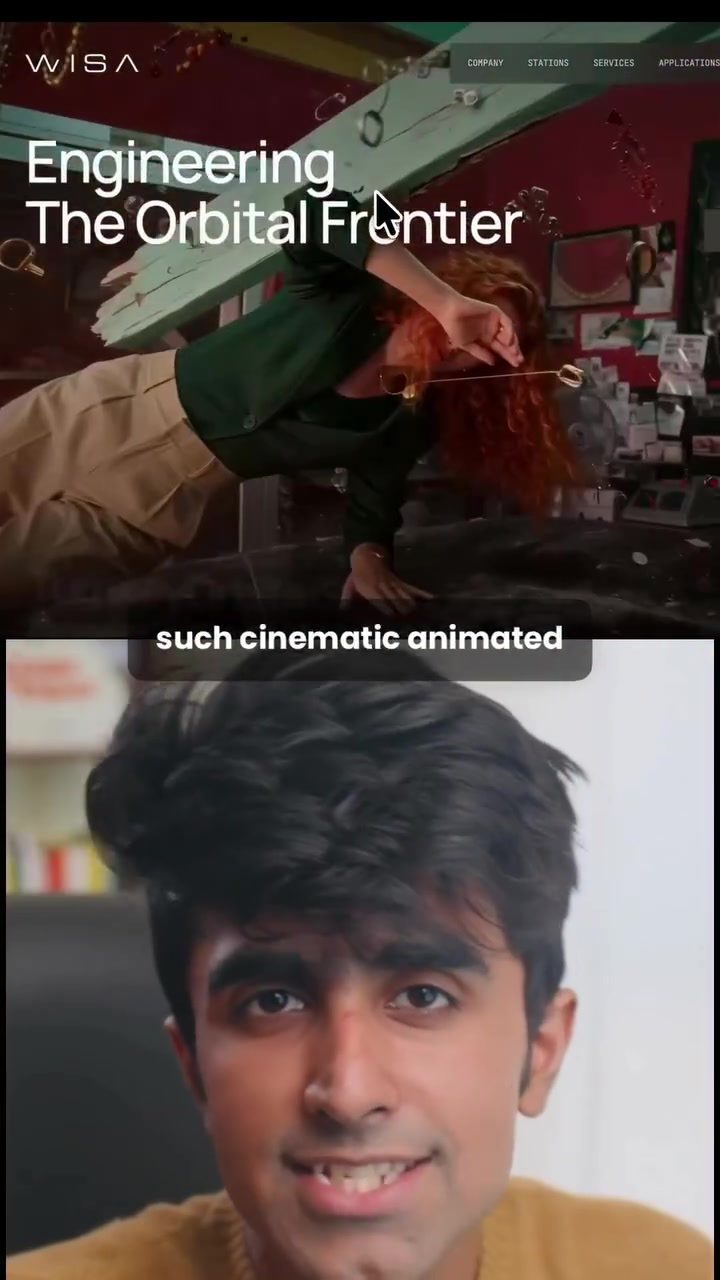
Animated Websites: A Comprehensive Guide to Creating Cinematic Landing Pages
Creating a visually stunning, cinematic animated website can significantly enhance user engagement and provide a captivating experience. To achieve this, you can leverage a combination of powerful tools and platforms. This guide will walk you through a three-step process to create an impressive animated landing page for free.
Context: Why This Matters
Captivating visuals and dynamic animations can transform a simple landing page into a compelling narrative. This approach is particularly effective for showcasing games, movies, or any content that benefits from a rich, immersive environment. By following these steps, you can create a professional-looking website that stands out from the competition.
Main Discussion
Step 1: Generate the Image
The first step in creating a cinematic animated website is to generate a high-quality image. This image will serve as the foundation for your animated video. Here’s how to do it:
- Choose an Image Generation Tool: Start by selecting a free image generation tool like GPT or any other AI model that fits your needs.
- Create a Freeze Effect Shot: Input a prompt that generates a "freeze effect shot." This type of image captures a single moment with a cinematic quality.
- Save the Image: Once the image is generated, save it for the next step.
A freeze effect shot is ideal for this purpose because it creates a sense of motion and can be easily animated. This step sets the visual tone for your entire project.
Step 2: Animate the Image
Next, you need to animate the still image you generated in the first step. This process involves using a video model to bring your image to life. Here’s how to do it:
- Select a Video Model: Use a video model like C-Dance, which can be run on platforms such as Higgs Field or Morphic.
- Input the Image: Paste your still image into the video model.
- Generate Motion: Paste the video prompt provided and generate the animation. This will produce a few seconds of cinematic motion, adding depth and movement to your image.
The video prompt is crucial as it dictates the type of animation and the overall look of the final product. Make sure to experiment with different prompts to achieve the desired effect.
Step 3: Build the Website
With your animated video ready, you can now create the landing page. Here’s how to do it:
- Choose a Website Builder: Go to Claude Design, a powerful tool for building websites.
- Type Your Requirements: Specify what you want to build, such as a game landing page.
- Integrate the Video: Drop in the video link you generated in the previous step and paste the final prompt.
- Generate the Site: Hit the "Generate" button, and within a few seconds, you’ll have a fully functional landing page.
For example, a mythology-themed game like "League of Arjuna" would benefit greatly from this approach. The animated hero video at the top and the war theme make the landing page visually compelling.
Practical Tips
- Experiment with Prompts: The quality of your final product heavily depends on the prompts you use. Don't hesitate to tweak and experiment with different prompts to get the best results.
- Use High-Quality Images: The initial image you generate sets the tone for the entire project. Ensure it is high-quality and visually appealing.
- Leverage Free Tools: There are numerous free tools and platforms available that can help you achieve professional results without breaking the bank.
Additionally, always save your prompts and any custom settings you use. This will make it easier to replicate or modify your work in the future.
Important Takeaways
- Free Tools Available: You can create cinematic animated websites for free using a combination of image and video models, along with website builders like Claude Design.
- Three-Step Process: The process involves generating a high-quality image, animating it, and then building the website.
- Customization: The key to a successful project is in the details—from the initial prompts to the final touches on your website.
By following these steps and tips, you'll be able to create a visually stunning, cinematic landing page that captures attention and engages users from the moment they land on your site.
Conclusion
Creating a cinematic animated website is an achievable task with the right tools and a clear process. Whether you're showcasing a game, a movie, or any other visually rich content, this three-step method ensures that your landing page stands out. By leveraging free tools and platforms, you can produce professional-quality results without significant investment. Start experimenting with prompts and building your animated websites today!
Watch the Reel
Questions readers ask
What are the benefits of creating an animated website?
Animated websites can significantly boost user engagement by providing an immersive and captivating experience. They are particularly effective for showcasing rich content such as games, movies, or other multimedia, helping to create a compelling narrative that keeps visitors engaged and encourages them to explore further.
What tools can be used to create animated images for free?
There are several free tools available for creating animated images. Platforms like GIMP, Canva, and Pexels offer robust tools for generating high-quality images, while tools like LottieFiles and Animatron can help you animate these images to create dynamic and engaging visuals.
How do I create a cinematic landing page for a game or movie?
To create a cinematic landing page, start by generating high-quality images that capture the essence of your game or movie. Use free tools like Pexels or Unsplash to source or create these images, then animate them using platforms like LottieFiles or Animatron. Finally, integrate these animations into your website to create an immersive and engaging user experience.
What are the essential steps to create an animated website?
The essential steps include generating high-quality images, animating them, and then integrating these animations into your website. Free tools and platforms can assist in each of these stages, making it accessible to create visually stunning and engaging landing pages.
Can I create an animated website without any design experience?
Yes, even without prior design experience, you can create an animated website. Free tools and tutorials are available to guide you through the process, from image generation to animation and integration, making it possible for anyone to develop a captivating and immersive website.
What types of animations work best for cinematic websites?
For cinematic websites, animations that mimic real-world movements and create a sense of depth and dimension are most effective. Subtle, smooth transitions, parallax effects, and interactive elements can enhance the user experience, making the website more engaging and visually appealing.
How can I ensure my animated website loads quickly and performs well?
To ensure your animated website loads quickly, optimize your images and animations for web use. Use compressed file formats, lazy loading techniques, and efficient coding practices. Regularly test the performance of your website to identify and address any issues that may affect loading speeds and user experience.
Related deep dives
Similar reads based on topic and creator.




Recent articles
Fresh deep dives from the latest Reels we unpacked.




Comments
Be the first to comment.