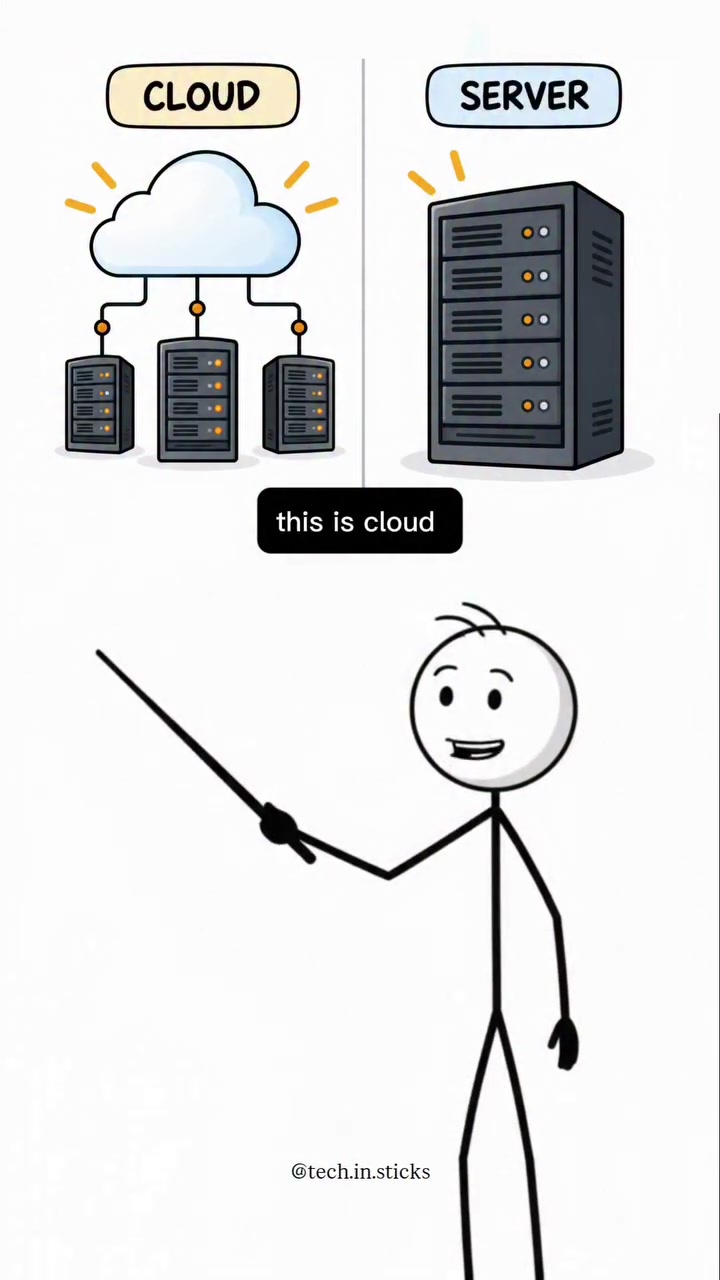
A server is a computer that stores data, runs applications, or provides services to other computers, while the cloud is essentially a network of servers working together over the internet. Consider the cloud a vast array of servers, while a server is a single, more powerful computer. They collectively handle tasks that users' devices might struggle with.
Servers at Work
A server is a computer designed to manage, store, and process data. It runs applications and provides services to other computers. Imagine a server as a powerful workhorse, handling complex tasks like storing vast amounts of files, running software, and managing network requests. At home, a server might host a personal website, stream media, or manage a smart home system. Businesses use servers to run their internal networks, host websites, and manage customer data. Servers often come in racks, which are vertical frames that house multiple servers. Each server packs considerable computing power with massive storage, fast processors, and robust connectivity. Servers can have extensive memory and specialized components to handle specific tasks, like managing databases or running virtual machines. They are reliable, often designed with redundant parts to minimize downtime. Servers run a variety of operating systems, but many use Linux distributions or Windows Server.
Shifting from Servers to Cloud
The cloud represents a paradigm shift from using a single, local server to harnessing a network of interconnected servers. Instead of relying on a single, physical machine, cloud computing allows users to access computing resources over the internet. Called "cloud storage" or "hosted services," data is stored on remote servers managed by third-party providers. When you upload photos to Google Photos or stream a movie from Netflix, you're using the cloud. You are using services over the internet without storing data on your device. Users can use the cloud for storage, read more books from an online library, listen to music or watch movies and shows, and more. Companies use the cloud to scale their businesses, develop apps, or run complex data analysis. The cloud's versatility and scalability make it a powerful tool for both entrepreneurs and corporations. You can rent a virtual server from a cloud provider, a practice known as "hosting." This allows users to run software, store data, and manage applications without owning physical hardware.
The Cloud's Engine
Distributed Servers
Cloud computing relies on a network of servers distributed across various locations. These servers work together to provide computing resources over the internet. When a user accesses a cloud service, their request is routed through the internet to one of these servers. The servers handle the request, process the data, and send the results back to the user. This distributed setup ensures that cloud services remain available even if some servers go offline.
Scalable Infrastructure
One cloud's defining feature is its scalability. Unlike a single server, which has fixed resources, the cloud can scale up or down based on demand. Need more storage for a project? The cloud can allocate additional resources. When demand decreases, the cloud can scale back, optimizing resource usage and cost. This flexibility makes the cloud ideal for applications with varying workloads.
Redundancy and Reliability
The cloud's infrastructure is designed for redundancy and reliability. Data is often replicated across multiple servers in different locations. If one server fails, another can take over seamlessly, ensuring data availability and minimizing downtime. The same goes for the services themselves. Cloud providers build redundancy into their systems, ensuring that critical services remain accessible even if part of the infrastructure goes offline. This redundancy is crucial for businesses that rely on continuous uptime and reliable access to their data.
Taking Cloud for a Spin
- Start Small: Begin with basic cloud services like Google Drive or Dropbox to store and access files from anywhere. These services are user-friendly and offer free tiers for simple use. They provide an easy way to understand how cloud storage works.
- Upgrading: Consider using more advanced features as your needs grow. Many cloud providers offer scalable services, allowing you to upgrade storage, processing power, and other resources as your requirements evolve. Take online surveys, interviewing a tech expert, and answering FAQs to gain insights on what the user needs.
- Beyond Storage: Explore cloud services beyond just storage. Cloud-based applications can streamline workflows, enhance collaboration, and provide powerful tools for productivity and creativity. For instance, Adobe Creative Cloud offers software for graphic design, video editing, and web development. Familiarize yourself with these tools to leverage the full potential of the cloud.
- Cost Analysis: Evaluate the cost benefits of using the cloud. While cloud services often come with subscription fees, they can be more cost-effective than investing in and maintaining physical hardware. Compare the costs of cloud storage and on-premises solutions to determine which option best fits your budget. Cloud technology has transformed the way we store, process, and access data. It offers unparalleled flexibility, scalability, and reliability, making it a cornerstone of modern technology.
Watch the Reel
Questions readers ask
What exactly is a server and how is it different from a regular computer?
A server is a powerful computer designed to manage, store, and process data, as well as run applications and provide services to other computers. Unlike regular computers, servers are optimized for heavy workloads, often with extensive memory, fast processors, and robust connectivity to handle tasks like storing vast amounts of files, running software, and managing network requests. You can think of a server as a workhorse that keeps other devices functioning smoothly.
How does cloud storage work if it's not on my own device?
Cloud storage works by storing your data on remote servers managed by third-party providers. When you upload a file, like a photo to Google Photos, it's sent over the internet to one of these remote servers. You can access this data from anywhere with an internet connection, and it doesn't take up space on your local device. This makes it convenient for backing up data, sharing files, and accessing information on the go.
What does it mean when I'm 'renting a virtual server' from a cloud provider?
Renting a virtual server, or hosting, means you're leasing computing resources from a cloud provider without having to buy and maintain physical hardware. This virtual server can be used to run software, store data, and manage applications, just like a physical server. It's a cost-effective way to access powerful computing resources, especially for businesses or projects that need to scale quickly.
Can I use the cloud for anything other than storage?
Absolutely. The cloud offers a wide range of services beyond just storage. You can use it to run applications, develop and test software, perform complex data analysis, or even stream media. It's a versatile tool for both personal and business needs, allowing you to access powerful computing resources from anywhere with an internet connection.
How does the cloud ensure that my data is always available?
The cloud uses a distributed network of servers spread across various locations. This means that even if one server goes offline, your data is still accessible through other servers in the network. This redundancy ensures high availability and minimizes downtime, making the cloud a reliable option for storing and accessing data.
What are the advantages of using the cloud over a single server?
The cloud offers several advantages over a single server. It provides scalability, meaning you can easily increase or decrease resources based on your needs. It also offers better reliability and availability due to its distributed nature. Additionally, the cloud eliminates the need for physical hardware, reducing maintenance costs and space requirements.
Can the cloud handle tasks that a regular server can’t?
Yes, the cloud can handle tasks that a regular server might struggle with, especially when it comes to scalability and resource management. For instance, if a business experiences a sudden spike in traffic, a single server might not be able to handle the increased load. The cloud, however, can automatically scale up resources to meet the demand, ensuring smooth operation during peak times.
Related deep dives
Similar reads based on topic and creator.



Recent articles
Fresh deep dives from the latest Reels we unpacked.




Comments
Be the first to comment.