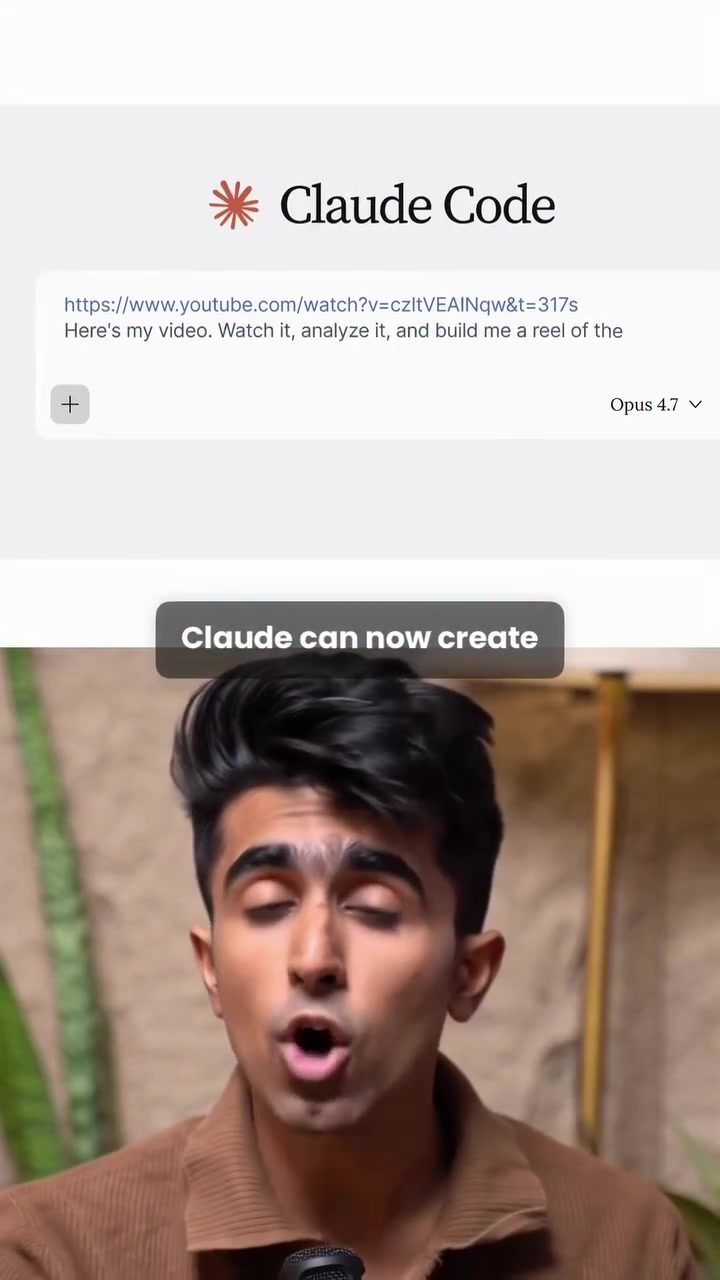
Claude AI Tool: Revolutionizing Video Creation with MCP
Claude, an advanced AI tool, has introduced a groundbreaking feature that turns full-length YouTube videos into polished, ready-to-post short-form videos with just one click. This new capability, powered by Higgsfield's MCP, is designed to streamline the process of creating engaging video content for platforms like Instagram and TikTok. But what does this new tool bring to the table, and how can you use it to elevate your video content?
Context / Why This Matters
In today’s digital landscape, short-form videos have become a ubiquitous and powerful way to engage audiences. Whether you're a content creator, marketer, or business owner, the ability to produce high-quality, engaging video content quickly and efficiently can make a significant difference in your reach and impact. Claude's new feature, integrated with MCP, aims to make this process seamless, allowing users to convert lengthy videos into bite-sized, shareable clips effortlessly.
Main Discussion
What is Claude and How Does it Work?
Claude is an AI tool that has traditionally been used for various tasks, from content creation to data analysis. With the introduction of Higgsfield's MCP, Claude can now connect to external tools, enabling it to perform a wider range of tasks that go beyond simple chat functions. MCP (Multi-Connector Platform) allows Claude to interact with external applications, facilitating more hands-on tasks like video editing.
The MCP Feature in Detail
MCP is essentially the backbone of this new feature. It allows Claude to connect to and utilize external tools, making it a versatile and powerful AI assistant. Setting up MCP is straightforward: you head to the MCP website, copy the link, and then in Claude, navigate to connectors, add a new connector, and paste the link. Once connected, Claude can access a variety of external tools, including video editing software, to perform complex tasks.
Creating Short-Form Videos
The process of turning a full-length YouTube video into a ready-to-post short-form video is streamlined with Claude and MCP. Here’s how it works:
- Upload Your Video: First, you upload the full-length video to Claude. This could be any video file, not just from YouTube.
- Customize Your Output: Claude will then ask you a few questions to customize the output. This includes choosing the subtitles and the format of the video.
- Processing: Within seconds, Claude processes the video, creating multiple clips, adding captions, and framing them perfectly for short-form platforms.
- Ready to Post: The resulting clips are ready to be posted directly to your social media channels, complete with captions and a polished look.
The Benefits of Using Claude for Video Creation
Using Claude for video creation offers several advantages:
- Speed and Efficiency: The entire process, from uploading the video to getting the final clips, takes just a few seconds. This makes it ideal for creators who need to produce content quickly.
- Consistency and Quality: Claude ensures that all clips are consistently formatted and high-quality, reducing the need for manual editing.
- Versatility: The tool can be used for a variety of video content, from podcasts to webinars, making it versatile for different types of creators.
Customizing Your Output
One of the standout features of this tool is the ability to customize the output to suit your needs. When you upload a video, Claude will ask for your preferences regarding subtitles and format. This ensures that the final clips are tailored to your audience and platform, enhancing their impact.
The Role of Higgsfield Credits
To get started with this feature, you need a few Higgsfield credits. These credits are used to access the MCP and perform the video conversion tasks. If you’re interested in using this feature, make sure to have some credits on hand. Additionally, if you need the link to set up MCP, you can request it by reaching out to the creator.
Practical Tips
Setting Up MCP
- Visit MCP Website: Start by visiting the MCP website and copying the link provided.
- Add Connector in Claude: In Claude, go to the connectors section, hit "add new connector," and paste the link.
- Connect and Start: Once connected, you can start using Claude to convert your videos.
Optimizing Your Videos for Short-Form Platforms
To maximize the impact of your videos on short-form platforms, consider the following tips:
- Choose Engaging Clips: Ensure that the clips highlight the most engaging or informative parts of your original video.
- Add Relevant Captions: Use captions to provide context and make your videos accessible to a wider audience.
- Maintain Consistency: Keep the format and style consistent across all your clips to build a recognizable brand.
Creative Uses for Short-Form Videos
Short-form videos can be used in a variety of creative ways. Here are a few ideas:
- Promotional Clips: Create promotional clips for your products or services, showcasing key features and benefits.
- Behind-the-Scenes Content: Share behind-the-scenes footage from your production process or events.
- Tutorials and How-Tos: Break down complex topics into bite-sized tutorials, making them easier to digest and share.
Important Takeaways
- Efficiency: Claude and MCP significantly reduce the time and effort required to create short-form video content.
- Customization: The ability to customize subtitles and formats ensures that your videos are tailored to your audience and platform.
- Versatility: This tool can be used for a wide range of video content, making it a valuable asset for content creators and businesses.
Conclusion
Claude’s new feature, powered by Higgsfield’s MCP, represents a significant advancement in AI-powered video creation. By allowing users to quickly and easily convert full-length videos into engaging short-form clips, this tool opens up new possibilities for content creation and distribution. Whether you’re a content creator, marketer, or business owner, integrating Claude into your workflow can help you stay ahead in the fast-paced world of digital content.
Watch the Reel
Questions readers ask
What is the Claude one-click feature, and how does it work?
The Claude one-click feature is a new functionality that allows users to transform full-length YouTube videos into short-form videos instantly. By integrating with MCP from Higgsfield, this feature enables users to convert videos with a single click, making the process of creating and sharing short videos effortless.
Which platforms can I share the converted short-form videos on?
The short-form videos created using Claude's one-click feature can be shared on popular platforms like Instagram and TikTok. These platforms are known for their high engagement with short-form content, making it easier to reach a wider audience.
What are the benefits of using Claude's YouTube to Reels conversion tool?
Using Claude's YouTube to Reels conversion tool saves time and effort in creating short-form videos. It streamlines the video creation process, allowing users to focus on other aspects of content creation and engagement, while ensuring the videos are polished and ready for sharing across multiple platforms.
How does the integration with Higgsfield's MCP enhance video creation?
The integration with Higgsfield's MCP (Media Content Processing) enhances video creation by automating the process of converting long videos into short, shareable clips. This integration ensures that the converted videos are of high quality and tailored for optimal engagement on social media platforms.
Can I customize the short-form videos created by Claude?
The current one-click feature focuses on quick and efficient conversion, but customization options may vary. Users should check the tool's settings or documentation for any available customization features, such as trimming, adding effects, or editing the content to better fit their needs.
Is there a specific format or requirement for the YouTube videos to be converted?
As of now, the specific requirements for the YouTube videos to be converted are not detailed. However, it is generally best to use high-quality videos with clear audio and visual content for optimal results. Users should ensure their videos are readily accessible and compatible with the tool's integration with MCP from Higgsfield.
What if I encounter issues with the conversion process?
If you encounter issues with the conversion process, it is recommended to check the tool's troubleshooting guide or contact customer support. Providing details about the problem, such as error messages or specific steps taken, can help in resolving the issue more efficiently.
Related deep dives
Similar reads based on topic and creator.




Recent articles
Fresh deep dives from the latest Reels we unpacked.




Comments
Be the first to comment.