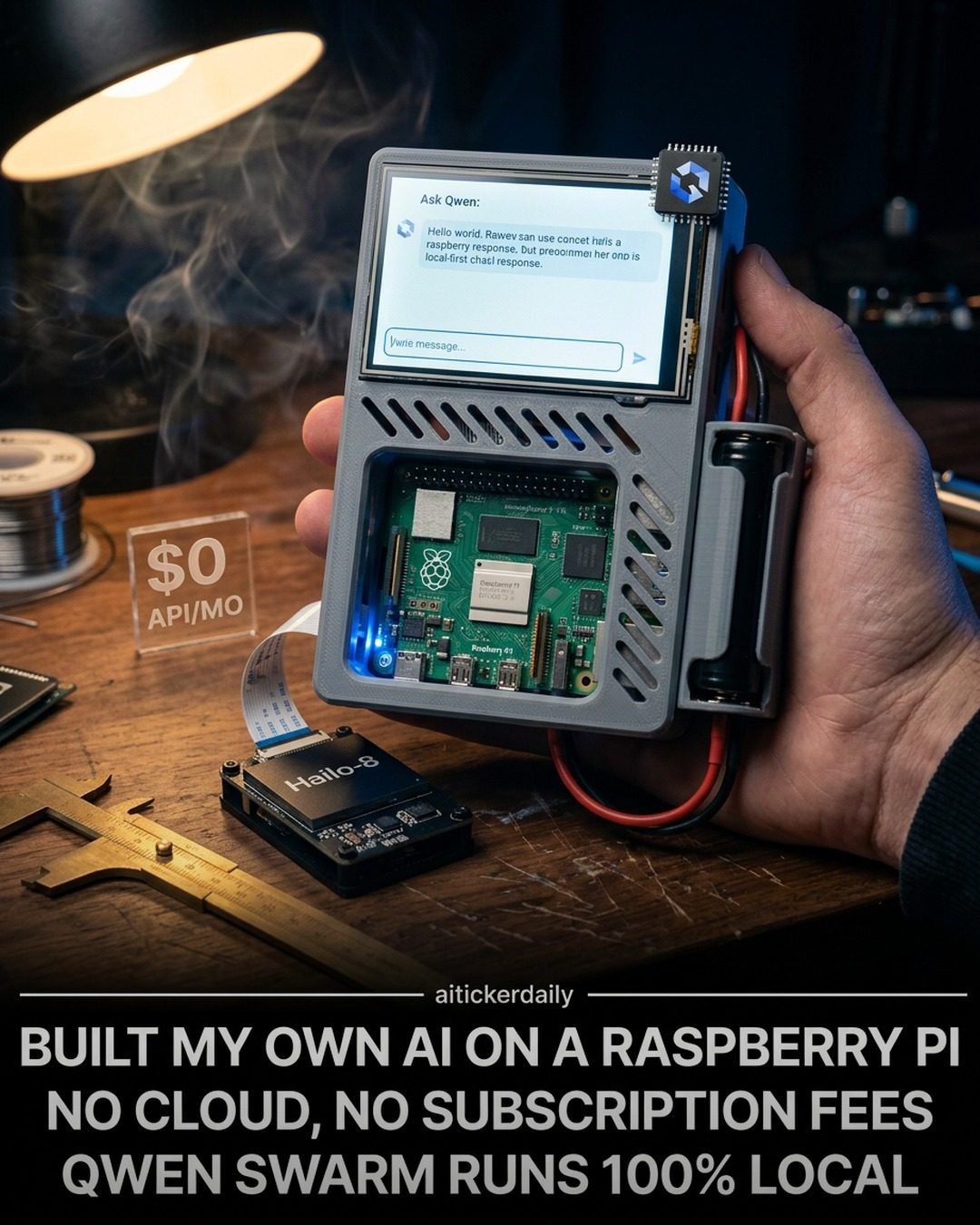
Fully Local AI on a Raspberry Pi
Embarking into the realm of artificial intelligence (AI) doesn't have to break the bank or require a subscription to cloud services. The Raspberry Pi 5, a compact and powerful single-board computer, has been harnessed by a maker to create a fully local AI system named Pocket. This setup offers voice processing, task management, and a host of other features, all while running entirely on local hardware with no reliance on cloud services.
Why This Matters
For those who want to reduce subscription fees or avoid the dependency on cloud-based services for AI tasks, a Raspberry Pi 5 provides a robust and cost-effective alternative. The ability to perform AI tasks locally means faster processing times and enhanced privacy, as all data remains on the device.
Main Discussion
Introduction to Raspberry Pi 5 and Pocket
The Raspberry Pi 5, coupled with a custom-built AI system named Pocket, is a game-changer for those interested in AI but want to avoid the recurring costs associated with cloud services. This local AI setup runs on a Raspberry Pi and is equipped with a range of advanced features.
Key Features of the Local AI System
The Pocket AI setup on a Raspberry Pi 5 boasts several impressive features that make it a powerful tool for local AI tasks:
-
Swarm Routing with Qwen: The device uses a custom Qwen swarm router to efficiently manage tasks. This router sends simple chat tasks to a fast model and more complex tasks to a "thinking mode," ensuring optimal performance and efficiency.
-
Voice Processing with Fast Whisper and Piper: The system includes Fast Whisper for voice recognition and Piper for natural speech generation. This combination allows the device to process and respond to voice commands accurately and naturally.
-
UPS and Vision Hardware: The setup includes a dual 18650 UPS (Uninterruptible Power Supply), providing approximately 1-2 hours of continuous neural network use without being plugged in. Additionally, a 12MP Arducam plus Hailo-8 NPU is used for vision tasks, enhancing the device's capability to perform image and video processing.
-
Function Gemma Tools: The device is equipped with Function Gemma tools, which offer a range of functionalities, including data processing, system monitoring, and more.
Custom Qwen Swarm Router
The custom Qwen swarm router is a critical component of the Pocket AI setup. This router intelligently manages the processing of tasks by directing less demanding tasks to a fast model and more complex tasks to a thinking model. This ensures that the system performs efficiently and quickly, even with a variety of tasks.
Voice Processing Capabilities
Voice processing is a key feature of the Pocket AI system. Fast Whisper handles voice recognition, converting spoken commands into text, while Piper generates natural speech, making the device responsive and user-friendly. This combination allows for seamless interaction with the device, making it ideal for personal assistants and other voice-activated applications.
Power and Vision Hardware
The inclusion of a dual 18650 UPS ensures that the device can continue to function for 1-2 hours even when unplugged. This feature is particularly useful for mobile applications or situations where a constant power supply is not available. The 12MP Arducam plus Hailo-8 NPU enhances the device's ability to perform complex vision tasks, making it suitable for applications that require high-quality image and video processing.
3D-Printed Case and Touchscreen Display
The device is housed in a 3D-printed case designed for durability and ease of use. The touchscreen display provides a user-friendly interface, making it easy to interact with the device and access its various features.
Practical Tips
Building Your Own Local AI System
For those interested in building their own local AI system using a Raspberry Pi, here are some practical tips to get you started:
-
Gather Necessary Components: Ensure you have a Raspberry Pi 5, a suitable power supply, and all necessary hardware components such as the UPS and vision hardware.
-
Install Software and Tools: Download and install the required software, including the Qwen swarm router, Fast Whisper, and Piper voice processing tools. The open-source repository on GitHub provides detailed instructions and code to help you set up the system.
-
Assemble the Hardware: Follow the detailed guide to assemble the hardware, including the 3D-printed case and touchscreen display.
-
Configure the System: Configure the system to suit your needs, ensuring that all components are properly connected and functioning.
-
Test and Optimize: Test the system thoroughly to ensure it performs as expected. Optimize the settings and configuration for the best possible performance.
Important Takeaways
-
Cost-Effective Solution: Building a local AI system on a Raspberry Pi 5 can be a cost-effective alternative to using cloud-based services, saving on subscription fees and API costs.
-
Enhanced Privacy: Running AI tasks locally ensures that data remains on the device, enhancing privacy and security.
-
Versatile Applications: The system can be used for a variety of applications, including personal assistants, image and video processing, and more.
-
Customization: The open-source nature of the project allows for extensive customization, making it adaptable to various needs and requirements.
Conclusion
The Pocket AI system on a Raspberry Pi 5 offers a compelling solution for those looking to harness the power of AI without the need for cloud services. With its advanced features, including swarm routing, voice processing, and powerful vision hardware, this local AI setup provides a versatile and cost-effective option for a wide range of applications. By building your own local AI system, you can enjoy enhanced privacy, reduced costs, and the flexibility to customize the system to meet your specific needs.
Watch the Reel
Questions readers ask
What components are needed to build a local AI assistant with a Raspberry Pi 5?
To build a local AI assistant like Pocket, you'll need a Raspberry Pi 5, a microphone for voice input, and a speaker for audio output. Additionally, you'll need a power supply, an SD card for storage, and a case to house the components. Some projects might also require specific cables and accessories, depending on the setup.
Can the Raspberry Pi 5 handle voice processing tasks effectively?
Yes, the Raspberry Pi 5 is capable of handling voice processing tasks. Its improved processing power and enhanced capabilities make it suitable for tasks like speech recognition and text-to-speech conversions, allowing for seamless voice interactions with your AI assistant.
How does the Pocket AI assistant manage tasks locally?
The Pocket AI assistant, running on a Raspberry Pi 5, manages tasks locally by utilizing onboard processing power and storage. This means that tasks such as reminders, scheduling, and information retrieval are handled directly on the device, ensuring faster processing times and enhanced privacy.
What are the benefits of using a local AI assistant like Pocket?
Using a local AI assistant like Pocket offers several benefits, including enhanced privacy since all data remains on the device, faster processing times due to local task management, and cost savings by eliminating the need for cloud subscription fees. Additionally, it provides a reliable and customizable solution for users.
Can I integrate the Pocket AI assistant with other services and devices?
Yes, the Pocket AI assistant can be integrated with various third-party services and devices through APIs and custom scripts. This allows for expanded functionality, enabling you to control smart home devices, access online services, and more, all while keeping your data local.
Where can I find source code and additional resources for building a local AI assistant with a Raspberry Pi 5?
Many projects, including the Pocket AI assistant, share their source code and documentation on platforms like GitHub. Searching for Raspberry Pi 5 AI projects on GitHub can provide you with a wealth of resources, including code, tutorials, and community support to help you build and customize your own local AI assistant.
What are the advantages of using a Raspberry Pi 5 for AI projects over other single-board computers?
The Raspberry Pi 5 offers several advantages for AI projects, including its powerful processing capabilities, extensive community support, and a wide range of compatible peripherals. Its compact size and affordability make it an ideal choice for both beginners and experienced makers looking to build local AI assistants and other AI-driven applications.
Related deep dives
Similar reads based on topic and creator.




Recent articles
Fresh deep dives from the latest Reels we unpacked.




Comments
Be the first to comment.