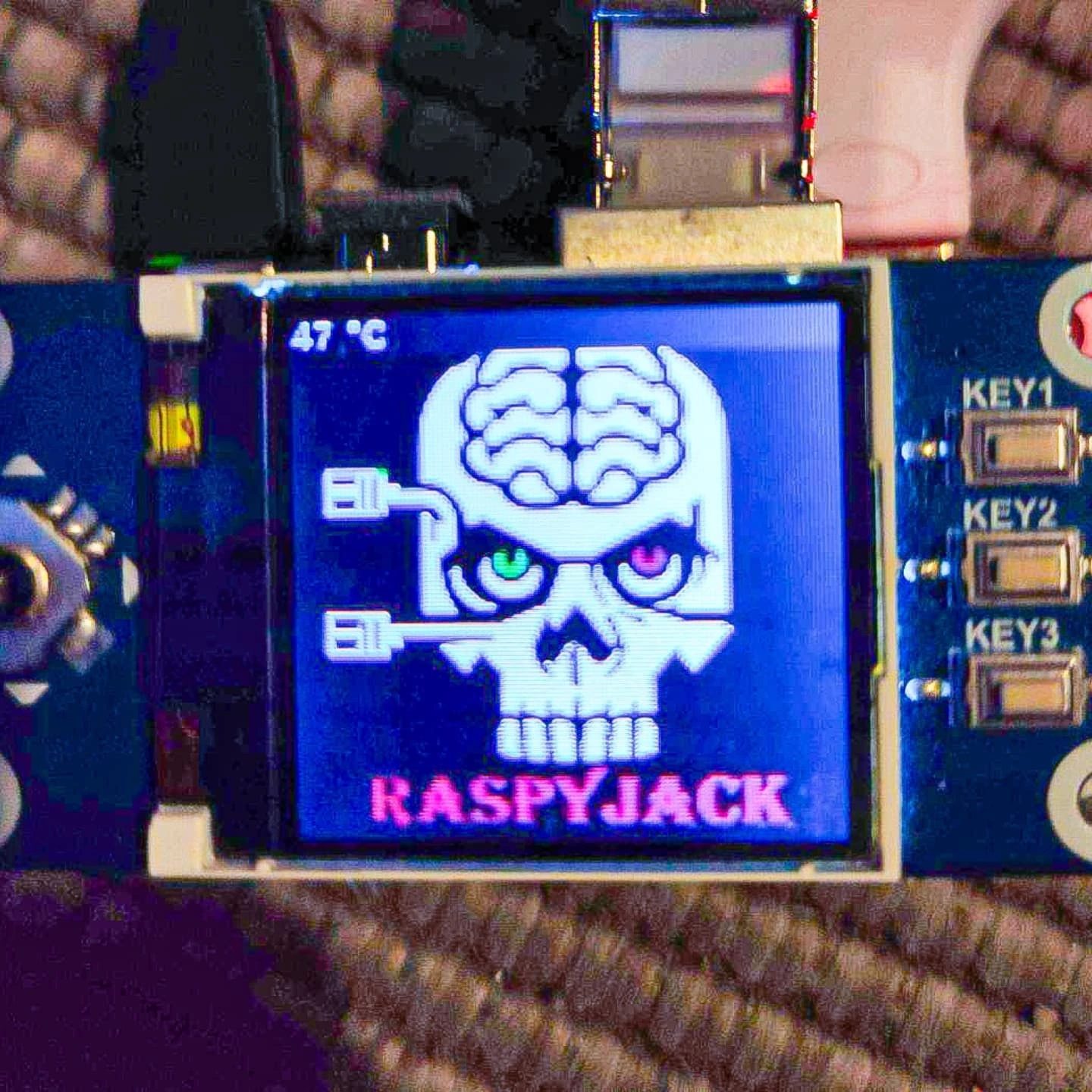
Raspberry Pi Zero 2 W and Waveshare 1.44” LCD Network Multitool
The RaspJack is a innovative Raspberry Pi-based device that transforms a Raspberry Pi Zero 2 W and Waveshare 1.44” LCD into a portable network multitool. This compact device packs a punch with its array of tools designed for network analysis and penetration testing. Let's dive into the features and capabilities of the RaspJack.
Why this matters
In an era where network security is paramount, having a versatile and portable tool for network analysis and penetration testing is invaluable. The RaspJack, with its compact design and robust feature set, offers professionals and enthusiasts a powerful device for on-the-go network assessments.
Key Features
The RaspJack is equipped with a range of features that make it a formidable tool for network analysis and penetration testing. Here are some of its key features:
Recon: Multi-profile Nmap Scans
One of the standout features of the RaspJack is its ability to perform multi-profile Nmap scans. Nmap, a popular network scanning tool, is integrated into the device, allowing users to run various scanning profiles to gather detailed information about network devices and configurations. This capability is essential for identifying vulnerabilities and understanding the network topology.
Shells: Reverse-Shell Launcher
The reverse-shell launcher feature enables users to quickly establish a reverse shell connection to a target system. This feature allows users to pick an IP address on the fly or use a preset configuration, making it a versatile tool for remote access and penetration testing. This is particularly useful for gaining access to systems that may not be directly accessible from the user's current location.
Creds Capture: Responder, ARP MITM + Sniff, DNS-Spoof Phishing
The RaspJack includes several credential capture methods, making it a powerful tool for penetration testing. Responder, ARP MITM, and DNS-spoof phishing are all integrated into the device, allowing users to capture credentials from network traffic. This feature is crucial for assessing the security of network credentials and identifying potential weaknesses in authentication mechanisms.
Loot Viewer: Read Nmap / Responder / DNSSpoof Logs on the Screen
The loot viewer feature allows users to read Nmap, Responder, and DNSSpoof logs directly on the device's screen. This is incredibly useful for real-time analysis and quick assessments. Being able to view logs on the screen provides immediate feedback and helps in making on-the-spot decisions during penetration testing activities.
Practical Tips
Using the RaspJack effectively requires a good understanding of its features and how to leverage them for network analysis and penetration testing. Here are some practical tips to get the most out of your RaspJack:
Customize Scanning Profiles
Customize your Nmap scanning profiles to suit your specific needs. Different networks and scenarios may require different scanning profiles. Experiment with various profiles to gather the most relevant information for your assessment.
Stay Updated
Ensure that your RaspJack firmware and tools are always up to date. Regular updates help in maintaining the device's security and performance, as well as providing access to the latest features and improvements.
Use Preset Configurations Wisely
While the ability to pick an IP on the fly is useful, using preset configurations can save time and reduce the risk of errors. Preset configurations are particularly useful in environments where quick and reliable access is required.
Monitor Temperature
Keep an eye on the device's temperature, which the screen displays in real time (e.g., 47°C, 36°C, 34°C). This will help you monitor the device's performance and avoid overheating, which can affect its functionality.
Important Takeaways
- The RaspJack is a versatile and powerful network analysis and penetration testing tool.
- Its compact design and robust feature set make it ideal for on-the-go assessments.
- Key features like multi-profile Nmap scans, reverse-shell launcher, and credential capture methods enhance its functionality.
- Customize scanning profiles, keep the device updated, and monitor its temperature for optimal performance.
Conclusion
The RaspJack is a game-changer for network analysis and penetration testing. With its compact design and comprehensive suite of tools, it offers a powerful solution for professionals and enthusiasts alike. Whether you're conducting a routine network assessment or performing a deep dive into network security, the RaspJack has you covered.
Watch the Reel
Questions readers ask
What hardware components are required to build a RaspJack network analyzer?
To build a RaspJack, you will need a Raspberry Pi Zero 2 W and a Waveshare 1.44” LCD. These components, along with a few additional parts, transform the RaspJack into a compact and powerful tool for network analysis and penetration testing.
Can the RaspJack perform Nmap scans?
Yes, the RaspJack is equipped to perform Nmap scans. This feature allows users to identify devices on a network, discover open ports, and detect vulnerabilities, making it an essential tool for penetration testing and network assessments.
What is the reverse shell launcher feature on the RaspJack?
The reverse shell launcher is a feature that allows you to establish a reverse shell connection to a target system. This enables you to gain remote access for further analysis, which is particularly useful in penetration testing scenarios.
How does the RaspJack help in identifying network vulnerabilities?
The RaspJack includes tools like Nmap scans and network vulnerability scanners that help identify weaknesses in a network. By running these scans, users can detect open ports, identify running services, and discover potential vulnerabilities, allowing for more secure network configurations.
Is the RaspJack suitable for on-site network assessments?
Absolutely. The pocket-sized design of the RaspJack, combined with its robust feature set, makes it ideal for on-site assessments. Professionals can easily carry this tool to different locations and perform network analysis and penetration testing directly on-site.
Can the RaspJack be used as a general-purpose Raspberry Pi multitool?
While the RaspJack is specifically designed as a network analyzer and penetration testing device, its versatility allows it to be used as a general-purpose Raspberry Pi multitool. With the right software and configurations, it can handle a variety of tasks beyond network analysis, making it a valuable addition to any tech toolkit.
How does the small LCD enhance the usability of the RaspJack?
The Waveshare 1.44” LCD integrated into the RaspJack provides a convenient display for viewing scan results, network information, and other essential data. This small LCD enhances usability by allowing users to interact with the device and monitor progress on the go, even without connecting to an external monitor.
Related deep dives
Similar reads based on topic and creator.




Recent articles
Fresh deep dives from the latest Reels we unpacked.




Comments
Be the first to comment.