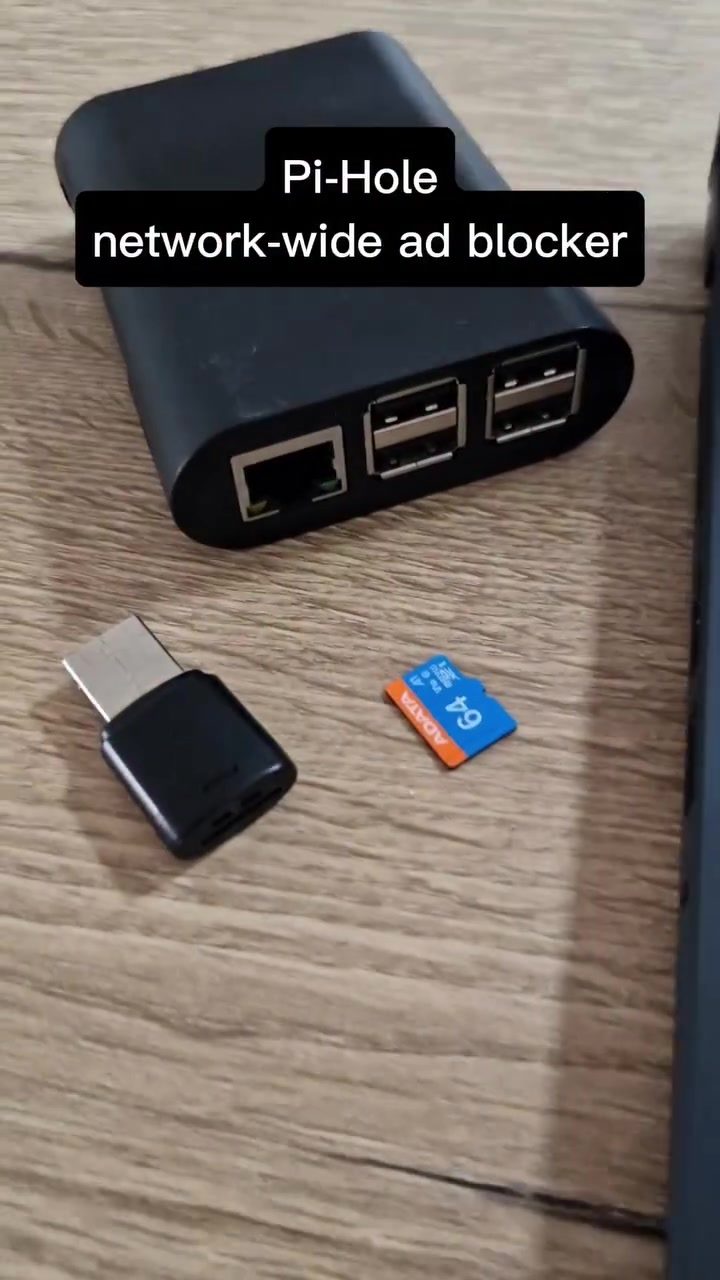
Pi-Hole Network Ad Blocker
Pi-Hole is a lightweight, open-source network-based ad blocker that runs perfectly on a small device like a Raspberry Pi. It blocks ads, trackers, and unwanted content on your entire home network, making everything faster and cleaner. It can block ads on all devices, including smartphones, smart TVs, and even smart fridges.
Context
As our internet-connected devices proliferate, so do the ads that come with them. Ads can slow down devices, clutter your experience, and invade your privacy. Network-wide ad blockers like Pi-Hole offer a solution by blocking these ads at the network level, providing a cleaner, faster, and more private browsing experience across all your devices.
Main Discussion
What is Pi-Hole?
Pi-Hole is a network-wide ad blocker and tracker that runs on a small, single-board computer, such as a Raspberry Pi. Unlike browser-based ad blockers, Pi-Hole blocks ads at the network level, which means it can block ads on all devices connected to your home network, not just on a single device or browser.
How Does Pi-Hole Work?
Pi-Hole works by acting as a DNS sinkhole. It intercepts DNS queries and checks them against a list of known ad servers. If a query matches an ad server, Pi-Hole blocks it, preventing the device from loading the ad. This process happens in real-time, so there's no noticeable delay.
Setting Up Pi-Hole
Setting up Pi-Hole is relatively straightforward. Here's a high-level overview of the process:
- Install Raspberry Pi OS: First, you'll need to install the Raspberry Pi OS on your Raspberry Pi.
- Update and Upgrade: Once you've installed the OS, update and upgrade your system to ensure you have the latest software.
- Install Pi-Hole: Install Pi-Hole using the automated installer. This will also install a lightweight web server and configure your Pi to use it as a DHCP server.
- Configure Pi-Hole: After installation, you can configure Pi-Hole to block specific domains, whitelist others, and more.
- Connect to Your Router: Finally, connect your Pi-Hole to your router. This can be done by connecting your Raspberry Pi to your router via Ethernet or by configuring your router to use Pi-Hole as its DHCP server.
TP-Link Router and Pi-Hole
TP-Link, a popular brand of network technology, makes routers that can pair well with Pi-Hole. By connecting your Pi-Hole to your TP-Link router, you'll be able to have an ad-free network right in your own home. The Pi-Hole dashboard provides statistics on ad blocking performance, including the number of queries blocked and the percentage of ads blocked. This gives you a clear view of how effective Pi-Hole is at keeping your network clean and fast.
Practical Tips
Choosing the Right Hardware
While Pi-Hole can run on various devices, using a Raspberry Pi is highly recommended. It’s affordable, low-power, and designed for such tasks. If you prefer a more powerful setup, consider other single-board computers like the Odroid or even a small, low-power PC.
Configuring Your Router
For the best performance, configure your router to use Pi-Hole as its primary DNS server. This ensures that all devices connected to your network, including smartphones, smart TVs, and gaming consoles, benefit from ad blocking. Most modern routers allow you to set custom DNS servers in their network settings.
Using the Pi-Hole Dashboard
The Pi-Hole dashboard is a powerful tool for monitoring and configuring your ad blocker. You can use it to:
- View Statistics: See how many ads and trackers have been blocked.
- Customize Blocklists: Add or remove domains to tailor the ad-blocking experience.
- Check for Updates: Ensure you're running the latest version of Pi-Hole for improved performance and security.
Advanced Settings
For advanced users, you can fine-tune Pi-Hole to block specific types of ads or trackers, set up conditional blocking, and even create custom blocklists. These settings can be accessed through the Pi-Hole dashboard under the "Group Management" and "Adlists" sections.
Important Takeaways
Pi-Hole is a versatile and powerful tool for anyone looking to block ads and trackers across their entire home network. Its ease of setup, combined with its comprehensive ad-blocking capabilities, makes it an excellent choice for both beginners and advanced users. By using a Raspberry Pi and a TP-Link router, you can create a seamless, ad-free network that enhances your browsing experience and protects your privacy.
Conclusion
Pi-Hole is an essential tool for anyone looking to minimize ads on their home network devices, whether you're tired of ads on your phone, streamlined ads on smart TVs, or simply want a cleaner, faster, and more private browsing experience. With minimal setup and a wide range of configuration options, Pi-Hole is an excellent solution for blocking ads and trackers at the network level, making it a must-have for any tech-savvy homeowner.
Watch the Reel
Questions readers ask
What devices can I use to run Pi-Hole?
Pi-Hole is designed to run on small, low-powered devices. A Raspberry Pi is a popular choice, but you can also use other devices like a virtual private server (VPS), a dedicated server, or even an old laptop. The key is that it should be a device that can run Linux and has an Ethernet connection.
Will Pi-Hole slow down my network?
Pi-Hole is designed to be lightweight and efficient. It should not significantly impact your network speed. In fact, by blocking ads and trackers, it can often improve the performance of your devices. However, the actual impact will depend on your specific network setup and the number of devices connected.
Can Pi-Hole block ads on smartphones and smart TVs?
Yes, one of the main advantages of Pi-Hole is that it can block ads on all devices connected to your network, including smartphones and smart TVs. You don't need to install any additional software or apps on these devices. Once Pi-Hole is set up, it works automatically.
How does Pi-Hole compare to traditional ad blockers?
Traditional ad blockers are typically installed as browser extensions and only work on the device they are installed on. Pi-Hole, on the other hand, blocks ads at the network level, providing protection for all devices on your network. This includes devices that don't support traditional ad blockers, like smart TVs and IoT devices.
How do I know what content Pi-Hole is blocking?
Pi-Hole provides a user-friendly dashboard that allows you to monitor its activity. The dashboard shows you a list of domains that Pi-Hole has blocked, along with other useful statistics. This way, you can see exactly what content is being blocked on your network.
Is Pi-Hole difficult to set up?
Pi-Hole is designed to be user-friendly. There are many setup guides available online that can walk you through the process step-by-step. Basic technical knowledge is helpful, but even beginners should be able to get Pi-Hole up and running with a bit of patience.
Can I customize what Pi-Hole blocks?
Yes, Pi-Hole allows for extensive customization. You can add or remove domains from its block list, create custom block lists, and even set up whitelists for domains you want to allow. This flexibility ensures that you can tailor the ad-blocking experience to your specific needs.
Related deep dives
Similar reads based on topic and creator.




Recent articles
Fresh deep dives from the latest Reels we unpacked.




Comments
Be the first to comment.