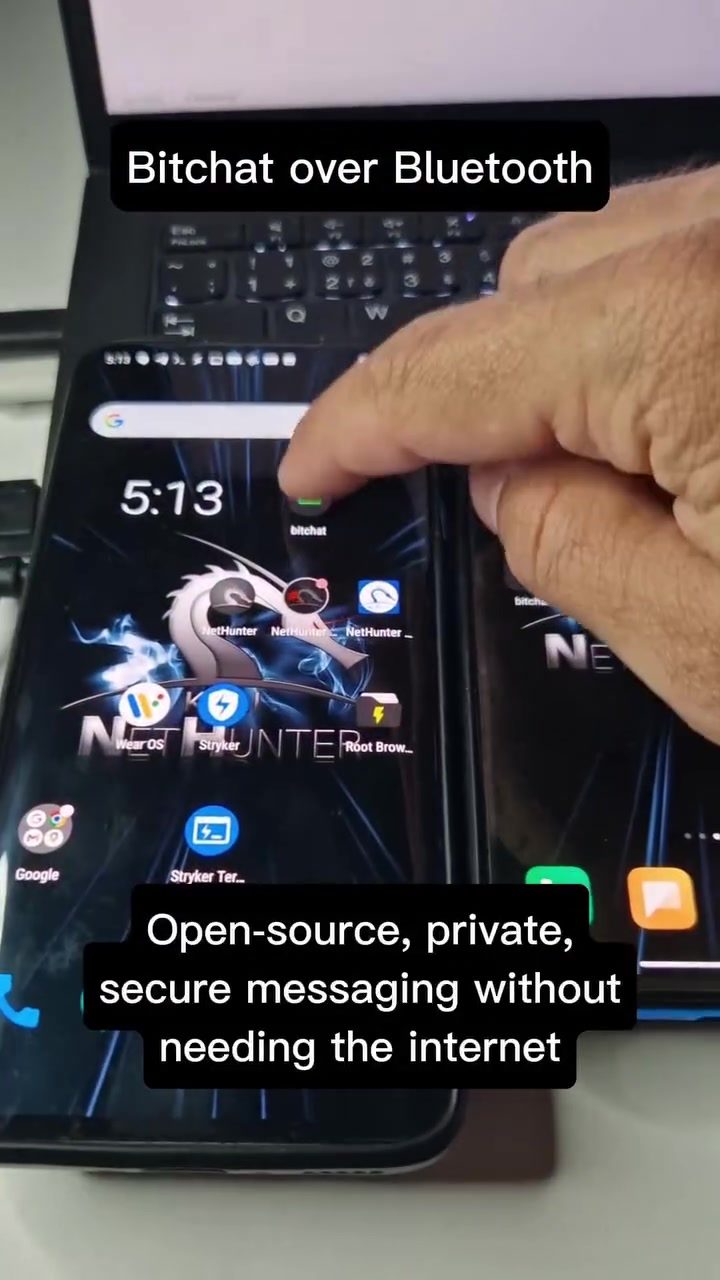
BitChat: Private, Secure Messaging Without Internet
BitChat is an innovative open-source messaging application that enables secure communication without relying on an internet connection. By leveraging Bluetooth technology, BitChat facilitates private and encrypted messaging, making it an ideal solution for users who prioritize privacy and security in their communications.
Context / Why This Matters
In an era where digital communication is ubiquitous, ensuring the privacy and security of messages has become increasingly important. Traditional messaging apps often rely on internet connectivity, which can be compromised by various security vulnerabilities. BitChat addresses this concern by operating over a Bluetooth mesh network, allowing users to communicate securely even when offline.
Main Discussion
How BitChat Works
BitChat functions by creating a Bluetooth mesh network between devices. This network allows messages to be relayed from one device to another without the need for an internet connection. The terminal-like interface of BitChat suggests that it is designed for users who are comfortable with technical interfaces, but its user-friendliness will likely evolve as it gains more traction and becomes more mainstream.
The demonstration shows the process of connecting a Bluetooth device successfully and exchanging messages between users. The application clearly states that it is "Open-source, private, secure messaging without needing the internet." This emphasis on security and privacy is a key feature that sets BitChat apart from other messaging apps.
Security and Privacy Features
One of the standout features of BitChat is its commitment to security and privacy. The app ensures that all messages are encrypted, providing an additional layer of protection against potential breaches. The use of a Bluetooth mesh network further enhances security by eliminating the need for internet connectivity, thereby reducing the risk of interception.
The ability to exchange messages in airplane mode is a testament to BitChat's reliability and functionality. This feature is particularly useful for users who need to communicate in areas with limited or no internet access, such as remote locations or during travel.
User Interface and Experience
While the current version of BitChat has a terminal-like interface, it is still user-friendly for those familiar with such environments. The interface displays messages clearly, with a simple and straightforward layout. The ability to send and receive messages seamlessly, even in airplane mode, is a significant advantage for users who value privacy and security. Users can see messages from "anon2553" or send messages to "@anon3467", showing the simplicity of the messaging process.
Practical Tips
To get started with BitChat, follow these practical tips:
- Download the App: The first version of the BitChat Android app is available for download from its GitHub repository. Ensure you have the latest version for the best experience.
- Connect to Bluetooth: Enable Bluetooth on your device and ensure it is connected to the Bluetooth device successfully. The demonstration video shows the process of connecting a Bluetooth device, which is straightforward and can be done in a few steps.
- Start Messaging: Once connected, you can start sending and receiving messages. The terminal-like interface may take a bit of getting used to, but it is designed to be intuitive for technical users. Simply type your message and hit enter to send, and you will see the responses in the terminal display.
- Explore Additional Features: BitChat is constantly evolving, and new features are being added regularly. Make sure to check the latest updates and explore the additional functionalities that the app offers.
Important Takeaways
BitChat represents a significant advancement in secure and private communication. By leveraging Bluetooth technology, it provides a reliable and secure way to exchange messages without the need for an internet connection. The terminal-like interface may initially seem complex, but it ensures that the app remains highly secure and private. Regular updates and improvements will make BitChat more accessible and user-friendly, making it a valuable tool for users who prioritize privacy and security.
Conclusion
BitChat is a powerful tool for secure and private communication, particularly in situations where internet access is limited or unavailable. Its use of Bluetooth technology and a terminal-like interface makes it a unique and reliable option for users who value privacy and security. As the app continues to evolve, it has the potential to become a go-to solution for secure messaging in various scenarios.
Watch the Reel
Questions readers ask
What is BitChat and how does it work?
BitChat is an open-source messaging app that uses Bluetooth technology to facilitate secure, encrypted communication. It operates via a mesh network, allowing users to send messages without needing an internet connection. This makes it an excellent choice for those looking to maintain secure, private conversations even in areas with limited or no internet access.
How does BitChat ensure the security of my messages?
BitChat uses end-to-end encryption to secure your messages, ensuring that only the intended recipient can read them. By operating over a Bluetooth mesh network, it eliminates the need for internet connectivity, reducing the risk of interception and enhancing privacy.
Can I use BitChat while in airplane mode?
Yes, BitChat is designed to function in environments where internet access is restricted, including airplane mode. Since it relies on Bluetooth technology, you can use it to send and receive messages even when your device's internet connectivity is disabled.
Why is BitChat considered a secure messaging app without internet?
BitChat is considered secure because it uses a Bluetooth mesh network, which does not rely on internet connectivity. This independence from the internet minimizes the risk of hacking and data breaches, ensuring that your communications remain private and secure.
Is BitChat only for local communication?
BitChat's primary function is for local communication, but its mesh network capabilities allow messages to be relayed through other devices, effectively expanding the range of communication beyond just the immediate Bluetooth proximity. However, the range and functionality may depend on the number of devices in the network.
What are the benefits of using an open-source messaging app like BitChat?
Using an open-source messaging app like BitChat offers several benefits, including transparency, community-driven improvements, and the ability for users to inspect and verify the security practices. This ensures that the app is continually enhanced with the latest security features and user feedback.
How can I get started with BitChat for secure offline messaging?
To get started with BitChat, you need to download and install the app from the official source. Once installed, you can create an account and start adding contacts. Since BitChat uses Bluetooth for communication, ensure that your device's Bluetooth is enabled and discoverable to begin sending and receiving encrypted messages.
Related deep dives
Similar reads based on topic and creator.




Recent articles
Fresh deep dives from the latest Reels we unpacked.




Comments
Be the first to comment.