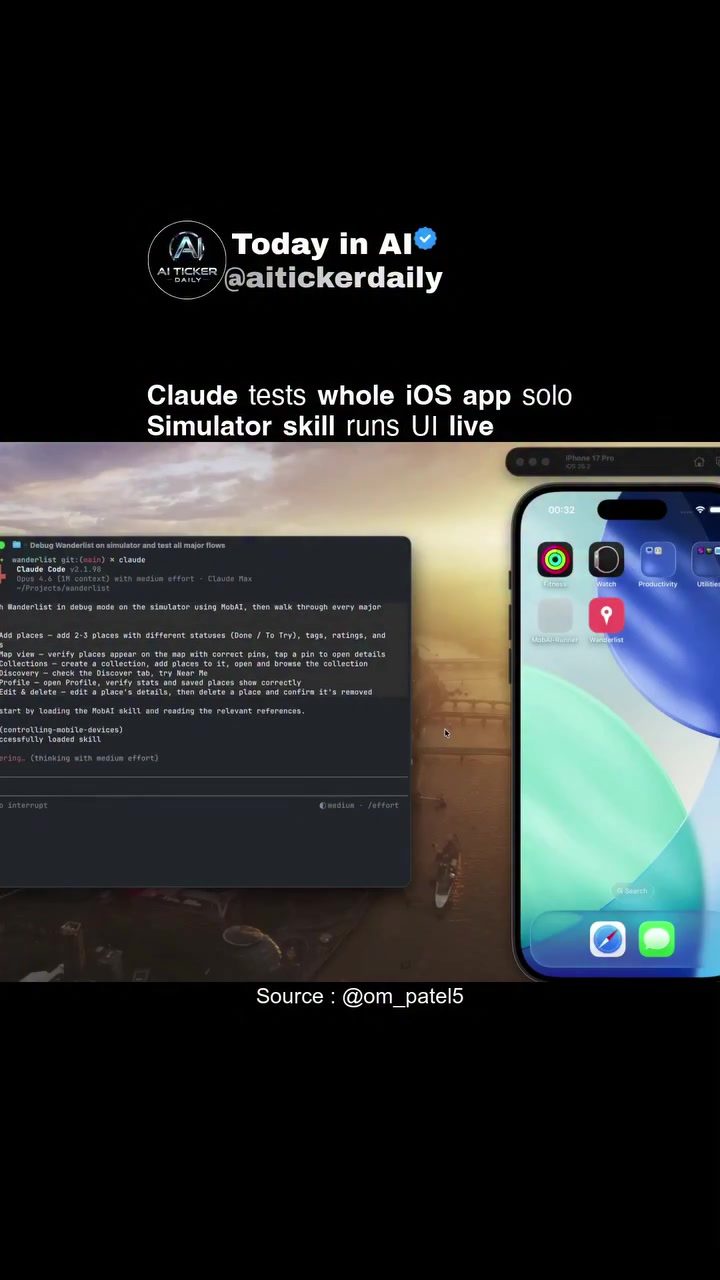
iOS App Development and Testing with MobAI
In today's rapidly evolving tech landscape, developing iOS apps with robust testing capabilities is crucial. Tools like MobAI simplify the complex process of testing iOS applications, making it more efficient and accessible. This article delves into the features and functionalities of MobAI, a comprehensive tool designed to automate the testing of iOS apps using simulators and real devices.
Context / Why This Matters
Automated testing is a cornerstone of modern iOS app development. It ensures that apps are bug-free, perform well, and provide a seamless user experience. With the rise of AI and machine learning, tools like MobAI are becoming indispensable for developers. MobAI combines a desktop application with an open-source component called MCP (Mobile Control Protocol), giving developers full visibility and control over the testing process. This tool is particularly useful for those who need to test multiple aspects of an app, including UI interactions, location services, and map integration.
Main Discussion
Understanding MobAI
MobAI is a powerful testing tool that integrates various components to offer a comprehensive testing solution. The tool combines a desktop application with an open-source protocol, allowing developers to automate the testing of iOS apps. The desktop application acts as a bridge, facilitating HTTP API communication, while the MCP provides the necessary control and visibility over the simulator or real devices.
Key Features of MobAI
Autonomous Runs
One of the standout features of MobAI is its ability to perform autonomous runs. This means that the tool can execute tests without manual intervention, saving developers time and effort. Autonomous runs include taking screenshots, generating an accessibility tree, and producing detailed bug reports. These features ensure that every aspect of the app is thoroughly tested, from the user interface to the backend functionality.
Location Services and Map Integration
MobAI excels in testing location services and map integration. Developers can simulate various locations and test how the app responds to different geographic inputs. This is particularly useful for apps that rely heavily on location-based services, such as navigation apps or location-based social media platforms. The tool's ability to interact with map data ensures that all map-related features are functioning correctly.
Custom Collections
Another key feature of MobAI is its ability to create custom collections within the app. These collections can be used to group related tests or features, making it easier to organize and manage the testing process. Custom collections also allow developers to test specific aspects of the app in isolation, ensuring that each feature works as intended.
Integrating MobAI with Your Development Workflow
Integrating MobAI into your development workflow is a straightforward process. The tool can be easily set up with the help of its open-source repositories, which include MCP, marketplace, and other essential components. The integration process involves downloading the necessary files from GitHub and configuring the desktop application to communicate with the simulator or real devices.
Pure OSS Alternatives
While MobAI offers a comprehensive solution, there are other open-source alternatives that developers might find useful. For example, the Conor Luddy ios-simulator-skill repository and the ios-simulator-mcp repository by Joshua. These tools provide similar functionalities and can be used as standalone solutions or in conjunction with MobAI.
Practical Tips
Setting Up MobAI
To get started with MobAI, follow these steps:
- Download the Desktop Application: Visit the MobAI website and download the desktop application.
- Install MCP: Clone the MCP repository from GitHub and follow the installation instructions.
- Configure the Bridge: Set up the HTTP API bridge to facilitate communication between the desktop application and the simulator or real devices.
- Run Tests: Use the desktop application to run automated tests, including screenshots, accessibility trees, and bug reports.
Testing Location Services
When testing location services, consider the following tips:
- Simulate Multiple Locations: Test the app in various geographic locations to ensure it responds correctly to different inputs.
- Check Map Data Interactions: Ensure that the app interacts seamlessly with map data, including landmarks, routes, and other map features.
- Test Real Devices: While simulators are useful, testing on real devices can provide more accurate results, especially for location-based services.
Creating Custom Collections
To create custom collections in MobAI:
- Define Collection Purpose: Clearly define the purpose of the collection and the features it will include.
- Group Related Tests: Group related tests or features within the collection to make the testing process more organized.
- Isolate Features: Use custom collections to test specific aspects of the app in isolation, ensuring that each feature works as intended.
Important Takeaways
- Automated Testing: MobAI offers a comprehensive solution for automated iOS app testing, including autonomous runs, screenshots, and bug reports.
- Location Services: The tool excels in testing location services and map integration, making it ideal for apps that rely on geographic data.
- Custom Collections: Custom collections allow developers to organize and manage the testing process more effectively, ensuring that each feature is thoroughly tested.
- Open-Source Alternatives: There are other open-source alternatives, such as the
ios-simulator-skillrepository, which can be used as standalone solutions or in conjunction with MobAI.
Conclusion
MobAI is a powerful tool for iOS app development and testing. Its ability to automate the testing process, test location services, and create custom collections makes it an invaluable resource for developers. By integrating MobAI into your development workflow, you can ensure that your iOS apps are robust, bug-free, and provide a seamless user experience. Whether you're a seasoned developer or just starting, MobAI offers the tools and features you need to create high-quality iOS apps.
Watch the Reel
Questions readers ask
What is MobAI and how does it enhance iOS app testing?
MobAI is a tool designed to automate the testing of iOS applications. It enhances testing by streamlining processes on both simulators and real devices, ensuring that apps are thoroughly tested for performance and user experience.
Can MobAI be used for both simulator and real device testing?
Yes, MobAI supports testing on both iOS simulators and real devices. This dual capability ensures that your app is tested in a variety of environments, providing a more comprehensive testing experience.
How does MobAI ensure robust, autonomous testing?
MobAI achieves robust, autonomous testing through a combination of a desktop application and an open-source protocol. This setup allows for flexible and scalable testing solutions, ensuring that your iOS apps are tested efficiently and effectively.
Where can I find the open-source component of MobAI?
The open-source component of MobAI can be found in its GitHub repository. This repository provides access to the protocol and other resources needed to integrate and customize MobAI for your specific testing needs.
Is there a demo available to see MobAI in action?
Yes, MobAI offers a demo that showcases its features and functionalities. This demo can be incredibly helpful in understanding how MobAI can be integrated into your development workflow and the benefits it provides.
How can I control the testing process with MobAI?
MobAI provides a user-friendly desktop application that allows you to control and monitor the testing process. You can set up tests, view results, and make adjustments as needed, all from a centralized interface.
Related deep dives
Similar reads based on topic and creator.




Recent articles
Fresh deep dives from the latest Reels we unpacked.




Comments
Be the first to comment.