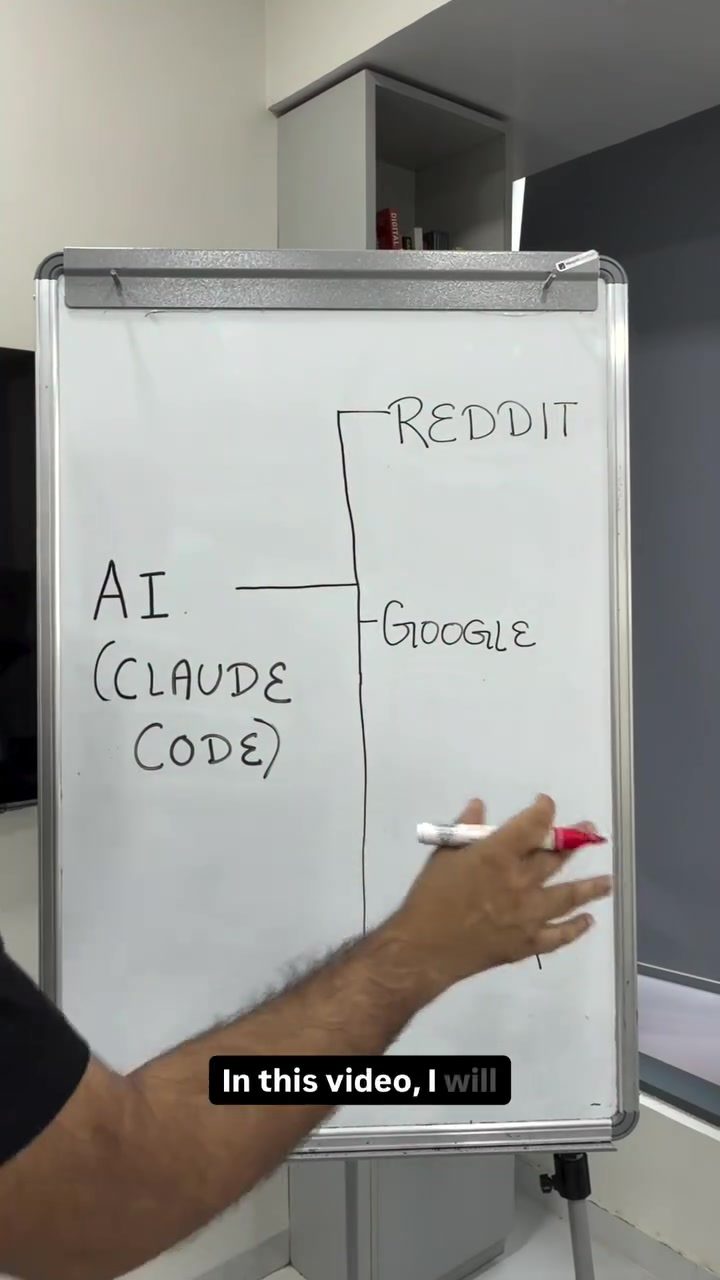
Automate Workflows with AI: Stay Updated on Reddit, Google, and Meta
Staying updated with the latest changes in your field is crucial, and with the right automation tools, you can streamline the process. Here, we'll explore how you can set up automated updates from various platforms like Reddit, Google, and Meta using Cloud Code. This approach allows you to stay informed effortlessly, without the need for manual data entry or coding expertise.
Why This Matters
In today’s fast-paced digital landscape, information is constantly evolving. Whether it's new trends on Reddit, breaking news from Google, or updates from Meta, keeping track of these changes manually can be overwhelming. Automating this process not only saves time but also ensures you never miss critical updates. Cloud Code, a powerful tool within your system's Terminal, simplifies this automation process, making it accessible to everyone, regardless of their technical skill level.
Main Discussion
Understanding the Basics
Before diving into the setup, it's essential to understand the components involved. Your system's Terminal serves as a central hub where you can interact with various applications and tools. Within this Terminal, Cloud Code acts as a personal assistant, ready to execute commands and perform tasks based on your instructions. Think of it as a person inside a room (the Terminal) who understands and carries out your requests.
Setting Up Automated Updates
To get automated updates, you simply need to provide clear, non-technical instructions to Cloud Code. Here’s how you can do it:
-
Access Terminal: Open your system's Terminal. This is the gateway to Cloud Code and other tools.
-
Prompt Cloud Code: You can use this person inside the room analogy to interact with Cloud Code. Speak to it directly, specifying what you want. For example, you might say, “Hey, I want regular updates from these subreddits, from Meta News Update platforms, from Google News Update platforms, and send me an email every morning at 11 am.” Cloud Code will understand your request and execute the necessary actions.
-
Create a Google Sheet: To take it a step further, you can create a Google Sheet and share the link with Cloud Code. This Sheet will act as a tracker for all the updates you receive. Cloud Code will go through the specified links and update the Google Sheet accordingly, providing you with a consolidated view of all the relevant information.
Training Cloud AI
If you're already using Cloud AI, it has likely already learned enough about your preferences to understand your voice and the specifics of your requests. If not, you can provide a training prompt to help Cloud AI understand your voice better. This ensures that when Cloud Code reads through different websites, it accurately translates the information into your voice. This is particularly useful if you use the updates to generate LinkedIn or Twitter posts in your voice.
Practical Tips
Use Clear, Non-Technical Language
When prompting Cloud Code, always use clear, non-technical language. This ensures that the tool understands your instructions accurately and executes them without errors. Avoid jargon and complex terminology unless necessary.
Regularly Update Your Preferences
Your information needs may evolve over time. Regularly update your preferences and instructions to ensure that you receive the most relevant updates. This could involve adjusting the frequency of updates, changing the sources of information, or modifying the way you receive the updates.
Create a Comprehensive Tracker
Using a Google Sheet as a tracker for your updates can be incredibly helpful. It allows you to consolidate all the information in one place, making it easier to review and analyze. You can also add custom columns to categorize the updates based on their relevance or urgency.
Leverage AI for Content Creation
AI-generated content can save you a significant amount of time. By generating LinkedIn or Twitter posts based on the updates, you can ensure that your audience is always aware of the latest trends and developments without having to manually curate content. This can be particularly useful for maintaining a consistent social media presence.
Important Takeaways
Automating your workflow with AI can greatly enhance your productivity and keep you informed about the latest changes in your field. By leveraging tools like Cloud Code, you can automate updates from platforms like Reddit, Google, and Meta, making the process more efficient and less time-consuming.
Conclusion
Staying updated in a fast-paced digital world doesn't have to be a daunting task. With the right tools and a bit of setup, you can automate the process and focus on what truly matters. Whether it's for personal growth, professional development, or maintaining a strong online presence, automated updates can make a significant difference. So, go ahead and set up your automated workflow today.
Watch the Reel
Questions readers ask
How can I start automating updates from Reddit, Google, and Meta?
To begin automating updates, you will need to set up Cloud Code to streamline the process. Cloud Code offers simple terminal commands and voice commands automation, making it easy for users to retrieve and organize updates without manual intervention.
Can I use voice commands to get updates?
Yes, voice commands automation is a feature that allows you to use your voice to instruct the system to retrieve updates from Reddit, Google, and Meta. You can specify the type of updates you want and the platforms from which you want to get them.
What are the benefits of automating updates with AI-driven workflows?
Automating updates with AI-driven workflows allows you to save time, reduce manual data entry, and ensure you never miss important updates. These workflows help you get updates fast, making it a more efficient process.
Do I need coding expertise to set up automated updates?
No, you do not need coding expertise to set up automated updates. The process involves using simple, direct commands in your system’s terminal, which Cloud Code has made accessible for users with varying levels of technical knowledge.
How does Cloud Code help in getting updates from Reddit, Google, and Meta?
Cloud Code helps by facilitating a seamless integration with various platforms, enabling you to retrieve updates quickly and efficiently. By using terminal commands, you can command the system to gather the latest updates from Reddit, Google, and Meta, making sure you are always in the loop.
Can I customize the type of updates I receive?
Yes, you can customize the type of updates you receive through the terminal commands. Customization ensures that you only get the updates that are relevant to your interests or requirements, making your workflow more efficient.
Related deep dives
Similar reads based on topic and creator.




Recent articles
Fresh deep dives from the latest Reels we unpacked.




Comments
Be the first to comment.