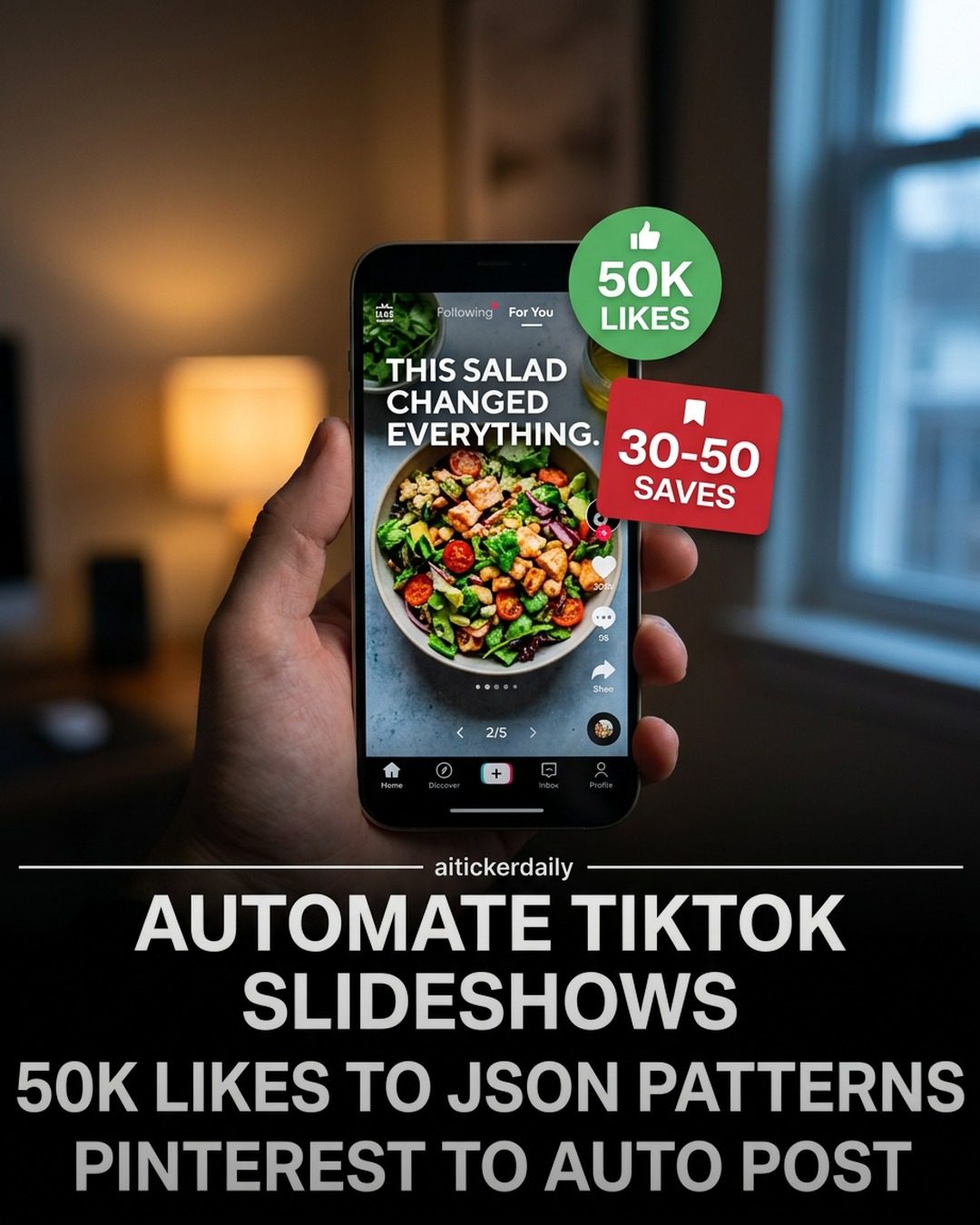
Automating Social Media Slideshows
A software tool called aitickerdaily has caught the attention of social media marketers with its ability to automate the creation and posting of slideshows specifically for TikTok and Pinterest. This software is designed to streamline the process of creating engaging content, making it a valuable addition to any digital marketing strategy.
Context / Why This Matters
With the rising importance of visual content on social media, creating slideshows that attract engagement is crucial. However, the process of manually curating and posting these slideshows can be time-consuming and inefficient. The aitickerdaily software aims to solve this by automating key aspects of the content creation and posting process. This not only saves time but also ensures a consistent output of high-quality content, which can significantly boost engagement metrics like likes and saves.
Features of the Software
Automating Slideshow Creation
One of the standout features of the aitickerdaily software is its ability to automate the creation of slideshows for TikTok and Pinterest. This is done by converting content into JSON patterns, which can then be reused and customized as needed. The software can handle images, overlay hooks and calls-to-action (CTAs) on flat images, and even export the final slideshows to scheduling tools like Postiz, PostBridge, and Genviral, or directly to the TikTok API.
Pattern Synthesis and Content Reuse
The software can synthesize 4-5 patterns from niche content with 50K+ likes and convert them into JSON patterns. These patterns can be used to generate fresh content that aligns with proven successful formats. This feature is particularly useful for marketers who want to capitalize on trending content without having to start from scratch each time. By using pre-existing patterns, they can quickly create on-brand content that resonates with their audience.
Automated Posting and Scheduling
The ability to automate posting to platforms like Pinterest and TikTok is another key feature. This ensures that content is posted at optimal times, maximizing engagement and reach. The software integrates with popular scheduling tools, allowing marketers to manage their content calendar more efficiently. This integration means that users can set up their posts in advance and let the software handle the rest, freeing up time for other tasks.
Practical Tips for Using the Software
-
Start with a Warm-Up Period: Before diving into full automation, consider a warm-up period where you manually curate and post 30-50 niche content pieces with 50k+ likes. This helps build a foundation of high-performing content that the software can analyze and replicate.
-
Use Code to Metadata JSON: Convert your high-performing content into JSON metadata. This step is crucial as it allows the software to understand and replicate the successful elements of your content.
-
Leverage Pinterest Query Groups: Use Pinterest query groups to synthesize 4-5 patterns. These patterns can then be used to create new content that aligns with proven successful formats.
-
Overlay Hook/Body/CTA: Overlay hooks and calls-to-action (CTAs) on flat images to make them more engaging. This ensures that your content not only looks good but also drives interaction.
-
Export to Scheduling Tools: Export your slideshows to scheduling tools like Postiz, PostBridge, and Genviral for efficient content management. Alternatively, use your own TikTok API for more customized solutions.
-
Consider Account-Age Safety: Be mindful of the age and safety of your account. For fresh accounts, consider shipping to drafts first to build a history of high-quality content before going full auto.
-
Close the Content-Engine Loop: Ensure that your content creation process is a closed loop. This means continuously analyzing performance data, making adjustments, and reusing successful patterns.
Important Takeaways
-
Efficiency and Consistency: Automating the creation and posting of slideshows can significantly improve efficiency and consistency in content creation.
-
Pattern Recognition: Using proven content patterns can save time and improve engagement metrics.
-
Integration with Scheduling Tools: The software's ability to integrate with popular scheduling tools makes it a versatile addition to any digital marketing toolkit.
-
Customization and Flexibility: The software offers both custom API and third-party subscription options, providing flexibility for users with different needs.
-
Strategic Use of Analytics: Understanding and using analytics to make data-driven decisions is crucial for maximizing the software's potential.
Conclusion
The aitickerdaily software offers a robust solution for automating the creation and posting of slideshows on social media platforms like TikTok and Pinterest. By leveraging its features, marketers can save time, ensure consistency, and boost engagement metrics. The software's ability to convert content into JSON patterns, synthesize successful formats, and integrate with scheduling tools makes it a valuable tool for any digital marketing strategy. Whether you're a seasoned marketer or just starting, the aitickerdaily software can help streamline your content creation process and drive better results.
Watch the Reel
Questions readers ask
What is `aitickerdaily` and how does it benefit social media marketers?
`Aitickerdaily` is a specialized tool designed to automate the creation and posting of slideshows for TikTok and Pinterest. It benefits social media marketers by saving time and ensuring consistent, engaging content is regularly posted on these platforms, enhancing overall social media strategy.
Can `aitickerdaily` help with creating slideshows for other social media platforms besides TikTok and Pinterest?
Currently, `aitickerdaily` is tailored specifically for TikTok and Pinterest. However, it excels in automating the content creation process for these two platforms, ensuring high-quality, consistent output. For other platforms, marketers may need to explore additional tools or manual curation.
How does `aitickerdaily` automate the process of creating slideshows?
`Aitickerdaily` automates the process by handling key aspects such as content curation, slideshow creation, and posting. This includes selecting appropriate images or videos, arranging them in engaging templates, and scheduling posts at optimal times, all without manual intervention.
What kind of content can be used in `aitickerdaily` slideshows?
`Aitickerdaily` supports a variety of content types, including images and short videos. Users can input their own media or use templates provided by the tool to create visually appealing and engaging slideshows tailored to their audience's preferences.
Is there a tutorial available for using `aitickerdaily` effectively?
Yes, `aitickerdaily` offers tutorials and guides to help users get the most out of the tool. These resources cover everything from basic setup to advanced features, ensuring that even beginners can quickly become proficient in automating their TikTok and Pinterest slideshows.
Related deep dives
Similar reads based on topic and creator.




Recent articles
Fresh deep dives from the latest Reels we unpacked.




Comments
Be the first to comment.