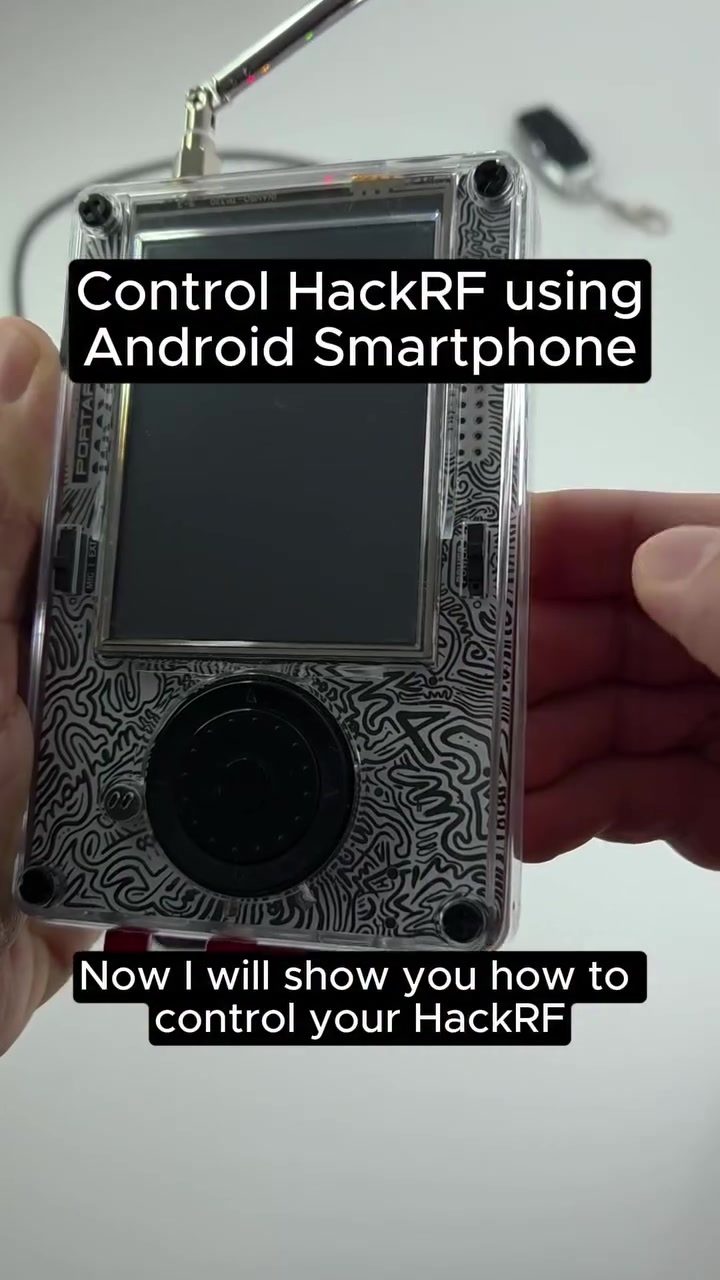
Controlling HackRF with an Android Smartphone
Controlling a HackRF—a popular software-defined radio (SDR) device—with just an Android smartphone opens up a world of possibilities for enthusiasts and professionals alike. This setup allows users to analyze and record radio frequencies, making it a versatile tool for learning, research, and exploration of the radio spectrum.
Why This Matters
The ability to control an SDR device like the HackRF with a smartphone democratizes access to advanced radio frequency analysis. Traditionally, such tasks required specialized hardware and software, often confined to desktop or laptop environments. By leveraging the processing power and portability of a smartphone, users can perform these tasks on-the-go, making it easier to conduct experiments and gather data in various settings.
Main Discussion
Setting Up the HackRF with an Android Smartphone
To control a HackRF using an Android smartphone, follow these essential steps:
-
Connecting the Devices:
- Use a USB OTG (On-The-Go) cable to connect the HackRF to your Android smartphone. This cable allows the Android device to read data from the USB-connected device, essentially turning the smartphone into a host for the SDR device.
-
Installing Required Apps:
- Download and install an RF Analyzer app from the Google Play Store. This app will provide the interface needed to visualize and interact with the radio signals captured by the HackRF.
- Additionally, install the RTL-SDR driver app. This app is crucial for enabling the SDR drivers on your smartphone, allowing it to communicate with the HackRF device effectively.
-
Enabling the SDR Driver:
- Once the apps are installed, allow the SDR drivers to be enabled on your smartphone. This step is necessary for the device to recognize and interact with the connected HackRF.
- Ensure that the smartphone has the necessary permissions to access the connected device, which may involve granting specific access rights during the initial setup.
Analyzing and Recording Frequencies
Once the setup is complete, you can start analyzing and recording radio frequencies. Here’s how:
-
Visualizing the Waterfall:
- Using the RF Analyzer app, you can visualize the waterfall display, which shows the frequency spectrum over time. This visualization is useful for identifying different signals and understanding their characteristics.
- In the demonstration, a testing keyfob is used to show real-time frequency analysis. The keyfob emits signals at specific frequencies, such as 433 MHz, 945 MHz, and 976 Hz, which are then captured and displayed by the app.
-
Recording Frequencies:
- The RF Analyzer app also allows you to record the frequencies you are analyzing. These recordings can be stored directly on your smartphone, making it easy to analyze and replay them later.
- Recorded frequencies can be transferred to other devices or systems for further analysis, providing a convenient way to share data with colleagues or save it for future reference.
Benefits of Smartphone Control
Controlling a HackRF with an Android smartphone offers several benefits:
-
Portability:
- Smartphones are compact and portable, making it easy to carry the setup to different locations. This is particularly useful for field research or on-the-go experiments.
-
Convenience:
- The ability to store and replay recorded frequencies directly on the smartphone enhances convenience. You can instantly review and analyze the data without needing additional hardware.
-
Versatility:
- The setup can be used for a variety of applications, from basic frequency analysis to more complex research projects. The flexibility of the SDR platform allows for a wide range of uses.
Practical Tips
-
Ensure Proper Connections:
- Always double-check the USB OTG cable connections to ensure a secure link between the HackRF and your smartphone. Poor connections can lead to data loss or incomplete readings.
-
Update Apps Regularly:
- Keep both the RF Analyzer and RTL-SDR driver apps up to date to benefit from the latest features and improvements. Regular updates also help maintain compatibility with new devices and software.
-
Use a Power Bank:
- If you plan to use the setup for extended periods, consider using a power bank to keep your smartphone charged. This is especially important when conducting field research where power sources might be limited.
-
Responsible Use:
- Always remember that while this setup is powerful, it should be used responsibly. SDR tools are meant for learning, research, and exploration, not for interfering with legitimate communications. Respect local regulations and ethical guidelines when using SDR devices.
Important Takeaways
-
Accessibility:
- Controlling a HackRF with a smartphone makes advanced radio frequency analysis accessible to a broader audience, including hobbyists, researchers, and students.
-
Efficiency:
- The smartphone interface provides a user-friendly way to visualize and record frequencies, enhancing the efficiency of data collection and analysis.
-
Versatility:
- The setup can be adapted for various applications, from educational purposes to professional research, making it a versatile tool for anyone interested in radio frequency analysis.
Conclusion
Controlling a HackRF with an Android smartphone is a practical and powerful way to explore the world of radio frequencies. By following the setup steps and utilizing the features of the RF Analyzer app, users can conduct thorough frequency analysis and recording. This setup not only enhances portability and convenience but also opens up new possibilities for learning, research, and exploration. Whether you’re a seasoned professional or a curious enthusiast, this method offers a compelling way to delve into the complexities of the radio spectrum.
Watch the Reel
Questions readers ask
How can I control a HackRF using an Android smartphone?
To control a HackRF with an Android smartphone, you'll need an OTG (On-The-Go) cable to connect the HackRF to your smartphone. Then, install a compatible app from the Google Play Store that supports SDR functionality, such as 'SDR Touch' or 'HackRF Control'.
What is a USB OTG cable and why do I need one for this setup?
A USB OTG cable allows your smartphone to connect to USB devices, such as the HackRF. It enables data transfer and communication between the smartphone and the HackRF, making it possible to control and analyze radio frequencies using your phone.
Which apps are available on the Google Play Store for SDR functionality?
There are several apps available on the Google Play Store that support SDR functionality, including 'SDR Touch' and 'HackRF Control'. These apps allow you to control the HackRF, analyze, and record radio frequencies directly from your smartphone.
What are the benefits of using a smartphone for RF analysis with a HackRF?
Using a smartphone for RF analysis with a HackRF enhances portability, allowing you to conduct experiments and gather data anywhere. It also makes advanced RF analysis more accessible by leveraging the smartphone's processing power and touch interface.
Can I control the HackRF with an Android tablet as well?
Yes, you can control the HackRF with an Android tablet in the same way as you would with a smartphone. You will need an OTG cable and a compatible app from the Play Store to establish the connection and perform frequency analysis.
Are there any specific USB cables required for connecting the HackRF to a smartphone?
You will need a USB OTG cable to connect the HackRF to your smartphone. Ensure the cable is compatible with your specific smartphone model and the HackRF device. Standard USB cables will not work for this purpose.
How can I ensure a stable connection between my smartphone and the HackRF?
To ensure a stable connection, use a high-quality OTG cable and connect it securely to both the smartphone and the HackRF. Make sure the app you are using is compatible with your smartphone model and the specific version of the HackRF firmware. If you encounter issues, try using a different OTG cable or app.
Related deep dives
Similar reads based on topic and creator.




Recent articles
Fresh deep dives from the latest Reels we unpacked.




Comments
Be the first to comment.