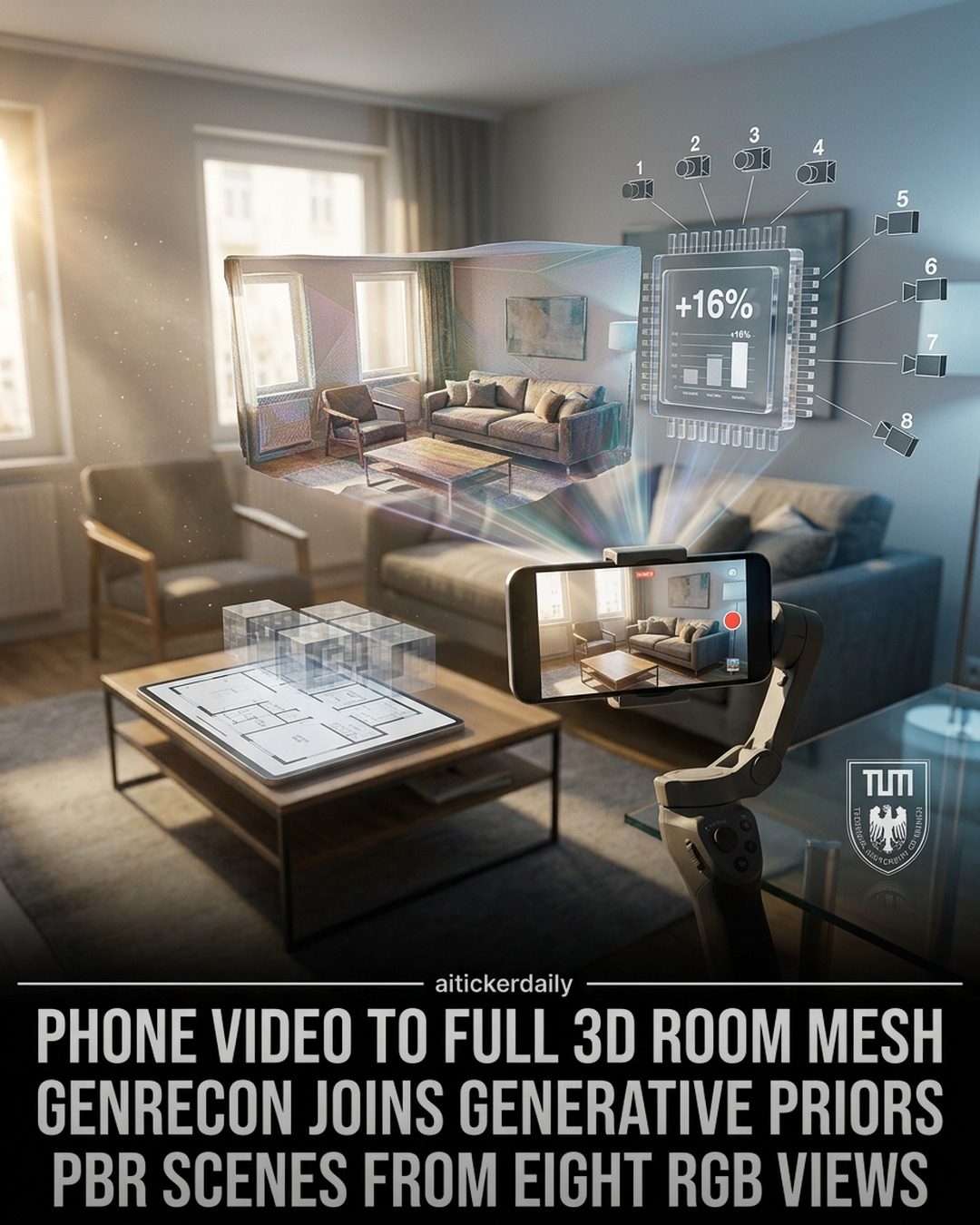
AI-Powered 3D Room Generation from Smartphone Videos
AI-powered 3D room generation is revolutionizing the way we capture and interact with indoor spaces. This innovative software, developed by aitickerdaily, transforms casual smartphone videos into complete, physically based rendering (PBR)-ready indoor scene meshes. By combining multi-view reconstruction with a generative 3D prior, the software offers unprecedented capabilities in 3D modeling and scene editing.
Context / Why this matters
The ability to convert smartphone videos into 3D room meshes has significant implications for various industries, including architecture, interior design, real estate, and entertainment. This technology allows for the creation of highly detailed and realistic 3D models from simple video recordings, making it easier and more accessible to generate 3D content. This can streamline workflows, reduce the need for specialized equipment, and open up new possibilities for virtual staging, interactive tours, and immersive experiences.
Main discussion
Multi-View Reconstruction and Generative 3D Prior
The software, aitickerdaily, utilizes a multi-view reconstruction approach combined with a generative 3D prior, specifically Trellis.2. This combination enables the software to create detailed 3D models from multiple angles captured in a video. The generative prior helps in filling in missing details and ensuring that the generated mesh is coherent and realistic.
Projection-Based Voxel Conditioning
One of the key features of this software is its use of projection-based voxel conditioning. This technique involves projecting the video frames onto a voxel grid, which allows the software to spatially ground the conditioning signals. This means that the software can align signals in 3D space, ensuring that the generated mesh is accurate and consistent.
Joint Chunk Generation and Multi-View Consistency
The software also employs joint chunk generation, which involves dividing the scene into smaller chunks and processing them simultaneously. This approach ensures that the generated mesh is consistent across multiple views, enhancing the overall quality and realism of the 3D model. Multi-view consistency is enforced before decoding, which means that the software ensures that the generated mesh is consistent from all angles before finalizing the model.
Physically Based Rendering (PBR)
The generated meshes are PBR-ready, which means they can be relit and edited in real-time. This is a significant advantage over traditional methods, which often require recapturing scenes to adjust lighting. The PBR materials allow for realistic relighting, making it easier to create different lighting scenarios and enhance the visual appeal of the 3D model.
Editing and Relighting in Blender
One of the standout features of this software is its integration with Blender, a popular open-source 3D creation suite. The generated meshes can be imported into Blender, where users can edit the scene, move furniture, swap textures, and relight the scene with realistic effects. This makes the software a powerful tool for 3D artists, designers, and anyone looking to create immersive and interactive 3D experiences.
Performance and Efficiency
The software demonstrates a significant improvement in performance compared to baseline methods. With an approximate 16% increase in efficiency, it allows for faster and more efficient 3D model generation. This is particularly useful for professionals who need to generate 3D content quickly and efficiently.
Practical Tips
When using this software for 3D room generation, consider the following practical tips to get the best results:
Camera Placement and Movement
Ensure that the smartphone is moved smoothly and captures the room from multiple angles. Avoid sudden movements or shaky footage, as this can affect the quality of the generated mesh.
Lighting Conditions
Optimal lighting conditions can significantly enhance the quality of the 3D model. Ensure that the room is well-lit, and avoid areas with harsh shadows or extreme brightness.
Post-Processing in Blender
Take advantage of Blender's powerful editing tools to fine-tune the 3D model. Experiment with different lighting scenarios, textures, and furniture arrangements to create the desired effect.
Regular Updates and Resources
Stay updated with the latest developments and resources from aitickerdaily. Follow their weekly AI briefings and check out their links in the bio for more information on how to maximize the software's potential.
Important Takeaways
AI-powered 3D room generation from smartphone videos offers a revolutionary way to capture and interact with indoor spaces. By leveraging multi-view reconstruction, generative 3D priors, and projection-based voxel conditioning, this software creates highly detailed and realistic 3D models. The integration with Blender allows for real-time editing and relighting, making it a powerful tool for various industries. With its efficient performance and user-friendly features, this software is poised to transform the way we create and experience 3D content.
Conclusion
The future of 3D modeling and scene editing is here with AI-powered 3D room generation. This innovative software from aitickerdaily, which converts smartphone videos into complete, PBR-ready indoor scene meshes, offers unparalleled capabilities. Whether you are an architect, interior designer, real estate professional, or content creator, this technology can enhance your workflow and open up new possibilities. Embrace the power of AI and transform the way you create and interact with 3D content.
Watch the Reel
Questions readers ask
What is the process of creating 3D room models from smartphone videos?
The process involves using AI to analyze and reconstruct 3D spaces from the videos. The technology leverages multi-view reconstruction and a generative 3D prior to generate detailed, PBR-ready 3D room models.
Which industries can benefit from AI-powered 3D room generation?
Industries such as architecture, interior design, real estate, and entertainment can greatly benefit. This technology allows for the creation of highly detailed 3D models, which can be used for various applications such as virtual staging in real estate or creating realistic environments in entertainment.
What is the significance of PBR-ready 3D room models?
PBR (Physically Based Rendering) ready 3D room models are significant because they can be used in applications that require realistic lighting, shadows, and material properties. This makes them ideal for high-quality visualizations in design, architecture, and entertainment.
How does aitickerdaily's technology differ from traditional 3D modeling methods?
Aitickerdaily's technology differentiates itself by using AI to convert casual smartphone videos into 3D room models, eliminating the need for specialized equipment or complex manual modeling processes. This makes 3D modeling more accessible and efficient.
Can this technology be used for virtual reality (VR) experiences?
Yes, the 3D room models generated by this technology can be used to create immersive VR experiences. The high level of detail and realism in the models make them suitable for virtual tours, simulations, and other VR applications.
What kind of smartphone videos are suitable for this 3D room reconstruction?
The technology can work with casual, everyday smartphone videos. However, for the best results, it is recommended to capture videos with a steady hand and sufficient lighting to ensure all details of the room are visible.
Is it possible to relight the generated 3D room models?
Yes, the PBR-ready 3D room models generated by this technology support relighting. This means you can adjust the lighting conditions in the 3D model to see how different lighting scenarios would affect the space, which is particularly useful for design and real estate applications.
Related deep dives
Similar reads based on topic and creator.




Recent articles
Fresh deep dives from the latest Reels we unpacked.




Comments
Be the first to comment.