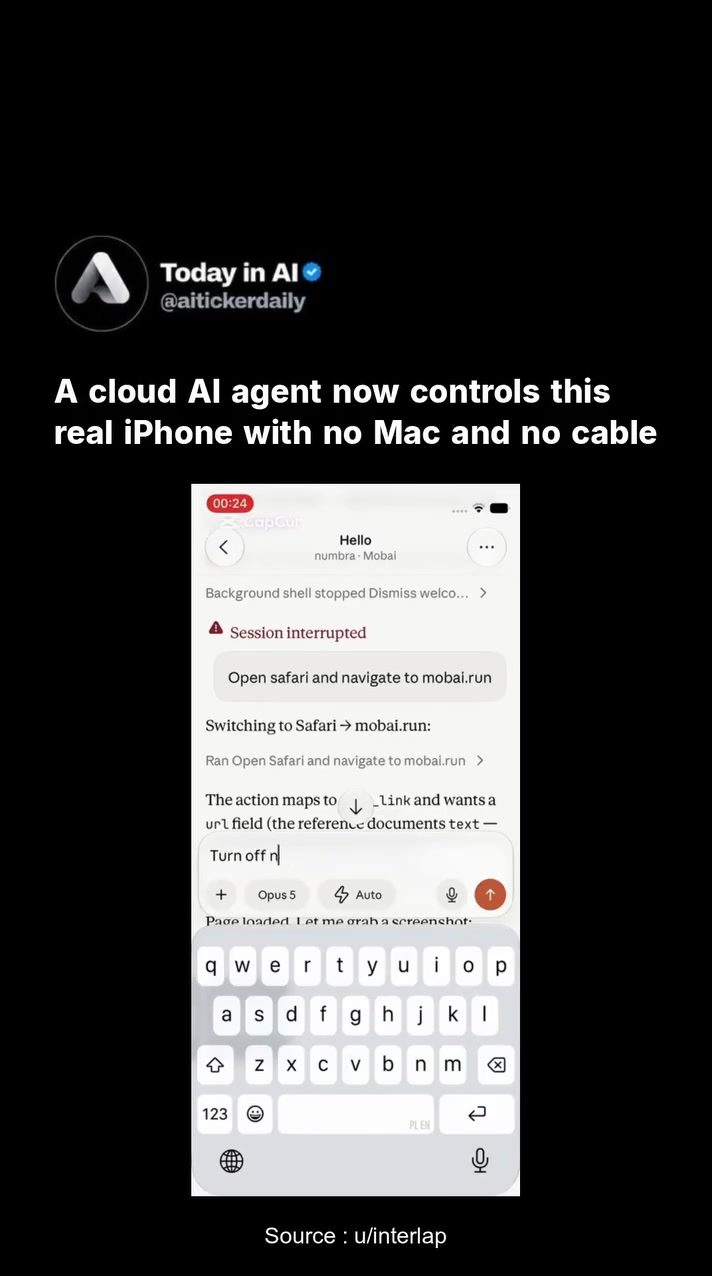
AI Control of iPhones
iPhone users may soon experience a new level of convenience with the advent of AI-controlled devices. A developer has demonstrated an AI agent controlling an iPhone wirelessly, highlighting the potential for remote device management.
Why This Matters
The ability to control an iPhone remotely without the need for a Mac or cable opens up a world of possibilities. From managing notifications to navigating through apps, this technology could revolutionize how users interact with their devices. Imagine being able to control your phone from anywhere in the world, ensuring that important tasks are handled even when you're not physically present.
Main Discussion
The Technology Behind AI-Phone Control
The demo showcases an AI agent that can interact with an iPhone, specifically an iPhone-12-mini, through a cloud-based system. The device-control layer developed by the creator allows the AI to navigate the phone's interface, open apps, and manage settings. This setup runs in a remote sandbox, enabling the AI to operate the physical device without any direct physical connection.
Navigating Through Safari
One of the key functionalities demonstrated is the AI's ability to open and navigate through the Safari browser. The AI can open a specific URL, such as mobai.run, and interact with the content on the page effectively. This capability is crucial for tasks that require browsing the internet or accessing web-based applications.
Managing Notifications
Another important aspect of this technology is the AI's ability to manage notifications. The demo shows the AI turning notifications on and off, setting them to deliver immediately, and even managing time-sensitive notifications. This level of control ensures that users can prioritize important alerts and avoid being overwhelmed by unnecessary notifications.
The Remote Sandbox
The AI operates within a remote sandbox, which is a controlled environment that allows the AI to interact with the device without compromising its security. This setup ensures that the AI can perform tasks without affecting the device's performance or security settings.
The Device-Control Layer
The device-control layer is a crucial component of this technology. It connects the AI to the physical iPhone, enabling seamless interaction. This layer ensures that the AI can perform tasks accurately and efficiently, making the user experience smooth and reliable.
Practical Tips
Setting Up Remote AI Control
To set up remote AI control, you'll need a compatible iPhone and the necessary software. The demo shows an iPhone-12-mini, but other models may also support this feature. Ensure your iPhone is up-to-date and has the required permissions for remote control.
Managing Notifications
When managing notifications, it is essential to prioritize important alerts. Use the AI to set time-sensitive notifications and ensure that you don't miss any critical alerts. Adjust the notification settings to suit your preferences, and use the AI to deliver important notifications immediately.
Navigating Through Safari
Utilize the AI's ability to navigate through Safari for efficient browsing. Set up bookmarks for frequently visited sites and use the AI to open these bookmarks quickly. This feature is particularly useful for accessing web-based applications or multitasking while on the go.
Important Takeaways
The AI control of iPhones is a groundbreaking development that enhances user convenience and efficiency. By leveraging this technology, users can manage their devices remotely, ensuring that important tasks are handled even when they are not physically present. The ability to navigate through Safari and manage notifications adds significant value to this technology, making it a game-changer in the world of mobile devices.
Conclusion
Remote AI control of iPhones is set to transform how users interact with their devices. With the ability to navigate through Safari, manage notifications, and perform various tasks remotely, this technology offers unparalleled convenience and efficiency. As the technology continues to evolve, we can expect even more advanced features and capabilities, making our lives easier and more productive.
Watch the Reel
Questions readers ask
How does AI enable wireless iPhone management?
AI uses advanced algorithms to interpret and execute commands, allowing users to control their iPhones wirelessly. This involves navigating apps, managing notifications, and handling tasks remotely, all without the need for a physical connection or a Mac.
Can I control my iPhone from anywhere using this technology?
Yes, with AI wireless iPhone management, you can control your device from anywhere in the world. This is made possible by cloud-based systems that facilitate remote access and command execution.
What tasks can be managed remotely on an iPhone?
A wide range of tasks can be managed remotely, including navigating through apps, handling notifications, and even performing specific actions within apps. This makes it convenient to ensure important tasks are handled even when you're not physically with your device.
Do I need a Mac or cable to control my iPhone remotely?
No, one of the key advantages of AI iPhone control is that it eliminates the need for a Mac or cable. You can manage your iPhone wirelessly, providing a new level of convenience and flexibility.
How does the AI agent control the iPhone?
The AI agent interacts with the iPhone using a combination of wireless protocols and advanced algorithms. It can simulate taps, swipes, and other gestures to navigate the interface and perform tasks as if a user were interacting with the device directly.
What are the benefits of controlling an iPhone remotely?
Remote iPhone control offers numerous benefits, such as managing notifications, navigating through apps, and handling tasks from anywhere. This is particularly useful for ensuring that important tasks are completed even when you are not physically present with your device.
Related deep dives
Similar reads based on topic and creator.




Recent articles
Fresh deep dives from the latest Reels we unpacked.




Comments
Be the first to comment.